
Built for How Business Buys.



 Aisizon Wireless Clip Mic, Wireless Lavalier Microphones, Lapel Clip-on Micro... |  Aisizon Wireless Mics, Wireless Clip on Microphones, Lapel Microphone A2d One... |  Aisizon Wireless lavalire Microphone, Wireless Clip on Microphones, Hi-Fi Aud... |  Aisizon Wireless Lavalier Microphone for iPhone15, Wireless Clip Mic, Wireles... |  Wireless Lavalier Microphone with Noise Cancellation, HI-FI Audio, Wireless L... |  Wireless Lavalier Microphone with Noise Cancellation, HI-FI Audio, Wireless L... | |
|---|---|---|---|---|---|---|
| Customer Reviews | — | — | — | — | — | — |
| Price | — | — | — | — | — no data | — no data |
| Connector | Type-c/Lightning/USB | Type-c/Lightning/USB | Lightning/USB | Lightning/USB | Type-c/USB | Type-c/Lightning/USB |
| Indoor Transmission Distance | 65FT | 65FT | 65FT | 65FT | 100FT | 100FT |
| Applicable system | iPhone15-16/15-16Pro/Android/WIN/MAC | iPhone15-16/15-16Pro/Android/WIN/MAC | iPhong7-14/Windows/MAC | iPhong7-14/Windo/WIN/MAC | iPhone15-16/15-16Pro/Android/WIN/MAC | IOS/Android/WIN/MAC |
| Standby time | 25 hours | 25 hours | 25 hours | 25 hours | 30 hours | 30 hours |
| Surrounding noise reduction | ? | ? | ? | ? | ? | ? |
| Pair 2 microphones | no data | ? | no data | ? | ? | ? |
| powerful magnetic suction | no data | no data | no data | no data | ? | ? |
| HI-FI Audio | no data | no data | no data | no data | ? | ? |
More models, more suitable for you.

new model: Aisizon A5d wireless mic
Aisizon A5d Wireless Lavalier Microphone with Noise Cancellation,HI-FI AUDIO, Wireless Lapel Microphone for iPhone 15/Pro/iPad, Android, for Tiktok, YouTube, Video Recording, Live Streaming.

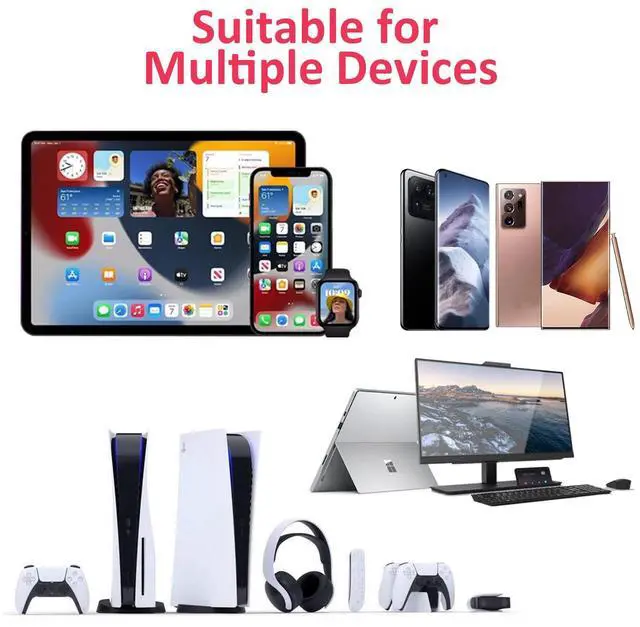
Suitable for multiple devices
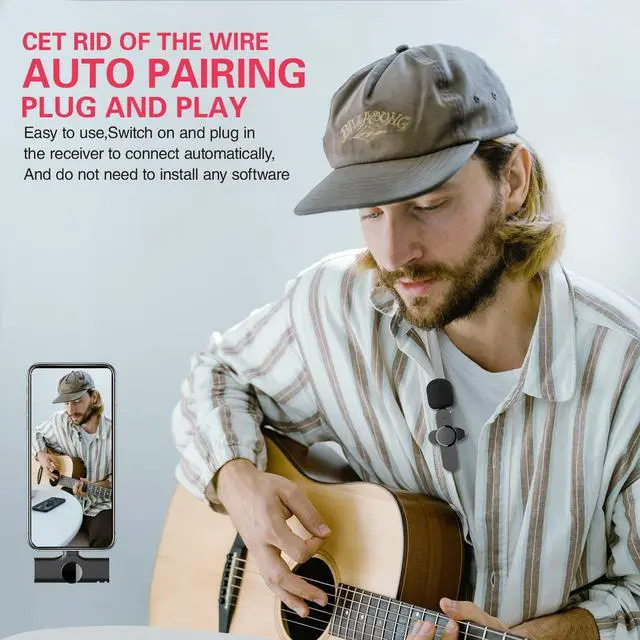
Easy to use,Switch on and plug in the wireless mic receiver to connect automatically,And do not need to install any software
NOTICE:
1.If iPhone/iPad cannot be matched, please exit all open programs and restart the device.
2.It cannot match iPhone 6 or lower,because the recording is done through the 3.5 audio port.
3.Some Samsung phones cannot be matched because it is not an open source system.
*After our laboratory testing, except for the following Samsung smartphone version is not applicable, other versions are not found problems, please rest assured that the use of.
DO NOT suitable for the following models: Galaxy C9pro/Galaxy Note8/Galaxy S8/Galaxy A40s/Galaxy F52 5G/W2018/Galaxy A50, A50S/Galaxy A60, A60S/Galaxy M30S/Galaxy A6S
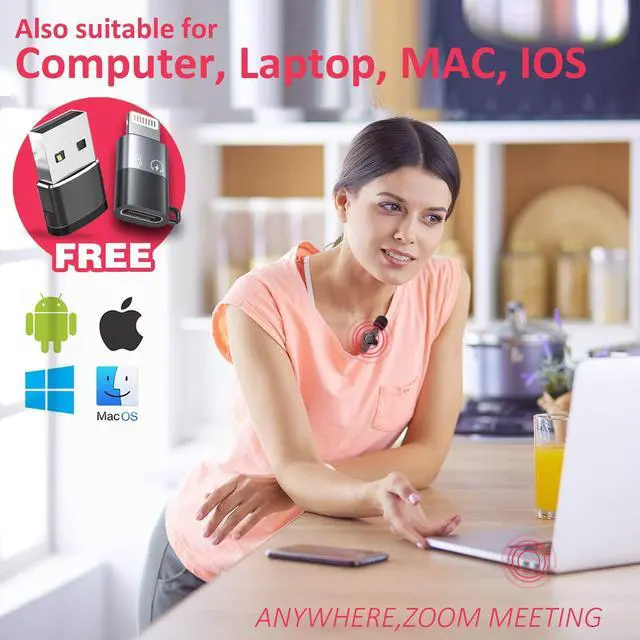
How to use the wireless mic on a computer/laptop by the usb adapter for zoom video conferencing?

Key: Set the Aisizon wireless microphone as your computer's audio input device.
Step 1: Open your computer's sound settings.
Find the speaker in the bottom right corner of the desktop, mouse over it, right click on "Open Sound Settings (E)"
Step 2: In the "Sound" interface, find "Input" and select the sound input device as "Microphone".
The setting is finished.
Now, You can use your computer to record, make videos, or use ZOOM to video conference with colleagues.
One tip:
In the upper right corner of the "Sound" screen, find the "Sound Control Panel".
Click on the "Sound" device, find the microphone, and click on the properties in the lower right corner.
The microphone properties screen appears, click "Listen", then the sound of the microphone can be emitted from the computer speakers.
Now, your computer will become a loudspeaker.

Type-c to Lightning adapter
More efficient and convenient links, with high-definition sound quality:
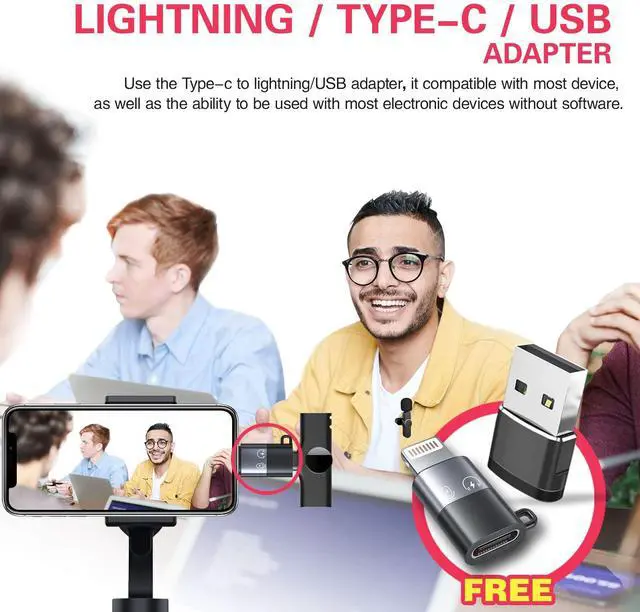
Use the Type-c to lightning adapter,it compatible with Apple device, as well as the ability to be used with most electronic devices without software.Multiple devices(Requires Type-c port) or groups of people can use this wireless mic, not limited to the connection port.
Notice:
If it is an iPhone/iPad device, and the adapter cannot be used, please exit all open programs or restart the device. During the live broadcast, please exit all programs so that the microphone has enough system resources to work.


Package Included:
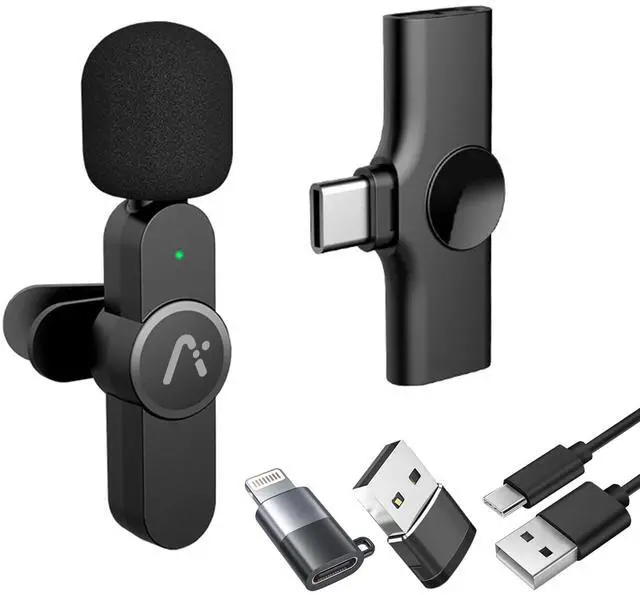
· 1 x wireless microphone
· 1 x receiver
· 1 x Type-C to Lightning adapter
· 1 x USB data cable
· 1 x English & Chinese bilingual manual
How to make the wireless microphone work better?
1.After use, please press and hold the power button to turn off the power, otherwise the microphone will continue to work until the battery runs out.
2. Please charge the wireless mic for 1 hour before using the device.
3. Please read the user manual before use.
Product information
Aisizon Wireless Clip Mic, Wireless Lavalier Microphones, Lapel Clip-on Micro... | Aisizon Wireless Mics, Wireless Clip on Microphones, Lapel Microphone A2d One... | Aisizon Wireless lavalire Microphone, Wireless Clip on Microphones, Hi-Fi Aud... | Aisizon Wireless Lavalier Microphone for iPhone15, Wireless Clip Mic, Wireles... | Wireless Lavalier Microphone with Noise Cancellation, HI-FI Audio, Wireless L... | Wireless Lavalier Microphone with Noise Cancellation, HI-FI Audio, Wireless L... | |
|---|---|---|---|---|---|---|
| Customer Reviews | — | — | — | — | — | — |
| Connector | Type-c/Lightning/USB | Type-c/Lightning/USB | Lightning/USB | Lightning/USB | Type-c/USB | Type-c/Lightning/USB |
| Indoor Transmission Distance | 65FT | 65FT | 65FT | 65FT | 100FT | 100FT |
| Applicable system | iPhone15-16/15-16Pro/Android/WIN/MAC | iPhone15-16/15-16Pro/Android/WIN/MAC | iPhong7-14/Windows/MAC | iPhong7-14/Windo/WIN/MAC | iPhone15-16/15-16Pro/Android/WIN/MAC | IOS/Android/WIN/MAC |
| Standby time | 25 hours | 25 hours | 25 hours | 25 hours | 30 hours | 30 hours |
| Surrounding noise reduction | ? | ? | ? | ? | ? | ? |
| Pair 2 microphones | no data | ? | no data | ? | ? | ? |
| powerful magnetic suction | no data | no data | no data | no data | ? | ? |
| HI-FI Audio | no data | no data | no data | no data | ? | ? |
More models, more suitable for you.
new modelï¼? Aisizon A5d wireless mic
Aisizon A5d Wireless Lavalier Microphone with Noise Cancellation,HI-FI AUDIO, Wireless Lapel Microphone for iPhone 15/Pro/iPad, Android, for Tiktok, YouTube, Video Recording, Live Streaming.
Suitable for multiple devices
Easy to use,Switch on and plug in the wireless mic receiver to connect automatically,And do not need to install any software
NOTICE:
1.If iPhone/iPad cannot be matched, please exit all open programs and restart the device.
2.It cannot match iPhone 6 or lower,because the recording is done through the 3.5 audio port.
3.Some Samsung phones cannot be matched because it is not an open source system.
*After our laboratory testing, except for the following Samsung smartphone version is not applicable, other versions are not found problems, please rest assured that the use of.
DO NOT suitable for the following models: Galaxy C9pro/Galaxy Note8/Galaxy S8/Galaxy A40s/Galaxy F52 5G/W2018/Galaxy A50, A50S/Galaxy A60, A60S/Galaxy M30S/Galaxy A6S
How to use the wireless mic on a computer/laptop by the usb adapter for zoom video conferencing?
Key: Set the Aisizon wireless microphone as your computer's audio input device.
Step 1: Open your computer's sound settings.
Find the speaker in the bottom right corner of the desktop, mouse over it, right click on "Open Sound Settings (E)"
Step 2: In the "Sound" interface, find "Input" and select the sound input device as "Microphone".
The setting is finished.
Now, You can use your computer to record, make videos, or use ZOOM to video conference with colleagues.
One tip:
In the upper right corner of the "Sound" screen, find the "Sound Control Panel".
Click on the "Sound" device, find the microphone, and click on the properties in the lower right corner.
The microphone properties screen appears, click "Listen", then the sound of the microphone can be emitted from the computer speakers.
Now, your computer will become a loudspeaker.
Type-c to Lightning adapter
More efficient and convenient links, with high-definition sound quality:
Use the Type-c to lightning adapterï¼?it compatible with Apple device, as well as the ability to be used with most electronic devices without software.Multiple devices(Requires Type-c port) or groups of people can use this wireless mic, not limited to the connection port.
Notice:
If it is an iPhone/iPad device, and the adapter cannot be used, please exit all open programs or restart the device. During the live broadcast, please exit all programs so that the microphone has enough system resources to work.
How to make the wireless microphone work better?
Package Included:
· 1 x wireless microphone
· 1 x receiver
· 1 x Type-C to Lightning adapter
· 1 x USB data cable
· 1 x English & Chinese bilingual manual
1.After use, please press and hold the power button to turn off the power, otherwise the microphone will continue to work until the battery runs out.
2. Please charge the wireless mic for 1 hour before using the device.
3. Please read the user manual before use.
Product information
| Battery composition | polymer |
| Battery type/size | lithium_polymer |
| Number of batteries | 1 |
| Watt hours per battery | 65mAh |
| Item Weight | 75g |
| Connector Type | Type-C |
| Audio Sensitivity | 38DB |
| Frequency Response | 20KHz |
| Material_type | ABS |
| Color | Black |
| Size | 65*18.5*26mm / 44.5*27.5*7.8mm |