




[Note]:
- For MacOS, do not need to download other software. just get audio and video by using the QuickTime software provided by MacBook, do not need to install additional drivers.
- For Windows, we recommend using OBS software, then download the "User Manual (PDF)" on the current product description page or ask the seller for it.
- Please insert the video capture card into the USB3.0 jack of the computer. Only in this way can you capture YUY2 uncompressed video.
- If the edge of the captured image is jagged, adjust the image resolution of the captured device to 1080P/4K 16:9.
- Try not to use hub, because some cheap hubs have poor compatibility.
FEATURES


Papeaso was founded on a passion for technology and innovation, committed to delivering high-quality 3C electronics. We empower content creators, live streamers, and tech enthusiasts to capture every moment effortlessly and bring their creative visions to life.
From video capture cards to cutting-edge tech products, we prioritize intuitive design and exceptional performance, seamlessly connecting users to a wider world.

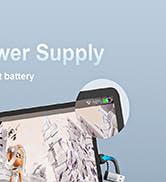
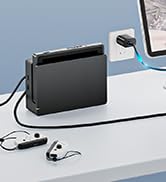
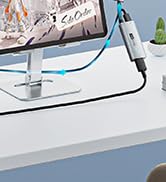
video capture card with PD

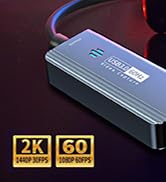
1440P video capture card
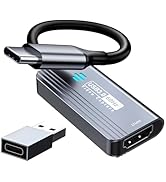
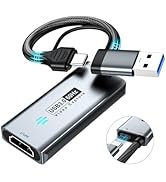
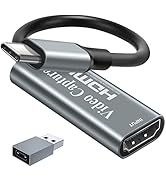
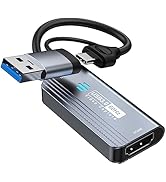
Papeaso capture card
[Note]:
- For MacOS, do not need to download other software. just get audio and video by using the QuickTime software provided by MacBook, do not need to install additional drivers.
- For Windows, we recommend using OBS software, then download the "User Manual (PDF)" on the current product description page or ask the seller for it.
- Please insert the video capture card into the USB3.0 jack of the computer. Only in this way can you capture YUY2 uncompressed video.
- If the edge of the captured image is jagged, adjust the image resolution of the captured device to 1080P/4K 16:9.
- Try not to use hub, because some cheap hubs have poor compatibility.
FEATURES
| Support Output Resolution | 1920x1080@60Hz/2K@30Hz |
| Support Input Resolution | 4K(3840x2160@30Hz) |
| Support Color | 24/30/36bit deep color |
| Support Cable | AWG26 HDMI standard cable, input up to 15 meters |
| Video Output Format | YUV422/ MJPEG; Support audio format: L-PCM(Support stereo output) |
| Max Working Current | 0.4A/5V DC |
| Operating Temperature Range | -10 to +55? |
| Dimension | 54x23x10+145 (mm); Weight: 28g |
| Support software | OBS Studio (windows,OS X); Windows Media Encoder (Windows); Adobe Flash Media Live -Encoder (Windows, OS X); Real Producer Plus (Windows); VLC (Windows, OS X, Linux); QuickTime Broadcaster (OS X); QuickTime Player (OS X); Wirecast (Windows,OS X); vMix(Windows); Potplayer(Windows) ... |
| Systems | Windows 7, 8, 10, OS X 10.9 or above, Linux |
| PC | Intel Core i5-3400 or above + NVIDIA GT630 or above |
| Laptop | Intel Core i7-3537U 2.0 GHz or above + NVIDIA GT735 or above |
| Packing | Video Capture Card*1, User Manual*1, TYPE-C Converter Adapter*1( TYPE-C Adapter,Tip: Only one side supports USB C 3.0, the other side is USB 2.0). |
Papeaso was founded on a passion for technology and innovation, committed to delivering high-quality 3C electronics. We empower content creators, live streamers, and tech enthusiasts to capture every moment effortlessly and bring their creative visions to life.
From video capture cards to cutting-edge tech products, we prioritize intuitive design and exceptional performance, seamlessly connecting users to a wider world.
video capture card with PD
1440P video capture card
Papeaso capture card





