


 8K HDMI KVM 2 port |  8K HDMI KVM 4 port |  4K Seamless KVM HDMI |  4K USB C HDMI KVM |  4K HDMI KVM 2 Port |  4K HDMI KVM 4 Port | |
|---|---|---|---|---|---|---|
| Customer Reviews | — | — | — | — | — | — |
| Price | — | — | — no data | — | — no data | — no data |
| Resolution | 8K@60, 4K@60/120/144Hz | 8K@60, 4K@60/120/144Hz | 4K@30Hz | 4K@60Hz | 4K@60Hz | 4K@60Hz |
| Input | HDMI*2 | HDMI*4 | HDMI*2 | HDMI*1+Type C*1 | HDMI*2 | HDMI*4 |
| Output | HDMI*1 | HDMI*1 | HDMI*1 | HDMI*1 | HDMI*1 | HDMI*1 |
| Plug and play | ? | ? | ? | ? | ? | ? |
| USB standard | USB 3.0 | USB 3.0 | USB 2.0 | USB 2.0 | USB 2.0 | USB 2.0 |
| Switching Time | 2-3s | 2-3s | 0s | 2-3s | 2-3s | 2-3s |

8K@60Hz USB 3.0 HDMI KVM Switch 4 Port, MT-KH804
Using only ONE set of keyboard, mouse and ONE monitor to control FOUR computer devices.
With 4 USB 3.0 hub port, it is possible to connect bar code scanner, USB hard drives or other USB devices to KVM.
Support resolution up to 8k@60Hz, 4K@60/120/144Hz, 2K@165Hz,1080@240Hz.
Support Windows/Vista/XP and Mac Os, Linux and Unix ,Plug and Play.
Support HDMI 2.1 & HDCP 2.3, 4:4:4
Supports up to 8K x 4K@ 60Hz, Ultra HD, HDR 10, Dolby vision, 3D effect

Aluminum Alloy Shell
2. Simple design
3. Excellent usability

Open your 8K world
1, High performance chip, more stable
2, True 8K transmision
3, More widely Compatibility

4 USB 3.0 Hub
USB 3.0 offers data transfer speeds of up to 5Gbps
while USB 2.0 offers data transfer speeds of only 480Mbps.

What you get?
1x 8K HDMI KVM Switch 4 Port
1x Power Cable (Power adapter not included, if power insufficient, pls plug in DC5V1A USB adapter)
4x USB 3.0 Cable
1x Desktop Controller
1x User Manual
***Noted: 8K HDMI Cable are not included, pls use verify HDMI cable, 8K@60Hz is recommended***
FQA:
1, What is the approximate total cable length supported by the input and output hdmi ports?
We recommend input and output can't exceed 2.5m (8.2ft) respectively, total can't exceed 5m.
2, Why does the screen turn black for 2-3s when switching?
When the input channel is switched, the product will read and write the EDID again, resulting in a black screen. The specific time depends on the computer speed and the response time of the display.
3, After connecting the 8K HDMI cable into the kvm, but no display, why?
If you would like to output 8K@60Hz, 4K@120Hz and 1080P@240Hz via the switcher in your displays, please make sure your source devices, your cable and your monitors can all support the resolution and refresh rate you need to output before.
4.How to turn off the beep of switching?
Unplug all the cables, then press button "2" and turn on the power supply meantime. When the light blinks, loose your hand, it will turn off the beeps.


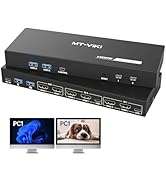
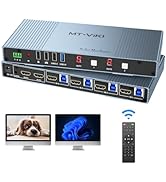
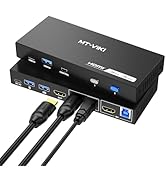
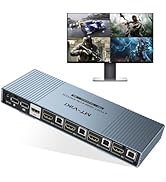
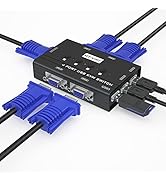
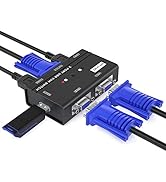
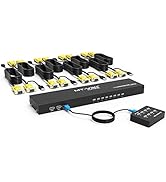
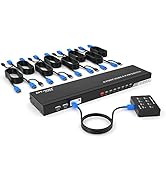
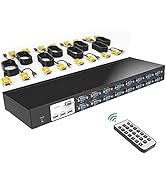
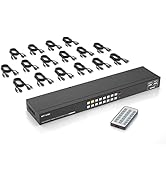
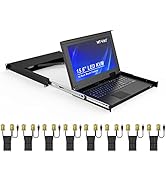
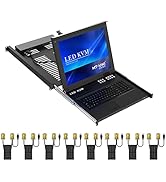
8K HDMI KVM 2 port | 8K HDMI KVM 4 port | 4K Seamless KVM HDMI | 4K USB C HDMI KVM | 4K HDMI KVM 2 Port | 4K HDMI KVM 4 Port | |
|---|---|---|---|---|---|---|
| Customer Reviews | — | — | — | — | — | — |
| Price | — | — | — no data | — | — no data | — no data |
| Resolution | 8K@60, 4K@60/120/144Hz | 8K@60, 4K@60/120/144Hz | 4K@30Hz | 4K@60Hz | 4K@60Hz | 4K@60Hz |
| Input | HDMI*2 | HDMI*4 | HDMI*2 | HDMI*1+Type C*1 | HDMI*2 | HDMI*4 |
| Output | HDMI*1 | HDMI*1 | HDMI*1 | HDMI*1 | HDMI*1 | HDMI*1 |
| Plug and play | ? | ? | ? | ? | ? | ? |
| USB standard | USB 3.0 | USB 3.0 | USB 2.0 | USB 2.0 | USB 2.0 | USB 2.0 |
| Switching Time | 2-3s | 2-3s | 0s | 2-3s | 2-3s | 2-3s |
8K@60Hz USB 3.0 HDMI KVM Switch 4 Port, MT-KH804
Using only ONE set of keyboard, mouse and ONE monitor to control FOUR computer devices.
With 4 USB 3.0 hub port, it is possible to connect bar code scanner, USB hard drives or other USB devices to KVM.
Support resolution up to 8k@60Hz, 4K@60/120/144Hz, 2K@165Hz,1080@240Hz.
Support Windows/Vista/XP and Mac Os, Linux and Unix ,Plug and Play.
Support HDMI 2.1 & HDCP 2.3, 4:4:4
Supports up to 8K x 4K@ 60Hz, Ultra HD, HDR 10, Dolby vision, 3D effect
Aluminum Alloy Shell
2. Simple design
3. Excellent usability
Open your 8K world
1, High performance chip, more stable
2, True 8K transmision
3, More widely Compatibility
4 USB 3.0 Hub
USB 3.0 offers data transfer speeds of up to 5Gbps
while USB 2.0 offers data transfer speeds of only 480Mbps.
What you get?
1x 8K HDMI KVM Switch 4 Port
1x Power Cable (Power adapter not included, if power insufficient, pls plug in DC5V1A USB adapter)
4x USB 3.0 Cable
1x Desktop Controller
1x User Manual
***Noted: 8K HDMI Cable are not included, pls use verify HDMI cable, 8K@60Hz is recommended***
FQA:
1, What is the approximate total cable length supported by the input and output hdmi ports?
We recommend input and output can't exceed 2.5m (8.2ft) respectively, total can't exceed 5m.
2, Why does the screen turn black for 2-3s when switching?
When the input channel is switched, the product will read and write the EDID again, resulting in a black screen. The specific time depends on the computer speed and the response time of the display.
3, After connecting the 8K HDMI cable into the kvm, but no display, why?
If you would like to output 8K@60Hz, 4K@120Hz and 1080P@240Hz via the switcher in your displays, please make sure your source devices, your cable and your monitors can all support the resolution and refresh rate you need to output before.
4.How to turn off the beep of switching?
Unplug all the cables, then press button "2" and turn on the power supply meantime. When the light blinks, loose your hand, it will turn off the beeps.
MT-VIKI Exhibiting in all around the world
4K/8K HDMI/DP/VGA KVM Switch
4K 2/4 Port DP/HDMI KVM Switch
8/16 Port KVM Switch VGA/HDMI
8/16 Port Rack Mount VGA/HDMI
8/16 Port IP KVM
8/16 HDMI/VGA KVM over CAT6
Adapter/Converter





