




How to connect to Alexa and Google Home
Use Alexa App or Computer to set up your Alexa.
In the menu bar,go to"Skills" and search for "BN-HUB". Enable Skill, then type in your login info from your app account to finish.
Trouble Connecting? Try AP (Slow-Blinking) Mode
1.Tap “+” symbol (top right corner)>“Add Manually” >”Electrician”> “Socket (Wi-Fi)”
2.Tap “Net Pairing Mode” on the top right corner of the screen >Select “AP Mode”
3.Press the power button for 5 sec.
4.Tap “Confirm indicator slowly blink”
Why can't I use the HBN smart APP?
You may receive either the old or new version-both are identical(but the compatible apps differ).The older version is the HBN Smart App, and the newer version is the BN-HUB App. Please download the app according to the product packaging.
Compare with Similar Items
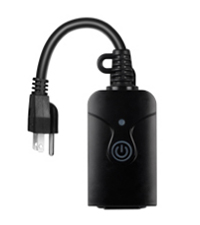 Outdoor Smart Plug | 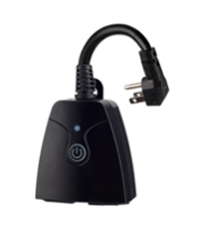 Outdoor Smart Plug |  Outdoor Smart Plug |  Smart Yard Stake Plug |  Remote Control Outlet |  Remote Control Outlet | |
|---|---|---|---|---|---|---|
Customer Reviews | — | — | — | — | — | — |
Price | — | — | — | — | — | — |
Indoor/Outdoor | Indoor and Outdoor | Indoor and Outdoor | Indoor and Outdoor | Indoor and Outdoor | Indoor and Outdoor | Indoor and Outdoor |
Works with HBN Smart | ? | ? | ? | ? | X | X |
Works with Alexa | ? | ? | ? | ? | X | X |
Works with Google Assistant | ? | ? | ? | ? | X | X |
Voice Control | ? | ? | ? | ? | X | X |
Remote Control | ? | ? | ? | ? | ? | ? |
No Hub Required | ? | ? | ? | ? | ? | ? |


About HBN: A direct distributor of premium quality home improvement products. We strive to provide better products and after-sales service to help every customer's life easier and more convenient.
Our Products: indoor & outdoor smart plug, remote outlet, mini fridge and string lights.
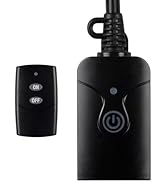
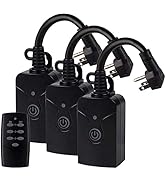
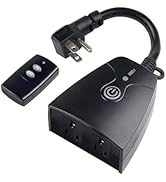
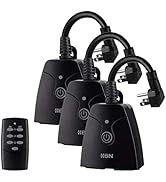
Outdoor remote outlet
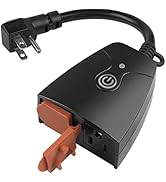
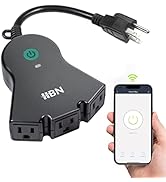
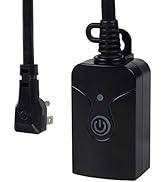
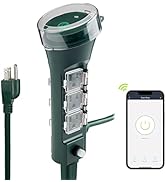
Heavy Duty 3-Prong Outlet
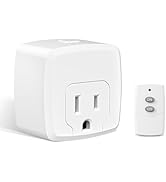
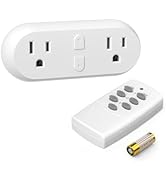
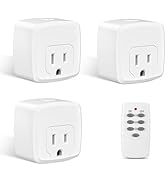
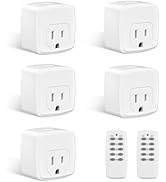
Remote Control Outlet
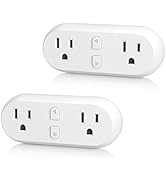
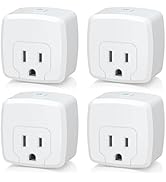
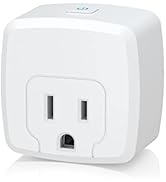
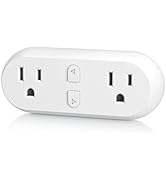
Indoor smart plug
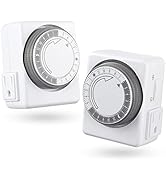
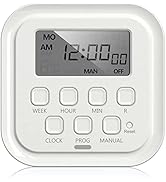
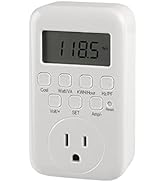
outlet timer
About HBN: A direct distributor of premium quality home improvement products. We strive to provide better products and after-sales service to help every customer's life easier and more convenient.
Our Products: indoor & outdoor smart plug, remote outlet, mini fridge and string lights.
Outdoor remote outlet
Heavy Duty 3-Prong Outlet
Remote Control Outlet
Indoor smart plug
outlet timer


Control from Anywhere
With the HBN Outdoor Wi--Fi Smart Plugs, you can control any lights and settings for any space
Long-Range Wi-Fi
HBN smart outlet is water resistant. Great for outdoor use.Maintenance and hassle free.


How to connect to Alexa and Google Home
Use Alexa App or Computer to set up your Alexa.
In the menu bar,go to"Skills" and search for "BN-HUB". Enable Skill, then type in your login info from your app account to finish.
Trouble Connecting? Try AP (Slow-Blinking) Mode
1.Tap “+” symbol (top right corner)>“Add Manually” >”Electrician”> “Socket (Wi-Fi)”
2.Tap “Net Pairing Mode” on the top right corner of the screen >Select “AP Mode”
3.Press the power button for 5 sec.
4.Tap “Confirm indicator slowly blink”
Why can't I use the HBN smart APP?
You may receive either the old or new version-both are identical(but the compatible apps differ).The older version is the HBN Smart App, and the newer version is the BN-HUB App. Please download the app according to the product packaging.
Compare with Similar Items
Outdoor Smart Plug | Outdoor Smart Plug | Outdoor Smart Plug | Smart Yard Stake Plug | Remote Control Outlet | Remote Control Outlet |
|---|---|---|---|---|---|
| Customer Reviews | |||||
| — | — | — | — | — | — |
| Price | |||||
| — | — | — | — | — | — |
| Indoor/Outdoor | |||||
| Indoor and Outdoor | Indoor and Outdoor | Indoor and Outdoor | Indoor and Outdoor | Indoor and Outdoor | Indoor and Outdoor |
| Works with HBN Smart | |||||
| ? | ? | ? | ? | X | X |
| Works with Alexa | |||||
| ? | ? | ? | ? | X | X |
| Works with Google Assistant | |||||
| ? | ? | ? | ? | X | X |
| Voice Control | |||||
| ? | ? | ? | ? | X | X |
| Remote Control | |||||
| ? | ? | ? | ? | ? | ? |
| No Hub Required | |||||
| ? | ? | ? | ? | ? | ? |





