


What You Get
- 1 x Stylus Pen
- 3 x Screw-Type Nib
- 1 x Type-C Charging Cable
- 1 x User Manual
Warm Tips:
It don’t work for iPad pro 12.9 inch 1st Gen and 2nd Gen, iPad Pro 10.5", iPad Pro 9.7", android, Microsoft iPhone,tablet and earlier versions of iPad, Please check the correct iPad model before you buy it.
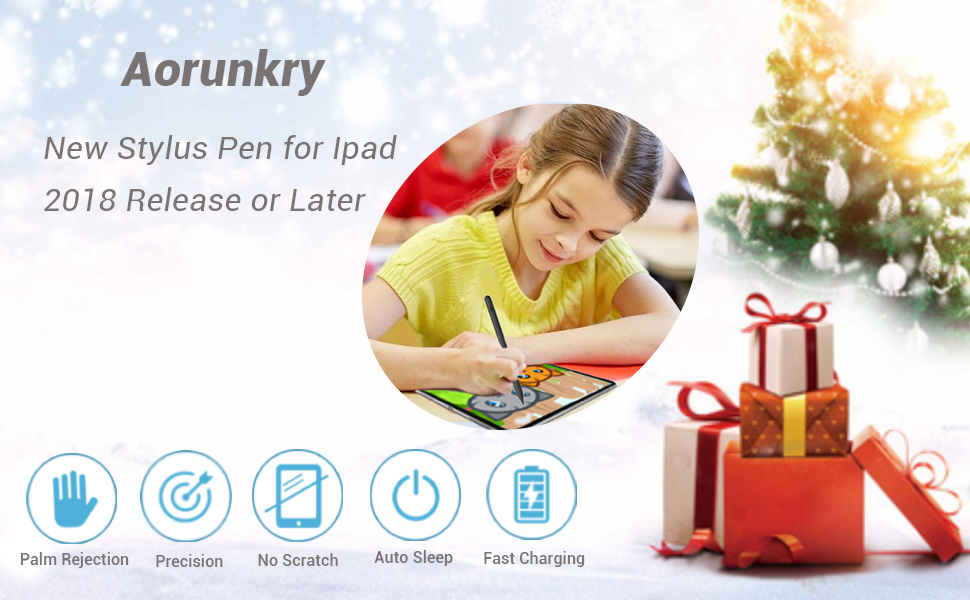
Aorunkry stylus pen for ipad
This Ipad Pen is compatible with iPad 2018 releases and later.The new Generation stylus for ipad aims to improve your writing experience,Upgraded compatible apple pen offers an accurate writing, drawing and sketching experience with nib is 1.5mm.Bring more conveniences for your working and life.
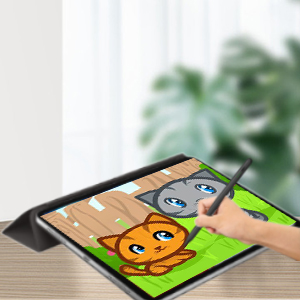
Palm Rejection Technology
You can rest your hand comfortably on the iPad screen like on a paper while writing or drawing, no need to wear anti-friction gloves,no more worry mistaken touch
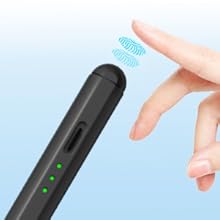
Smart Touch Sensor Switch
Just double tap cap button for turning ON or turning OFF.you will not mistakenly turn it off. No need to install any Bluetooth or Apps for ipad pencil.
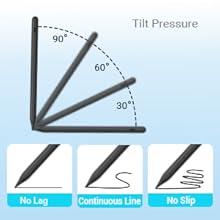
Tilt Function (Pencil Status)
It is similar to apple pen with tilt function,it can write with different thicknesses line,depending on the angle of you holding the stylus.
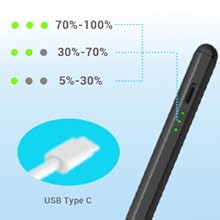
Fast Charg & Power Display
USB-C charging port and built-in battery, it Charges more faster and conveniently..20 hours continuous working, 90 mins charge, the Power display can indicate that you need to charge it with only one light is on.
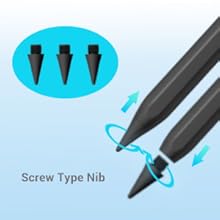
Replaceable screw nib
stylus pencil nibs are made of high quality materials, upgraded tip is more durable and smoother for writing or drawing. It is easy to screw out the old tip and screw in new one.
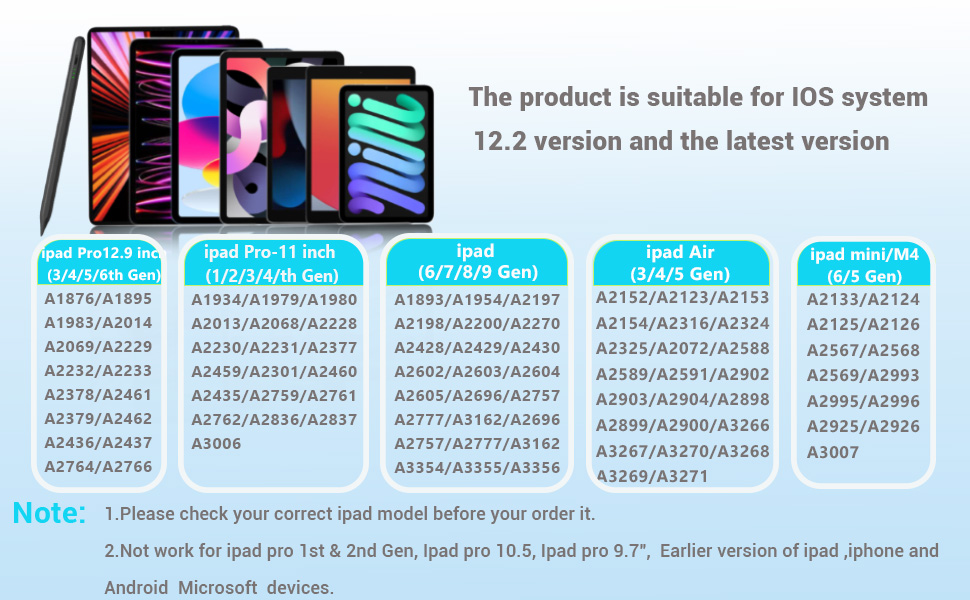
Especially Designed for iPad Series:
1. The pen stylus work for : Ipad pro 2018-2022 11 inch(2nd and 3rd Gen). 12.9 inch (3rd 4th 5th Gen);Ipad 2019 10.5 inch air 3rd Gen;Ipad 2020 10.9 inch air 4th Gen;Ipad 2022 10.9 inch air 5th Gen ;IPAD 2018 9.7 Inch 6th Gen;Ipad 2019-2021 10.2 inch 9th 8th 7th Gen;Ipad 2022 10.9 inch 10th Gen;Ipad 2019 7.9 inch mini 5th Gen;Ipad 2021 8.3 inch mini 6th Gen.
2. It don’t work for iPad pro 12.9 inch 1st Gen and 2nd Gen, iPad Pro 10.5", iPad Pro 9.7", android, Microsoft iPhone,tablet and earlier versions of iPad, Please check the correct iPad model before you buy it.
It not work with:
Ipad 2010 (1st Gen ): A1219 / A1337
Ipad 2011 (2nd Gen): A1395 / A1396 / A1397
Ipad 2012 (3rd Gen & 4th Gen): A1403 / A1416 / A1430 / A1458 / A1459 / A1460
Ipad 2017 (5th Gen ): A1822 / A1823
Ipad pro (9.7 inch ): A1673 /A 1674 / A1675
Ipad pro (10.5 inch ): A1701 / A1709 / A1852
Ipad pro 12.9 inch (1st Gen & 2nd Gen): A1584 / A1652 / A1670 / A1671 / A1821
Ipad Air (1st Gen & 2nd Gen): A1474 / A1475 / A1476 / A1566 / A1567
Ipad mini (1st / 2nd /3rd / 4th Gen): A1432 / A1454/ A1455 / A1489/ A1490 / A1491 / A1538 / A1550 / A1599 / A1600
Matters needing attention:
1. Update your iOS system to 12.2 version or above.
2. Ensure it has enough power before use stylus pencil.
3. Cannot use it when it is charging, it will cause skip or disconnect issues.
4. No switching apps or Bluetooth needed, just double tap the power button to start.
5. There is NO press sensitivity, all lines are same thickness.
6. If the stylus pencil can’t work, please reset your iPad as follows:
Settings->Apple Pencil->Turn off the Apple pencil./ Settings-> Notes->Turn off "Only Draw with Apple Pencil".
7. If you have connected the "stylus pen",Please turn off the Bluetooth connection before using our ipad pencil.
8. We recommend using it with tempered glass screen protector.
9. If the stylus pencil can't work, please check the user manual for getting help.
What You Get
- 1 x Stylus Pen
- 3 x Screw-Type Nib
- 1 x Type-C Charging Cable
- 1 x User Manual
Warm Tips:
It don’t work for iPad pro 12.9 inch 1st Gen and 2nd Gen, iPad Pro 10.5", iPad Pro 9.7", android, Microsoft iPhone,tablet and earlier versions of iPad, Please check the correct iPad model before you buy it.
Aorunkry stylus pen for ipad
This Ipad Pen is compatible with iPad 2018 releases and later.The new Generation stylus for ipad aims to improve your writing experience,Upgraded compatible apple pen offers an accurate writing, drawing and sketching experience with nib is 1.5mm.Bring more conveniences for your working and life.
Palm Rejection Technology
You can rest your hand comfortably on the iPad screen like on a paper while writing or drawing, no need to wear anti-friction gloves,no more worry mistaken touch
Smart Touch Sensor Switch
Just double tap cap button for turning ON or turning OFF.you will not mistakenly turn it off. No need to install any Bluetooth or Apps for ipad pencil.
Tilt Function (Pencil Status)
It is similar to apple pen with tilt function,it can write with different thicknesses line,depending on the angle of you holding the stylus.
Fast Charg & Power Display
USB-C charging port and built-in battery, it Charges more faster and conveniently..20 hours continuous working, 90 mins charge, the Power display can indicate that you need to charge it with only one light is on.
Replaceable screw nib
stylus pencil nibs are made of high quality materials, upgraded tip is more durable and smoother for writing or drawing. It is easy to screw out the old tip and screw in new one.
Especially Designed for iPad Series:
1. The pen stylus work for : Ipad pro 2018-2022 11 inch(2nd and 3rd Gen). 12.9 inch (3rd 4th 5th Gen);Ipad 2019 10.5 inch air 3rd Gen;Ipad 2020 10.9 inch air 4th Gen;Ipad 2022 10.9 inch air 5th Gen ;IPAD 2018 9.7 Inch 6th Gen;Ipad 2019-2021 10.2 inch 9th 8th 7th Gen;Ipad 2022 10.9 inch 10th Gen;Ipad 2019 7.9 inch mini 5th Gen;Ipad 2021 8.3 inch mini 6th Gen.
2. It don’t work for iPad pro 12.9 inch 1st Gen and 2nd Gen, iPad Pro 10.5", iPad Pro 9.7", android, Microsoft iPhone,tablet and earlier versions of iPad, Please check the correct iPad model before you buy it.
It not work with:
Ipad 2010 (1st Gen ): A1219 / A1337
Ipad 2011 (2nd Gen): A1395 / A1396 / A1397
Ipad 2012 (3rd Gen & 4th Gen): A1403 / A1416 / A1430 / A1458 / A1459 / A1460
Ipad 2017 (5th Gen ): A1822 / A1823
Ipad pro (9.7 inch ): A1673 /A 1674 / A1675
Ipad pro (10.5 inch ): A1701 / A1709 / A1852
Ipad pro 12.9 inch (1st Gen & 2nd Gen): A1584 / A1652 / A1670 / A1671 / A1821
Ipad Air (1st Gen & 2nd Gen): A1474 / A1475 / A1476 / A1566 / A1567
Ipad mini (1st / 2nd /3rd / 4th Gen): A1432 / A1454/ A1455 / A1489/ A1490 / A1491 / A1538 / A1550 / A1599 / A1600
Matters needing attention:
1. Update your iOS system to 12.2 version or above.
2. Ensure it has enough power before use stylus pencil.
3. Cannot use it when it is charging, it will cause skip or disconnect issues.
4. No switching apps or Bluetooth needed, just double tap the power button to start.
5. There is NO press sensitivity, all lines are same thickness.
6. If the stylus pencil can’t work, please reset your iPad as follows:
Settings->Apple Pencil->Turn off the Apple pencil./ Settings-> Notes->Turn off "Only Draw with Apple Pencil".
7. If you have connected the "stylus pen",Please turn off the Bluetooth connection before using our ipad pencil.
8. We recommend using it with tempered glass screen protector.
9. If the stylus pencil can't work, please check the user manual for getting help.





