


Easily access, transfer and backup data from a SATA drive to your PC or laptop

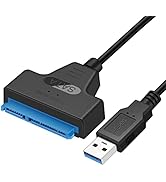
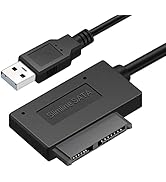
The SATA to USB 3.0 adapter allows you to connect a 3.5"/2.5" SSD HDD with your computer to expand storage, upgrade the system, back up files, retrieve and recover data
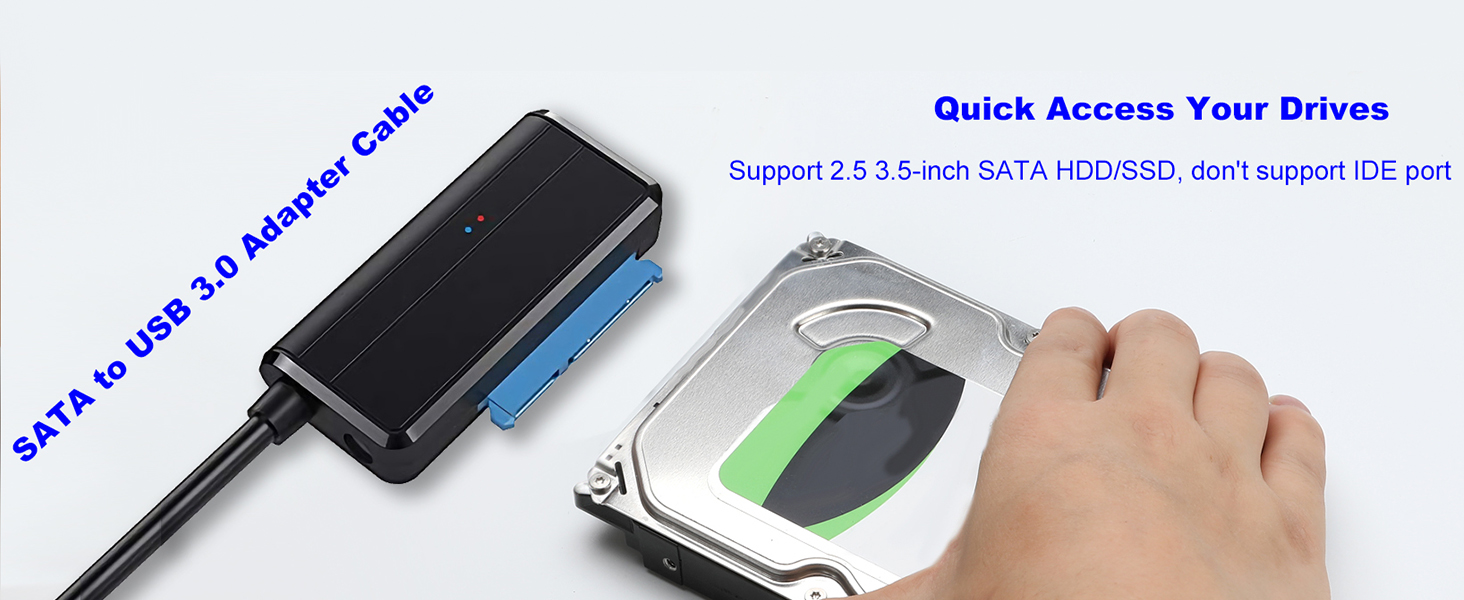
Notes:
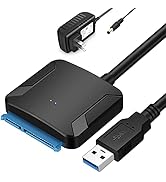
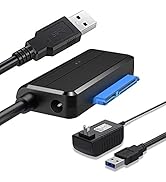
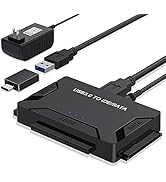
- No extra power required for 2.5" HDD/SDD; For 3.5" HDD/SDD, Please connect 12V/2A power adapter for stable transmission(Power Adapter is included in the package)
- Do NOT support BLU-RAY DVD, CD-ROM, DVD-ROM, CD-RW, DVD+RW Combo devices
Power 3.5" or 2.5" drives that require additional power using power adapter

Take advantage of the lightning speed of USB 3.0 to quickly transfer files up to 5Gbps! Connect any 2.5'' 3.5" Serial ATA (SATA) SSD or hard drive to your computer through an available USB 3.0 port on your desktop or laptop.

It could be a connection issue, file system errors, or errors caused by other
- 1) For a new drive, you need to initialize it first and then format it.
- 2) If it is an old hard disk, please confirm whether it is intact.
- 3) If it is an Apple OS Mac system, please set the hard disk format
- 4) The USB port on the computer is damaged.
- 5) Drive spins but not detected: Format/repair via Disk Management
Applications
- Technicians who need a quick, easy way to access data on 2.5 in. and 3.5 in. solid-state drives and hard drives
- Access any 2.5 in. or 3.5 in. SSD/HDD from any USB enabled computer, for easy data migration or drive cloning
- Back up important data to an external storage device
- Restore your computer from a backup hard drive
- Archive media content such as photos and videos to a bare external drive
- Retrieve data from your old SATA drives
1. What types of drives are compatible with this USB Hard drive adapter?
This USB to SATA adapter supports standard 2.5-inch and 3.5-inch SATA I/II/III hard disk drives (HDDs) and solid-state drives (SSDs). Non-SATA drives are not supported.
My 3.5-inch drive is not spinning up. What should I check?
The included 12V/2A power adapter is required for operating 3.5-inch hard drives. Ensure the adapter is connected, and the LED power indicator is lit
Why The drive is connected but does not appear on my computer
Check that the drive is fully inserted and powered. New drives may need to be initialized in your system’s disk management utility. Drives from encrypted enclosures or using self-encryption may require reformatting.
USB to SATA & M.2 SATA NVMe to USB C
 SATA to USB 3.0 Cable |  SATA to USB 3.0 Adapter |  USB 3.0 SATA IDE Adapter |  Hard Drive Reader |  USB C Docking Station |  M.2 SATA NVMe Adapter | |
|---|---|---|---|---|---|---|
Customer Reviews | — | — | — | — | — | — |
Price | — | — | — | — | — | — |
USB Slot | USB 3.0/USB-C | USB 3.0/USB-C | USB 3.0/USB-C | USB 3.0/USB-C | USB 3.0/USB-C | USB 3.0/USB-C |
Hard Drive Type | SSD/HDD 2.5'' | SSD/HDD 2.5'' and 3.5'' | SSD/HDD 2.5'' and 3.5'' | SSD/HDD 2.5'' and 3.5'' | M.2 SSD | M.2 SSD |
Maximum Speed | Up to 6Gbps | Up to 5Gbps | Up to 5Gbps | Up to 5Gbps | Up to 10Gbps | Up to 10Gbps |
Color | Black | Black | Black | Black | Black | Black |
External Power Required | No need | included | included | included | No need | No need |
Drive Size Compatibility | 2.5 SSD HHD | 2.5 & 3.5 SSD HHD | 2.5 & 3.5 SSD HHD | 2.5 & 3.5 SSD HHD | M.2 SSD NVMe & SATA | M.2 SSD NVMe & SATA |

![USB C to USB Adapter [2 Pack], Thunderbolt 3 to USB Female Adapter OTG Adapter for MacBook Pro 20...](http://c1.neweggimages.com/sellingpilot/modules/product/a-plus/2e9a93b1efcb09daba68ccd8be77381befc29a87aa3b5cc07f2954ea1a99cf5b.jpg)
Easily access, transfer and backup data from a SATA drive to your PC or laptop

The SATA to USB 3.0 adapter allows you to connect a 3.5"/2.5" SSD HDD with your computer to expand storage, upgrade the system, back up files, retrieve and recover data

Notes:
- No extra power required for 2.5" HDD/SDD; For 3.5" HDD/SDD, Please connect 12V/2A power adapter for stable transmission(Power Adapter is included in the package)
- Do NOT support BLU-RAY DVD, CD-ROM, DVD-ROM, CD-RW, DVD+RW Combo devices
Power 3.5" or 2.5" drives that require additional power using power adapter

Take advantage of the lightning speed of USB 3.0 to quickly transfer files up to 5Gbps! Connect any 2.5'' 3.5" Serial ATA (SATA) SSD or hard drive to your computer through an available USB 3.0 port on your desktop or laptop.
Why computer doesn't recognize my drive?
It could be a connection issue, file system errors, or errors caused by other
- 1) For a new drive, you need to initialize it first and then format it.
- 2) If it is an old hard disk, please confirm whether it is intact.
- 3) If it is an Apple OS Mac system, please set the hard disk format
- 4) The USB port on the computer is damaged.
- 5) Drive spins but not detected: Format/repair via Disk Management
Applications
- Technicians who need a quick, easy way to access data on 2.5 in. and 3.5 in. solid-state drives and hard drives
- Access any 2.5 in. or 3.5 in. SSD/HDD from any USB enabled computer, for easy data migration or drive cloning
- Back up important data to an external storage device
- Restore your computer from a backup hard drive
- Archive media content such as photos and videos to a bare external drive
- Retrieve data from your old SATA drives
1. What types of drives are compatible with this USB Hard drive adapter?
This USB to SATA adapter supports standard 2.5-inch and 3.5-inch SATA I/II/III hard disk drives (HDDs) and solid-state drives (SSDs). Non-SATA drives are not supported.
My 3.5-inch drive is not spinning up. What should I check?
The included 12V/2A power adapter is required for operating 3.5-inch hard drives. Ensure the adapter is connected, and the LED power indicator is lit
Why The drive is connected but does not appear on my computer
Check that the drive is fully inserted and powered. New drives may need to be initialized in your system’s disk management utility. Drives from encrypted enclosures or using self-encryption may require reformatting.
USB to SATA & M.2 SATA NVMe to USB C
SATA to USB 3.0 Cable | SATA to USB 3.0 Adapter | USB 3.0 SATA IDE Adapter | Hard Drive Reader | USB C Docking Station | M.2 SATA NVMe Adapter |
|---|---|---|---|---|---|
| Customer Reviews | |||||
| — | — | — | — | — | — |
| Price | |||||
| — | — | — | — | — | — |
| USB Slot | |||||
| USB 3.0/USB-C | USB 3.0/USB-C | USB 3.0/USB-C | USB 3.0/USB-C | USB 3.0/USB-C | USB 3.0/USB-C |
| Hard Drive Type | |||||
| SSD/HDD 2.5'' | SSD/HDD 2.5'' and 3.5'' | SSD/HDD 2.5'' and 3.5'' | SSD/HDD 2.5'' and 3.5'' | M.2 SSD | M.2 SSD |
| Maximum Speed | |||||
| Up to 6Gbps | Up to 5Gbps | Up to 5Gbps | Up to 5Gbps | Up to 10Gbps | Up to 10Gbps |
| Color | |||||
| Black | Black | Black | Black | Black | Black |
| External Power Required | |||||
| No need | included | included | included | No need | No need |
| Drive Size Compatibility | |||||
| 2.5 SSD HHD | 2.5 & 3.5 SSD HHD | 2.5 & 3.5 SSD HHD | 2.5 & 3.5 SSD HHD | M.2 SSD NVMe & SATA | M.2 SSD NVMe & SATA |
EYOOLD's Recommendation
The provider of cutting-edge computer devices and peripherals for both home and professional users, hope you like it,
Hard Drive Adapter
Hard Drive Adapter
More product for your refrence
More product for your refrence
![USB C to USB Adapter [2 Pack], Thunderbolt 3 to USB Female Adapter OTG Adapter for MacBook Pro 20...](//c1.neweggimages.com/sellingpilot/modules/product/a-plus/2e9a93b1efcb09daba68ccd8be77381befc29a87aa3b5cc07f2954ea1a99cf5b.jpg)
More products for refrence





