


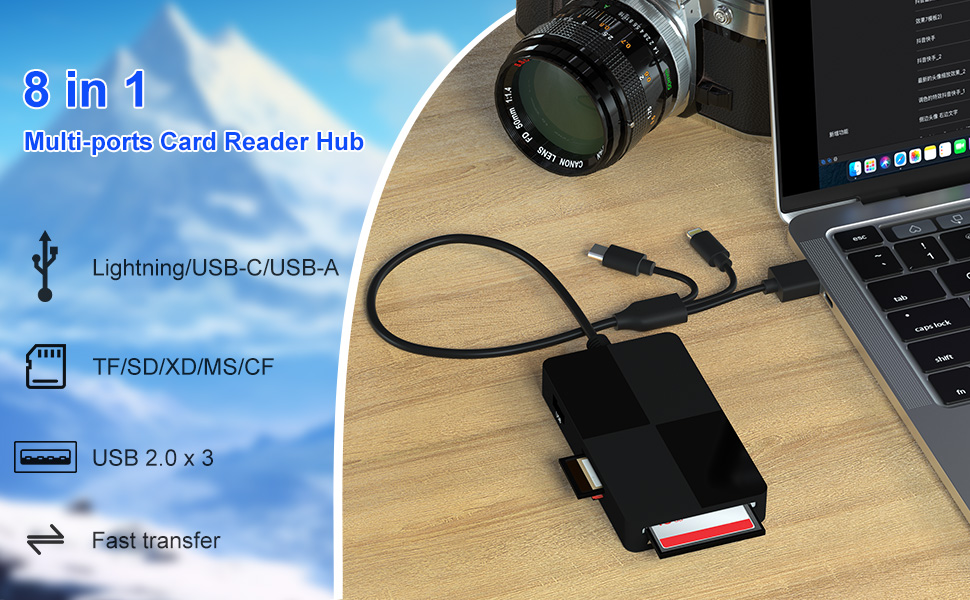
8 in 1 Multi-ports Card Reader with 3 USB 2.0 Ports
- With its SD/TF/MS/CF/XD card slots, this compact flash card reader supports a wide range of memory card formats, including XD, SDXC, SDHC, SD, CF, MS, Micro SDXC, Micro SDHC, and Micro SD cards.
- It also have extra 3 USB 2.0 Ports, allowing connections for multiple USB devices, like mouse, keyboard, USB flash drive.
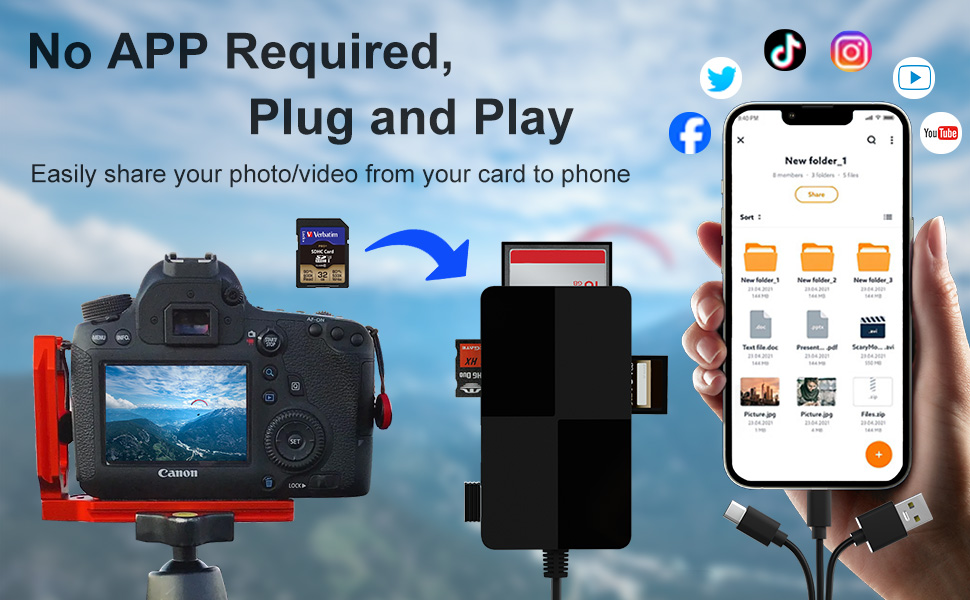
- The 3-in-1 connector plug Lightning, USB C and USB A are compatible with more devices, allowing you to quickly view photos and videos on your phone and computer.
- Supports high-speed data transfer up to 480Mbps
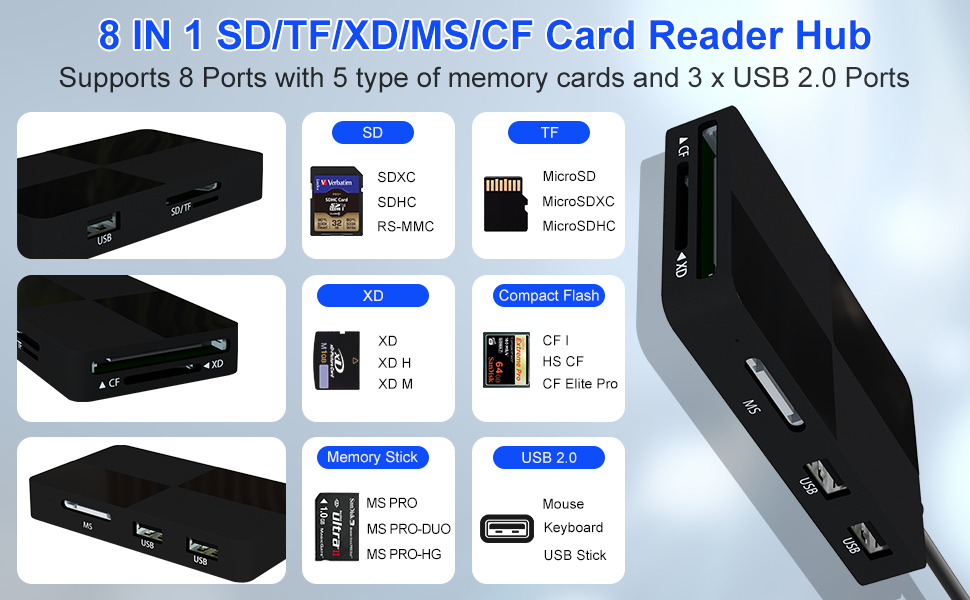
8 in 1 SD Card Reader with SD/Micro SD (TF)/MS/CF/XD Card Slots and 3 USB-A Slot
SD/Micro SD (TF)/MS/CF/XD Card Slots:
- Works with Memory Stick Pro Duo, Memory Stick Pro-HG, Memory Stick Duo, olympus xD-Picture card, CF, SD/SDHC/SDXC and microSD/microSDHC/microSDXC memory card.
- Only one card can be read at a time.
USB-A Slot:
- Supports connecting peripherals such as digital cameras, USB flash drives, mice, keyboards, electronic keyboards, MIDI keyboards, and more. You can easily use the SD card reader as a USB expansion port, providing more connectivity options for your iPhone or iPad.
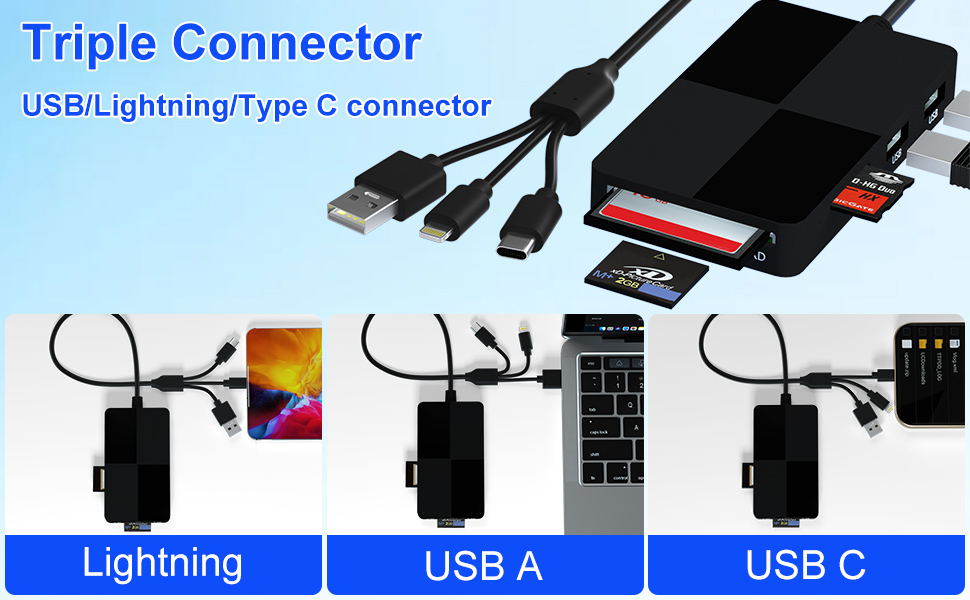
Lightning+USB C+USB A Ports 3 in 1 Connectors Design
- The memory stick pro duo adapter features a triple-plug design with built-in Lightning, USB-C and USB-A connectors simultaneously for universal compatibility.
- Lets you to connect an iPhone 5-14 on Lightning, iPhone 15, iPhone 16, iPad, Mac or Android on USB-C or even a PC on USB-A to conveniently provide data OTG functionality.
- No adapters needed!
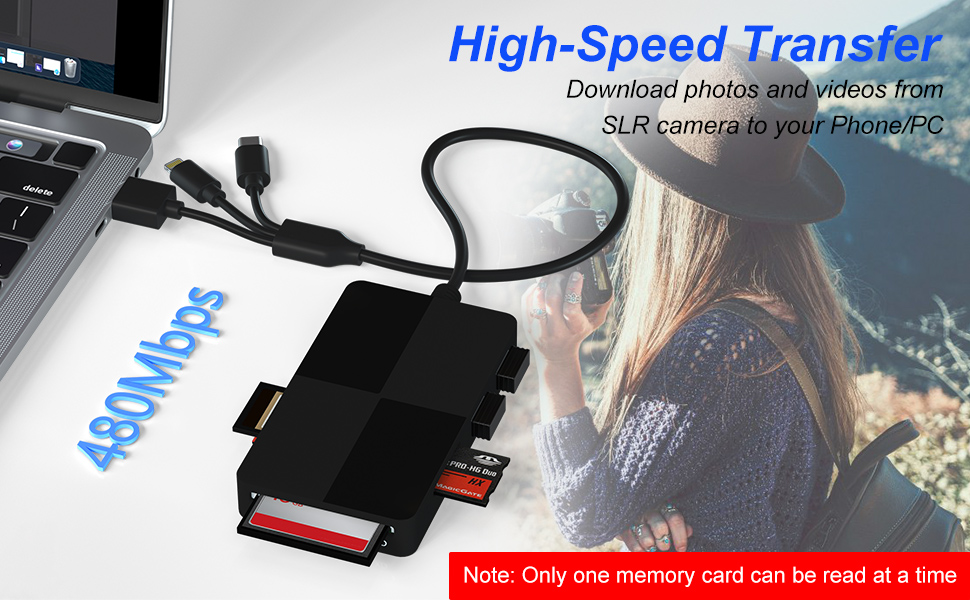
480Mbps Super Speed Transfer
- With 480Mbps data transfer, you can transfer your images and videos from your card to the i- Phone /Pad/ Android / computer soon, save a lot of time and improve your work efficiency.
Important Notes:
- This card reader supports SD/TF/MS/CF/XD cards.
- Single-Slot Limitation: Due to system constraints, only one card can be read at a time. Do not attempt to read multiple cards simultaneously.
- Ensure cards are fully inserted correctly. If files fail to transfer:
- Disconnect both reader and card, then reconnect
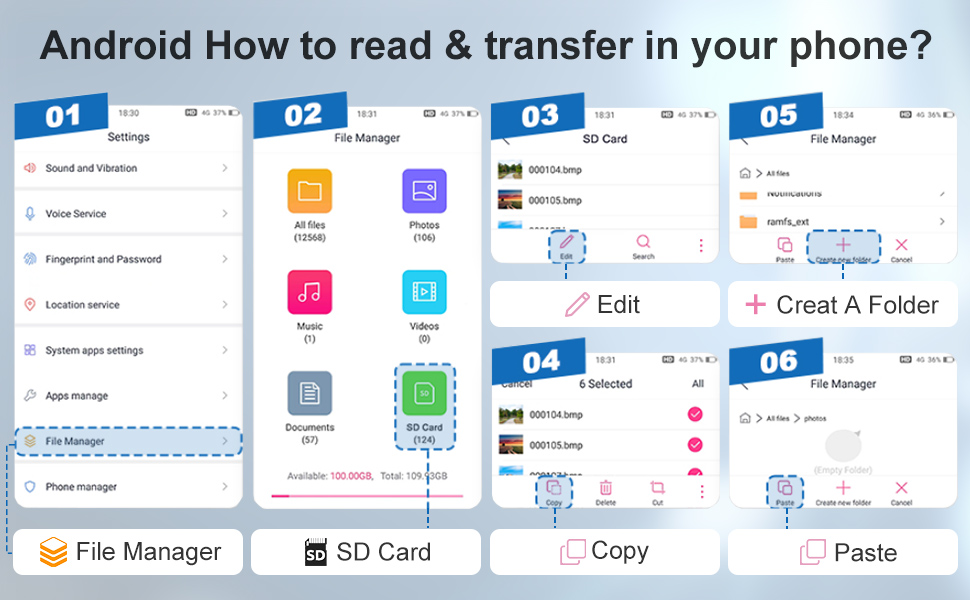
- For Android: Confirm OTG/USB debugging mode is enabled
- First-Use Format Prompt: Some devices may request formatting upon initial connection. Formatting resolves this permanently – no repeat action needed.
Two-way transfer for iOS users with iOS 13.0 or later
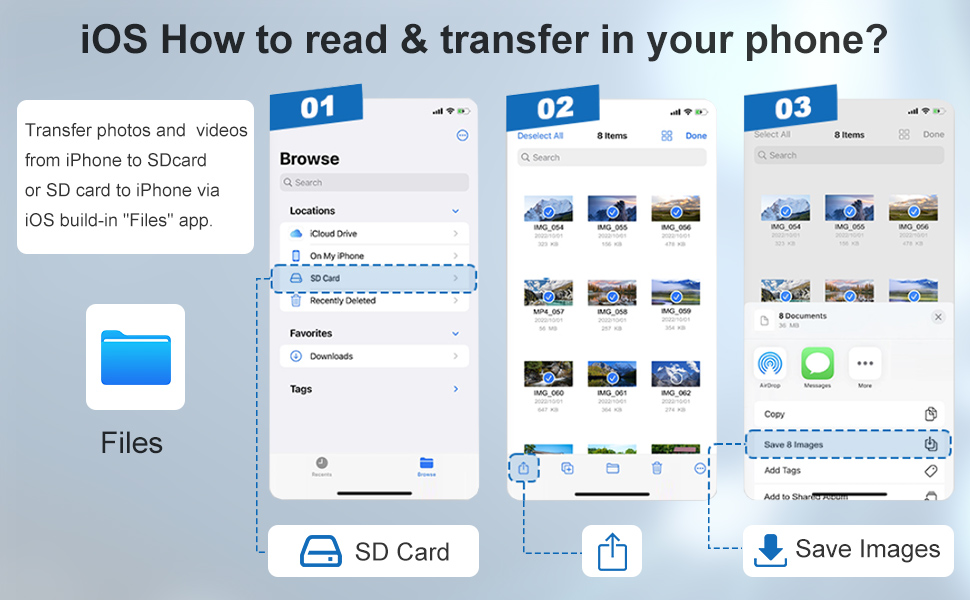
- Files app is an important app that can transfer files from your memory card or USB disc to your iPhone and iPad.
- Data from iPhone is on "On My iPhone", data from memory card is on "Untiled" (or "No Name", which is the name of your memory card), and USB disc is directly displayed by name.
- You can view data and transfer data between memory card, USB disc and iPhone.
- Files app can manage not only videos and photos, but also music, PDF, word or Excel, etc.
1. Insert the memory card or USB disc into the card reader. Turn on iPhone or iPad and connect the card reader to the Lightning port.
2. On iPhone or iPad, open the "Files" app. You can view files in the memory card or USB disc. You can view most files such as jpg, MP3, word, excel, ppt, etc. If you can view the file data but cannot open it, you will need to download a third-party app to read it.
3. You can delete the file or copy and paste the file from the memory card or USB disc to your iPhone or iPad. Or copy the file from iPhone or iPad to the memory card or USB disc.
8 in 1 Multi-ports Card Reader with 3 USB 2.0 Ports
- With its SD/TF/MS/CF/XD card slots, this compact flash card reader supports a wide range of memory card formats, including XD, SDXC, SDHC, SD, CF, MS, Micro SDXC, Micro SDHC, and Micro SD cards.
- It also have extra 3 USB 2.0 Ports, allowing connections for multiple USB devices, like mouse, keyboard, USB flash drive.
- The 3-in-1 connector plug Lightning, USB C and USB A are compatible with more devices, allowing you to quickly view photos and videos on your phone and computer.
- Supports high-speed data transfer up to 480Mbps
8 in 1 SD Card Reader with SD/Micro SD (TF)/MS/CF/XD Card Slots and 3 USB-A Slot
SD/Micro SD (TF)/MS/CF/XD Card Slots:
- Works with Memory Stick Pro Duo, Memory Stick Pro-HG, Memory Stick Duo, olympus xD-Picture card, CF, SD/SDHC/SDXC and microSD/microSDHC/microSDXC memory card.
- Only one card can be read at a time.
USB-A Slot:
- Supports connecting peripherals such as digital cameras, USB flash drives, mice, keyboards, electronic keyboards, MIDI keyboards, and more. You can easily use the SD card reader as a USB expansion port, providing more connectivity options for your iPhone or iPad.
Lightning+USB C+USB A Ports 3 in 1 Connectors Design
- The memory stick pro duo adapter features a triple-plug design with built-in Lightning, USB-C and USB-A connectors simultaneously for universal compatibility.
- Lets you to connect an iPhone 5-14 on Lightning, iPhone 15, iPhone 16, iPad, Mac or Android on USB-C or even a PC on USB-A to conveniently provide data OTG functionality.
- No adapters needed!
480Mbps Super Speed Transfer
- With 480Mbps data transfer, you can transfer your images and videos from your card to the i- Phone /Pad/ Android / computer soon, save a lot of time and improve your work efficiency.
Important Notes:
- This card reader supports SD/TF/MS/CF/XD cards.
- Single-Slot Limitation: Due to system constraints, only one card can be read at a time. Do not attempt to read multiple cards simultaneously.
- Ensure cards are fully inserted correctly. If files fail to transfer:
- Disconnect both reader and card, then reconnect
- For Android: Confirm OTG/USB debugging mode is enabled
- First-Use Format Prompt: Some devices may request formatting upon initial connection. Formatting resolves this permanently – no repeat action needed.
Two-way transfer for iOS users with iOS 13.0 or later
- Files app is an important app that can transfer files from your memory card or USB disc to your iPhone and iPad.
- Data from iPhone is on "On My iPhone", data from memory card is on "Untiled" (or "No Name", which is the name of your memory card), and USB disc is directly displayed by name.
- You can view data and transfer data between memory card, USB disc and iPhone.
- Files app can manage not only videos and photos, but also music, PDF, word or Excel, etc.
1. Insert the memory card or USB disc into the card reader. Turn on iPhone or iPad and connect the card reader to the Lightning port.
2. On iPhone or iPad, open the "Files" app. You can view files in the memory card or USB disc. You can view most files such as jpg, MP3, word, excel, ppt, etc. If you can view the file data but cannot open it, you will need to download a third-party app to read it.
3. You can delete the file or copy and paste the file from the memory card or USB disc to your iPhone or iPad. Or copy the file from iPhone or iPad to the memory card or USB disc.





