



Wireless Colorful Keyboard Mouse
Production experience: 20 years of keyboard and mouse production experience
Brand core: Give you a lovely desktop decoration
Sold to the world: Sold to more than 10 countries
Factory strength: 5000? workshops + 500 employees
Our goal: to always provide the best and most cutest keyboard


2.4G wireless connectivity

Typewriter keyboard feel

Ultra-long connection distance

Adding desktop decoration

Easy to clean dust

Smart Sleep Mode

2-in-1 Wireless USB Receiver

Be the best gift
How do I use the wireless keyboard and mouse after I receive it?
After putting in usable 2 AAA batteries keyboard*1 AA battery mouse*1), turn on the switch at the bottom (the light is lit), plug the USB receiver into your computer, and you can start to experience the typewriter keyboard to you!
What if the keyboard and mouse don't work one day?
Reinsert the USB receiver(Keep the keyboard mouse as close to the computer as possible), Put in the available batteries, and re-match the computer including restarting your computer to try. If it still doesn't work, Contact the seller immediately!
What if the USB receiver is lost?
Whether the product originally did not come with a receiver, or you lost it during use, please contact the seller immediately to solve for you!
View Different Color
typewriter keyboard | keyboard type | typewriter keyboard |
Window/ Android/ IOS | System require | Window/ Android/ IOS |
wireless connect | ||
computer/ laptop | Equipment require | computer/ laptop |
1 year | After-sales service | 1 year |
typewriter keyboard | keyboard type | typewriter keyboard |
Window/ Android/ IOS | System require | Window/ Android/ IOS |
wireless connect | ||
computer/ laptop | Equipment require | computer/ laptop |
1 year | After-sales service | 1 year |
typewriter keyboard | keyboard type | typewriter keyboard |
Window/ Android/ IOS | System require | Window/ Android/ IOS |
wireless connect | ||
computer/ laptop | Equipment require | computer/ laptop |
1 year | After-sales service | 1 year |
typewriter keyboard | keyboard type | typewriter keyboard |
Window/ Android/ IOS | System require | Window/ Android/ IOS |
wireless connect | ||
computer/ laptop | Equipment require | computer/ laptop |
1 year | After-sales service | 1 year |


Wireless Colorful Keyboard Mouse
Production experience: 20 years of keyboard and mouse production experience
Brand core: Give you a lovely desktop decoration
Sold to the world: Sold to more than 10 countries
Factory strength: 5000? workshops + 500 employees
Our goal: to always provide the best and most cutest keyboard


2.4G wireless connectivity
Typewriter keyboard feel
Ultra-long connection distance
Adding desktop decoration
Easy to clean dust
Smart Sleep Mode
2-in-1 Wireless USB Receiver
Be the best gift
How do I use the wireless keyboard and mouse after I receive it?
After putting in usable 2 AAA batteries keyboard*1 AA battery mouse*1), turn on the switch at the bottom (the light is lit), plug the USB receiver into your computer, and you can start to experience the typewriter keyboard to you!
What if the keyboard and mouse don't work one day?
Reinsert the USB receiver(Keep the keyboard mouse as close to the computer as possible), Put in the available batteries, and re-match the computer including restarting your computer to try. If it still doesn't work, Contact the seller immediately!
What if the USB receiver is lost?
Whether the product originally did not come with a receiver, or you lost it during use, please contact the seller immediately to solve for you!
View Different Color
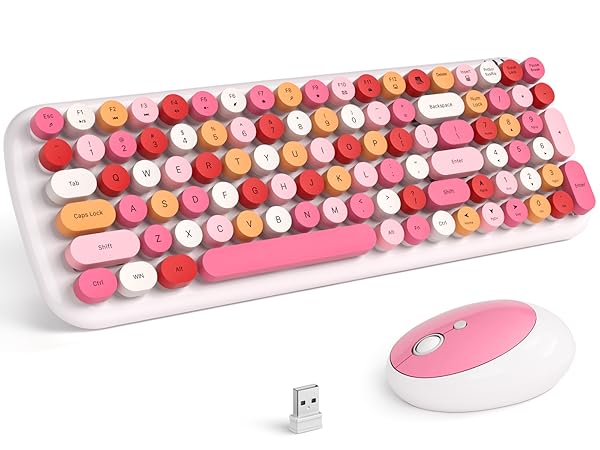
WhiteMixed keyboard mouse
keyboard type
typewriter keyboard
System require
Window/ Android/ IOS
wireless connect
Equipment require
computer/ laptop
After-sales service
1 year
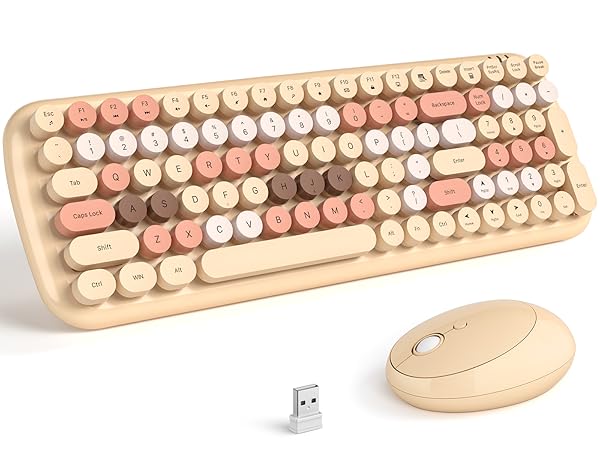
Milktea keyboard mouse
keyboard type
typewriter keyboard
System require
Window/ Android/ IOS
wireless connect
Equipment require
computer/ laptop
After-sales service
1 year
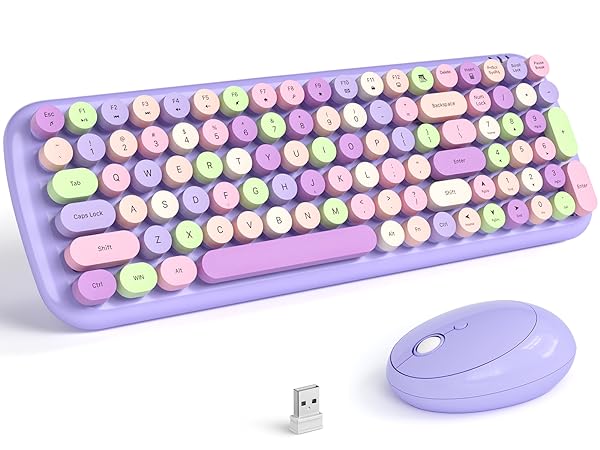
Purple keyboard and mouse
keyboard type
typewriter keyboard
System require
Window/ Android/ IOS
wireless connect
Equipment require
computer/ laptop
After-sales service
1 year
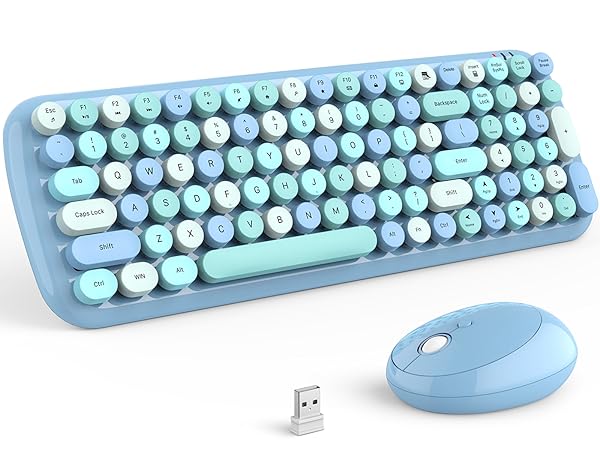
Blue keyboard and mouse
keyboard type
typewriter keyboard
System require
Window/ Android/ IOS
wireless connect
Equipment require
computer/ laptop
After-sales service
1 year
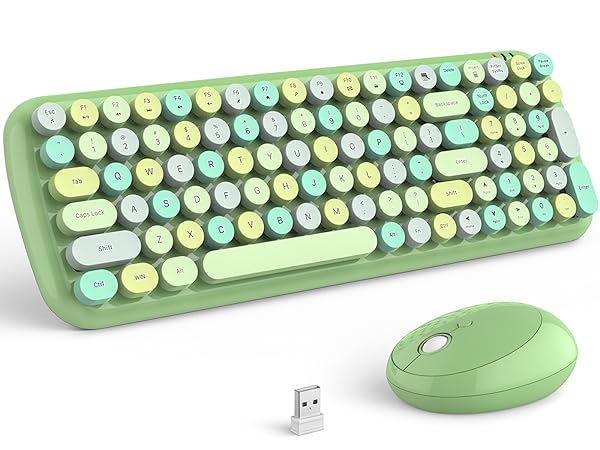
Green keyboard and mouse
keyboard type
typewriter keyboard
System require
Window/ Android/ IOS
wireless connect
Equipment require
computer/ laptop
After-sales service
1 year





