




How to use it?
*Bluetooth Mode:
1.Switch from "ON/OFF" button to Bluetooth Mode.
2.Click "Settings"--"Bluetooth"--Turn on Bluetooth--Search "BT5.1 Mouse" and pair.
*2.4GHz Mode:
1.Take the receiver out from the bottom of the mouse.
2.Plug the receiver into the USB port of your computer.
3.Switch from "ON/OFF" button to 2.4G Mode, then you can use the mouse in 2.4GHz Mode.
Note: Just turn on the button to Bluetooth mode or 2.4GHz mode, you can switch the way to connect mouse.
FAQ: After Bluetooth connection, the cursor is not displayed?
1.iOS systems such as iPad/iPhone need to be upgraded to iOS 13 or above.
2.Open "Settings"?search for "Mouse Keys" in the top search bar?AssistiveTouch "OFF"?"ON".
Other way: Open "Settings"?Find "Accessibility"?Touch?AssistiveTouch "OFF"?"ON".
Products Specification
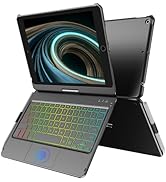
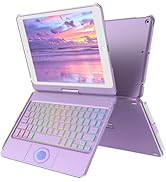
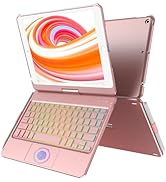
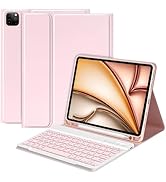
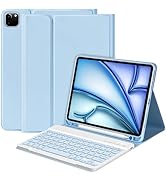
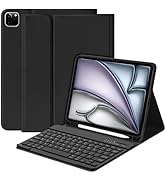
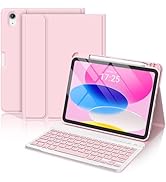
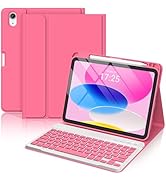
 Touchpad iPad 9th./8th/7th Generation Keyboard | 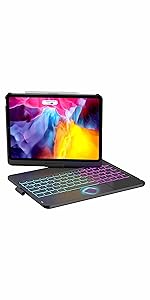 Touchpad iPad Pro 11"/Air Keyboard | 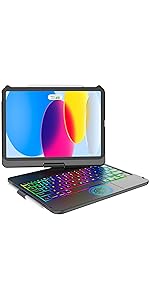 Touchpad iPad 10th Generation Keyboard |  iPad air 11 case | 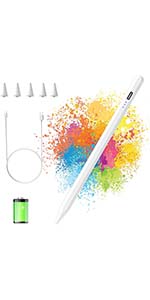 Stylus Pen | 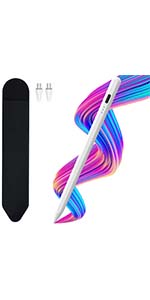 Universal pen | |
|---|---|---|---|---|---|---|
| Customer Reviews | — | — | — | — | — | — |
| Price | — | — no data | — no data | — | — no data | — no data |
| Compatibility | iPad 9th/8th/7th Gen | iPad Pro 11''/Air 5th/Air 4th Gen | iPad 10th Gen | iPad Air 11-inch (M2) 2024,iPad Pro 11" 4th/3rd/2nd/1st Gen,for iPad Air 5th/4th Gen | iPad | Samsung, iPhone, Xiaomi, HUAWEI, Tablet, Smartphone |
| Features | 360° Rotation, Multi-touch, Backlit keys, Auto-Sleep Wake | 360° Rotation, Multi-touch, Backlit keys, Auto-Sleep Wake | 360° Rotation, Multi-touch, Backlit keys, Auto-Sleep Wake | adjustable viewing angles,pencil slot | Palm Rejection, Tilt Sensitive, High Precision, Battery Capacity Indicator | Palm Rejection, Tilt Sensitive, High Precision, Battery Capacity Indicator |
| Connection | Bluetooth | Bluetooth | Bluetooth | Bluetooth | Wireless | Wireless |




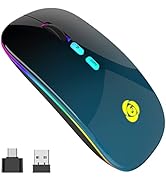
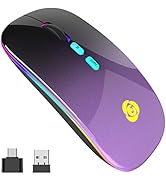
How to use it?
*Bluetooth Mode:
1.Switch from "ON/OFF" button to Bluetooth Mode.
2.Click "Settings"--"Bluetooth"--Turn on Bluetooth--Search "BT5.1 Mouse" and pair.
*2.4GHz Mode:
1.Take the receiver out from the bottom of the mouse.
2.Plug the receiver into the USB port of your computer.
3.Switch from "ON/OFF" button to 2.4G Mode, then you can use the mouse in 2.4GHz Mode.
Note: Just turn on the button to Bluetooth mode or 2.4GHz mode, you can switch the way to connect mouse.
FAQ: After Bluetooth connection, the cursor is not displayed?
1.iOS systems such as iPad/iPhone need to be upgraded to iOS 13 or above.
2.Open "Settings"?search for "Mouse Keys" in the top search bar?AssistiveTouch "OFF"?"ON".
Other way: Open "Settings"?Find "Accessibility"?Touch?AssistiveTouch "OFF"?"ON".
Products Specification
| Connection | Wireless (2.4GHz)/ Bluetooth |
| Size | 111*55*20MM |
| Weight | 80g+- |
| DPI value | 1000-1200-1600 |
| Charging time | 2~3 hours |
| Usage time | 1 week |
| Standby time | 30 days |
| Work distance | 10M |
| Compatibility | Windows XP, Vista, 7, 8,and 10/ Windows Vista etc, Fits for desktop, laptop, PC, Macbook and other devices. (Bluetooth)Compatible with iPad/iPhone(iOS 13 and later version),Windows 8/10,Mac OS 10.10/Android 5.0 or above system.(No need to install any driver) |
| What You Get | 1 x Dual Mode Mouse,1 x Micro USB Charging Cable,1 x USB Receiver,1 x USB-C Adapter,1 x User Manual |
Touchpad iPad 9th./8th/7th Generation Keyboard | 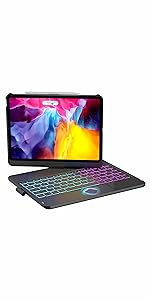 Touchpad iPad Pro 11"/Air Keyboard | Touchpad iPad 10th Generation Keyboard | iPad air 11 case | Stylus Pen | Universal pen | |
|---|---|---|---|---|---|---|
| Customer Reviews | — | — | — | — | — | — |
| Price | — | — no data | — no data | — | — no data | — no data |
| Compatibility | iPad 9th/8th/7th Gen | iPad Pro 11''/Air 5th/Air 4th Gen | iPad 10th Gen | iPad Air 11-inch (M2) 2024,iPad Pro 11" 4th/3rd/2nd/1st Gen,for iPad Air 5th/4th Gen | iPad | Samsung, iPhone, Xiaomi, HUAWEI, Tablet, Smartphone |
| Features | 360° Rotation, Multi-touch, Backlit keys, Auto-Sleep Wake | 360° Rotation, Multi-touch, Backlit keys, Auto-Sleep Wake | 360° Rotation, Multi-touch, Backlit keys, Auto-Sleep Wake | adjustable viewing angles,pencil slot | Palm Rejection, Tilt Sensitive, High Precision, Battery Capacity Indicator | Palm Rejection, Tilt Sensitive, High Precision, Battery Capacity Indicator |
| Connection | Bluetooth | Bluetooth | Bluetooth | Bluetooth | Wireless | Wireless |
CC Store:Redefining Keyboard Case Quality & Convenience
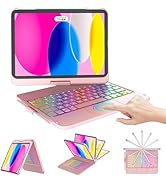
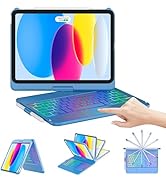
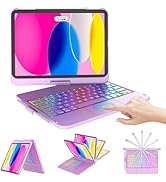
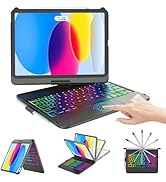
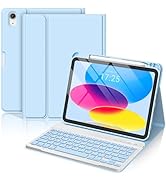
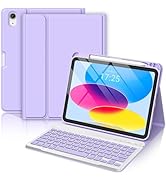
iPad 11th/10th Keyboard Case
iPad 9th/8th/7th Keyboard Case
iPad Pro 11/Air Keyboard Case
iPad 11th/10th Keyboard Case
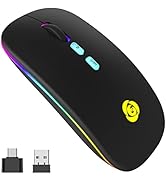
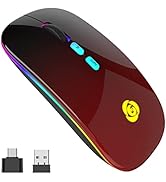
LED Wireless Bluetooth Mouse





