



Upgrade Desktop with Pro-Grade Expansion
Transform any unused 3.5" drive bay into a high-performance connectivity hub. Featuring a premium metal body, this multi-front panel brings modern USB-C and USB-A ports to the front of the PC, eliminating the hassle of reaching for rear ports.

One Hub, Endless Possibilities
Streamline the workspace by connecting everything from smartphones and digital cameras to flash drives and peripherals. With 3 dedicated ports, this panel provides a central access point for all essential gear, keeping the setup organized and efficient.

Next-Gen Speed for Massive Data
Experience blistering transfer speeds up to 20Gbps via the USB 3.2 Gen 2x2 Type-C port. Perfect for moving large 4K videos or high-res photo libraries in seconds, significantly saving time during heavy workloads.

Instant Connectivity Within Reach
Designed for both professional office workflows and high-demand creative studios. Whether managing daily spreadsheets or rendering complex designs, this front panel ensures essential tools are always connected and ready for action.

Broad Compatibility & Reliable Build
Engineered for modern motherboards with standard 20-pin A-Key and 19-pin headers. The rugged metal construction ensures long-term durability and stable performance for a wide range of USB devices, from hard disks to Bluetooth adapters.

Effortless Setup in Minutes
No complex configuration required. Simply slide the unit into a free 3.5" internal bay, secure with the included screws, and connect to the motherboard headers. A quick DIY upgrade that delivers professional-level convenience.
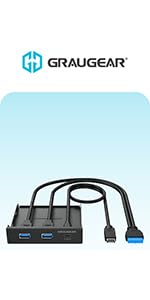 G-MP01 |  G-MP01CR | 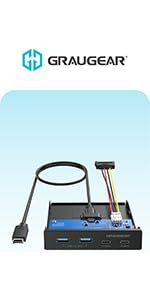 G-MP02 |  G-MP01-5 |  G-MP01CR-5 | 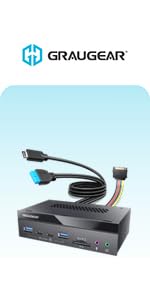 G-MP03CR-AU | |
|---|---|---|---|---|---|---|
| Customer Reviews | — | — | — | — | — | — |
| Price | — | — | — | — | — | — |
| Size | 3.5 Inches | 3.5 Inches | 3.5 Inches | 5.25 Inches | 5.25 Inches | 5.25 Inches |
| USB-C Port | 1x 20Gbps USB-C | 1x 20Gbps USB-C, 1x 5Gbps | 2x 10Gbps USB-C | 1x 20Gbps USB-C | 1x 10Gbps USB-C + 1x 5Gbps USB-C | 2x 10Gbps USB-C |
| USB-A Port | 2x USB 3.0 | 2x USB 3.0 | 2x USB3.2 Gen2 | 2x USB3.0 | 2x USB3.0 | 2x USB3.2 Gen2 |
| USB Front Panel Header | USB-C Type-E Key-A 20-pin + USB 3.0 19-pin | USB-C Type-E Key-A 20-pin + USB 3.0 19-pin | USB-C Type-E Key-A 20-pin | USB-C Type-E Key-A 20-pin + USB 3.0 19-pin | USB-C Type-E Key-A 20-pin + USB 3.0 19-pin | USB-C Type-E Key-A 20-pin + USB 3.0 19-pin |
| Card Reader | no data | ? | no data | no data | ? | ? |
| Installation Position of the PC Case | Front | Front | Front | Front | Front | Front |
| Cabel Length | 23.6 Inches | 23.6 Inches | 23.6 Inches | 23.6 Inches | 23.6 Inches | 23.6 Inches |
| Audio Ports | no data | no data | no data | no data | no data | ? |

GRAUGEAR USA
We delivers reliable, high-performance solutions for PC users worldwide — from memory upgrades to essential accessories and needs.

Hot New Releases
Bestsellers
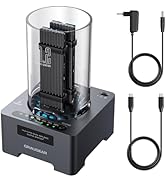
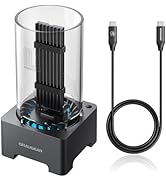
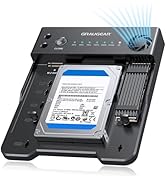
M.2 SSD Enclosure/Docking
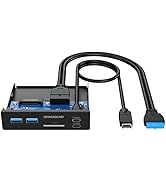
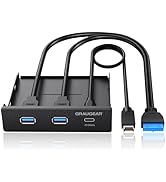
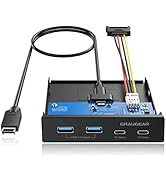
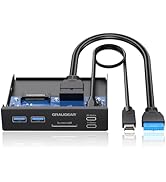
PC Front Panel I/O Hub
![[10Gbps] GRAUGEAR USB-C to USB-A Adapter, Support Double Sided 10Gbps Data Transfer, 3A Fast Char...](//c1.neweggimages.com/sellingpilot/modules/product/a-plus/eaca0213021ea7a7195010729c1482e47aaf3d5b86625e7ba3539a1e219245e1.jpg)
USB Adapter/Adapter Cable
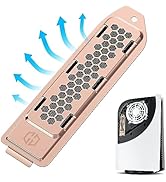
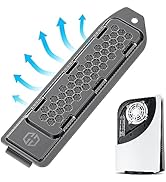
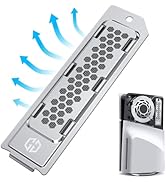
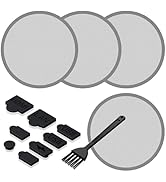
PS5 SSD Heatsink Cover
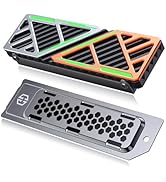
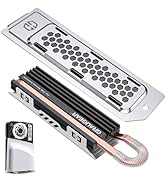
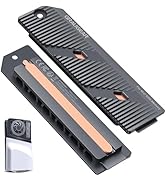
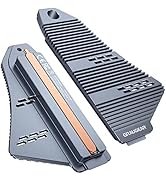
PS5 SSD Heatsink Cover/Kit
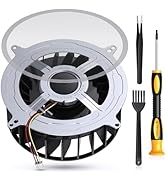
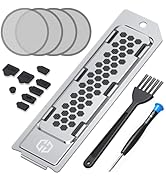
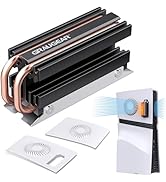
PS5 Cooling Series
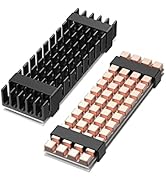
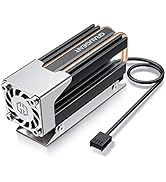
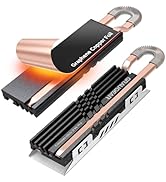
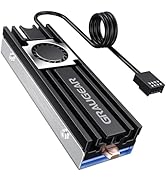
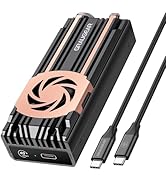
M.2 SSD Heatsink Cooler

- Our Purpose
We strive to build trust through innovation, creating technology that not only empowers users today but also contributes to a more sustainable tomorrow.
- What We Do
By connecting people, technology, and ideas, we design solutions that make PCs more powerful, flexible, and future-ready — helping everyone move forward with confidence.
Does PS5 SSD overheat?
The PS5 SSD can reach temperatures of up to 71 degrees Celsius. Excessively high temperatures may affect the life of the SSD, so it's best to have a heat sink on hand.
Do I really need a heatsink for NVME SSD?
This is not common with consumer SSDs, but monitoring the temperature of your SSD can help prolong its life.
How can I improve my PS5 cooling?
Sony recommends installing a heatsink to the internal PS5 SSD in order to maintain performance. A heatsink works by cooling down the SSD and transferring the heat away from the device.
![[10Gbps] GRAUGEAR USB-C to USB-A Adapter, Support Double Sided 10Gbps Data Transfer, 3A Fast Char...](http://c1.neweggimages.com/sellingpilot/modules/product/a-plus/eaca0213021ea7a7195010729c1482e47aaf3d5b86625e7ba3539a1e219245e1.jpg)
Upgrade Desktop with Pro-Grade Expansion
Transform any unused 3.5" drive bay into a high-performance connectivity hub. Featuring a premium metal body, this multi-front panel brings modern USB-C and USB-A ports to the front of the PC, eliminating the hassle of reaching for rear ports.
One Hub, Endless Possibilities
Streamline the workspace by connecting everything from smartphones and digital cameras to flash drives and peripherals. With 3 dedicated ports, this panel provides a central access point for all essential gear, keeping the setup organized and efficient.
Next-Gen Speed for Massive Data
Experience blistering transfer speeds up to 20Gbps via the USB 3.2 Gen 2x2 Type-C port. Perfect for moving large 4K videos or high-res photo libraries in seconds, significantly saving time during heavy workloads.
Instant Connectivity Within Reach
Designed for both professional office workflows and high-demand creative studios. Whether managing daily spreadsheets or rendering complex designs, this front panel ensures essential tools are always connected and ready for action.
Broad Compatibility & Reliable Build
Engineered for modern motherboards with standard 20-pin A-Key and 19-pin headers. The rugged metal construction ensures long-term durability and stable performance for a wide range of USB devices, from hard disks to Bluetooth adapters.
Effortless Setup in Minutes
No complex configuration required. Simply slide the unit into a free 3.5" internal bay, secure with the included screws, and connect to the motherboard headers. A quick DIY upgrade that delivers professional-level convenience.
G-MP01 | G-MP01CR | G-MP02 | G-MP01-5 | G-MP01CR-5 | G-MP03CR-AU | |
|---|---|---|---|---|---|---|
| Customer Reviews | — | — | — | — | — | — |
| Price | — | — | — | — | — | — |
| Size | 3.5 Inches | 3.5 Inches | 3.5 Inches | 5.25 Inches | 5.25 Inches | 5.25 Inches |
| USB-C Port | 1x 20Gbps USB-C | 1x 20Gbps USB-C, 1x 5Gbps | 2x 10Gbps USB-C | 1x 20Gbps USB-C | 1x 10Gbps USB-C + 1x 5Gbps USB-C | 2x 10Gbps USB-C |
| USB-A Port | 2x USB 3.0 | 2x USB 3.0 | 2x USB3.2 Gen2 | 2x USB3.0 | 2x USB3.0 | 2x USB3.2 Gen2 |
| USB Front Panel Header | USB-C Type-E Key-A 20-pin + USB 3.0 19-pin | USB-C Type-E Key-A 20-pin + USB 3.0 19-pin | USB-C Type-E Key-A 20-pin | USB-C Type-E Key-A 20-pin + USB 3.0 19-pin | USB-C Type-E Key-A 20-pin + USB 3.0 19-pin | USB-C Type-E Key-A 20-pin + USB 3.0 19-pin |
| Card Reader | no data | ? | no data | no data | ? | ? |
| Installation Position of the PC Case | Front | Front | Front | Front | Front | Front |
| Cabel Length | 23.6 Inches | 23.6 Inches | 23.6 Inches | 23.6 Inches | 23.6 Inches | 23.6 Inches |
| Audio Ports | no data | no data | no data | no data | no data | ? |
GRAUGEAR USA
We delivers reliable, high-performance solutions for PC users worldwide — from memory upgrades to essential accessories and needs.
Hot New Releases
Bestsellers
M.2 SSD Enclosure/Docking
PC Front Panel I/O Hub
USB Adapter/Adapter Cable
PS5 SSD Heatsink Cover
PS5 SSD Heatsink Cover/Kit
PS5 Cooling Series
M.2 SSD Heatsink Cooler
- Our Purpose
We strive to build trust through innovation, creating technology that not only empowers users today but also contributes to a more sustainable tomorrow.
- What We Do
By connecting people, technology, and ideas, we design solutions that make PCs more powerful, flexible, and future-ready — helping everyone move forward with confidence.
Does PS5 SSD overheat?
The PS5 SSD can reach temperatures of up to 71 degrees Celsius. Excessively high temperatures may affect the life of the SSD, so it's best to have a heat sink on hand.
Do I really need a heatsink for NVME SSD?
This is not common with consumer SSDs, but monitoring the temperature of your SSD can help prolong its life.
How can I improve my PS5 cooling?
Sony recommends installing a heatsink to the internal PS5 SSD in order to maintain performance. A heatsink works by cooling down the SSD and transferring the heat away from the device.





