



This product needs to be used with capture software:
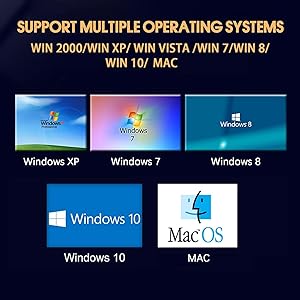
Windows System:
- A. The CD can install the capture software. But CD is not a necessity, if you don't have a CD drive, you can also try method B
- B. We recommend that you download OBS (or potplayer) on your computer. It can be downloaded for free online
MAC System:
- There is no need to download any drive or software. MAC's own software - QuickTime player which can handle video conversion


Connection Operation:
- Connect the RCA signal source and the RCA input port of the USB capture card through an RCA cable
- Insert the USB header of the USB capture card into the USB port of the computer
- Open the acquisition software, the specific settings are as follows:

- Chip Model: MS2100E
- Support NTSC/PAL video format
- Support high quality video resolution NTSC: 720x480@30fps, PAL: 720x576@25fps
- Support input Formats: record in DVD+/-R/RW, DVD+/-VR, and DVD-Video
- Video input: One RCA composite, One S-video
- Audio input: Stereo audio(RCA)
- Support output Formats: DV, AVI, MPEG, WMV, VCD, DVD
- Dimension: (L)90mm x (W)26mm x (H)15mm, portable and easy to store, plug &play
This product needs to be used with capture software:
Windows System:
- A. The CD can install the capture software. But CD is not a necessity, if you don't have a CD drive, you can also try method B
- B. We recommend that you download OBS (or potplayer) on your computer. It can be downloaded for free online
MAC System:
- There is no need to download any drive or software. MAC's own software - QuickTime player which can handle video conversion

Connection Operation:
- Connect the RCA signal source and the RCA input port of the USB capture card through an RCA cable
- Insert the USB header of the USB capture card into the USB port of the computer
- Open the acquisition software, the specific settings are as follows:
- Chip Model: MS2100E
- Support NTSC/PAL video format
- Support high quality video resolution NTSC: 720x480@30fps, PAL: 720x576@25fps
- Support input Formats: record in DVD+/-R/RW, DVD+/-VR, and DVD-Video
- Video input: One RCA composite, One S-video
- Audio input: Stereo audio(RCA)
- Support output Formats: DV, AVI, MPEG, WMV, VCD, DVD
- Dimension: (L)90mm x (W)26mm x (H)15mm, portable and easy to store, plug &play





