Webcam - Showing 2137 - 2160 of 4494 Products

Filter (0)
12V-2×6 PCIE 5.1 GPU Cable, 16 Pin 12VHPWR PSU Cable for ATX 3.1/3.0 Power Supply,600W ...
$33 .99
Free Shipping
$33 .99
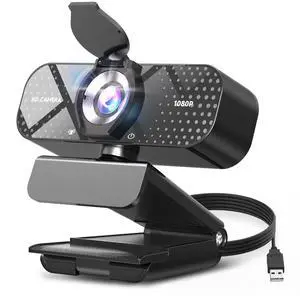
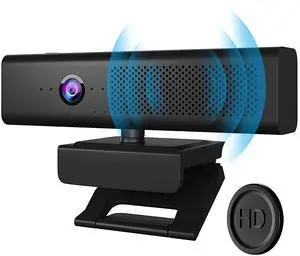
Webcam 1080P HD with Microphone & Privacy Cover, USB Web Cam with Live Streaming HD ...
$33 .98
Free Shipping
$33 .98
Ultra-soft Nylon Sport Band Compatible with WHOOP 5.0, One, Peak, and Life | Breathable, ...
$51 .99
Free Shipping
$51 .99
Sold by: DuoDuoShangHang
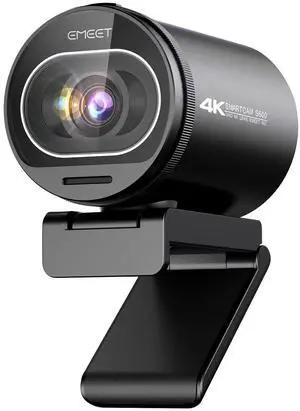
Meet SE 1080P 100FPS Webcam for PC, AI Framing Streaming Camera with 1/2.8" Sensor, ...
$99 .98
Free Shipping
$99 .98
Sold by: LONGYANCHUANGYI
Game Console LCD Screen Replacement, Interface LCD Display for 3000 3001 3002 3003 ...
$69 .99
Free Shipping
$69 .99
Sold by: DuoDuoShangHang
Portable Monitor 15.6inch 1080P FHD - USB-C/HDMI Computer Display, HDR IPS Gaming ...
$91 .72
Free Shipping
$91 .72
Sold by: DuoDuoShangHang
4 Pcs 5V 3-Pin ARGB Extension Cable, ARGB 1-to-1 Female to Female Cable Extension PC for ...
$15 .98
Free Shipping
$15 .98
8 Pin RGB GPU Cable,RGB PSU Cables Extension - Addressable 5V3Pin ARGB PC Case Decor for ...
$26 .99
Free Shipping
$26 .99
PIXMA TR4720 All-in-One Wireless Printer, Home Use with Auto Document Feeder, Mobile ...
$91 .92
Free Shipping
$91 .92
4 Pack ARGB Extension Cable, 3-Pin to SM 3-Pin Male Adapter with Adapter pin, 5V Addressable ...
$13 .98
Free Shipping
$13 .98
N680E Pro 4K Webcam with Ring Light, PDAF Autofocus, 1080p 60FPS, Dual Noise-Canceling ...
$149 .97
Free Shipping
$149 .97
Sleeve Extension Power Supply Cable Kit 18AWG ATX 24P+ EPS 8-P+PCI-E8-P with Combs for ...
$51 .99
Free Shipping
$51 .99
Kids Safe Bank - Piggy Bank with Password and Fingerprint Lock, Voice Money Bank, Cool and ...
$59 .99
Free Shipping
$59 .99
Sold by: DuoDuoShangHang
PCIe USB 3.2/3.1 Gen 2 Card 8 Ports Type-A USB C PCIe Card 10Gbps PC Internal hub for ...
$89 .32
Free Shipping
$89 .32
Sold by: DuoDuoShangHang
WOWNOVA White 3.5in Computer Temp Monitor, ARGB PC Case Secondary Screen, USB Mini ...
$69 .99
Free Shipping
$69 .99
Watch Band - Sport Band - 42mm - Anchor Blue - M/L
$72 .33
Free Shipping
$72 .33
Sold by: DuoDuoShangHang
Keyboard Cleaning Kit Laptop Cleaner, All-in-1 Computer Screen Cleaning Brush Tool, ...
$29 .99
Free Shipping
$29 .99
iFixit Pro Tech Toolkit - Electronics, Smartphone, Computer & Tablet Repair Kit
$99 .99
Free Shipping
$99 .99
Sold by: DuoDuoShangHang
UPS Battery Backup & Surge Protector, 400VA/255W, 6 Outlets, Uninterruptible Power Supply, ...
$75 .97
Free Shipping
$75 .97
Hyte Flow FA12 120mm PC Case Fans 4-Pack, High Performance, Low Noise, 1500 RPM, 4-Pin ...
$74 .75
Free Shipping
$74 .75
Sold by: DuoDuoShangHang
24 Pin RGB PSU Cable, Ribbon Fiber Optic Design with 24 LED Beads, Durable and RGB Power ...
$33 .99
Free Shipping
$33 .99
tounee Telescopic Laptop Stand for Desk with 360° Swivel Base, Sit to Stand, Height ...
$66 .33
Free Shipping
$66 .33
Sold by: DuoDuoShangHang
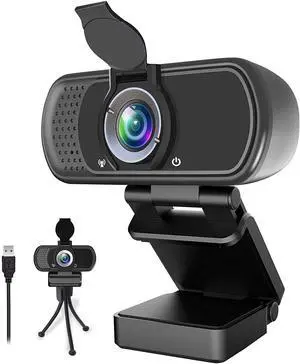
Svcouok Webcam 1080p HD Computer Switch 2 Camera - Microphone Laptop USB PC Webcam ...
$39 .99
Free Shipping
$39 .99
Intelligent Led Fitness Watch Adjustable Silicone Smart Wrist Bracelet Vibrating Alarm Sports ...
$29 .99
Free Shipping
$29 .99

How to Choose the Right Webcam

Introduction

Adding a webcam to your conference calls and online conversations can enhance the experience for both you and the other party. In addition, it is a more economical and environmentally-friendly alternative to paying for a plane ticket and flying in for a face-to-face meeting in another city. Before purchasing a webcam however, you should consider how it will be used and what features you.

Video Resolution

Similar to a monitor or a HDTV, a webcam’s video resolution is represented as the number of horizontal pixels by vertical pixels. A few of the more common resolutions include 640 × 480, 1280 × 720 (720p), and 1920 × 1080 (1080p). A higher resolution means that the video you capture will be sharper and more detailed. For HD video recording, you will need a webcam that is capable of at least 720p video capture.

Image Resolution

Aside from recording and sending live video, a web cam can also be used to take still images. Some webcams have their video and image resolutions listed separately, with the latter rated in megapixels. If you plan to use the webcam to take still photos, you should try to find one that has a high megapixel rating.

Frame Rate

Along with resolution, frame rate is another important factor for capturing video. A higher frame rate will result in a smoother video with less stuttering. Some webcams are capable of 30 frames per second video recording, though more budget-oriented models may have frame rates that are slightly lower than that.

Microphone

For recording audio, you can either utilize a webcam’s built-in microphone or connect a dedicated microphone. A built-in microphone is usually adequate for most tasks that do not require professional-grade sound recording. If you plan to record or live stream studio-quality audio however, you will want to utilize a dedicated microphone.

Mounting

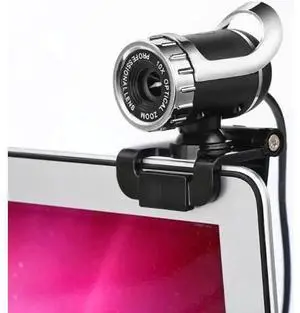
There are several different mounting methods and designs for webcams. Some need to be clipped on, others require a flat horizontal surface, and a few even support tripods. Clip-on webcams are excellent for use with thin LCD monitors and laptops but not for thicker objects such as desktop towers or CRT monitors. A freestanding webcam is beneficial if you have a large flat surface such as the top of a tower or perhaps a conference table.