




Shop Motherboards by Chipset


Featured Products See All
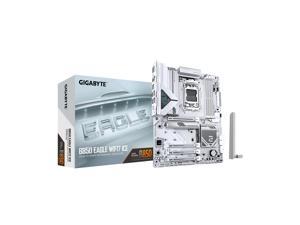

GIGABYTE B850 EAGLE WIFI7 ICE AMD AM5 LGA 1718 Motherboard, ATX, DDR5, 3x M.2, PCIe ...
$189 .99
- "AMD Socket AM5: Supports AMD Ryzen 9000 / Ryzen 8000 / Ryzen 7000 Series Processors
- DDR5 Compatible: 4*DIMMs
- Power Design: 8+2+2
- Connectivity: PCIe 5.0, 3x M.2 Slots, USB-C
- DIY Friendly: M.2 EZ-Latch, PCIe EZ-Latch, Wi-Fi EZ-Plug
- Networking: WIFI7, 2.5GbE LAN, BT
- "
$189 .99
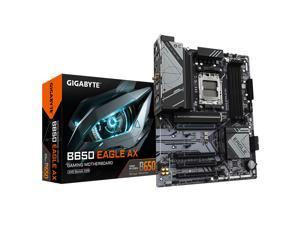
GIGABYTE B650 EAGLE AX AM5 LGA 1718 AMD B650 ATX , DDR5 Triple M.2, PCIe 5.0, USB 3.2 ...
Save: $30.00 (17%)
$149 .99
- "AMD Socket AM5:Supports AMD Ryzen 7000 / Ryzen 8000 / Ryzen 9000 Series Processors
- DDR5 Compatible: 4*SMD DIMMs with AMD EXPO & Intel XMP Memory Module Support
- Unparalleled Performance: 12+2+2 Phases Digital VRM Solution
- Advanced Thermal Design & M.2 Thermal Guard: To Ensure VRM Power Stability & M.2 SSD Performance
- Stable Connectivity: 1*PCIe 5.0 + 2*PCIe 4.0 M.2, USB 3.2 Gen 2x2 Type-C
- Fast Networking: GbE LAN, AMD Wi-Fi 6E
- Fine Tuning Features: Smart Fan 6, Q-Flash"
Save: $30.00 (17%)
$149 .99
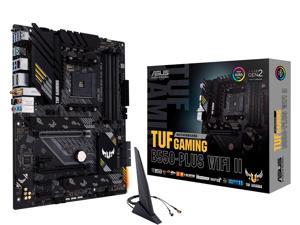

ASUS TUF GAMING B550-PLUS WIFI II AM4 AMD B550 ATX AMD Motherboard
Save: $30.00 (20%)
$119 .99
Free Shipping
- Supports AMD Ryzen 5000 Series / 5000 G-Series / 4000 G-Series / 3000 Series Processors
- AMD AM4 Socket and PCIe 4.0: The perfect pairing for 3rd Gen AMD Ryzen CPUs
- Robust Power Design: 8+2 DrMOS power stages with high-quality alloy chokes and durable capacitors to provide reliable power for the last AMD high-count-core CPUs
- Optimized Thermal Solution: Fanless VRM and PCH heatsink, multiple hybrid fan headers and fan speed management with Fan Xpert 4 or the UEFI Q-Fan Control utility
- High-performance Gaming Networking: WiFi 6 (802.11ax), 2.5 Gb LAN with ASUS LANGuard
- Best Gaming Connectivity: Supports HDMI 2.1 (4K@60HZ) and DisplayPort 1.2 output, featuring dual M.2 slots (NVMe SSD) - one with PCIe 4.0 x4 connectivity, front panel USB 3.2 Gen 1 connector, USB 3.2 Gen 2 Type-C & Type-A ports and Thunderbolt 3 header, 1 x SPI TPM header
- Industry-leading Gaming Audio & AI Noise Cancelling Mic Technology: High fidelity audio from a SupremeFX S1220A codec with DTS S
- DDR4 4866(OC)
Save: $30.00 (20%)
$119 .99
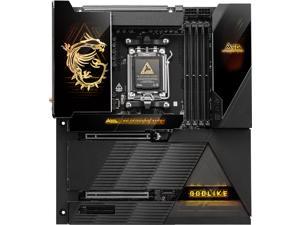

MSI MEG X870E GODLIKE, E-ATX - Supports AMD Ryzen 9000 / 8000 / 7000 Processors, AM5 - ...
Save: $100.00 (9%)
$999 .99
Free Shipping
- Dynamic Dashboard III: A 3.99-inch LCD for real-time hardware monitoring, troubleshooting, BIOS updates, and personalized display options, enhancing the overall user experience.
- EZ Link: By consolidating front panel, fan, and ARGB headers into the EZ Bridge and EZ Control Hub, cable management is simplified, resulting in an extremely clean build.
- Ultra Power+: The ultimate power solution with 26+2+1+1 DRPS, 110A, SPS, and OC Engine unleashes maximum CPU performance.
- Dual Thunderbolt 4 Ports: Thunderbolt 4 brings Thunderbolt to USB-C at true 40Gb/s speeds, 8k display support, Daisy-Chain, Multi-Port Acccessory Architechture and USB4.0 compliant.
- 10G Super LAN + 5G LAN: secure networking with the fastest data.
- WIFI 7: latest wireless solution with a new 320MHZ channel.
- EZ PCIe Release: A simple press of a button to effortlessly lock or unlock the PCe slot.
Save: $100.00 (9%)
$999 .99
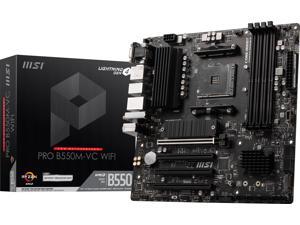
MSI PRO PRO B550M-VC WIFI AM4 AMD B550 MATX AMD Motherboard
Save: $35.00 (29%)
$84 .99
- Supports AMD Ryzen™ 5000 Series, 5000 G-Series, 4000 GSeries, and 3000 Series processors Supports AM4 socket 3rd Gen AMD Ryzen™ processors, and future AMD Ryzen™ processors with BIOS update
- 4x DDR4 memory slots, support up to 128GB 1
- Supports DDR4 1866/ 2133/ 2400/ 2667/ 2800/ 2933/ 3000/ 3066/ 3200 MHz by JEDEC
- Supports DDR4 2667/ 2800 /2933 /3000 /3066 /3200 /3466 /3600/ 3733 /3866 /4000 /4133 /4266 /4400+ MHz by A-XMP OC MODE
- Lightning Gen4 Solution
- M.2 Shield FROZR
- PCI-E Steel Armor: Protecting VGA cards against bending and EMI
- Core Boost
- EZ Debug LED: Easiest way to troubleshoot.
- Frozr AI Cooling: Detect CPU & GPU temperatures and automatically adjust system fan duty to a proper value.
- Audio Boost: Reward your ears with studio grade sound quality for the most immersive audio experience.
Save: $35.00 (29%)
$84 .99
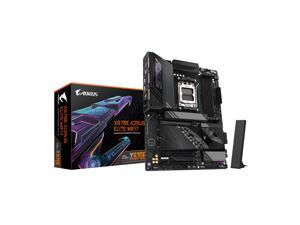
GIGABYTE X870E AORUS ELITE WIFI7 AM5 LGA 1718, ATX, DDR5, 4x M.2, PCIe 5.0, USB4, ...
Save: $55.00 (15%)
$299 .99
Free Shipping
- "AMD Socket AM5: Supports AMD Ryzen 9000 / Ryzen 8000 / Ryzen 7000 Series Processors
- DDR5 Compatible: 4*DIMMs with AMD EXPO Support
- Power Design: 16+2+2
- Thermals: VRM and M.2 Thermal Guard
- Connectivity: PCIe 5.0, 4x M.2 Slots, Dual USB4, Front and Rear USB-C, Sensor Panel Link
- DIY Friendly: M.2 EZ-Latch, PCIe EZ-Latch, Wi-Fi EZ-Plug, EZ-Debug Zone
- Networking: Wi-Fi 7, 2.5GbE LAN
- 5-Year Warranty
Save: $55.00 (15%)
$299 .99
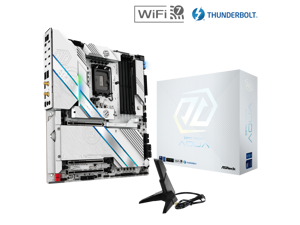

Z890 Taichi AQUA LGA 1851 Intel Z890 SATA 6G/s EATX Motherboard
Save: $370.00 (46%)
$429 .99
Free Shipping
- Supports Intel Core™ Ultra Processors (Series 2) (LGA1851)
- 28+1+2+1+1 Power Phase, 110A SPS for VCore
- 4 x DDR5 DIMMs
- Supports Dual Channel, up to 9200+ (OC)
- 2 PCIe 5.0 x16, 1 PCIe 4.0 x16
- Graphics Output Options: 2 Thunderbolt™ 4 Type-C
- Realtek ALC4082 5.1 CH HD Audio Codec, ESS SABRE9219 DAC, WIMA Audio Cap, Nahimic Audio
Save: $370.00 (46%)
$429 .99
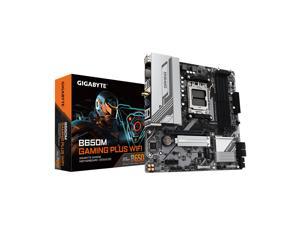
GIGABYTE B650M GAMING PLUS WIFI AM5 LGA 1718 AMD B650 M-ATX, DDR5, PCIe 4.0 M.2, ...
Save: $0.01
$109 .99
Free Shipping
- "AMD Socket AM5:Supports AMD Ryzen 7000 / Ryzen 8000 / Ryzen 9000 Series Processors
- DDR5 Compatible: 4*SMD DIMMs with AMD EXPO & Intel XMP Memory Module Support
- Sturdy Power Design: 5+2+2 Phases Digital VRM Solution
- Stable Connectivity: PCIe 4.0 x4 M.2, USB 3.2 Gen 1 Type-C
- Fast Networking: 2.5GbE LAN, Wi-Fi 6E
- Fine Tuning Features: Smart Fan 6, Q-Flash"
Save: $0.01
$109 .99
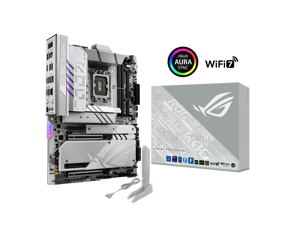
ASUS ROG MAXIMUS Z890 APEX Intel® Z890 LGA 1851 ATX motherboard, Advanced AI ...
$574 .99
Free Shipping
- Ready for Advanced AI PCs: Designed for the future of AI computing, with the power and connectivity needed for demanding AI applications Intel® LGA 1851 Socket: Supports Intel Core™ Ultra Processors (series 2)
- Exclusive AI Technologies: ASUS AI Advisor, ASUS-exclusive AI Overclocking, AI Cooling II, and AI Networking II to simplify setup and improve performance
- Exclusive Overclocking & Memory Technologies: NPU Boost, DIMM Fit, DIMM Flex and AEMP III to simplify setup and improve performance
- Robust Power Solution: 22(110A)+2(90A)+1(90A)+2(80A) power stages with ProCool II power connectors, MicroFine alloy chokes and premium metallic capacitors
$574 .99
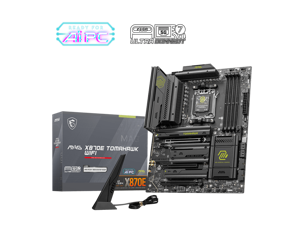
MSI MAG X870E TOMAHAWK WIFI Motherboard, ATX - Supports AMD Ryzen 9000 / 8000 / 7000 ...
$323 .99
Free Shipping
- AMD X870E
- Supports AMD Ryzen™ 9000/ 8000/ 7000 Series Desktop Processors Socket AM5
- 4x DDR5 UDIMM, Maximum Memory Capacity 256GB Memory Support DDR5 8400 - 5600 (OC) MT/s / 5600 - 4800 (JEDEC) MT/s
- Lightning USB 40G: Featuring a built-in USB 4 port, it offers a lightning-fast 40Gbps transmission speed.
- EZ PCIe Release: A simple press of a button to effortlessly lock or unlock the PCIe slot, simplifying the installation and removal of the graphics card.
- EZ M.2 Shield Frozr II: The new tool-less design makes installing or removing your M.2 SSD and Shield Frozr much easier
- Lightning Gen 5: The latest PCIe 5.0 solution with up to 128GB/s bandwidth for
- maximum transfer speed.
- 5G Network Solution: Featuring premium 5G LAN to deliver better network experience.
- Wi-Fi 7: The latest wireless solution with a new 320MHz channel, achieving a maximum transmission speed of 5.8Gbps, which is 2.4 times faster than Wi-Fi 6/6E.
- Audio Boost 5: Isolated audio with a high quality audio
$323 .99
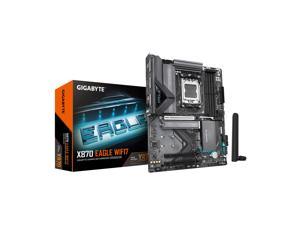
GIGABYTE X870 EAGLE WIFI7 AM5 LGA 1718, ATX, DDR5, 4 x SATA 6Gb/s, 3x M.2, PCIe 5.0, ...
Save: $45.00 (18%)
$209 .99
- "AMD Socket AM5: Supports AMD Ryzen 9000 / Ryzen 8000 / Ryzen 7000 Series Processors
- DDR5 Compatible: 4*DIMMs with AMD EXPO Support
- Power Design: 14+2+2
- Thermals: VRM and M.2 Thermal Guard
- Connectivity: PCIe 5.0, 3x M.2 Slots, Dual USB4, Front and Rear USB-C
- DIY Friendly: M.2 EZ-Latch, PCIe EZ-Latch, Wi-Fi EZ-Plug, EZ-Debug Zone
- Networking: Wi-Fi 7, 2.5GbE LAN
- 5-Year Warranty
Save: $45.00 (18%)
$209 .99
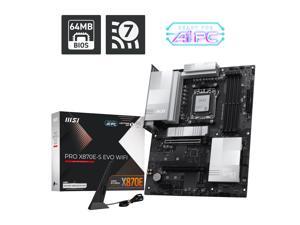
MSI PRO X870E-S EVO WIFI ATX AM5 Motherboard, USB 4.0, 4x SATA 6Gb/s, AMD Wi-Fi 7, USB ...
Save: $60.00 (27%)
$159 .99
Free Shipping
- 64MB BIOS: A larger BIOS ROM capacity allows the motherboard to support
- next-level CPU upgrades with better compatibility.
- Wi-Fi 7: The latest wireless solution with a new 160MHz channel,
- achieving a maximum transmission speed of 2.9Gbps.
- Lightning USB 40G: Featuring a built-in USB 4 port, it offers a lightning-fast 40Gbps transmission speed.
- 5G Network Solution: Featuring premium 5G LAN to deliver better network experience.
- EZ M.2 Shield Frozr II: The new tool-less design makes installing or removing your M.2 SSD and Shield Frozr much easier
- EZ Antenna: EZ Antenna makes the process effortless by simply attaching
- fasteners to the motherboard without rotation.
- EZ PCIe Clip II: Allows for easy removal of the graphics card by pressing the tail-like lock with one finger, even in the cramped case spaces.
- Latest DDR5 Memory: A huge step of DDR performance enhancement with the latest DDR5 memory and MSI Memory Boost technology.
- Lightning Gen 5: The latest PCIe 5.0 solution with up to 128GB/s bandwidth for
- maximum transfer speed.
- Extended Heatsink Design: MSI extended PWM heatsink and enhanced circuit design ensures even high-end processors to run in full speed.
- Pre-installed I/O Shielding: Better EMI protection and more convenience for installation
Save: $60.00 (27%)
$159 .99
Loading Dynamic Data...
Motherboard Considerations
Introduction
When assembling a desktop computer, two of the most important considerations are the processor and motherboard—also sometimes referred to as a mobo. Once you have decided on a processor, you can narrow down your choices to compatible motherboards. Below, NeweggBusiness lists out several considerations to help you narrow down your choices even more.
Key Considerations
Form Factor
With a processor selected, you should decide how large you want the computer to be. The size of the case will determine how large your motherboard can be. Some of the more common form factors include the following.
- ATX – The standard form factor often found in many mid and full-tower desktop computers, it measures 12 × 9.6 inches.
- Extended ATX (E-ATX) – E-ATX motherboards are usually 12 × 13 inches, but it is not a definite requirement. Generally though, E-ATX motherboards are larger than ATX variants. Full-tower cases are typically required for E-ATX motherboards.
- Micro ATX (mATX) – mATX motherboards can range from 9.6 × 9.6 inches to 6.75 × 6.75 inches, and are excellent for use in small-form-factor cases. Compared to ATX-sized motherboards, they have fewer expansion slots and internal connectors.
- Mini ITX – A mini ITX motherboard measures 6.7 × 6.7 inches and is a popular form factor for smaller computers. Due space restrictions, mini ITX motherboards only have one expansion card slot.
- Ultra ATX – Ultra ATX is 14.4 × 9.6 inches and is a relatively new form factor designed to accommodate multiple graphics cards. Visually, it is slightly taller than a standard ATX motherboard.
Expansion Slots
The number of expansion slots on a motherboard is directly linked to its form factor, but the configuration of those expansion slots can vary. Though most standard ATX motherboards have seven expansion slots, the type of slots they are can vary from model to model. For instance, one motherboard can have five PCI and two PCIe® slots while another may have six PCI and only one PCIe slot.
Internal Data Connectors
Also of importance is the number and type of internal data connectors available on a motherboard. They are used to connect optical drives, hard drives, solid state drives, and other storage drives to the motherboard. Typically, larger motherboards have more internal data connectors because larger cases can support more drives.
As for the type of connectors, most desktop motherboards utilize SATA connectors, though some may also have IDE connectors for legacy support.
Onboard Video
Many desktop motherboards—though not all—have built-in video chipsets, so they do not strictly require dedicated desktop video cards. However, few onboard video chipsets are capable of outputting to multiple monitors or run graphics-intensive programs. For general office tasks such as word processing, checking e-mail, or browsing the internet, onboard video is more than sufficient.
Wireless Networking (Wi-Fi™)
Some motherboards feature wireless networking, making dedicatedwireless network adapters unnecessary. However, motherboards that have built-in Wi-Fi are typically more expensive. If you do not utilize wireless networking, you can save costs by select a motherboard without built-in Wi-Fi.
