• In Stock
  • Sold by NeweggBusiness
  • New
Brands
Show More
Price
Show More
Type
Show More
Keyboard Interface
Show More
Mouse Included
Design Style
Show More
Mechanical Keyboard
Key Switch
Show More
Backlit
Mouse Interface
Sold by
Tracking Method
All Top Brands
Availability
Condition
Discount
Useful Links
Customer Ratings
  • Featured Brands

    See Deals from MicrosoftSee Deals from LogitechSee Deals from Rosewill
Sort By:
View:
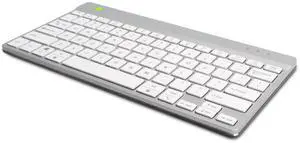
R-GO COMPACT BREAK KEYBOARD, QWERTY (US), BLUETOOTH, WHITE
Quick View
R-GO COMPACT BREAK KEYBOARD, QWERTY (US), BLUETOOTH, WHITE
  • Brand: R-Go
  • Type: Keyboards & Keypads
  • Model #:
  •  
  • $83.70 –
  • $77.70 - $83.70
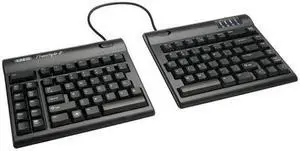
Kinesis FREESTYLE SOLO 2™ Keyboard KB800PBUS
Quick View
Kinesis FREESTYLE SOLO 2™ Keyboard KB800PBUS
  • Keyboard Interface: USB
  • Design Style: Ergonomic
  • Keyboard Color: Black
  • Brand: Kinesis
  • Model #: KB-800PB-us
  • $97.98 - $104.28
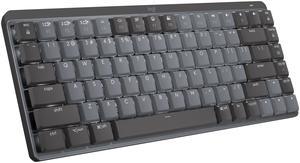
Logitech MX Mechanical Mini Wireless Illuminated Keyboard, Tactile Quiet Switches, Backlit, Bluetooth, USB-C, macOS, Windows, Linux, iOS, Android, Graphite
Quick View
Logitech
Logitech MX Mechanical Mini Wireless Illuminated Keyboard, Tactile Quiet Switches, Backlit, Bluetooth, USB-C, macOS, Windows, Linux, iOS, Android, Graphite
  • Keyboard Interface: Bluetooth
  • Design Style: Mechanical
  • Keyboard Color: Graphite
  • Brand: Logitech
  • Model #: 920-010550
Logitech MX Keys Advanced Wireless Illuminated Keyboard Black 920009295
Quick View
  •  
  • $227.62 –
  • $225.62 - $227.62
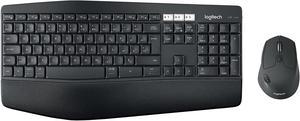
Logitech MK850 920-008220 Black Bluetooth and RF Wireless Keyboards and Mouse - French
Quick View
Logitech MK850 920-008220 Black Bluetooth and RF Wireless Keyboards and Mouse - French
  • Keyboard Interface: USB
  • Design Style: Ergonomic
  • Keyboard Color: Black
  • Brand: Logitech
  • Model #: 920-008220
  • $107.19 - $108.39
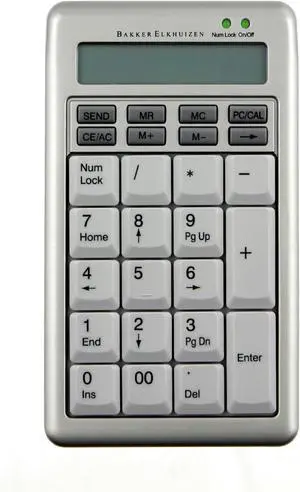
MatiasS-BOARD 840 DESIGN USB NUMERIC KEYPAD
Quick View
MatiasS-BOARD 840 DESIGN USB NUMERIC KEYPAD
  • Brand: Matias
  • Type: Wired
  • Model #:
  •  
  • $94.56 –
  • $88.26 - $94.56
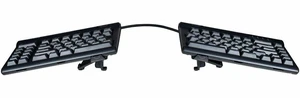
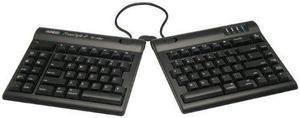
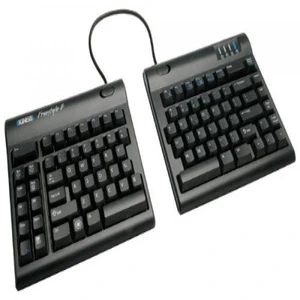
Kinesis Freestyle2 Adjustable Split Keyboard
Quick View
Kinesis Freestyle2 Adjustable Split Keyboard
  • Mouse Interface: Cable
  • Tracking Method: TrackBall
  • Function Keys: Cut Copy Paste Page Up Page Down Undo Select Esc Quit Brightness Exposé Dashboard Audio Eject Sleep
  • Model #: KB800HMB-US-20
  • $126.55 - $129.30
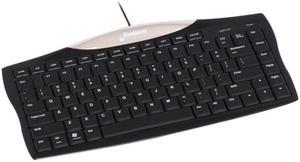
Evoluent Essentials Full Featured Compact Wired Keyboard Black (3189879)
Quick View
  •  
  • $63.73 –
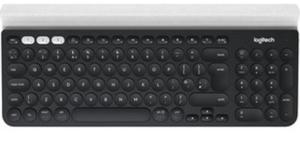
Logitech K780 Wireless Multi-Device Quiet Desktop Keyboard
Quick View
  •  
  • $76.63 –
  • $70.33 - $76.63
Kinesis Freestyle2 Keyboard for Mac
Quick View
  •  
  • $79.26 –
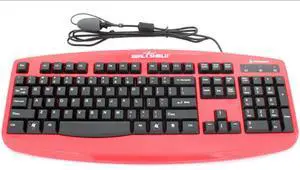
Seal Shield Silver Storm STK503 Washable Keyboard Cable USB English/French
Quick View
  • $76.92 - $83.22
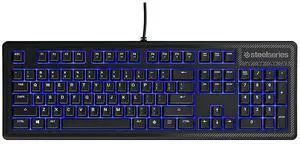
SteelSeries Apex 100 Gaming Keyboard - Blue LED
Quick View
Refurbished SteelSeries Apex 100 Gaming Keyboard - Blue LED
  • Brand: SteelSeries
  • Type: See Description
  • Model #:
  •  
  • $29.99 –
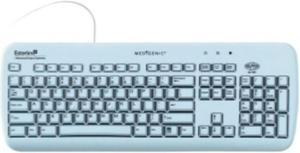
Esterline Essential Washable 104-Key Medical Flat Keyboard - Light Blue
Quick View
  •  
  • $169.22 –
  • $165.97 - $169.22
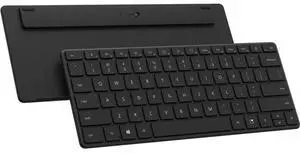
Microsoft Designer Compact Keyboard - Matte Black 21Y-00001
Quick View
Microsoft
Refurbished Microsoft Designer Compact Keyboard - Matte Black 21Y-00001
  • Brand: Microsoft
  • Type: Keyboards & Keypads
  • Model #: 21Y00001O
  •  
  • $44.99 –
VISION IMPAIRMENT BLACK KEYBOARD XL KEYS
Quick View
VISION IMPAIRMENT BLACK KEYBOARD XL KEYS
  • Brand: Ergoguys
  • Type: Standard
  • Model #:
  •  
  • $59.51 –
  • $53.41 - $59.51
Verbatim 99793 Black USB RF Wireless Keyboard
Quick View
Verbatim 99793 Black USB RF Wireless Keyboard
  • Keyboard Interface: USB
  • Keyboard Color: Black
  • Brand: Verbatim
  • Type: RF Wireless
  • Model #: 99793
  • $23.83 - $26.83
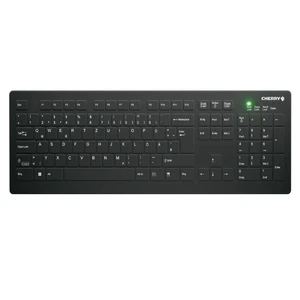
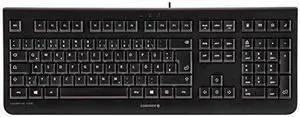
Cherry Active Medical Keyboard AK-C8112 Medical Keyboard Black
Quick View
  •  
  • $149.99 –
Kinesis Freestyle 2 Convertible Keyboard KB800HMB for Mac KB800HMBUS
Quick View
Kinesis Freestyle 2 Convertible Keyboard KB800HMB for Mac KB800HMBUS
  • Keyboard Interface: USB
  • Design Style: Ergonomic
  • Keyboard Color: Black
  • Brand: Kinesis
  • Model #: KB-800HMB-US
  • $107.72 - $113.72
SteelSeries Apex 100 Gaming Keyboard Blue LED
Quick View
Refurbished SteelSeries Apex 100 Gaming Keyboard Blue LED
  • Brand: SteelSeries
  • Type: Wired
  • Model #:
  •  
  • $29.99 –
Genovation 12-Key Membrane Standard USB HID Keyboard Device 909-K
Quick View
Genovation 12-Key Membrane Standard USB HID Keyboard Device 909-K
  • Brand: Ergoguys
  • Type: See Description
  • Model #:
  •  
  • $182.01 –
  • $180.01 - $182.01
CHERRY G84-4100 Compact Keyboard
Quick View
CHERRY G84-4100 Compact Keyboard
  • Brand: CHERRY
  • Model #:
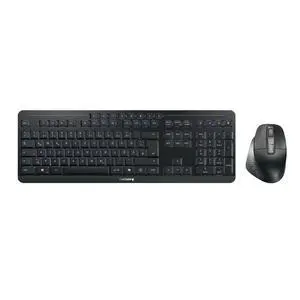
CHERRY KW 9100 Slim For Mac Wireless Mac Keyboard
Quick View
CHERRY KW 9100 Slim For Mac Wireless Mac Keyboard
  • Brand: CHERRY
  • Type: See Description
  • Model #:
CHERRY KW 9100 SLIM Bluetooth Wireless Keyboard
Quick View
CHERRY KW 9100 SLIM Bluetooth Wireless Keyboard
  • Brand: CHERRY
  • Type: Keyboards & Keypads
  • Model #: JK9100US2
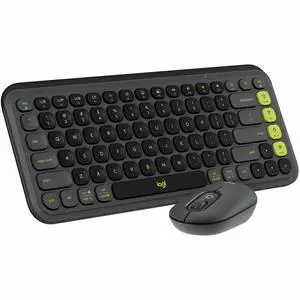
Logitech POP ICON COMBO Bluetooth Keyboard and Mouse Combo. Graphite/Green
Quick View
Logitech
Logitech POP ICON COMBO Bluetooth Keyboard and Mouse Combo. Graphite/Green
  • Brand: Logitech
  • Type: Keyboard & Mouse Combos
  • Model #: 920-013103
  • $72.92 - $73.67
Adesso AKB-270UB - Slim Touch 270 Antimicrobial Waterproof Touchpad Keyboard, Black
Quick View
Adesso AKB-270UB - Slim Touch 270 Antimicrobial Waterproof Touchpad Keyboard, Black
  • Keyboard Interface: USB
  • Design Style: Ergonomic
  • Keyboard Color: Black
  • Brand: ADESSO
  • Model #: KBADSAKB-270UB
  • $89.84 - $91.04
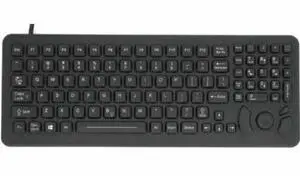
DSI WATERPROOF IP68 SILICONE COMPACT KEYBOARD W/ MOUSE POINTER BACKLIT
Quick View
  •  
  • $116.81 –
  • $114.81 - $116.81
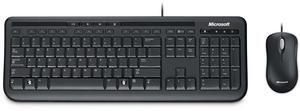
Microsoft Wired Desktop 600 Keyboard and Mouse APB-00005 (Spanish Layout)
Quick View
Microsoft
Microsoft Wired Desktop 600 Keyboard and Mouse APB-00005 (Spanish Layout)
  • Brand: Microsoft
  • Type: Keyboards & Keypads
  • Model #: APB00005
  •  
  • $39.99 –
Microsoft Wired Desktop 600, USB, Spanish Edition
Quick View
Microsoft
Refurbished Microsoft Wired Desktop 600, USB, Spanish Edition
  • Brand: Microsoft
  • Type: Keyboards & Keypads
  • Model #:
  •  
  • $29.99 –
KINESIS KP800 Freestyle2 Keypad for PC & Mac
Quick View
KINESIS KP800 Freestyle2 Keypad for PC & Mac
  • Brand: Kinesis
  • Type: See Description
  • Model #: KP800
  • $43.42 - $49.67
Kinesis Freestyle2 Keyboard For Pc - Cable - Black - Usb -
Quick View
Kinesis Freestyle2 Keyboard For Pc - Cable - Black - Usb -
  • Mouse Interface: Cable
  • Function Keys: Cut Copy Paste Undo Forward Back Home
  • Model #: 607998800041
  • $117.85 - $121.10
Honeywell Keyboard for Vehicle Mounted Computers 340053003DB9P
Quick View
  •  
  • $831.30 –
  • $828.30 - $831.30
Genovation 12 Key USB Mini Term 2 Line
Quick View
Genovation 12 Key USB Mini Term 2 Line
  • Brand: Ergoguys
  • Type: See Description
  • Model #:
  •  
  • $191.51 –
  • $188.26 - $191.51
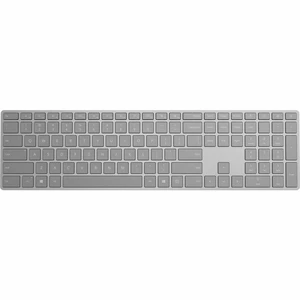
Microsoft Surface Keyboard EP204165
Quick View
  •  
  • $104.99 –
CHERRY DESKTOP JK-0800EU-2 KC1000 BLACK 104+4 HOT KEYS
Quick View
CHERRY DESKTOP JK-0800EU-2 KC1000 BLACK 104+4 HOT KEYS

OUT OF STOCK

  • Mouse Color: Black
  • Parts: 2 Year
  • Model #: 4025112081491

Computer Keyboard Buying Tips

Introduction

Your staff may sometimes be at their workstations for hours on end, which means that they will need to have ergonomic computer keyboards that are adequate for the tasks that they will be performing. Purchasing keyboards with features that your staff will not utilize is not good use of your budget however, and you should try to find a balance between price and features. Below, NeweggBusiness will outline some considerations so that you can decide if they will be of value to your staff.

Connectivity

Keyboards can be connected to computers in one of two ways, wired or wireless. In terms of cost, wired keyboards can be found at much lower prices than wireless keyboards; however wireless keyboards can be used in situations where using wired keyboards would not be practical. Generally, most desktop workstations for completing general office tasks do not require wireless keyboards except in rare cases.

Wired computer keyboards have several advantages over wireless keyboards, including better responsiveness, not requiring additional software, and no need for batteries. Wireless keyboards on the other hand, decrease cable clutter and can be used with media center computers. If the computer will be used from a distance, a wireless keyboard is better than using a wired keyboard with long extension cables.

In addition to computers, keyboards can also be used with tablets to give them laptop-like functionality. For use with tablets, a keyboard will need Bluetooth® functionality, as tablets typically lack support for USB keyboards. Bluetooth keyboards can also be used with laptops and desktops, but they will need to have support for Bluetooth.

Layout

A standard Windows® compatible QWERTY computer keyboard has a 104-key layout, but there are specialized keyboards with additional keys or altered key placement. For example, a standard full-sized QWERTY keyboard will typically have a number pad to the right side of the keyboard but other layouts may drop the number pad in favor of slimmer dimensions.

Then there are multimedia keyboards and gaming keyboards that have programmable buttons, program-specific keys, and more. A standard Windows QWERTY keyboard is more than sufficient for most office tasks, and specialized keyboards are only needed for workstations that will be used for tasks that require those extra keys and functionality.

Ergonomics

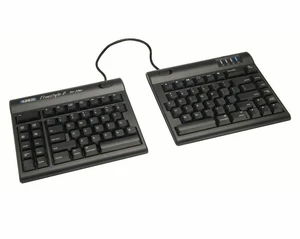
Ergonomics are a very important consideration when selecting keyboards to use with your organization’s computers, as poor ergonomics can result in wrist injuries. To alleviate concerns about ergonomics, keyboard manufacturers have designed and market keyboards with comfortable ergonomics in mind. These keyboards typically have designs that split the QWERTY pattern in half and angle them so that the wrist is not bent when typing. Another approach that manufacturers may take to improve ergonomics is including wrist rests, which are often detachable. Ergonomic keyboards are usually more expensive but can reduce injury, so you may want to consider equipping workstations with them if their users will be typing for very long periods of time.
Conclusion

Selecting a keyboard for your organization’s workstations will require you to balance the needs of your staff and cost. Maximize your budget by selecting keyboards that will be more than adequate for the tasks that they will be used for and avoid keyboards that have features and functions that are not needed.


By NeweggBusiness Staff