• In Stock
  • Sold by NeweggBusiness
  • New
Brands
Show More
Price
Show More
WiFi Generation
Show More
Wireless Data Rates
WAN Ports
Show More
Frequency Band
Wireless Adapter included
VPN support
Show More
WPA
Antenna
Sold by
Interface
LAN Ports
All Top Brands
Availability
Condition
Discount
Useful Links
Customer Ratings
Sort By:
View:
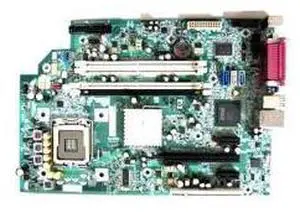
Hp 437349-001 Sff Motherboard For Dc7800 Desktop Pc
Quick View
  •  
  • $38.48 –
SAMSUNG M391B2873Eh1-Ch9  Memory-M391B2873Eh1-Ch9
Quick View
  •  
  • $21.38 –
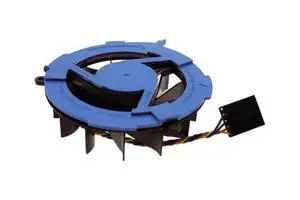
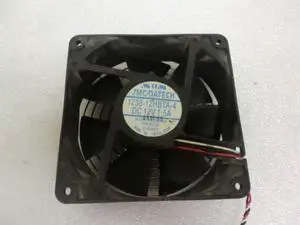
Dell 6P598 12V 120Mm X 38Mm Fan For Poweredge 1600Sc
Quick View
  •  
  • $59.85 –
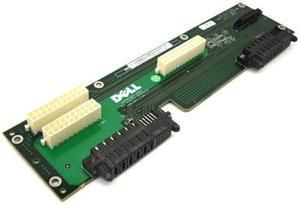
Dell J7552 Power Distribution Board For Poweredge 2900
Quick View
  •  
  • $76.95 –
HP 610669-001 Smart Array P222 6Gbps Pcie Sas Controller Card Only
Quick View
  •  
  • $126.00 –
Dell 2R433 P4 845G System Board For Optiplex Gx260
Quick View
  •  
  • $236.25 –
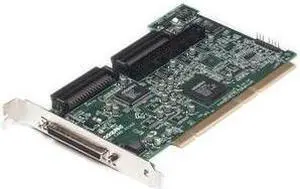
Ibm 09N4212 29160 Pci Ultra160 Scsi Controller
Quick View
  •  
  • $101.25 –
Hp 361635-001 System Board For Dx5150
Quick View
  •  
  • $188.06 –
Dell 3M976 System Board For Precision 340 Desktop
Quick View
  •  
  • $29.93 –
Dell Motherboard For Optiplex Gx620 Smt Hh807 F8098
Quick View
  •  
  • $170.15 –
Dell F4491 System Board For Dimension 4600
Quick View
  •  
  • $38.48 –
DELL 3710T Ethernet Pci 10 100 Network Interface Card
Quick View
  •  
  • $60.71 –
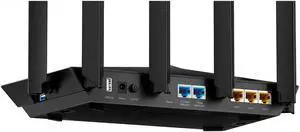
TP-Link Tri-Band 7 Stream AX3200 Wi-Fi 6 Router
Quick View
TP-Link
TP-Link Tri-Band 7 Stream AX3200 Wi-Fi 6 Router
  • Wireless Data Rates: AX3200 / Up to 3.2Gbps
  • WiFi Generation: Wi-Fi 6
  • Wireless Standard: IEEE 802.11a / IEEE 802.11ac / IEEE 802.11b / IEEE 802.11g / IEEE 802.11n
  • Model #: AX3200
  •  
  • $149.99 –
DELL G8Cny Heatsink Fan Assembly For Optiplex 7010 9010
Quick View
  •  
  • $20.79 –
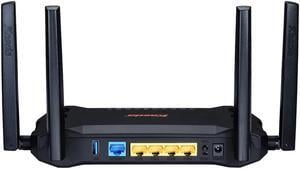
TP-Link AC1200 Wireless MU-MIMO Gigabit Router (Archer A6)- Dual Band MU-MIMO Wireless Internet Router, 4 x Antennas, OneMesh and AP Mode, Long Range Coverage
Quick View
TP-Link AC1200 Wireless MU-MIMO Gigabit Router (Archer A6)- Dual Band MU-MIMO Wireless Internet Router, 4 x Antennas, OneMesh and AP Mode, Long Range Coverage
  • Wireless Data Rates: 5 GHz: 867 Mbps (802.11ac) 2.4 GHz: 300 Mbps (802.11n)
  • Frequency Band: 2.4 GHz / 5 GHz
  • WAN Ports: 1 x 10/100/1000M
  • Interface: Ethernet Port
  • Model #: Archer A6
  • $60.65 - $71.56
Kasda AC1200 Dual Band Gigabit Wireless Router, Long Range WiFi Router 5dBi High Gain Antenna, Gigabit Ports, Easy Setup Via Cellphone, USB3.0, Dual Core Processor Based ( KW6516)
Quick View
Kasda AC1200 Dual Band Gigabit Wireless Router, Long Range WiFi Router 5dBi High Gain Antenna, Gigabit Ports, Easy Setup Via Cellphone, USB3.0, Dual Core Processor Based ( KW6516)
  • Wireless Data Rates: AC1200 / Up to 1.2Gbps
  • Frequency Band: 2.4 GHz / 5 GHz
  • WAN Ports: 1 x 10/100/1000M
  • Brand: Kasda
  • Model #: KW6516 LinkSmart
Digi IX30 2 SIM Ethernet Cellular Modem/Wireless Router IX3000P7
Quick View
  •  
  • $1,058.47 –
  • $1,056.41 - $1,058.47
Cudy 4G AC1200 Wi-Fi Router LT500 2.0
Quick View
  • $97.22 - $104.44

Key Wireless Router Technologies

Introduction

Wireless router technology is constantly improving, with new models being quicker, more feature-packed, and having longer ranges than their predecessors. The wireless router is also becoming more essential, as Wi-Fi™ mobile devices such as tablets and cell phones are increasingly used in offices. If you are shopping for a new wireless router for your business network, the guidance below will help you understand the tech and specifications commonly associated with them.

Data Rates

Ever notice that wireless routers usually have a rated megabit per second (Mbps) or gigabit per second (Gbps) speed? For instance, you will commonly see 150 Mbps, 300 Mbps, or 1.9 Gbps on router packaging and product descriptions. Those numbers are maximum theoretical data transfer rates, which can serve as indicators for performance.

However, real-world speeds can vary, as interference and distance can negatively affect performance. A wireless router’s data rate only applies to wireless communication within its network, and a faster router does not necessarily mean faster data transfers from external networks.

Security

One method of protecting your network aside from a hardware-based firewall is to utilize a wireless router’s built-in security features. Below, NeweggBusiness outlines several common security technologies.

  • Wired Equivalent Privacy (WEP) – An older standard that is less secure than newer technologies such as Wi-Fi Protected Access. Despite its age however, it is still supported by some routers. To connect to a WEP network, users need to input a hexadecimal encryption key.
  • Wi-Fi Protected Access (WPA) – WPA superseded WEP security as the former offers better protection. Unlike WEP, users input a password rather than a hexadecimal key to access the wireless network. However, it has since been superseded by WPA2.
  • Wi-Fi Protected Access 2 (WPA2) – Features stronger encryption than WPA and is supported by many modern wireless routers.
Single Band vs. Dual Band

A wireless router’s band is the frequency that it uses to communicate with wireless devices and has an impact on network performance. The more crowded a wireless band is, the more interference the devices on that band will experience.

The two commonly used bands for wireless routers are 2.4 GHz and 5 GHz. The advantage of a dual band wireless router is that it can broadcast on both 2.4 GHz and 5 GHz bands.

Standards

There are several wireless standards that are commonly used, some of which are listed below.

Standard
Band
Maximum Speed

802.11ac

5 GHz

6933.6 Mbps

802.11n

2.4 GHz / 5 GHz

600 Mbps

802.11g

2.4 GHz

54 Mbps

802.11b

2.4 GHz

11 Mbps