




Featured Products See All
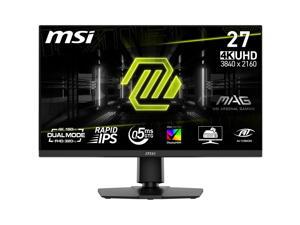

MSI 27 inch Dual Mode UHD 4K 160Hz Full HD 320Hz IPS AMD FreeSync (Adaptive Sync) 0.5ms ...
Save: $50.00 (14%)
$299 .99
Free Shipping
- 27" Rapid IPS
- Normal: 3840 x 2160 (UHD), Dual Mode: 1920 x 1080 (FHD)
- Normal: 160Hz, Dual Mode: 320Hz
- FreeSync (AMD Adaptive Sync)
- 1,000:1
- 1.07B (8bits + FRC)
- Tilt -5° ~ 20° Swivel -30° ~ 30° Height Adjustment 0 - 130 mm Pivot -90° ~ 90°
- 1 x DisplayPort 1.4a / 2 x HDMI 2.1 1 x USB 2.0 Type-B Upstream / 2 x USB 2.0 Type-A Downstream
- Power Cord, DP Cable, USB A2B Cable
Save: $50.00 (14%)
$299 .99
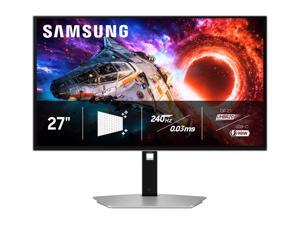

SAMSUNG Odyssey 27 inch UHD 4K 240Hz AMD FreeSync Premium Pro (Adaptive Sync) ...
$1,099 .99
Free Shipping
+ $250 off w/ promo code BBNWF278, limited offer
- 27"
- OLED UHD
- 240Hz
- FreeSync Premium Pro (AMD Adaptive Sync)
- 1,500,000:1
- 1 Billion
- Height, Pivot, Swivel, Tilt
- 1 x DisplayPort 2.1 / 1 x USB-C (DP Alternative) / 2 x HDMI 2.1 2 x USB 3.2 Gen1 Type-A, 1 x USB Type-C
$1,099 .99
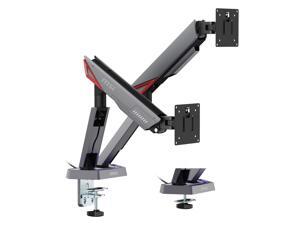
MSI MPG MT161DR - Premium RGB Dual Monitor Stand Arms, 17-38" Support, VESA ...
Save: $50.00 (36%)
$89 .99
Free Shipping
- Heavy Duty Design: Experience durability and reliability with the MSI MPG MT161DR Premium Single Monitor Stand Arm, supporting screen sizes from 17 to 38 inches and a weight capacity of 2 to 16 kg (4.4 to 35.2 lbs) per screen.
- Vibrant RGB Lighting: Add a dynamic touch to your workspace with RGB lighting, enhancing both aesthetics and functionality.
- Versatile Base Options: Choose between clamp and grommet base options for easy installation on desktops with thicknesses ranging from 10 to 80 mm (clamp) or 10 to 40 mm (grommet), ensuring compatibility with various setups.
- Compatibility: Designed with VESA compatibility (75x75, 100x100 mm) to accommodate a wide range of monitors, ensuring a perfect fit for your setup.
- Quick Release VESA Plate: Enjoy hassle-free mounting and dismounting with the quick-release VESA plate, allowing for seamless adjustments to your preferred viewing angles.
Save: $50.00 (36%)
$89 .99
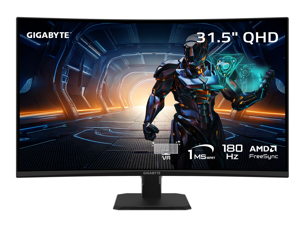

GIGABYTE 32 inch (31.5" viewable) QHD 2K 1440P 180Hz AMD FreeSync (Adaptive Sync) 1ms ...
Save: $40.00 (17%)
$199 .99
Free Shipping
- 31.5"
- VA QHD
- 180Hz
- FreeSync (AMD Adaptive Sync)
- 3500:1
- 1.07 Billion 8 bits+frc
- Tilt(angle): -5°~+20°
Save: $40.00 (17%)
$199 .99
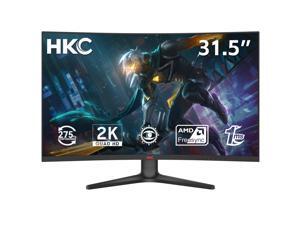

HKC 32 inch (31.5" viewable) WQHD 2K 1440P 260Hz OC to 275Hz AMD FreeSync 1ms RGB ...
Save: $75.00 (28%)
$189 .99
Free Shipping
- Ultra-Fast 275Hz Refresh Rate - Enjoy competitive gaming with 1ms MPRT response time and 2560x1440 resolution for smooth, tear-free visuals
- Vibrant VA Panel - 31.5-inch VA display offers deep contrast (3000:1 static) and wide 178° viewing angles for immersive visuals
- HDR10 Support - High Dynamic Range enhances brightness and contrast for lifelike colors and realistic details
- Accurate Color Performance - Covers 90% DCI-P3 color gamut with ?E=2 for precise, true-to-life color ideal for gaming, multimedia, and creative work
- Built-In Lamp - Integrated lamp for convenient ambient lighting and enhanced visual comfort
- Flexible Connectivity - Equipped with 2x HDMI 2.0, 1x DisplayPort 1.4, and Audio Out for versatile device connections
- Ergonomic Tilt Adjustment - Tilt range of -5°~20° for comfortable viewing angles; VESA 75x75 compatible for wall mounting
- Complete Package - Includes 1.5M DisplayPort cable, 1.5M power cord, and manual with repair card & certificate
Save: $75.00 (28%)
$189 .99
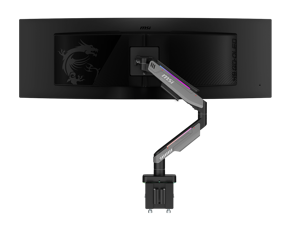
MSI MPG MT201R V2 - Premium RGB Single Monitor Stand Arm, Supports 17-49" Screens and ...
Save: $80.00 (44%)
$99 .99
Free Shipping
- Heavy Duty Design: Experience durability and reliability with the MSI MPG MT201R Premium Single Monitor Stand Arm, supporting screen sizes from 17 to 49 inches and a weight capacity of 2 to 20 kg (4.4 to 44 lbs) per screen
- Vibrant RGB Lighting: Add a dynamic touch to your workspace with RGB lighting, enhancing both aesthetics and functionality
- Versatile Base Options: Choose between clamp and grommet base options for easy installation on desktops with thicknesses ranging from 10 to 85 mm (clamp) or 10 to 48 mm (grommet), ensuring compatibility with various setups
- Compatibility: Designed with VESA compatibility (75x75, 100x100 mm) to accommodate a wide range of monitors, ensuring a perfect fit for your setup
- Versatile Base Options: Choose between clamp and grommet base options for easy installation on desktops with thicknesses ranging from 10 to 85 mm (clamp) or 10 to 48 mm (grommet), ensuring compatibility with various setups
Save: $80.00 (44%)
$99 .99
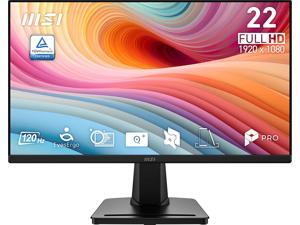
MSI 22 inch (21.45" viewable) Full HD 120Hz Adaptive Sync Anti Glare 1ms Computer Monitor ...
Save: $5.00 (7%)
$64 .99
Free Shipping
- 21.45" screen size is designed with simplified productivity and lifestyle
- 120Hz refresh rate provides a better viewing experience
- Less Blue Light technology Effectively reduce blue light which could cause serious long-term damage to your eyes
- Anti-Flicker technology prevents your eyes from strain & fatigue
- TÜV certified display protects your eyesight and keeps your eyes healthy
Save: $5.00 (7%)
$64 .99
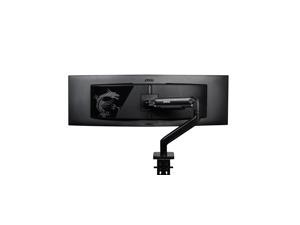
MSI MAG MT201 - Premium Heavy Duty Single Monitor Stand Arm, Supports 17-49" Screens ...
Save: $30.00 (30%)
$69 .99
Free Shipping
- Maximize Your Workspace with the MSI MAG MT201 Premium Heavy Duty Single Monitor Stand Arm.
- Unlock enhanced productivity and comfort with our premium single monitor stand arm.
- Designed to support screens from 17 to 49 inches, with a weight capacity of 44 lbs, it ensures sturdy and adaptable positioning for your display.
- VESA compatible and equipped with an adjustable spring mount, installation is a breeze with the included clamp and grommet options.
- Plus, enjoy the convenience of the quick-release plate for effortless adjustments.
- Elevate your setup today with the sleek black design and the added assurance of MSI's comprehensive 3-year coverage.
Save: $30.00 (30%)
$69 .99
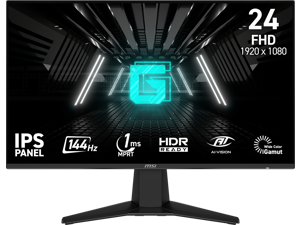
MSI 24 inch (23.8" viewable) Full HD 144Hz IPS AMD FreeSync 1ms HDR Ready Ai Vision Less ...
Save: $15.00 (15%)
$84 .99
Free Shipping
- 144Hz Ultra-Smooth Gameplay - Respond faster with a 144Hz refresh rate for fluid and competitive gaming performance.
- 1ms MPRT Response Time - Minimize motion blur and eliminate screen tearing for fast-paced titles.
- IPS Panel With Wide Color Gamut - Enjoy vivid colors, sharp visuals, and 178° viewing angles.
- Adaptive-Sync Technology - Prevents screen tearing and stuttering for ultra-smooth gameplay.
- Night Vision + Eye Care - Enhances dark scenes while Anti-Flicker and Less Blue Light features reduce eye strain.
- Frameless and Console-Friendly - Slim bezels for maximum immersion. Supports HDMI CEC, 120Hz console mode, and VRR for PS5 and Xbox.
Save: $15.00 (15%)
$84 .99
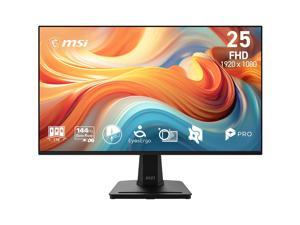
MSI 24 inch (24.5" viewable) Full HD 144Hz IPS AMD FreeSync 1ms FHD Computer Monitor with ...
Save: $35.00 (32%)
$74 .99
Free Shipping
- 24.5"
- 144Hz
- FreeSync (AMD Adaptive Sync)
- 1,500:1
- 16.7 Million
- Tilt
- 1 x D-Sub / 1 x HDMI 2.0
Save: $35.00 (32%)
$74 .99
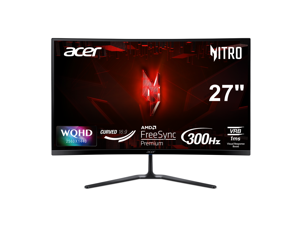

Acer Nitro 27 inch WQHD 2K 1440P 300Hz with AMD FreeSync Premium Technology 1ms HDR10 ...
Save: $110.00 (37%)
$189 .99
Free Shipping
- 27" WQHD (2560 x 1440) 1500R Curved Widescreen VA with AMD FreeSync Premium Technology
- Refresh Rate: 300Hz
- Response Time: 1ms (VRB)
- Panel Type: VA
- HDR10
- Color Saturation: sRGB 99%
- Acer VisionCare Technologies
- 2 Speakers, 2 Watts per Speaker
- Ports: 1 x Display Port 1.4, 2 x HDMI 2.1 Ports & 1 x Audio Out
Save: $110.00 (37%)
$189 .99
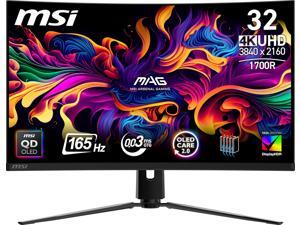
MSI 32 inch UHD 4K 165Hz Nvidia G-Sync Compatible 0.03ms HDR 400 USB-C 1700R Curved ...
Save: $50.00 (7%)
$699 .99
Free Shipping
- Immersive 32"(31.5" viewable) QD-OLED UHD Display - Experience next-gen visuals with a 3840x2160 UHD 1700R curved QD-OLED panel, delivering deep blacks, vibrant colors, and crystal-clear details.
- Ultra-Fast Gaming Performance - 0.03ms (GtG) response time and 165Hz refresh rate reduce motion blur for ultra-smooth gaming.
- VESA-Certified HDR - ClearMR 9000 and DisplayHDR True Black 400 provide exceptional image clarity and minimize motion artifacts.
- OLED Care 2.0 - Protects against OLED burn-in, extending the longevity of your display.
- Console Ready - HDMI 2.1 with 48Gbps bandwidth, VRR, ALLM, and 120Hz support ensures seamless console gaming.
- Ergonomic & Versatile - Tilt, swivel, and height-adjustable stand with VESA mounting support ensures customizable setups.
- Multiple Connectivity Options - Supports HDMI 2.1, DisplayPort 1.4a, Type-C (DP alt. with 15W PD), and audio out for all your devices.
- Reliable Warranty - 3-year coverage includes panel burn-in for peace of mind.
Save: $50.00 (7%)
$699 .99
Loading Dynamic Data...
Computer Monitor and Projector Buying Tips
Introduction
Professionals often view computer monitors and projectors for hours on end, as they are essential tools for displaying information and images. Because they are such integral parts of a modern organization, great care should be taken to purchase the ideal monitor or projector. Below are some key considerations that you should keep in mind while shopping.
Key Considerations
Computer monitor and projector product pages are often filled with ratings, features, and technical specifications, but what do they all mean? In this section, NeweggBusiness will give easy-to-understand definitions of the more important terms and how they impact your purchasing decision.
Resolution
Resolution is defined as the amount of pixels in a given display area, always given as a measure of width x height in pixels. There are a few standard resolutions commonly used by many industries, such as 720p or 1080p. You may already know those terms in relation to televisions, but they are very common for computer projectors and monitors as well.
Some other common maximum resolutions for computer displays include:
- SVGA (800 x 600) – Found almost exclusively with projectors and older monitors, some newer widescreen monitors no longer even support this resolution.
- XGA (1024 x 768) – Like SVGA, XGA is largely used by projectors and older monitors.
- High Definition (HD) (1280 x 720) – Commonly referred to as 720p, it is the minimum resolution for a product to be labeled as HD. Many LCD monitors and home theater projectors support this standard resolution.
- High Definition+ (HD+) (1600 x 900) – A widescreen resolution that is commonly supported by full HD monitors and projectors.
- Full HD (FHD) (1920 x 1080) – Commonly known as 1080p, it is a supported by many HDTVs, projectors, and pc monitors. If your organization creates or edits 1080p content, this resolution is the minimum you should aim for.
- WUXGA (1920 x 1200) – A less common resolution mostly for pc monitors. While it is widescreen like 1080p, it has a different aspect ratio.
- QHD (2560 x 1440) – A very large resolution, it is mostly found on 27” and larger computer monitors.
Contrast
Contrast ratio is defined asa ratio of the luminance of the brightest white to the darkest black capable of being produced by a display. For both computer monitors and projectors, a high contrast ratio is desirable for tasks depend on high levels of color accuracy. If you are shopping for a LCD monitor or projector to mostly use as text and spreadsheet display however, a low contrast solution is a more cost-effective solution.
Response Time
Measured in milliseconds, response time is the amount of time it takes for a pixel to go from one color to another and back again. Displays with low response times mean that they are faster and have less lag. For the user, this translates to less blurriness for moving images. If your organization works with static content such as photographs or text, fast response times are not necessary.
Connectivity
When shopping for monitors or projectors, it is important that they work properly with your organization’s computers. Ensure that the connections they accept are outputted by your computers or else you will need adapters to convert the signals. The standard connections are usually: VGA, DVI, HDMI®, and Display Port. Some monitors also accept USB connections, though USB monitors are relatively rare.
Touch screen
Touch screen monitors can be useful for organizations that want to integrate a monitor, mouse, and keyboard into one complete unit. They are frequently used with point-of-sale machines in the hospitality in addition to more specialized tasks in other industries. They are generally not needed for office tasks such as word processing, data entry, or internet browsing.
