




Shop Motherboards by Chipset


Featured Products See All
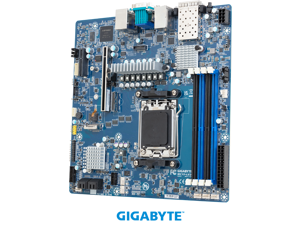

GIGABYTE MC13-LE3 Server Motherboard - AMD EPYC™ 4005/4004 & Ryzen™ 9000/7000 - ...
Save: $28.00
$521 .99
Free Shipping
- Single AMD EPYC™ 4005/4004 & Ryzen™ 9000/7000 Series Processors
- Dual Channel DDR5 ECC/Non-ECC UDIMM, 4 x DIMMs
- 2 x 25Gb/s LAN ports via Broadcom® BCM57502
- 2 x 1Gb/s LAN ports via Intel® I210-AT
- 1 x MCIO 8i connector with PCIe Gen5 x8 interface
- 4 x SATA 6Gb/s ports
- 1 x M.2 slot with PCIe Gen5 x4 interface
- 1 x PCIe Gen5 x16 expansion slot
- 1 x PCIe Gen4 x4 expansion slot
Save: $28.00
$521 .99
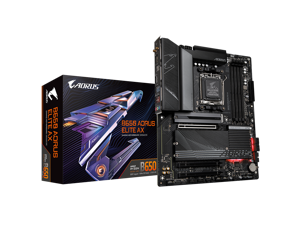
GIGABYTE B650 AORUS ELITE AX AM5 LGA 1718 AMD B650 ATX Motherboard DDR5, M.2, PCIe ...
Save: $70.00 (32%)
$149 .99
- "AMD Socket AM5:Supports AMD Ryzen 7000 / Ryzen 8000 / Ryzen 9000 Series Processors
- DDR5 Compatible: 4*DIMMs with AMD EXPO & Intel XMP Memory Module Support
- Commanding Power Design: Twin 14+2+1 Phases with 70A Power Stage Digital VRM Solution, 8-Layer 2X Copper PCB
- Cutting-Edge Thermal Design: 6mm Heatpipe, Fully Covered MOSFET Heatsinks, M.2 Thermal Guard, PCIe Ultra Durable Armor
- Next Gen Connectivity: PCIe 5.0, PCIe 5.0 NVMe x4 M.2, Front and rear USB-C
- EZ-Latch: PCIe 5.0 & M.2 Connectors with a Quick Release & Screwless Design
- Fast Networking: 2.5GbE LAN, WiFi 6E, BT5
- Dynamic Audio: Hi-Fi Audio with High-End Audio Capacitors
- Fine Tuning Features: Smart Fan 6, Multi-key for Reset/RGB Switch/Direct to BIOS/Safe Mode, Q-Flash"
Save: $70.00 (32%)
$149 .99
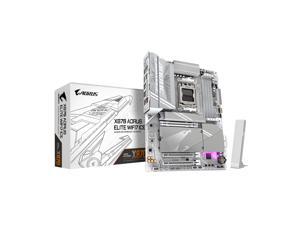
GIGABYTE X870 AORUS ELITE WIFI7 ICE AM5 LGA 1718, ATX, DDR5, 4x M.2, PCIe 5.0, USB4, ...
Save: $80.00 (25%)
$239 .99
Free Shipping
- "AMD Socket AM5: Supports AMD Ryzen 9000 / Ryzen 8000 / Ryzen 7000 Series Processors
- DDR5 Compatible: 4*DIMMs with AMD EXPO Support
- Power Design: 16+2+2
- Thermals: VRM and M.2 Thermal Guard
- Connectivity: PCIe 5.0, 4x M.2 Slots, Dual USB4, Front and Rear USB-C, Sensor Panel Link
- DIY Friendly: M.2 EZ-Latch, PCIe EZ-Latch, Wi-Fi EZ-Plug, EZ-Debug Zone
- Networking: Wi-Fi 7, 2.5GbE LAN
- 5-Year Warranty
Save: $80.00 (25%)
$239 .99
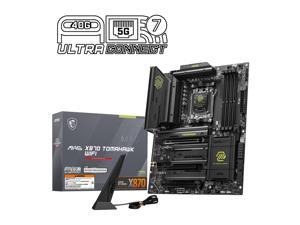

MSI MAG X870 TOMAHAWK WIFI Motherboard, ATX - Supports AMD Ryzen 9000 / 8000 / 7000 ...
Save: $30.00 (12%)
$229 .99
Free Shipping
- Lightning USB 40G: Featuring a built-in USB 4 port, it offers a lightning-fast 40Gbps transmission speed.
- EZ PCIe Release: A simple press of a button to effortlessly lock or unlock the PCIe slot, simplifying the installation and removal of the graphics card.
- Extended Heatsink Design: MSI extended PWM heatsink, and enhanced circuit design ensures even high-end processors to run in full speed.
- Lightning Gen 5: The latest PCIe 5.0 solution with up to 128GB/s bandwidth for maximum transfer speed.
- Quadruple M.2 Connectors: Onboard quadruple M.2 connectors for the maximum storage performance.
- 5G Network solution: Featuring premium 5G LAN to deliver better network experience.
- Wi-Fi 7:The latest wireless solution with a new 320MHz channel, achieving a maximum transmission speed of 5.8Gbps.
- DDR5 Memory:A huge step of DDR performance enhancement with the latest DDR5 memory and MSI Memory Boost technology.
Save: $30.00 (12%)
$229 .99
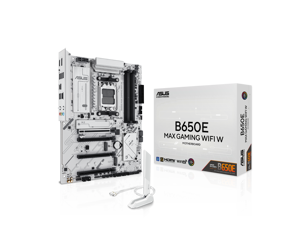

ASUS B650E MAX GAMING WIFI W - AMD B650 AM5, PCIe 5.0, ATX Motherboard, White PCB, ...
Save: $30.00 (17%)
$149 .99
Free Shipping
- Ready for Advanced AI PC: Designed for the future of AI computing, with the power and connectivity needed for demanding AI applications
- AMD AM5 Socket: Ready for AMD Socket AM5 for AMD Ryzen 9000 & 8000 & 7000 Series Desktop Processors
- Enhanced Power Solution: 8+2+1 phase power design, 6-layer PCB, alloy chokes and durable capacitors for stable power delivery
- Ultrafast Connectivity: Wi-Fi 6E, PCIe 5.0 x16 slot, PCIe 5.0 M.2 slot, Realtek 2.5Gb Ethernet, rear USB 10Gbps Type-A & Type-C ports, and front USB 5Gbps Type-C support
- Comprehensive Cooling: VRM and M.2 heatsinks, PCH heatsink, hybrid fan headers and Fan Xpert 2+
- DIY Friendly Design: Pre-mounted I/O shield, BIOS FlashBack, Q-Antenna, Q-LED Core
- Unmatched Personalization: Three Addressable RGB Gen 2 headers, all configurable with ASUS-exclusive Aura Sync RGB lighting
- CEC Tier II ready
Save: $30.00 (17%)
$149 .99
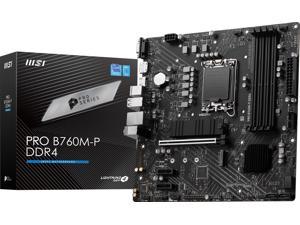
MSI PRO B760M-P DDR4 LGA 1700 Intel B760 SATA 6Gb/s Micro ATX Motherboard
$114 .99
- BIOS update may be required when used with some 14th generation Intel Core processors, visit MSI support website for more information
- Supports 14th / 13th / 12th Gen Intel Core Processors, Pentium Gold and Celeron Processors
- Lighting Gen4 Solution: The latest Gen4 PCI-E and M.2 solution with up to 64GB/s bandwidth for maximum transfer speeds.
- USB3.2 Gen 2 Type-C: Synergize with a MSI motherboard through bridging with a USB 3.2 Gen 2 Type-C port for convenient access.
- PCI-E Steel Armor: Protecting VGA cards against bending and EMI.
- EZ Debug LED: Easiest way to troubleshoot.
- Frozr AI cooling: Detect CPU & GPU temperatures and automatically adjust system fan duty to a proper value.
- Memory Boost: Advanced technology to deliver pure data signals for the best performance, stability and compatibility.
- Core Boost: with premium layout and fully digital power design to support more cores and provide better performance.
$114 .99
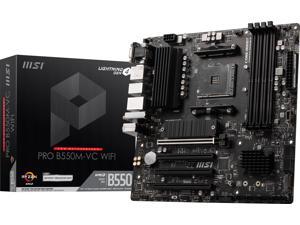
MSI PRO PRO B550M-VC WIFI AM4 AMD B550 MATX AMD Motherboard
Save: $20.00 (17%)
$99 .99
Free Shipping
- Supports AMD Ryzen™ 5000 Series, 5000 G-Series, 4000 GSeries, and 3000 Series processors Supports AM4 socket 3rd Gen AMD Ryzen™ processors, and future AMD Ryzen™ processors with BIOS update
- 4x DDR4 memory slots, support up to 128GB 1
- Supports DDR4 1866/ 2133/ 2400/ 2667/ 2800/ 2933/ 3000/ 3066/ 3200 MHz by JEDEC
- Supports DDR4 2667/ 2800 /2933 /3000 /3066 /3200 /3466 /3600/ 3733 /3866 /4000 /4133 /4266 /4400+ MHz by A-XMP OC MODE
- Lightning Gen4 Solution
- M.2 Shield FROZR
- PCI-E Steel Armor: Protecting VGA cards against bending and EMI
- Core Boost
- EZ Debug LED: Easiest way to troubleshoot.
- Frozr AI Cooling: Detect CPU & GPU temperatures and automatically adjust system fan duty to a proper value.
- Audio Boost: Reward your ears with studio grade sound quality for the most immersive audio experience.
Save: $20.00 (17%)
$99 .99
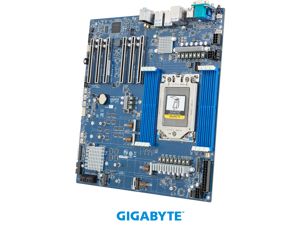
GIGABYTE MH53-G40 Server Motherboard - AMD Ryzen™ Threadripper™ PRO 9000/7000 WX - ...
$896 .00
Free Shipping
- Single AMD Ryzen™ Threadripper™ PRO 9000/7000 WX-Series Processors
- 8-Channel DDR5 ECC RDIMM, 8 x DIMMs
- AMD WRX90 Chipset
- 2 x 10Gb/s LAN ports via Broadcom® BCM57416
- 1 x MCIO 8i connector with PCIe Gen5 x8 or SATA interface
- 4 x SATA 6Gb/s ports
- 4 x M.2 slots with PCIe Gen5 x4 interface
- 1 x M.2 slot with PCIe Gen3 x1 interface for Wi-Fi add-in cards
- 6 x PCIe Gen5 x16 expansion slots
$896 .00
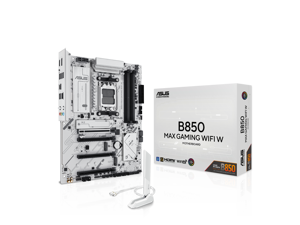
ASUS B850 MAX GAMING WIFI W - AMD AM5 ATX Motherboard, White PCB, DDR5, PCIe 5.0 ...
Save: $30.00 (15%)
$169 .99
Free Shipping
- Ready for Advanced AI PC: Designed for the future of AI computing, with the power and connectivity needed for demanding AI applications
- AMD AM5 Socket: Ready for AMD Socket AM5 for AMD Ryzen 9000 & 8000 & 7000 Series Desktop Processors
- Enhanced Power Solution: 8+2+1 phase power design, 6-layer PCB, alloy chokes and durable capacitors for stable power delivery
- Ultrafast Connectivity: Wi-Fi 6E, PCIe 5.0 x16 slot, PCIe 5.0 M.2 slots, Realtek 2.5Gb Ethernet, rear USB 10Gbps Type-A & Type-C ports, and front USB 5Gbps Type-C support
- Comprehensive Cooling: VRM and M.2 heatsinks, PCH heatsink, hybrid fan headers and Fan Xpert 2+
- DIY Friendly Design: Pre-mounted I/O shield, BIOS FlashBack, Q-Antenna, Q-Dashboard, Q-LED Core
- Unmatched Personalization: Three Addressable RGB Gen 2 headers, all configurable with ASUS-exclusive Aura Sync RGB lighting
- Renowned Software: Armoury Crate, ASUS AI Advisor, ASUS DriverHub, ASUS GlideX, ASUS MyHotkey
- CEC Tier II ready
Save: $30.00 (15%)
$169 .99
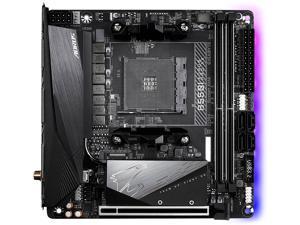
GIGABYTE B550I AORUS PRO AX AM4 AMD B550 Mini-ITX Motherboard with Dual M.2, SATA ...
Save: $20.00 (10%)
$189 .99
- Support for Ryzen 5000 Series with BIOS UPDATE
- Supports AMD Ryzen 5000 Series / 3rd Gen Ryzen and 3rd Gen Ryzen with Radeon Graphics Processors
- Dual Channel ECC/Non-ECC Unbuffered DDR4, 2 DIMMs
- Direct 8 Phases Digital VRM Solution with 90A Smart Power Stage (SPS)
- Advanced Thermal Design with Extended & Multi-Layered Heatsink and Thermal Baseplate
- Ultra Durable PCIe 4.0 Ready x16 Slot
- Dual Ultra-Fast NVMe PCIe 4.0/3.0 x4 M.2 with Thermal Guard
- Onboard Intel WiFi 6 802.11ax 2T2R & BT5 with AORUS Antenna
- AMP-UP Audio with ALC1220-VB and Nichicon Audio Capacitors for Rear 120dB SNR
- Blazing Fast 2.5GbE LAN with Bandwidth Management
- USB 3.2 Gen2 Type-C & DisplayPort + Dual HDMI Support
- RGB FUSION 2.0 with Multi-Zone Addressable LED Light Show Design
- Supports Addressable LED & RGB LED Strips
- Smart Fan 5 Features Multiple Temperature Sensors
- Hybrid Fan Headers with FAN STOP and Noise Detection
- Q-Flash Plus Update BIOS without Installing the CPU, Memory and GPU
Save: $20.00 (10%)
$189 .99
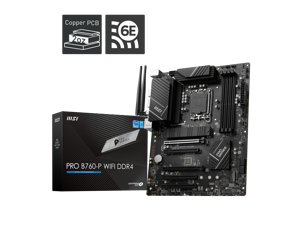
MSI PRO B760-P WIFI DDR4 LGA 1700 (l12th&13th Gen), SATA 6Gb/s motherboard, WiFi ...
$149 .99
Free Shipping
- BIOS update may be required when used with some 14th generation Intel Core processors, visit MSI support website for more information
- Supports 14th / 13th / 12th Gen Intel Core Processors, Pentium Gold and Celeron Processors
- Lightning Gen4 solution: the latest Gen4 PCI-E and M.2 solution with up to 64 GB/s bandwidth for maximum transfer speed
- Wi-Fi 6e: the latest wireless solution supports 6GHz spectrum, MU-MIMO and BSS color technology, delivering speeds up to 2400Mbps
- Extended Heatsink Design: MSI extended PWM heatsink and enhanced circuit design ensures even high-end processors to run in full speed
- M.2 Shield FROZR: Strengthened built-in M.2 Thermal solution. Keeps M.2 SSDs safe while preventing throttling, making them run faster
- 2.5G Network Solution
- Frozr AI Cooling: Detect CPU &GPU temperatures and automatically adjust system fan duty to a proper value
- Memory Boost: Advanced technology to deliver pure data signals for the best performance, stability and compatibility
$149 .99
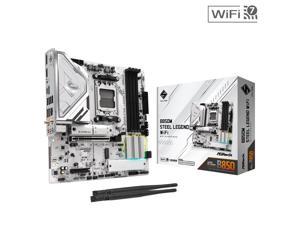

ASRock B850M STEEL LEGEND WIFI AM5 AMD B850 Micro ATX Motherboard
Save: $30.00 (17%)
$149 .99
Free Shipping
- Supports AMD Socket AM5 Ryzen 9000, 8000 and 7000 Series Processors
- 12+2+1 Phase Power Design, Dr.MOS for VCore+SOC+MISC
- 4 x DDR5 DIMMs Supports Dual Channel, up to 8000+ (OC)
- 1 PCIe 5.0 x16, 1 PCIe 4.0 x4
- Graphics Output Options: 1 HDMI, 1 DisplayPort
- Realtek ALC1220 7.1 CH HD Audio Codec, Nahimic Audio
- 1 Blazing M.2 (PCIe Gen5x4), 1 Hyper M.2 (PCIe Gen4x4), 1 M.2 (PCIe Gen4x2), 4 SATA3
- 2 USB 3.2 Gen2 Type-A+C (Rear), 1 USB 3.2 Gen1 Type-C (Front), 6 USB 3.2 Gen1 (2 Rear, 4 Front), 8 USB 2.0 (4 Rear, 4 Front)
- Realtek 2.5G LAN
- 802.11be WiFi 7 +Bluetooth
- Supports M.2 Bottom Heatsink, BIOS Flashback
Save: $30.00 (17%)
$149 .99
Loading Dynamic Data...
Motherboard Considerations
Introduction
When assembling a desktop computer, two of the most important considerations are the processor and motherboard—also sometimes referred to as a mobo. Once you have decided on a processor, you can narrow down your choices to compatible motherboards. Below, NeweggBusiness lists out several considerations to help you narrow down your choices even more.
Key Considerations
Form Factor
With a processor selected, you should decide how large you want the computer to be. The size of the case will determine how large your motherboard can be. Some of the more common form factors include the following.
- ATX – The standard form factor often found in many mid and full-tower desktop computers, it measures 12 × 9.6 inches.
- Extended ATX (E-ATX) – E-ATX motherboards are usually 12 × 13 inches, but it is not a definite requirement. Generally though, E-ATX motherboards are larger than ATX variants. Full-tower cases are typically required for E-ATX motherboards.
- Micro ATX (mATX) – mATX motherboards can range from 9.6 × 9.6 inches to 6.75 × 6.75 inches, and are excellent for use in small-form-factor cases. Compared to ATX-sized motherboards, they have fewer expansion slots and internal connectors.
- Mini ITX – A mini ITX motherboard measures 6.7 × 6.7 inches and is a popular form factor for smaller computers. Due space restrictions, mini ITX motherboards only have one expansion card slot.
- Ultra ATX – Ultra ATX is 14.4 × 9.6 inches and is a relatively new form factor designed to accommodate multiple graphics cards. Visually, it is slightly taller than a standard ATX motherboard.
Expansion Slots
The number of expansion slots on a motherboard is directly linked to its form factor, but the configuration of those expansion slots can vary. Though most standard ATX motherboards have seven expansion slots, the type of slots they are can vary from model to model. For instance, one motherboard can have five PCI and two PCIe® slots while another may have six PCI and only one PCIe slot.
Internal Data Connectors
Also of importance is the number and type of internal data connectors available on a motherboard. They are used to connect optical drives, hard drives, solid state drives, and other storage drives to the motherboard. Typically, larger motherboards have more internal data connectors because larger cases can support more drives.
As for the type of connectors, most desktop motherboards utilize SATA connectors, though some may also have IDE connectors for legacy support.
Onboard Video
Many desktop motherboards—though not all—have built-in video chipsets, so they do not strictly require dedicated desktop video cards. However, few onboard video chipsets are capable of outputting to multiple monitors or run graphics-intensive programs. For general office tasks such as word processing, checking e-mail, or browsing the internet, onboard video is more than sufficient.
Wireless Networking (Wi-Fi™)
Some motherboards feature wireless networking, making dedicatedwireless network adapters unnecessary. However, motherboards that have built-in Wi-Fi are typically more expensive. If you do not utilize wireless networking, you can save costs by select a motherboard without built-in Wi-Fi.
