


Document Scanners - Showing 25 - 48 of 187 Products

Epson DS-80W Sheetfed Scanner - 600 dpi Optical
- Brand: EPSON
- Type: Mobile, sheet-fed 1-pass color scanner
- Element Type: CIS
- Light Source: 3-color RGB LED
- Scanning Speed: 15 ppm (300 dpi Black-and-White, Color, Gray 1-sheet scan speed)
- Optical Resolution: 600 dpi
- Interpolated Resolution: 1200 dpi
- Max. Document Size: 8.50" x 72.00" max. (up to 300 dpi)
- Model #: B11B253202
- Item #: 9B-38-110-139
- Return Policy: Manufacturer Only Return Policy

Ricoh ScanSnap iX2500 Sheet Fed Document Scanner (PA03860-B105)
- Brand: Ricoh
- Series: ScanSnap
- Part Number: PA03860-B105
- Type: Sheet Fed
- Scanning Speed: 45 Double-Sided Sheets per minute
- Automatic Document Feeder (ADF): Yes
- ADF Capacity: 100-page
- USB Ports: USB 3.2
- Model #: PA03860-B105
- Item #: 9B-38-128-015
- Return Policy: Manufacturer Only Return Policy

Ricoh FI-800R Document Scanner - 40 PPM - USB - 600 DPI (CG01000-310322)
- Brand: Ricoh Laser
- Part Number: CG01000-310322
- Type: Sheet Fed
- Element Type: CIS
- Scanning Speed: Simplex: 40 ppm (200/300 dpi), Duplex: 80 ipm (200/300 dpi), Manual Feed 3.5 seconds (200/300 dpi)
- Model #: CG01000-310322
- Item #: 9B-1SR-0049-00049
- Return Policy: Manufacturer Only Return Policy
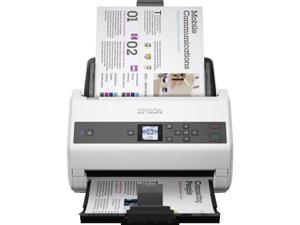
Epson WorkForce DS-870 Sheetfed Scanner 600 dpi Optical B11B250201
- Parts: 3 Year
- Model #: B11B250201
- Item #: 9SIV3NSKDC6040
- Return Policy: GenuineTechStores Return Policy

EPSON WorkForce DS-60000 (B11B204221) CCD 600 dpi Duplex Document Scanner
- Brand: EPSON
- Series: WorkForce
- Type: Duplex
- Element Type: CCD
- Light Source: ReadyScan LED
- Scanning Speed: 200 dpi B/W: Up to 40 ppm / 80 ipm with ADF Color: Up to 40 ppm / 80 ipm with ADF 300 dpi B/W: Up to 30 ppm / 60 ipm with ADF Color: Up to 30 ppm / 60 ipm with ADF 600 dpi B/W: Up to 15 ppm / 30 ipm with ADF Color: Up to 7.5 ppm / 15 ipm with ADF
- Optical Resolution: 600 dpi
- Max. Document Size: 11.7" x 100" with ADF Flatbed 11.7" x 17"
- Model #: B11B204221
- Item #: 9B-38-110-048
- Return Policy: Manufacturer Only Return Policy

Epson Ds-30000 Large Format Document Scanner
- Parts: 3 Year
- Model #: B11B256201
- Item #: 9B-371-0035-00003
- Return Policy: Manufacturer Only Return Policy
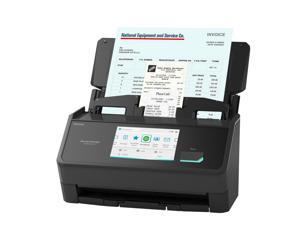
Ricoh ScanSnap iX2500 (Black) Sheet Fed Scanners - Document
- Brand: Ricoh
- Series: ScanSnap
- Part Number: PA03860-B305
- Type: Sheet Fed
- Scanning Speed: 45 Double-Sided Sheets per minute
- Automatic Document Feeder (ADF): Yes
- ADF Capacity: 100-page
- USB Ports: USB 3.2
- Model #: PA03860-B305
- Item #: 9B-38-128-019
- Return Policy: Manufacturer Only Return Policy
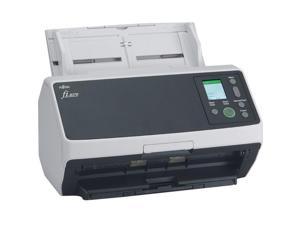
Ricoh fi-8170 Premium Bundle Large Format ADF/Manual Feed Scanner 600dpi Optical ...
- Model #: CG01000-303101
- Item #: 9B-371-000G-000N7
- Return Policy: Manufacturer Only Return Policy
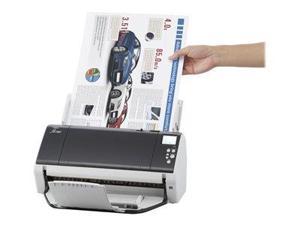
Ricoh Fi-7480 (PA03710-B005) Duplex 600 dpi USB Color Wide Format ADF Document ...
- Brand: Ricoh
- Series: fi Series
- Type: Sheet Fed
- Element Type: Color CCD (Charge-coupled device) x 2 (front x 1, back x 1)
- Light Source: White LED Array x 4 (front x 2, back x 2)
- Scanning Speed: Scanning Speed (A4 Landscape): Simplex: 80 ppm, Duplex: 160 ipm (200 dpi / 300 dpi) Scanning Speed (A4 A4 Portrait): Simplex: 65 ppm, Duplex: 130 ipm (200 dpi / 300 dpi)
- Optical Resolution: 600 dpi
- Max. Document Size: 12" x 17"
- Model #: PA03710-B005
- Item #: 9B-35S-002R-00007
- Return Policy: Manufacturer Only Return Policy
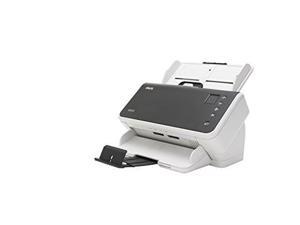
Kodak Alaris S2070 Sheetfed Scanner - 600 Dpi Optical
- Brand: Kodak Alaris
- Type: Sheet Fed
- Element Type: Dual CIS
- Light Source: Dual RGB LEDs
- Scanning Speed: Black-and-white / grayscale / color: up to 70 ppm / 140 ipm at 200 and 300 dpi
- Optical Resolution: 600 dpi
- Max. Document Size: 8.50" x 14.00" Long document mode: 8.50" x 118.00"
- Media Type: Handles small documents such as A8, ID cards, embossed hard cards, and insurance cards (portrait and landscape orientations)
- Model #: 1015049
- Item #: 9SIV3NSKDD2762
- Return Policy: GenuineTechStores Return Policy
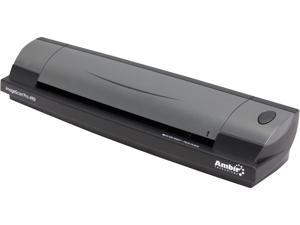
Ambir ImageScan Pro 490i (DS490-AS) Image Sensor - dual linear color contact image sensor ...
- Brand: Ambir
- Series: ImageScan Pro
- Type: Duplex
- Element Type: Image Sensor - dual linear color contact image sensor (CMOS CIS) Paper Sensor - mechanical
- Scanning Speed: 7 seconds per single-sided page in B&W mode at 200 dpi, 10 seconds per page duplex mode* *Scan speed will vary based on alternate settings and type of material being scanned
- Optical Resolution: Up to 600 dpi
- Max. Document Size: 8.5" x 14"
- USB Ports: USB 2.0 hardware compatible with USB 1.1 (USB 1.1 speed performance)
- Model #: DS490-AS
- Item #: 9B-38-996-019
- Return Policy: Manufacturer Only Return Policy
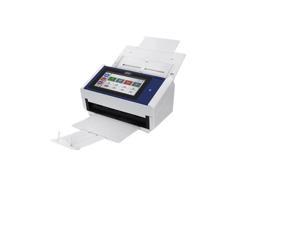
Xerox N60W Pro Scanner
- Model #: XN60WPRO-U
- Item #: 9B-38-152-106
- Return Policy: Manufacturer Only Return Policy
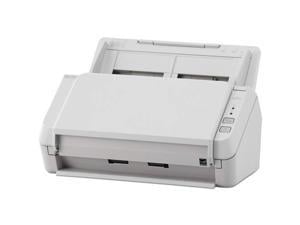
Ricoh Image Scanner SP-1130N PA03811-B025 ADF (Automatic Document Feeder), Duplex ...
- Brand: Ricoh
- Series: Image Scanner SP-1130N
- Type: ADF (Automatic Document Feeder), Duplex
- Element Type: Single line CMOS-CIS x 2 (front x 1, back x 1)
- Light Source: RGB LED x 2 (front x 1, back x 1)
- Scanning Speed: Simplex: 30 ppm (200/300 dpi) Duplex: 60 ipm (200/300 dpi)
- Optical Resolution: 600 dpi
- Max. Document Size: 8.5" x 14"
- Model #: PA03811-B025
- Item #: 9B-38-115-175
- Return Policy: Manufacturer Only Return Policy

DOCKETPORT 687 DUPLEX CARD
- Brand: Ambir Technology, Inc
- Series: DocketPort
- Type: Duplex
- Element Type: CMOS
- Optical Resolution: 600 dpi
- USB Ports: Yes
- Weight: 1.60
- Color: N/A
- Model #: DP687
- Item #: 9B-1SR-003E-00023
- Return Policy: Manufacturer Only Return Policy
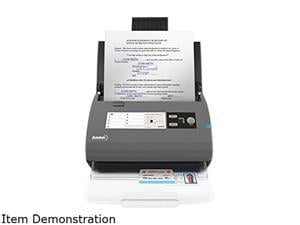
Ambir Imagescan Pro DS820ix - Document Scanner
- Scanning Speed: Monochrome Duplex 200 dpi / 20 ppm 40 ipm Color Duplex 200 dpi / 20 ppm 40 ipm
- Operating Systems Supported: Windows 7 / 8 / 10
- Dimensions: 10.36" x 5.19" x 5.83"
- Weight: 4.20 lbs.
- Color: N/A
- Model #: DS820ix-AS
- Item #: 9B-1SR-003E-00046
- Return Policy: Manufacturer Only Return Policy
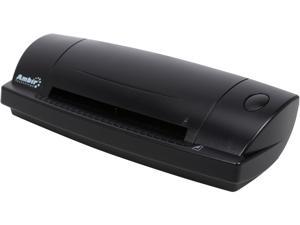
Ambir DS687-A3P Duplex ID Card Scanner
- USB Ports: Yes
- Windows Vista: Works with Windows Vista
- Weight: 1
- Model #: DS687-A3P
- Item #: 9B-38-996-033
- Return Policy: Manufacturer Only Return Policy
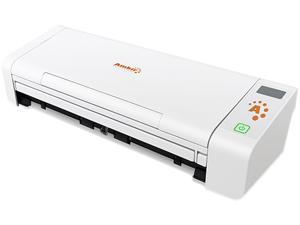
Ambir nScan 700gt w/ AmbirScan
- Brand: Ambir
- Series: nScan
- Type: Sheet Fed
- Element Type: CIS
- Scanning Speed: 20 ppm B/W@200 dpi, 15 ppm B/W@300 dpi
- Optical Resolution: 600 dpi
- Max. Document Size: Maximum 8.50" x 14.00" (216.00 mm x 356.00 mm), Minimum 1.96" x 1.96" (50.00 mm x 50.00 mm)
- USB Ports: USB 2.0
- Model #: DS700GT-AS
- Item #: 9B-38-996-055
- Return Policy: Manufacturer Only Return Policy
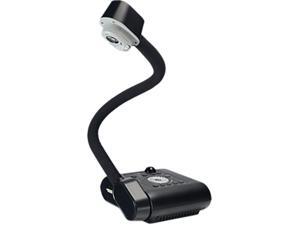
AVer VISF50PLS Camera Document Scanner
- Model #: VISF50PLS
- Item #: 9B-38-107-006
- Return Policy: Manufacturer Only Return Policy
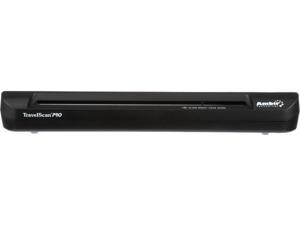
Ambir TravelScan Pro PS600 Sheetfed Scanner
- USB Ports: Yes
- Model #: PS600-BCS
- Item #: 9B-38-996-057
- Return Policy: Standard Return Policy
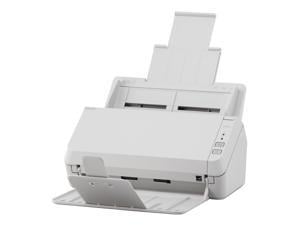
Ricoh Image Scanner SP-1120N PA03811-B005 ADF (Automatic Document Feeder), Duplex ...
- Brand: Ricoh
- Series: Image Scanner SP-1120N
- Type: ADF (Automatic Document Feeder), Duplex
- Element Type: Single line CMOS-CIS x 2 (front x 1, back x 1)
- Light Source: RGB LED x 2 (front x 1, back x 1)
- Scanning Speed: Simplex: 20 ppm (200/300 dpi) Duplex: 40 ipm (200/300 dpi)
- Optical Resolution: 600 dpi
- Max. Document Size: 8.5" x 14"
- Model #: PA03811-B005
- Item #: 9B-38-115-174
- Return Policy: Manufacturer Only Return Policy
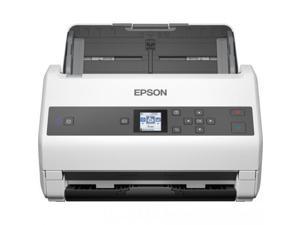
Epson WorkForce DS-970 Sheetfed Scanner 600 dpi Optical B11B251201
- Parts: 3 Year
- Model #: B11B251201
- Item #: 9SIV3NSKDD2401
- Return Policy: GenuineTechStores Return Policy
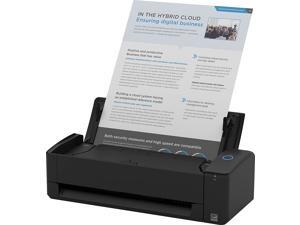
Ricoh ScanSnap iX1300 TAA Black Desktop Scanner - Compact Wireless or USB Double-Sided ...
- Scanning Speed: 30 ppm
- Model #: PA03805-B225
- Item #: 9B-38-115-230
- Return Policy: Standard Return Policy
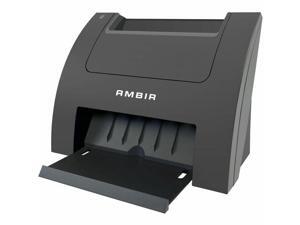
Ambir PS670ST-AS Card Scanner 600 dpi Optical
- Brand: Ambir Technology
- Type: Duplex
- Model #: PS670STAS
- Item #: 9B-1SR-0007-000D2
- Return Policy: Manufacturer Only Return Policy
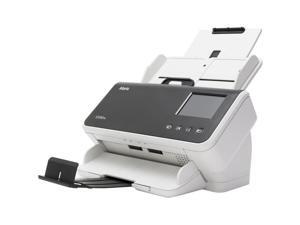
KODAK SCANNERS 1015189 ALARIS S2080W SCANNER 80PPM
- Model #: 1015189
- Item #: 9SIVRZDKSE3071
- Return Policy: Qixingitech Return Policy
Is a Document Scanner Right for Your Organization?
Introduction
If your organization needs a digital scanner but you are not sure if a document scanner is the right type of digital scanner to get, the information below will help you decide. A document scanner is an excellent choice if your organization’s professionals need to scan large amounts of papers such as records, forms, letters, receipts, and similar items. Below, NeweggBusiness will detail the strengths and features of document scanners that make them so well suited for paper media.
Scanning one side of a page
Scanning one side of a page is possible with both a sheet fed document scanner and a flatbed scanner, but using a sheetfed scanner can be more time-efficient. With a traditional flatbed scanner, a user will need to lift the cover, carefully position the paper on the scanning surface, and then close the cover to begin scanning. With a sheetfed scanner, a user will just need to make sure that the page is properly placed on the feeder tray.
Scanning both sides of a page
Duplex scanners can make scanning both sides of a document easier for your staff by automating much of the process. A duplex scanner can work in one of two ways. The first method is that the scanner scans one side of a paper, and instead of ejecting the paper, the scanner flips the paper to scan the other side. The second method is that the scanner has two cameras to scan both sides in one pass.
Multiple pages
A document scanner with an automatic document feeder (ADF) can take several pages and automatically feed them one at a time into the scanner, thereby allowing the user to scan all pages without having to manually insert each page. A document scanner equipped with an ADF may also be called an ADF scanner.
Text recognition
Some document scanners include software called optical character recognition software (OCR) that can convert scanned text into a format that is editable in word processing software. An OCR scanner can be used to enter editable form data, import contact information from business cards, make lengthy documents searchable in word processing software, and more.
Network connectivity
A network document scanner can allow multiple computers on a network to have access to the scanner. Typically on a scanner without network connectivity, all scanned content would be saved onto one computer. With a network scanner, your staff can save scanned content to their own computers directly.

