


Internal SSDs - Showing 913 - 936 of 1280 Products



Micron MTFDHBA480TDF-1AW1ZABYYR 7300 PRO 480GB M.2 Solid State Drive
- Model #: MTFDHBA480TDF-1AW1ZABYYR
- Item #: 9SIV2GEK5N9959
- Return Policy: TechSavers Return Policy
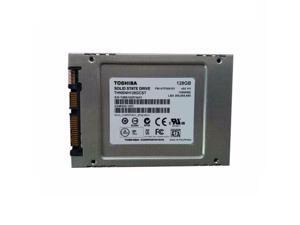
Toshiba 128GB SATA III MLC Internal Solid State Drive (SSD) THNSNH128GCST
- Used For: Consumer
- Height: 7.00mm
- Width: 69.85mm
- Depth: 100 mm
- Weight: 48 g
- Model #: THNSNH128GCST
- Item #: 9SIV2GEDUJ7159
- Return Policy: TechSavers Return Policy
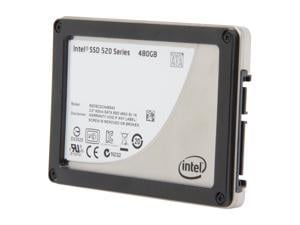

Intel 520 Series Cherryville 2.5" 480GB SATA III MLC Internal Solid State Drive (SSD) ...
- Max Sequential Read: Up to 550 MB/s (SATAIII) Up to 280 MB/s (SATAII)
- Max Sequential Write: Up to 520 MB/s (SATAIII) Up to 260 MB/s (SATAII)
- 4KB Random Read: Up to 50,000 IOPS
- Controller: SandForce
- 4KB Random Write: Up to 42,000 IOPS
- Used For: Consumer
- MTBF: 1,200,000 hours
- Operating Temperature: 0°C ~ +70°C
- Model #: SSDSC2CW480A310
- Item #: 9SIV2GE9XZ7434
- Return Policy: TechSavers Return Policy
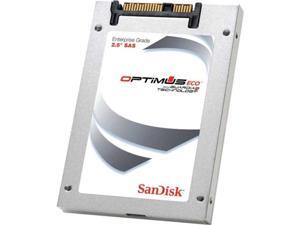

SanDisk SDLKOCDR-800G-5CA1
- Model #: SDLKOCDR-800G-5CA1
- Item #: 9SIV2GE93N7068
- Return Policy: TechSavers Return Policy
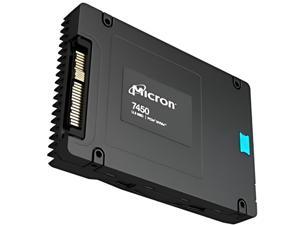

MICRON 7450 PRO 1920GB NVME U.3 (7MM) TCG-OPAL ENTERPRISE SSD SINGLE PACK Solid ...
- Device Type: Internal Solid State Drive (SSD)
- Model #: MTFDKCB1T9TFR-1BC15ABYYR
- Item #: 9SIV2GEKKW1951
- Return Policy: TechSavers Return Policy
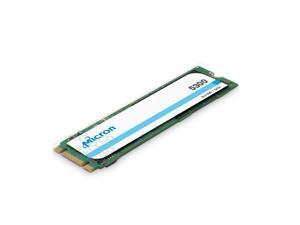
Micron MTFDDAV1T9TDS-1AW1ZABYYR 5300Pro 1.92TB SATA-6.0GBps M.2 Solid State ...
- Model #: MTFDDAV1T9TDS-1AW1ZABYYR
- Item #: 9SIV2GEK3H5374
- Return Policy: TechSavers Return Policy
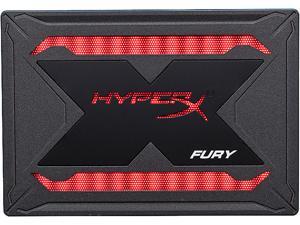

HyperX Fury RGB 2.5" 960GB SATA III 3D TLC Internal Solid State Drive (SSD) SHFR200/960G
- Max Sequential Read: Up to 550 MBps
- Max Sequential Write: Up to 480 MBps
- Controller: Marvell 88SS1074
- Form Factor: 2.5"
- Capacity: 960GB
- Interface: SATA III
- Power Consumption (Active): 0.6W Avg 1.2W (MAX) Read 2.5W (MAX) Write
- Power Consumption (Idle): 0.2W
- Model #: SHFR200/960G
- Item #: 9SIV1WBBMX8466
- Return Policy: boiv llc marketplace Return Policy
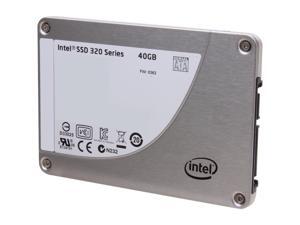
Intel 320 Series 2.5" 40GB SATA II MLC Internal Solid State Drive (SSD) SSDSA2BT040G301
- Controller: Intel
- Used For: Consumer
- MTBF: 1,200,000 hours
- Height: 7mm
- Parts: 5 years limited All Intel SSD 320 products sold in the OEM boxes have a five-year limited warranty term; however, the warranty includes a "Media Wearout" limitation. The Media Wearout limitation provides that the warranty shall expire when the usage of the drive has reached a predetermined usage limit established by Intel, which could result in a warranty term much shorter than five years for drives used in heavy-use, enterprise applications. The Media Wearout is determined by Intel's implementation of the SMART attribute "E9" Media Wearout indicator (as measured by and shown in the Intel SSD Toolbox, www.intel.com/go/ssdtoolbox). At any point during the warranty term, if the Media Wearout Indicator reads "1", as measured by the Intel SSD Toolbox, then...
- Model #: SSDSA2BT040G301
- Item #: 9SIV2GEF3H0633
- Return Policy: TechSavers Return Policy
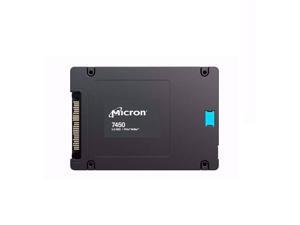
Micron MTFDKCC3T8TFR-1BC1ZABYYR 7450PRO 3.84TB PCIe 4.0 2.5-Inch Solid State Drive
- Model #: MTFDKCC3T8TFR-1BC1ZABYYR
- Item #: 9SIV2GEK3U3456
- Return Policy: TechSavers Return Policy
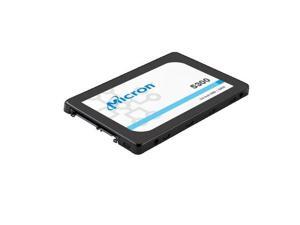
Micron MTFDDAK3T8TDS-1AW1ZABYYR 5300PRO 3.84TB SATA6Gbps 2.5-Inch Solid State ...
- Model #: MTFDDAK3T8TDS-1AW1ZABYYR
- Item #: 9SIV2GEK8H4763
- Return Policy: TechSavers Return Policy
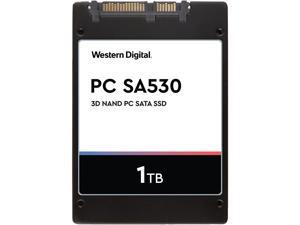

Western Digital PC SA530 2.5" 1TB SATA III 3D NAND Internal Solid State Drive (SSD) ...
- Max Sequential Read: Up to 560 MBps
- Max Sequential Write: Up to 530 MBps
- 4KB Random Read: Up to 95,000 IOPS
- 4KB Random Write: Up to 84,000 IOPS
- Power Consumption (Active): Avg. Active Power (mW): 60 Max Read Operating (mW): 2550 Max Write Operating (mW): 3750
- Power Consumption (Idle): 56 mW
- Max Shock Resistance: 1,500G @ 0.5 msec half sine
- Max Vibration Resistance: Operating: 5.0 gRMS, 10 - 2000 Hz Non-operating: 4.9 gRMS, 7 - 800 Hz
- Model #: SDASB8Y-1T00-1122
- Item #: 9SIV2GEKS81179
- Return Policy: TechSavers Return Policy
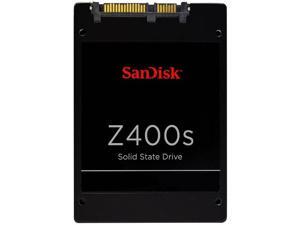
SanDisk Z400s mSATA 64GB SATA III Internal Solid State Drive (SSD) SD8SFAT-064G-1122
- Max Sequential Read: Up to 546 MBps
- Max Sequential Write: Up to 94 MBps
- 4KB Random Read: Up to 32,900 IOPS
- Form Factor: mSATA
- Capacity: 64GB
- Interface: SATA III
- 4KB Random Write: Up to 21,700 IOPS
- Power Consumption (Active): 1.6W
- Model #: SD8SFAT-064G-1122
- Item #: 9SIV2GEB094051
- Return Policy: TechSavers Return Policy
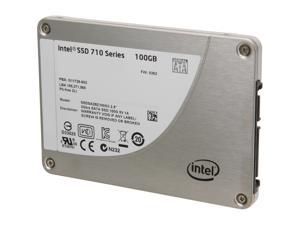
Intel 710 Series ( Lyndonville) 2.5" SATA II eMLC Internal Solid State Drive (SSD) ...
- Max Sequential Read: Up to 270MB/s
- Max Sequential Write: Up to 210MB/s
- Controller: Intel
- MTBF: 2,000,000 hours
- Model #: SSDSA2BZ100G301
- Item #: 9SIV2GEJ017595
- Return Policy: TechSavers Return Policy
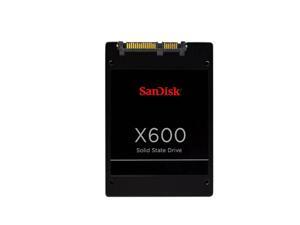
SanDisk X600 2.5" 2TB Internal Solid State Drive (SSD) SD9SB8W-2T00
- Max Sequential Read: Up to 560 MBps
- Max Sequential Write: Up to 530 MBps
- 4KB Random Read: Up to 95,000 IOPS
- 4KB Random Write: Up to 84,000 IOPS
- Max Shock Resistance: 1,500 G @ 0.5 msec half sine
- Max Vibration Resistance: 5.0 gRMS, 10 – 2000 Hz
- Used For: Consumer
- MTTF: Up to 1.75M hours
- Model #: SD9SB8W-2T00
- Item #: 9SIV2GEJT27861
- Return Policy: TechSavers Return Policy
Micron MTFDDAK3T8TGA-1BC1ZABYYR 5400Pro 3.84TB SATA6Gbps 2.5-inch Solid State ...
- Model #: MTFDDAK3T8TGA-1BC1ZABYYR
- Item #: 9SIV2GEK446990
- Return Policy: TechSavers Return Policy
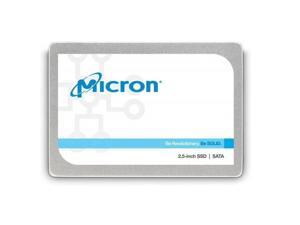
Micron MTFDDAK256TDL-1AW1ZABYY 1300 Series 256Gb SATA-6Gbps 2.5-Inch Solid State ...
- Model #: MTFDDAK256TDL-1AW1ZABYY
- Item #: 9SIV2GEK3H4553
- Return Policy: TechSavers Return Policy
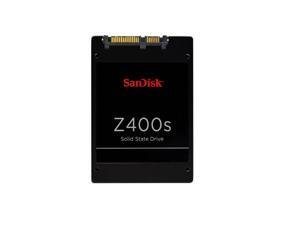
SanDisk SD8SBAT-032G-1122 Z400s 32Gb SATA 2.5-Inch Solid State Drive
- Model #: SD8SBAT-032G-1122
- Item #: 9SIV2GEJXY4664
- Return Policy: TechSavers Return Policy
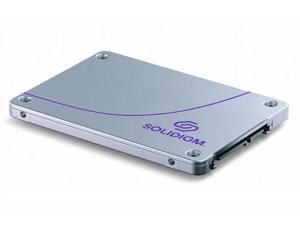
Solidigm SSDSC2KB076TZ1Z D3-S4520 7.68TB SATA-6Gbps 2.5-Inch Solid State Drive
- Model #: SSDSC2KB076TZ1Z..
- Item #: 9SIV2GEKMZ8168
- Return Policy: TechSavers Return Policy
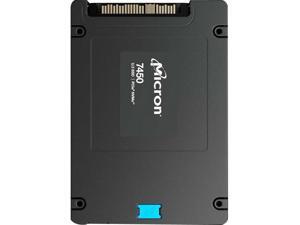
Micron MTFDKCB1T6TFS-1BC1ZABYYR 7450Max 1600GB PCIe 4.0 (NVMe) 2.5-Inch Solid ...
- Model #: MTFDKCB1T6TFS-1BC1ZABYYR
- Item #: 9SIV2GEK3U3437
- Return Policy: TechSavers Return Policy
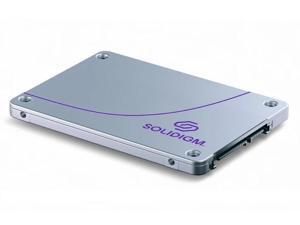
Solidigm SSDSC2KG019TZ01 D3-S4620 1.92TB Sata-6Gbps 2.5-Inch Solid State Drive
- Model #: SSDSC2KG019TZ01..
- Item #: 9SIV2GEKMY2596
- Return Policy: TechSavers Return Policy
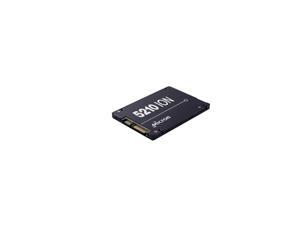
Micron MTFDDAK7T6QDE-2AV1ZABYYR 5210 ION 7.68TB SATA 6.0Gbps 2.5-Inch Solid State ...
- Model #: MTFDDAK7T6QDE-2AV1ZABYYR
- Item #: 9SIV2GEK767265
- Return Policy: TechSavers Return Policy
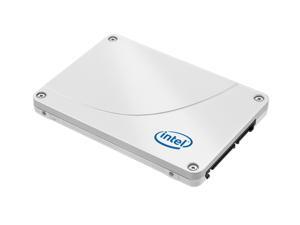
Intel 520 Series Cherryville 120GB SATA III Internal Solid State Drive (SSD) ...
- Controller: SandForce
- Used For: Consumer
- Model #: SSDSC2CW120A301
- Item #: 9SIV2GEAMB4987
- Return Policy: TechSavers Return Policy
Micron MTFDHBE3T2TDG-1AW1ZABYYR 7300MAX 3.20TB PCI Express NVMe 3.1 x4 2.5-Inch ...
- Model #: MTFDHBE3T2TDG-1AW1ZABYYR
- Item #: 9SIV2GEK3T7751
- Return Policy: TechSavers Return Policy
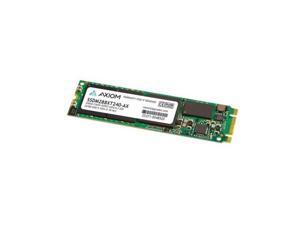
Axiom C565n M.2 2280 240GB SATA III Internal Solid State Drive (SSD) SSDM288XT240-AX
- Max Sequential Read: Up to 295 MBps
- Max Sequential Write: Up to 315 MBps
- 4KB Random Read: Up to 56,000 IOPS
- Controller: Silicon Motion SM2258
- 4KB Random Write: Up to 76,000 IOPS
- Power Consumption (Active): Up to 2.1W
- Power Consumption (Idle): 0.09W
- Max Shock Resistance: 1500G / 0.5 ms
- Model #: SSDM288XT240-AX
- Item #: 9SIV0F3BC70315
- Return Policy: MichaelElectronics2 Return Policy
What is an Internal Solid State Drive?
Introduction
Internal solid state drives (SSD) have several advantages over hard drives and in recent years have become a popular storage alternative. So should you consider purchasing internal SSDs instead of hard drives for your organization? Below, NeweggBusiness will brief you on the basics of internal SSDs and their benefits as well as their disadvantages to help you make an informed decision.
Benefits of External RAID Enclosures
Computer hard drives store data on magnetic disks and have heads that read and write bits of data. As the head moves over the surface of a disk, it interacts with the disk’s magnetic field and causes changes that can be measured and converted to a binary value. Because data is spread across the surface of the disk, the head must physically go to where the data is located on the disk so that it can read the binary values. Referred to as seek time, this process is measured in milliseconds and can cause some noise and vibrations. An operation such as loading software requires the drive to move to many different sections of the disk to read the data, which is not an instant or entirely silent process.
In contrast, internal solid state drives have no moving parts. They store data in memory chips similar to those found in USB flash drives and have controller chips to regulate communication between the memory chips and computer. The controller card on an internal SSD accesses data by sending and receiving electrical signals from the memory chips, requiring no moving components. So when a SSD reads a large file, the controller chip reads the data from the memory and sends it to the computer quickly and silently.
Some advantages that internal solid state drives have over hard drives include:
Performance
Internal solid state drives usually score higher than hard drives in performance benchmarks, with some having average read speeds over 400 MBps. Performance can depend heavily on the components and type of interface used, so you will want to check the rated read/write speeds and interface listed on the internal SSD product description pages.
Durability
Sudden movements can be big problems for disks spinning at several thousand revolutions per minute. Compared to hard drives, internal Solid state drives have less points of failure and are not as susceptible to external forces. Because of that, laptops benefit greatly from internal SSDs since they can be subjected to a lot of movement and possible impacts while being transported.
Form Factor
Many solid state drives have the same 2.5 inch form factor as laptop hard drives, so they can be used as replacement drives without additional equipment required. For desktops that do not support 2.5 inch drives, 2.5 inch to 3.5 inch adapters will be required.
Noise
Because hard drives need to spin the storage media and have heads that need to move, they can create perceptible noise. With no moving parts, SSDs have no noise output.
Considerations
Despite the advantages listed above, internal SSDs have not made the hard drive obsolete. One reason that SSDs are not more widely used is their high cost per gigabyte (GB). A 100 GB SSD will cost more than a 100 GB hard drive, so unless fast read or write speeds are required, SSDs are usually not used for storing copious amounts of data.
If your organization is considering SSDs for use in servers, enterprise-grade SSDs may be better suited. They are designed to fit the needs of data centers by being more reliable, having bigger capacities, and longer operational life spans. For more information on enterprise SSDs, please visit the NeweggBusiness Enterprise SSD store. Unless your organization requires the benefits that an enterprise-grade SSD can give, standard internal SSDs for desktops and laptops have plenty of performance and features for most office tasks.
If you wish to purchase an internal SSD for your organization, some criteria you should look at include:
Interface
The two most common internal SSD interface types are SATA and PCIe, with most standard internal SSDs using SATA. Many newer laptops and desktops are compatible with SATA drives, but you should confirm if your organization’s workstationssupport them. PCIe SSDs are typically enterprise-grade and have slightly better performance. They are not compatible with laptops, and only some desktops support them.
Controller
The controller of an internal SSD acts as the intermediary between the memory storage and the computer. The controller chip is a major factor in determining SSD performance, reliability, and compatibility. Different SSD models may use the same controller chip, so check user reviews to get a sense of how a certain controller chip performs or if it is compatible with your organization’s computers.
Single-level Cell (SLC) / Multi-level Cell (MLC)
MLC and SLC are two different SSD technologies that refer to the type of flash memory cell used on the drive, which can impact performance and endurance. Memory cells in internal SSDs have a finite life span and can only be written to a limited number of times before performance starts to degrade. An SLC drive is more expensive than an MLC drive but has slightly better performance and more write/rewrite endurance.
Warranty
Internal SSDs have better reliability than hard drives, but they are not indestructible. Try to find a drive with a long and comprehensive warranty.
If the advantages of internal SSDs outlined above meet your organization’s storage requirements, switching over from hard drives is not a difficult process. Many internal SSDs use the same 2.5 inch form factor and SATA interface as laptop hard drives, so if your organization’s computers are SATA compatible the only additional equipment needed may be 2.5 inch to 3.5 inch adapters. Upgrading a workstation’s hard drive with an internal SSD is a low cost upgrade and can improve performance noticeably.

