










Featured Products See All
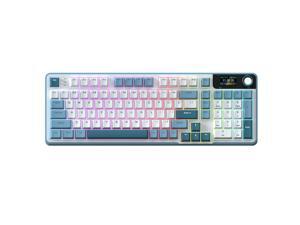

Rosewill Neon S96 Wireless Mechanical Gaming Keyboard, 98-Key Layout w/ Volume Knob, ...
$79 .99
Free Shipping
- The 96% layout with 98 keys offers a compact yet complete keyboard experience, delivering firm and consistent tactile feedback for both typing and gaming.
- A compact OLED screen clearly displays custom GIFs, date, battery, connection mode, and system layout for real-time status updates.
- The multi-functional knob allows intuitive adjustment of volume, backlight, RGB effects, and mode switching with a simple twist or press.
- Tri-mode connectivity (BT5.0/2.4G/USB-C) offers versatile, stable, and low-latency typing across multiple devices and platforms.
- Features hot-swappable sockets for 3/5-pin switches and double-shot PBT keycaps for lasting feel and fade-resistant labeling.
$79 .99


Corsair K55 RGB PRO Membrane Wired Gaming Keyboard – IP42 Dust and Spill-Resistant, 6 ...
$69 .99
Free Shipping
- Light up your desktop with six onboard lighting effects, assign a color to each lighting zone, or program your own vibrant lighting effects across five RGB lighting zones with CORSAIR iCUE software. Activate functions, shortcuts, or keypresses in just one stroke with six dedicated macro keys, easily set up through CORSAIR iCUE software, or use instant streaming commands through Elgato Stream Deck software. IP42-rated dust and spill resistance guards against accidents so your gameplay never has to stop. A soft rubber detachable palm rest reduces stress on your hands so you can play longer in comfort, with a textured surface to keep your hands from slipping. Dedicated volume and media keys let you control media playback and fine-tune volume on-the-fly without having to interrupt your game. Quiet and responsive keys offer comfortable typing during both work and play, with a tactile bump for responsive gaming performance.
$69 .99
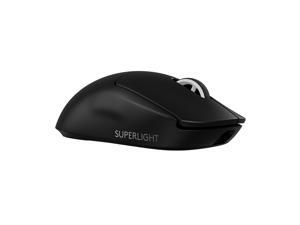

Logitech G PRO X SUPERLIGHT 2 Lightspeed Wireless Gaming Mouse, 60g Lightweight, ...
$149 .99
Free Shipping
- Fast and Precise Wireless Gaming Mouse: A pro gaming icon—now faster and more precise; it is designed in collaboration with the world’s leading esports pros and engineered to win
- Pro Precision: LIGHTFORCE hybrid optical-mechanical switches enable pro-level precision, reliability and ultralow latency optical actuation with a crisp, tactile click
- Most Advanced Optical Sensor in Gaming: HERO 2 features tracking over 888+ IPS, up to 44,000 DPI and precise sensor calibration with zero smoothing, acceleration or filtering
- Better Performance: Our championship-winning, wireless mouse—made even better; now with 8 kHz polling, USB-C charging, 95-hour battery life and POWERPLAY compatibility all at 60g
- Zero-Additive PTFE Mouse Feet: Command a smooth glide and seamless connection to your game with Zero-additive PTFE mouse feet
- Command a smooth glide and seamless connection to your game with Zero-additive PTFE mouse feet
$149 .99
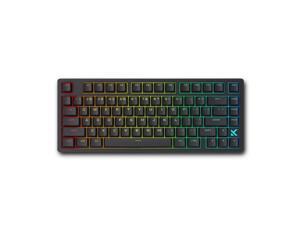
MCHOSE Jet 75 Rapid Trigger Keyboard 75% Percent, Hall Effect Black Gaming Keyboard, ...
$79 .00
Free Shipping
- 0.1ms Latency
- 0.005mm RT Accuracy
- 8kHz Polling Rate
- 128K Scan Rate
- 0 Dead Zone
- SOCD, RS, DKS, MT, TGL, Key Macros
- Hot-Swappable
- 0.1- 3.4mm Actuation Range
- North-facing RGB LED Lights
$79 .00
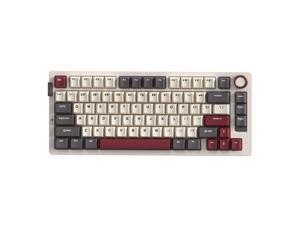
Rosewill Neon S75 Wireless Mechanical Gaming Keyboard, 80-Key Layout w/ Volume Knob, ...
$59 .99
Free Shipping
- Featuring a 75% layout with 80 keys, Gasket mount, and hot-swappable sockets for solder-free DIY customization.
- Enjoy versatile tri-mode connectivity (BT5.0, 2.4G, USB-C) and a dedicated quick-switch button for seamless transitions between devices.
- Equipped with a large 6000mAh battery for significantly extended usage time and long-lasting wireless performance.
- Bluetooth mode supports pairing with up to 3 devices and allows quick and easy switching among them.
- Fully compatible with both Windows and macOS systems, featuring a convenient hotkey for seamless system switching.
$59 .99
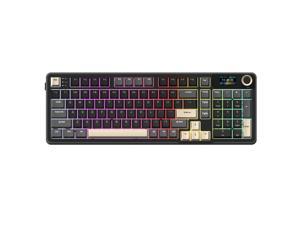
Rosewill Neon S96 Wireless Mechanical Gaming Keyboard, 98-Key Layout w/ Volume Knob, ...
$79 .99
Free Shipping
- The 96% layout with 98 keys offers a compact yet complete keyboard experience, delivering firm and consistent tactile feedback for both typing and gaming.
- A compact OLED screen clearly displays custom GIFs, date, battery, connection mode, and system layout for real-time status updates.
- The multi-functional knob allows intuitive adjustment of volume, backlight, RGB effects, and mode switching with a simple twist or press.
- Tri-mode connectivity (BT5.0/2.4G/USB-C) offers versatile, stable, and low-latency typing across multiple devices and platforms.
- Features hot-swappable sockets for 3/5-pin switches and double-shot PBT keycaps for lasting feel and fade-resistant labeling.
$79 .99
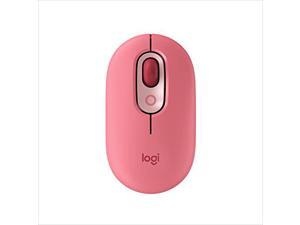
Logitech POP Mouse, Wireless Mouse with Customizable Emojis, SilentTouch Technology, ...
Save: $5.00 (13%)
$34 .99
Free Shipping
- Deep feels: Neon corals meet crushed raspberry colors on a mouse designed for the ones who care the most, allowing you to change the game with POP Silent Mouse in Heartbreaker Rose
- Bold, comfy, quiet: A compact and comfy wireless mouse with up to 24-month battery life that fits snugly in your palm, handbag and computer case, with SilentTouch Technology for whisper-quiet working
- The emoji button: Press the colorful mouse's magic middle button to open a menu of emojis to use in your chats, or give it your own shortcut using Logitech Software (Windows and macOS only)
- Shift gears on the fly: As if reading your mind, POP Mouse’s SmartWheel shifts from high-precision tracking to speed scroll mode, helping you whizz through long documents with one confident flick
- FLOW between worlds: Connect to up to 3 devices on Windows, Mac, Chrome OS or Android using Bluetooth and glide between screens using the Easy-Switch button or FLOW
Save: $5.00 (13%)
$34 .99
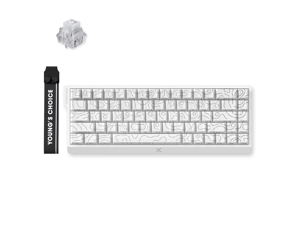
MCHOSE ACE 68 60% Mechanical Gaming Keyboard Wired Rapid Trigger Hall Effect Keyboard ...
$59 .00
Free Shipping
- Magnetic Switch Keyboard
- Up to 0.08 ms Latency
- Up to 0.001 mm RT Accuracy
- 8kHz Polling Rate
- 0 Dead Zone
- SOCD, RS, DKS, MT, TGL, Key Macros
- Hot-Swappable
- Adjustable Actuation
- 0.1- 3.4mm Actuation Range
$59 .00
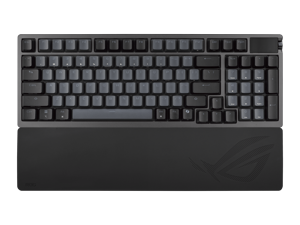

ASUS ROG Azoth 96 HE Wireless Gaming Keyboard, Hall Effect Magnetic Switches, ...
$319 .99
Free Shipping
- Hot-swappable ROG HFX V2 Magnetic Switch: Refined keystrokes with customizable 0.1-3.5mm actuation and 0.01mm-step precise tuning
- New ROG Hall Sensor: Exceptional precision, accurate input detection, reduces electrical noise and interference, and increases magnetic flux tolerance for superior performance
- Superb connectivity: ROG SpeedNova 8K wireless technology, wired USB, and Bluetooth connectivity supports up to five devices simultaneously; wired and wireless modes offer up to 8K polling rate
- Full-color OLED touchscreen: View system info and customize keyboard settings; built-in three-way knob allows for instant adjustments
- Gasket mount and six-layer dampening design: Delivers a cushioned typing feel, with four PORON® layers, an IXPE pad, and a silicone pad to absorb vibrations and switch pinging noises. Gasket softness can also be adjusted by swapping out the underlying dampening foam
- Refined top cover design: Redesigned metallic top cover enhances metallic aesthetics
- Extended Silicone Wrist Rest: Ensures comfortable typing experiences, and retains firmness over time
- Unique ROG-themed keycaps: Additional translucent keycaps with ROG markings provide unique customization options
$319 .99
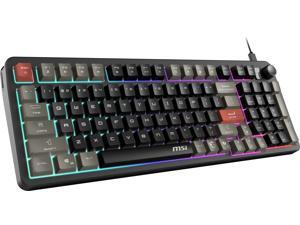

MSI Forge GK110 RGB Gaming Keyboard, Membrane Switch, Anti-Ghosting Keys, RGB ...
$29 .99
- Smooth & Responsive Keystrokes
- Quick Access Hotkeys
- Dedicated Volume Scroll Wheel
- Three Stage Adjustable Angles
- RGB Lighting Effects
$29 .99
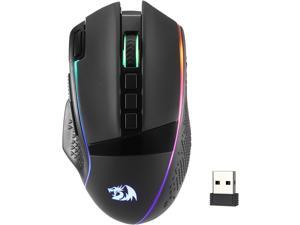
Redragon M991 Wireless Gaming Mouse, 26000 DPI 3-Mode Gamer Mice w/Rapid Fire Key, 9 ...
$36 .99
Free Shipping
+ $7 off w/ promo code BSDSF396, limited offer
- 3 Modes Connect Tech - Cables truly will affect your detailed battle reaction, M991 geared with BT and 2.4Ghz nano receiver offers you the purest and preciser mouse moving experience and hype your KDA rise again
- Acme Adjustable DPI to 26000 - Geared with 6 on-board DPI levels (1000/2000/4000/8000/13000/26000) which allow your mouse movements to be registered to each pinpoint location. 6 DPI levels are free to DIY with software, enable gamers to switch swiftly in game
- Easy Keybinding with Macro - All 9 programmable buttons are all editable with customizable tactical keybinds in whatever game or work you are engaging. 1 rapid fire + 2 side macro buttons offer you a better gaming and working experience
- Ultra Long-lasting Core - Equipped with the PAW3395 Optical Pixart sensor, the mouse consumption is further optimized with 1000Hz Polling Rate in dual mode. Durable rechargeable battery keeps the mouse working up to 240 hours at maximum (RGB OFF)
- Adjustable True Color - With Redragon Pr
$36 .99
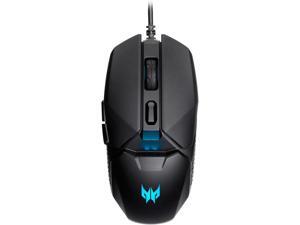

Acer Predator Cestus 327 Gaming Mouse, PixArt Optical Sensor, 8,000 DPI, RGB Lighting, ...
Save: $10.00 (20%)
$39 .99
Free Shipping
- High-Performance Sensor: Equipped with ELAN OM36 sensor offering up to 8000 DPI and 150 IPS tracking speed for competitive gaming environments
- Versatile Grip Support: Supports palm, claw, and fingertip grip styles with a contoured shell for enhanced comfort and control
- Adjustable DPI Settings: Features 5-level DPI switching with visual LED indicators, allowing quick sensitivity adjustments mid-game
- Responsive and Durable: 1000Hz polling rate ensures rapid input response; 6 programmable buttons rated for 20 million clicks
- Reliable Wired Connection: Stable USB connection eliminates latency and ensures uninterrupted gameplay across Windows platforms
- Ergonomic Design: Contoured shape with textured side grips reduces hand fatigue and enhances control during extended gaming sessions
- Customizable RGB Lighting: Features customizable RGB lighting effects to add visual appeal to your gaming setup
Save: $10.00 (20%)
$39 .99
Loading Dynamic Data...
Questions to Ask When Purchasing Keyboards and Mice
Introduction
Shopping for keyboards and mice for your organization’s computers is a process that involves considering many factors, but the answers above will give you a better idea of what most professionals need and don’t need. To stay under budget, get a keyboard and mouse that fits the tasks at hand and avoid buying those with features that may go unused.
Keyboards
Do I need a wireless keyboard?
Wireless functionality in a keyboard can be a great feature if your organization’s staff can take advantage of it. A wireless keyboard is excellent for using a desktop from a distance, such as in a home theater PC situation. If your organization has computers that need to be controlled from a distance, a wireless keyboard is a solid alternative. Another reason to get a wireless keyboard is that it can reduce cable clutter if a desk already has too many cables for other devices. If your staff’s desks suffer from cable clutter that can’t be easily organized, then wireless keyboards are good choices.
Should I get a keyboard with special keys for software?
Some keyboards include additional keys for used by specific programs for quicker access to certain functions. Multimedia keyboards for instance include buttons that control audio and video playback for compatible programs. Other variations include keyboards with buttons to launch specific programs or act as shortcuts for Microsoft Office functions such as copy and paste. Unless your staff can take advantage of those extra keys and functionality, you can lower costs by choosing a no-frills keyboard.
What extra features are important?
Certain situations can necessitate keyboards with special functions, features, or ergonomics. For instance, if some of your staff work in unlit or dimly lit environments they may be more productive using backlit keyboards. Or if some of your staff type for long periods of time, keyboards with additional wrist rests or unique ergonomic key layouts can reduce the risk of carpal tunnel injury.
Mice
Do I need a high sensitivity mouse?
A high sensitivity mouse can sometimes be marketed as having high dots per inch (DPI) as well. DPI means dots per inch and is a measure of how many dots are in a given line one inch long. 800 DPI is average for most mice while high-DPI mice can range from the low to high thousands. Some high-DPI mice also have adjustable DPI, though they tend cost more. Unless your organization’s professionals require high-DPI mice, average sensitivity mice are more than adequate.
Should I get a wired or wireless mouse?
The choice between a wired or wireless mouse should take into account what type of computer the mouse will be used with and how it will be used. For a desktop computer, a wired mouse is sufficient unless the mouse will be used far away from the computer or there is a problem with cabling.
A laptop can benefit from a wireless mouse, especially if the laptop is often used while out of the office. If you are considering a wireless mouse, you can choose either radio frequency (RF) or Bluetooth. A RF mouse requires the laptop to use an attached USB receiver while a Bluetooth mouse requires your laptop to have Bluetooth functionality either built-in or added on with a USB Bluetooth receiver.
What is a trackball mouse?
A trackball mouse utilizes a ball locked in a socket with sensors that track the ball’s rotation. Instead of moving the entire mouse with your hand, a trackball mouse uses either the thumb or fingers to manipulate the ball. They can be beneficial for users that suffer from wrist injuries, as they minimize wrist movement.
