Shop Category
Accessories
Type
Show More
Keyboard Interface
Show More
Mouse Included
Design Style
Mechanical Keyboard
Key Switch
Backlit
Mouse Interface
Sold by
Tracking Method
Brands
All Top Brands
Availability
Condition
Price
Discount
Useful Links
Customer Ratings
  • Workstations – Enterprise Power for Every Vision
  • RTX PRO 6000 Series – From AI to Render
  • Protect Your Power – Power Managment Your Way
  • DGX Spark – AI from Idea to Impact
  • ABS x Phison - AI Training PCs
  • AMD EPYC 4005 Series
  • Featured Brands

    See Deals from LogitechSee Deals from CorsairSee Deals from RAZERSee Deals from ASUSSee Deals from MSI

Keyboard & Mouse Featured Items

See All Featured Shop all products
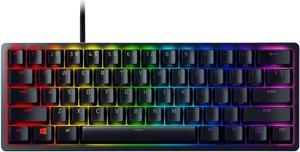
Razer Huntsman Mini 60% Gaming Keyboard - Clicky Optical Switches, Chroma RGB Lighting, PBT Keycaps, Onboard Memory - Black
  • Brand: RAZER
  • Name: Huntsman Mini
  • Keyboard Interface: USB 2.0
  • Layout: 60%
  • Model #: RZ03-03390500-R3U1
  • Item #: 9B-32N-0017-00119
  • Return Policy: Standard Return Policy
  • $119.99
  •  
  • $99.99 
  • Save: 16%
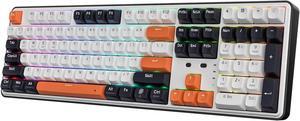
Redragon K689 PRO Wireless Gasket RGB Gaming Keyboard, 108 Keys Mechanical Keyboard w/Extra 4 Hotkeys, Upgraded Hot-swappable Socket, 3-Layer Noise Dampening, Round PBT Keycaps, Custom Linear Switch

+ $15 off w/ promo code BBTSF273, limited offer
  • Keyboard Interface: USB + 2.4GHz + Bluetooth
  • Design Style: Standard
  • Layout: Full-size
  • Key Switch Type: Tactile
  • Model #: RED-K689-R35WBO
  • Item #: 9B-32N-0003-001R8
  • Return Policy: Standard Return Policy
  •  
  • $64.99 
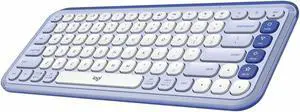
Logitech POP ICON KEYS Wireless Bluetooth Keyboard, Comfortable Typing, Programmable Keys, Easy-Switch Between up to 3 Devices, for Laptop, Tablet, PC - Lilac-Off-White
Logitech
Logitech POP ICON KEYS Wireless Bluetooth Keyboard, Comfortable Typing, Programmable Keys, Easy-Switch Between up to 3 Devices, for Laptop, Tablet, PC - Lilac-Off-White
  • Keyboard Interface: USB
  • Brand: Logitech
  • Name: Logitech POP ICON KEYS Wireless Bluetooth Keyboard
  • Type: Keyboards & Keypads
  • Model #: 920-013050
  • Item #: 9B-23-126-765
  • Return Policy: Standard Return Policy
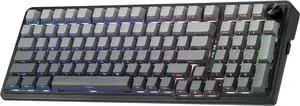
Redragon K686 PRO 98 Keys Wireless Gasket RGB Gaming Keyboard, 3-Mode PBT Mechanical Keyboard w/Hot-Swap South-Facing RGB Socket, Dedicated Knob Control & 5-Layer Noise Dampening, Gradient PBT Keycaps

+ $20 off w/ promo code BBTSF274, limited offer
  • Brand: Redragon
  • Keyboard Interface: USB + 2.4GHz + Bluetooth
  • Design Style: Standard
  • Layout: 96%
  • Model #: RED-K686-R35GGY
  • Item #: 9B-32N-0003-001S3
  • Return Policy: Standard Return Policy
  •  
  • $72.99 
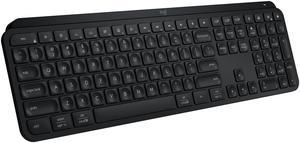
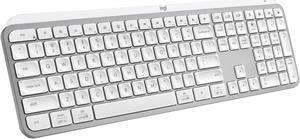
Logitech MX Keys S Wireless Keyboard, Low Profile, Fluid Precise Quiet Typing, Programmable Keys, Backlighting, Bluetooth, USB C Rechargeable, for Windows PC, Linux, Chrome, Mac (Pale Grey)
  • Keyboard Interface: Bluetooth and USB
  • Design Style: Standard
  • Keyboard Color: Pale Gray
  • Brand: Logitech
  • Model #: 920-011559
  • Item #: 9B-23-126-719
  • Return Policy: Standard Return Policy
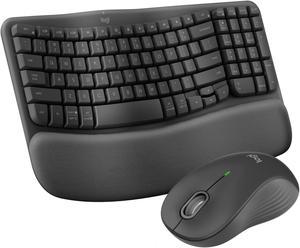
Logitech Wave Keys MK670 Combo, Wireless Ergonomic Keyboard with Signature M550 L Wireless Mouse, Comfortable Natural Typing, Bluetooth, Logi Bolt, for Multi-OS, Windows/Mac
  • Keyboard Interface: Bluetooth
  • Brand: Logitech
  • Name: Wave Keys MK670 Keyboard & Mouse
  • Type: Bluetooth Wireless
  • Model #: 920-012059
  • Item #: 9B-23-126-731
  • Return Policy: Standard Return Policy
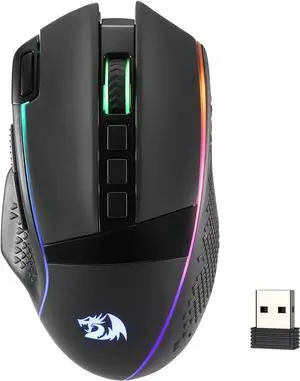
Redragon M991 Wireless Gaming Mouse, 26000 DPI 3-Mode Gamer Mice w/Rapid Fire Key, 9 Macro Buttons, Powerful Capacity and RGB Backlight for PC/Mac/Laptop

+ $7 off w/ promo code BBTSF268, limited offer
  • Brand: Redragon
  • Type: Bluetooth / 2.4GHz / Wired
  • Interface: Bluetooth
  • Mouse Grip Style: All
  • Model #: RED-M991-R3BK
  • Item #: 9B-32K-005K-000R2
  • Return Policy: Standard Return Policy
  •  
  • $36.99 
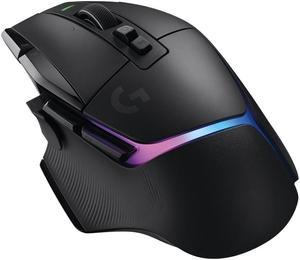
Logitech G502 X PLUS LIGHTSPEED Wireless RGB Gaming Mouse - Optical mouse with LIGHTFORCE hybrid switches, LIGHTSYNC RGB, HERO 25K gaming sensor, compatible with PC - macOS/Windows - Black
Logitech MX Keys S Wireless Keyboard, Low Profile, Fluid Precise Quiet Typing, Programmable Keys, Backlighting, Bluetooth, USB C Rechargeable, for Windows PC, Linux, Chrome, Mac (Black)
  • Keyboard Interface: Bluetooth and USB
  • Design Style: Standard
  • Keyboard Color: Black
  • Brand: Logitech
  • Model #: 920-011406
  • Item #: 9B-23-126-718
  • Return Policy: Standard Return Policy
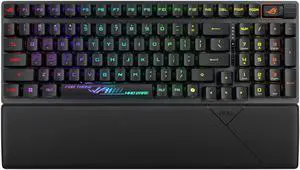
ASUS ROG Strix Scope II 96 RX Wireless Gaming Keyboard, Optical Switches, Low Latency 2.4GHz, RGB, Compact 96% Layout
  • Brand: ASUS
  • Name: X902 SCOPE II 96 RX WL/BLK/RXRD/CA/ABS
  • Part Number: 90MP03S0-BKAA00
  • Keyboard Interface: USB + 2.4GHz + Bluetooth
  • Model #: 90MP03S0-BKAA00
  • Item #: 9B-23-193-171
  • Return Policy: Standard Return Policy
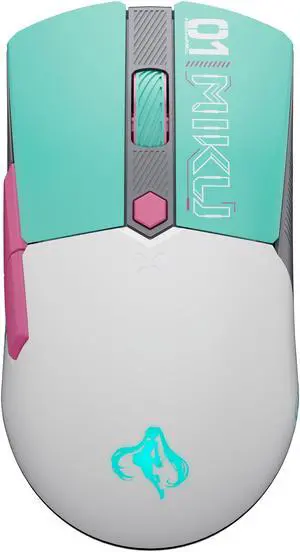
ASUS TUF Gaming Mini Wireless Mouse Hatsune Miku Edition

+ $15 off w/ promo code BBTSF267, limited offer
  • Brand: ASUS
  • Part Number: 90MP0420-BMAA00
  • Type: 2.4 GHz RF / Bluetooth 5.1 / USB Type-C
  • Interface: USB Type-C
  • Model #: 90MP0420-BMAA00
  • Item #: 9B-26-785-269
  • Return Policy: Standard Return Policy
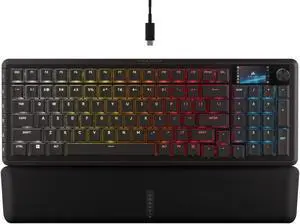
Corsair Vanguard 96 Wired Mechanical Gaming Keyboard – 96% Layout, MLX Plasma Linear Switches, 8000Hz Polling, LCD Display, Virtual Stream Deck, G-Keys, SOCD Flashtap, QWERTY US – Black
  • Brand: Corsair
  • Name: CORSAIR VANGUARD 96
  • Part Number: CH-91E901E-NA
  • Keyboard Interface: USB 2.0
  • Model #: CH-91E901E-NA
  • Item #: 9B-23-816-175
  • Return Policy: Standard Return Policy
  • $179.99
  •  
  • $139.99 
  • Save: 22%

Questions to Ask When Purchasing Keyboards and Mice

Introduction

Shopping for keyboards and mice for your organization’s computers is a process that involves considering many factors, but the answers above will give you a better idea of what most professionals need and don’t need. To stay under budget, get a keyboard and mouse that fits the tasks at hand and avoid buying those with features that may go unused.

Keyboards

Do I need a wireless keyboard?

Wireless functionality in a keyboard can be a great feature if your organization’s staff can take advantage of it. A wireless keyboard is excellent for using a desktop from a distance, such as in a home theater PC situation. If your organization has computers that need to be controlled from a distance, a wireless keyboard is a solid alternative. Another reason to get a wireless keyboard is that it can reduce cable clutter if a desk already has too many cables for other devices. If your staff’s desks suffer from cable clutter that can’t be easily organized, then wireless keyboards are good choices.

Should I get a keyboard with special keys for software?

Some keyboards include additional keys for used by specific programs for quicker access to certain functions. Multimedia keyboards for instance include buttons that control audio and video playback for compatible programs. Other variations include keyboards with buttons to launch specific programs or act as shortcuts for Microsoft Office functions such as copy and paste. Unless your staff can take advantage of those extra keys and functionality, you can lower costs by choosing a no-frills keyboard.

What extra features are important?

Certain situations can necessitate keyboards with special functions, features, or ergonomics. For instance, if some of your staff work in unlit or dimly lit environments they may be more productive using backlit keyboards. Or if some of your staff type for long periods of time, keyboards with additional wrist rests or unique ergonomic key layouts can reduce the risk of carpal tunnel injury.

Mice

Do I need a high sensitivity mouse?

A high sensitivity mouse can sometimes be marketed as having high dots per inch (DPI) as well. DPI means dots per inch and is a measure of how many dots are in a given line one inch long. 800 DPI is average for most mice while high-DPI mice can range from the low to high thousands. Some high-DPI mice also have adjustable DPI, though they tend cost more. Unless your organization’s professionals require high-DPI mice, average sensitivity mice are more than adequate.

Should I get a wired or wireless mouse?

The choice between a wired or wireless mouse should take into account what type of computer the mouse will be used with and how it will be used. For a desktop computer, a wired mouse is sufficient unless the mouse will be used far away from the computer or there is a problem with cabling.

laptop can benefit from a wireless mouse, especially if the laptop is often used while out of the office. If you are considering a wireless mouse, you can choose either radio frequency (RF) or Bluetooth. A RF mouse requires the laptop to use an attached USB receiver while a Bluetooth mouse requires your laptop to have Bluetooth functionality either built-in or added on with a USB Bluetooth receiver.

What is a trackball mouse?

A trackball mouse utilizes a ball locked in a socket with sensors that track the ball’s rotation. Instead of moving the entire mouse with your hand, a trackball mouse uses either the thumb or fingers to manipulate the ball. They can be beneficial for users that suffer from wrist injuries, as they minimize wrist movement.