










Featured Products See All
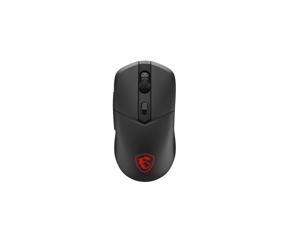

MSI VERSA 300 2.4GHz Wireless Bluetooth 5.3 Optical Gaming Mouse
Save: $5.00 (11%)
$39 .99
Free Shipping
- 30+ MILLION SWITCHES: Crisp and reliable switches rated to last over 30 million clicks
- PIXART PAW3104DB OPTICAL SENSOR: Offers up to 8000 DPI and a 1000Hz polling rate
- TRI-MODE WITH MSI SWIFTSPEED: Choose MSI SWIFTSPEED 2.4G wireless, Bluetooth, or wired mode for stable, low-latency gaming performance
- ULTRA-LIGHTWEIGHT COMFORT: Weighing just 60g, VERSA 300 WIRELESS is perfect for fast paced gaming with effortless movement, enhancing both
- agility and accuracy
- UP TO 50 HOURS OF FAST-PACED AIMING: Enjoy up to 50 hours of playtime on a single charge
- RGB LED: Lighten the mood by playing with colors and predefined
- effects for the preferred vibe
- SYMMETRICAL SHAPE: Suitable for palm, claw, and fingertip grip styles and is also left-hand friendly
Save: $5.00 (11%)
$39 .99
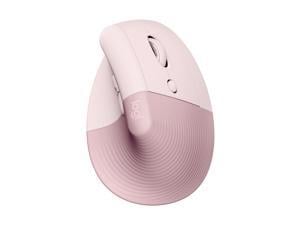

Logitech Lift Vertical Ergonomic Mouse, Wireless, Bluetooth or Logi Bolt USB receiver, Quiet ...
$69 .99
Free Shipping
- Lift yourself up: When the desk life gets you down, lift yourself up with Logitech Lift Vertical Ergonomic Mouse - a great fit for small to medium right hands
- Raise your hand into comfort: Rest on Lift upright mouse throughout the day, with a softly textured grip and snug thumb rest for level-above cosiness
- 57 degrees of sooooothe: Lift’s vertical shape helps wrists feel like “ahhh” at work, and promotes a more natural posture in the forearm, for day-long comfort and productivity
- Relax into focus: Settle into work with a cordless mouse featuring easy-to-reach customisable buttons, whisper-quiet clicks and a SmartWheel for smooth, seamless scrolling
- Ergo-certified: Lift wireless vertical mouse has been designed, developed, tested and approved according to criteria set out by leading ergonomists
- Connect your way: Connect via Bluetooth Low Energy or Logi Bolt USB to Windows, macOS, iPadOS, Chrome OS, or Linux, and enjoy up to 2 years battery life
$69 .99
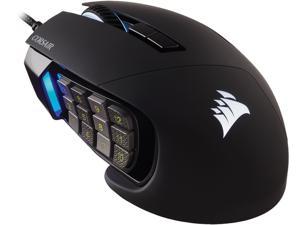

Corsair SCIMITAR RGB ELITE CH-9304211-NA Black 17 Buttons 1 x Wheel USB 2.0 Type-A ...
Save: $30.00 (33%)
$59 .99
Free Shipping
- Loaded with 17 fully programmable buttons, ideal for performing frequent actions and executing complex macros in MMOs and MOBAs. Unique Key Slider control system lets you reposition the 12 side buttons to comfortably fit your grip. Equipped with a custom PixArt PMW3391 native 18,000 DPI optical sensor, adjustable in 1 DPI resolution steps, for highly accurate and customizable tracking. The SCIMITAR RGB ELITE's 50 million click-rated Omron switches, durably constructed scroll wheel, and braided cable ensure that it stands up to the wear-and-tear of extended gaming. Sculpted to comfortably fit the contours of your palm, regardless of hand size or grip style, with a right-side finger rest for added support. Dynamic RGB backlighting with near limitless customization across four lighting zones. Powerful CORSAIR iCUE software enables RGB lighting control, sophisticated macro programming and button remaps, sensitivity customization, surface calibration, and more.
Save: $30.00 (33%)
$59 .99
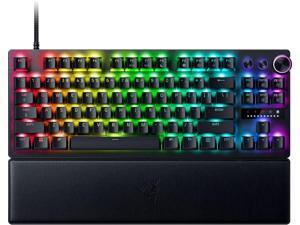

Razer Huntsman V3 Pro Tenkeyless Analog Optical Esports Keyboard
Save: $40.99 (19%)
$179 .00
Free Shipping
- Razer™ Analog Optical Switch Gen-2 with Rapid Trigger and adjustable actuation
- Quick Onboard Adjustments via an LED array indicator
- Multi-function Digital Dial & Dedicated Control Buttons for convenient control
- Textured Doubleshot PBT Keycaps for greater resilience and feel
- Tenkeyless Form Factor with Aluminum Top Plate for a smaller footprint and greater durability
- Magnetic Firm Leatherette Wrist Rest for extended gaming support
Save: $40.99 (19%)
$179 .00
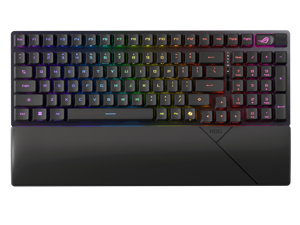

ASUS ROG Strix Scope II 96 RX Wireless Gaming Keyboard, Optical Switches, Low Latency ...
Save: $30.00 (17%)
$149 .99
Free Shipping
- 96% layout: Retains all function and number keys in a more compact and efficient layout that frees up desk space, with a form factor that is only 1 cm wider than a standard 80% keyboard.
- ROG RX optical switches: Light actuated for consistent wobble-free keystrokes with near-zero debounce delay.
- ROG-themed ABS keycaps: UV-coated keycaps with special ROG elements for unique look.
- Support ROG Polling Rate Booster: Achieves 8000 Hz polling rate and provides a 0.125 ms response time - up to 8X faster than other leading gaming keyboards.
- Tri-mode connection: Connect using Bluetooth? (up to three devices), 2.4 GHz with ROG SpeedNova wireless technology (up to 378 hours of battery life) or wired USB.
- Sound-dampening foam: Unique, integrated dampening foam structure absorbs pinging noises and echoes for improved keystroke acoustics.
- Enhanced typing experience: Pre-lubed keyboard stabilizers produce less friction for smoother keystrokes and stability for longer keys; UV-coated ABS keycaps offer a premium feel and shine resistance.
- Hotkeys: F1–F5 keys are pre-programmed as hotkeys for Xbox Game Bar and recording.
- Intuitive controls: Multi-function button and multiwheel for media playback, volume, and keyboard lighting.
- ROG Omni Receiver: Connect to multiple supported devices wirelessly with a single receiver.
- Ergonomic design: Three tilt positions and a detachable wrist rest.
Save: $30.00 (17%)
$149 .99
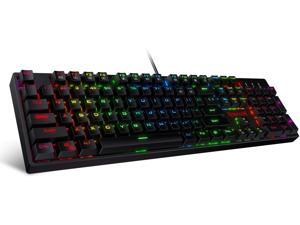
Redragon K582 SURARA RGB LED Backlit Mechanical Gaming Keyboard with 104 Keys-Linear ...
$39 .99
Free Shipping
+ $5 off w/ promo code BLUSF62, limited offer
- Professional Red Switches: Redragon K582 gaming keyboard is equipped with pluggable Redragon red switches, which are linear, top-to-bottom switches. These switches require less force to press down and the keys feel smoother and easier to use. No tactile "bump" but responsive. A great choice for work and play! N-key Rollover: 100% anti-ghosting 104 keys ensure the most accurate simultaneous key presses. Fully programmable - Reassign any key or set up the most extreme macros for effortless gaming. Dynamic RGB Backlight: 6 backlight themes and 18 backlight models allow you to type in the dark. You can adjust its brightness with FN + Up/Down. Arrow Key in any non-breathing mode. Extreme Durability: 50 million times keystroke test, small actuation force and short travel make it. Solid base with double injection ABS keycaps design, it is built to withstand a lifetime of gaming.
$39 .99
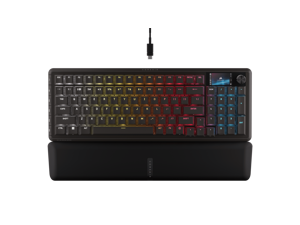
Corsair Vanguard 96 Wired Mechanical Gaming Keyboard – 96% Layout, MLX Plasma Linear ...
$149 .99
Free Shipping
- 96% keyboard that keeps it 100: The optimized 96% layout means you'll have full keyboard with arrow keys, a tenkey pad, an LCD screen, rotary dial, and 6 programmable G-keys, but in a super-compact frame that's roughly the size of a TKL keyboard.
- Vibrant full-color LCD screen: The keyboard of the future is here! Personalize your keyboard on a whole new level with a luminous integrated 1.9 inch LCD screen you can use to display custom animations, images, system specs, and more.
- Maximize every millisecond: Utilize ultra-responsive 8,000Hz hyper-polling to eradicate input lag. Get the fastest response times for your in-game actions and stream commands.
- Elgato Virtual Stream Deck integration: Map Stream Deck functions directly to the VANGUARD 96's programmable G-keys and utilize Virtual Stream Deck to create clickable shortcuts. Unlock a world of new found productivity and enhanced in-game performance.
- FlashTap SOCD: With CORSAIR FlashTap SOCD handling, choose how the keyboard should resolve accidental SOCD inputs so you can Move Like You Mean It.
$149 .99
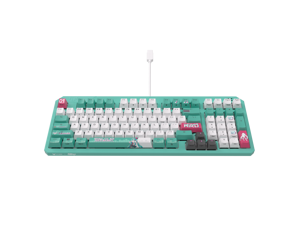
ASUS TUF Gaming K3 Gen II Hatsune Miku Edition Optical-Mechanical RGB Keyboard with IP57 ...
Save: $5.00
$94 .99
Free Shipping
Save even more w/ promo code BLUSF58, limited offer
- Compact, portable design: 97-key layout is highly portable and frees up more space for the mousing hand, and rear cable management slot allows for neater desktop setups
- IP57 waterproofing and dust resistance: Industry-leading protection for easy cleaning and long-lasting durability
- Optical-mechanical RGB switches: Featuring n-key rollover, 100% anti-ghosting, and 100-million-keypress lifespan
- Silicone-gasket mount and dampening foam: Absorbs pinging noises and echoes for improved keyboard acoustics and unrivaled typing experiences
- Detachable top plate: Allows for different looks and easy maintenance
- RBG lighting and Aura Sync: Per-key RGB lighting with up to 16.8-million colors, and Armoury Crate software for intuitive adjustments and syncing with ASUS Aura-enabled products
Save: $5.00
$94 .99
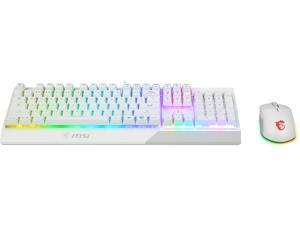
MSI Vigor GK30 Gaming Keyboard & GM11 Mouse Combo, RGB Gaming Set, Anti-Ghosting ...
Save: $15.00 (20%)
$59 .99
Free Shipping
- Vigor GK30 combo us includes Vigor GK30 gaming keyboard and clutch GM11 gaming mouse, the best combo fit for PC gaming Keyboard is equipped with special membrane switches for excellent mechanical feel Keyboard provides 6-region RGB illumination with 8 amazing light effects and supports MSI Mystic Light Mouse is asymmetric ergonomic design
Save: $15.00 (20%)
$59 .99
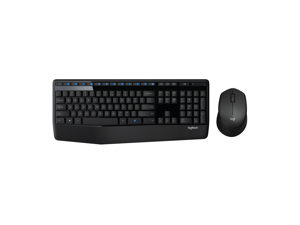
Logitech MK345 Wireless Combo Full-Sized Keyboard with Palm Rest and Comfortable ...
Save: $3.00 (8%)
$36 .99
Free Shipping
- Full-size Keyboard Layout: Comfortable, quiet typing on a familiar keyboard layout with generous palm rest, spill-resistant design (2), and easy-access media keys like mute, volume, and play
- Comfortable Right-handed Mouse: This wireless USB mouse features a hand-friendly contoured shape for all-day comfort, plus smooth, precise tracking and scrolling for easier navigation
- Reliable Connection: Advanced 2.4 GHz wireless connection delivers the reliability and speed of a corded connection with wireless convenience and freedom up to 33 ft away (3), at home or at work
- Extended Battery: Say goodbye to the hassle of charging cables and changing batteries and get up to 3 years of battery life for the keyboard and 18 months for the mouse (1) with MK345
- Compatibility: This keyboard mouse set works with PCs using Windows or Chrome operating systems; simply plug in to your laptop or desktop computer and begin using
Save: $3.00 (8%)
$36 .99
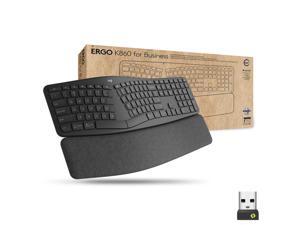
Logitech Ergo K860 Split Wireless Keyboard for Business - Ergonomic Design, Secured Logi ...
$159 .99
Free Shipping
- Ideal for IT departments that need high-performance, secure wireless connections and ease of deployment and for people who want an ergonomic keyboard for day-long comfort and productivity.
- Enterprise Secure: Logi Bolt wireless technology exceeds security needs with fully encrypted, Secure Connections Only mode.
- Built for Scale: Certified in over 100 countries, support for IT pros and business users, remote mass deploy and manage DFUs and Logitech Options app.
- User Tested, Ergonomist Approved: ERGO K860 has been designed, developed and tested with criteria set out by leading ergonomists to improve posture and lower muscle strain.
- Uncompromised Performance: A full-size Numpad, connect to up to three devices and two-year battery life to ensure you don’t compromise performance for ergonomics.
- Split, Curved Design: Type more naturally with an ergonomic keyframe that improves typing posture. The sloping keyboard reduces muscle strain on your wrists and forearms.
$159 .99
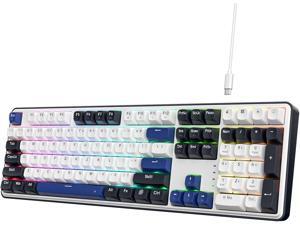
Redragon K689 Wired Gasket RGB Gaming Keyboard, 108 Keys Mechanical Keyboard w/Extra ...
$49 .99
Free Shipping
+ $13 off w/ promo code BLUSF64, limited offer
- REDRAGON GASKET OUT - The body structure differs from traditional screw fixing by using precision-locked covers with gaskets to assist with noise reduction and flexibility. It provides even feedback while the vertical cushioning reduces rigid noise, delivering a crisp, clean and softer typing feel.
- Full Size 108 Keys Layout - 104 keys anti-ghosting allows you to simultaneously click multiple keys. While adding the extra 4 shortcut keys, featuring more convenience and practicality.
- Custom Dragon Chant Switch - With thick-lubed custom linear switches combo with a gasket form factor, K689 features cushioned rich linear travel with silky creamy and cozy typing feedback.
- Noise Dampening x 3 - Equipped with 3.5mm PO foam, IXPE switch foam, bottom socket foam along with the silicone gasket. Significantly reduce the hollow noise, creating dampened and ultra-clean typing acoustics, making each keystroke satisfying and comfortable.
- Ergonomic Design - The 2 stage adjustable feet makes typing more comfortable and relaxes your wrists. 3 colors Mixed Keycaps adding more DIY interest. When every time you play the game it can be a different experience.
- Pro Software Supported - Expand your options using the available software to design your own new modes and effects found on redragonshop. Macros with different keybindings or shortcuts for more efficient work and gaming.
$49 .99
Loading Dynamic Data...
Questions to Ask When Purchasing Keyboards and Mice
Introduction
Shopping for keyboards and mice for your organization’s computers is a process that involves considering many factors, but the answers above will give you a better idea of what most professionals need and don’t need. To stay under budget, get a keyboard and mouse that fits the tasks at hand and avoid buying those with features that may go unused.
Keyboards
Do I need a wireless keyboard?
Wireless functionality in a keyboard can be a great feature if your organization’s staff can take advantage of it. A wireless keyboard is excellent for using a desktop from a distance, such as in a home theater PC situation. If your organization has computers that need to be controlled from a distance, a wireless keyboard is a solid alternative. Another reason to get a wireless keyboard is that it can reduce cable clutter if a desk already has too many cables for other devices. If your staff’s desks suffer from cable clutter that can’t be easily organized, then wireless keyboards are good choices.
Should I get a keyboard with special keys for software?
Some keyboards include additional keys for used by specific programs for quicker access to certain functions. Multimedia keyboards for instance include buttons that control audio and video playback for compatible programs. Other variations include keyboards with buttons to launch specific programs or act as shortcuts for Microsoft Office functions such as copy and paste. Unless your staff can take advantage of those extra keys and functionality, you can lower costs by choosing a no-frills keyboard.
What extra features are important?
Certain situations can necessitate keyboards with special functions, features, or ergonomics. For instance, if some of your staff work in unlit or dimly lit environments they may be more productive using backlit keyboards. Or if some of your staff type for long periods of time, keyboards with additional wrist rests or unique ergonomic key layouts can reduce the risk of carpal tunnel injury.
Mice
Do I need a high sensitivity mouse?
A high sensitivity mouse can sometimes be marketed as having high dots per inch (DPI) as well. DPI means dots per inch and is a measure of how many dots are in a given line one inch long. 800 DPI is average for most mice while high-DPI mice can range from the low to high thousands. Some high-DPI mice also have adjustable DPI, though they tend cost more. Unless your organization’s professionals require high-DPI mice, average sensitivity mice are more than adequate.
Should I get a wired or wireless mouse?
The choice between a wired or wireless mouse should take into account what type of computer the mouse will be used with and how it will be used. For a desktop computer, a wired mouse is sufficient unless the mouse will be used far away from the computer or there is a problem with cabling.
A laptop can benefit from a wireless mouse, especially if the laptop is often used while out of the office. If you are considering a wireless mouse, you can choose either radio frequency (RF) or Bluetooth. A RF mouse requires the laptop to use an attached USB receiver while a Bluetooth mouse requires your laptop to have Bluetooth functionality either built-in or added on with a USB Bluetooth receiver.
What is a trackball mouse?
A trackball mouse utilizes a ball locked in a socket with sensors that track the ball’s rotation. Instead of moving the entire mouse with your hand, a trackball mouse uses either the thumb or fingers to manipulate the ball. They can be beneficial for users that suffer from wrist injuries, as they minimize wrist movement.
