










Featured Products See All
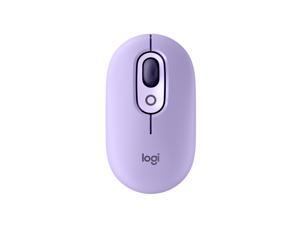

Logitech POP Mouse, Wireless Mouse with Customizable Emojis, SilentTouch Technology, ...
Save: $10.00 (33%)
$19 .99
Free Shipping
- Positive energy only: Open your mind with lavender and mystic purples in hand, giving you only good vibes with POP Silent Mouse in Cosmos
- Bold, comfy, quiet: A compact and comfy wireless mouse with up to 24-month battery life that fits snugly in your palm, handbag and computer case, with SilentTouch Technology for whisper-quiet working
- The emoji button: Press the colorful mouse's magic middle button to open a menu of emojis to use in your chats, or give it your own shortcut using Logitech Software (Windows and macOS only)
- Shift gears on the fly: As if reading your mind, POP Mouse’s SmartWheel shifts from high-precision tracking to speed scroll mode, helping you whizz through long documents with one confident flick
- FLOW between worlds: Connect to up to 3 devices on Windows, Mac, Chrome OS or Android using Bluetooth and glide between screens using the Easy-Switch button or FLOW
Save: $10.00 (33%)
$19 .99
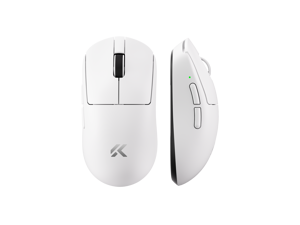
MCHOSE A7V2 Ultra Tri-Mode Lightweight Gaming Mouse, Dual 8K Wired/Wireless, ...
$48 .99
Free Shipping
- Tri-Mode: 2.4G + Bluetooth + USB Type-C
- Dual 8K polling (wired & wireless)
- PAW3950TI sensor + Realtek MCU for precise tracking
- TTC Gold switch + OMRON-rated durability (100M)
- 500mAh battery for long sessions
$48 .99
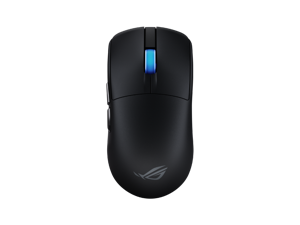

ASUS ROG Harpe II Ace Wireless Esports Gaming Mouse (2025) Pro-Tested, 48g Lightweight, ...
Save: $20.61 (12%)
$149 .38
Free Shipping
- Shaped by esports pros: Engineered in collaboration with world-class esports professionals, perfectly balanced to enable effortless flicks and swift swipes for absolute precision in every play.
- 48g ultralight design: Built with an innovative bio-based nylon material that reduces weight and enhances impact resistance.
- ROG AimPoint Pro optical sensor: 42,000 dpi optical sensor with track-on-glass technology.
- ROG optical micro switches: Crisp, instant actuation and a 100-million-click lifespan.
- ROG SpeedNova 8K wireless technology: Experience maximized precision and reliability at up to 8KHz polling rate with ROG SpeedNova 8K wireless technology.
- Zone mode: Cuts straight into optimal, top-level hardware performance, customized to your standards.
- Web-based configurations: Configure and customize your gear directly on a browser via Gear Link.
Save: $20.61 (12%)
$149 .38
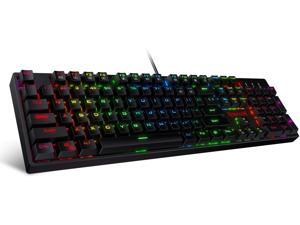
Redragon K582 SURARA RGB LED Backlit Mechanical Gaming Keyboard with 104 Keys-Linear ...
$39 .99
Free Shipping
+ $5 off w/ promo code BFTTF229, limited offer
- Professional Red Switches: Redragon K582 gaming keyboard is equipped with pluggable Redragon red switches, which are linear, top-to-bottom switches. These switches require less force to press down and the keys feel smoother and easier to use. No tactile "bump" but responsive. A great choice for work and play! N-key Rollover: 100% anti-ghosting 104 keys ensure the most accurate simultaneous key presses. Fully programmable - Reassign any key or set up the most extreme macros for effortless gaming. Dynamic RGB Backlight: 6 backlight themes and 18 backlight models allow you to type in the dark. You can adjust its brightness with FN + Up/Down. Arrow Key in any non-breathing mode. Extreme Durability: 50 million times keystroke test, small actuation force and short travel make it. Solid base with double injection ABS keycaps design, it is built to withstand a lifetime of gaming.
$39 .99
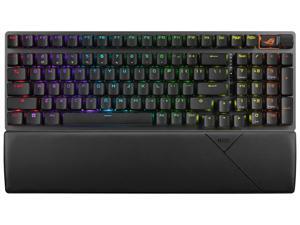
ASUS ROG Strix Scope II 96 Wireless Gaming Keyboard, Tri-Mode Connection, Dampening ...
$189 .99
Free Shipping
- 96% layout: Retains all function and number keys in a more compact and efficient layout that frees up desk space
- Hot-swappable switches: Pre-lubed NX Snow linear switches and ROG NX Storm clicky switches with walled stem design to enhance keystroke stability and are tuned for great acoustics
- Tri-mode connection: Connect using Bluetooth® (up to three devices), 2.4 GHz with ROG SpeedNova wireless technology or wired USB
- Sound-dampening foam with switch-dampening pads: Unique, integrated dampening foam with added switch-dampening pad structure absorbs pinging noises and echoes for improved keystroke acoustics.
- Enhanced typing experience: Pre-lubed keyboard stabilizers produce less friction for smoother keystrokes and stability for longer keys; durable ROG PBT doubleshot keycaps or UV-coated ABS keycaps offer a premium feel and shine resistance
- Hotkeys: F1–F5 keys are pre-programmed as hotkeys for Xbox Game Bar and recording
- Intuitive controls
- ROG Omni Receiver
$189 .99
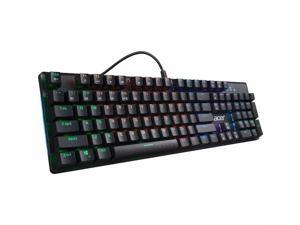

Acer Nitro Gen 2 Wired Gaming Keyboard - Blue Switches, RGB Backlit, 104-Key Full Size, Clicky ...
$44 .99
Free Shipping
- 104 Mechanical Keys and Windows Lock Key | Embedded Multimedia Keys
- Keyboard Backlighting: RGB Illuminated Keyboard | Features: 100% Anti-Ghosting (N-Key Rollover), Key Lock
- Durability: Over 50M Actuations | Cable: Black Braided with Gold-Plated USB and a Cable Length of 5.25 feet
- Equipped with mechanical Blue switches for precise actuation and consistent feedback, delivering faster response times for gaming and typing
- Sturdy metal panel with shaft suspension design improves durability and key stability for long-term use
$44 .99
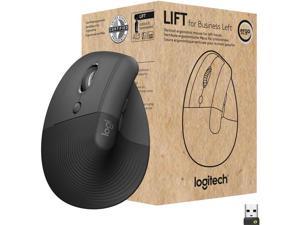
Logitech Lift for Business Left, Vertical Ergonomic Mouse - Left-handed, Wireless, Bluetooth ...
$79 .99
Free Shipping
- Ideal for IT departments that need high-performance, secure wireless connections and ease of deployment and for people who want a vertical ergonomic mouse for day-long comfort and productivity
- Logi Bolt wireless technology exceeds security needs with fully encrypted, Secure Connections Only mode
- Certified in over 100 countries, support for IT pros and business users, remote mass deploy and manage DFUs and Logitech Options app
- Rest on a natural contour—at the perfect 57° angle— throughout the day, with a softly textured grip and snug thumb rest for leveled-up coziness
- Settle into work with customizable buttons, whisper-quiet clicks, and a SmartWheel for smooth, seamless scrolling
- Lift was designed, developed, tested and approved according to criteria set out by leading ergonomists
- Connect via Bluetooth Low Energy or Logi Bolt USB to Windows, macOS, iPadOS, Chrome OS, or Linux, while enjoying up to 2 years’ battery life
$79 .99
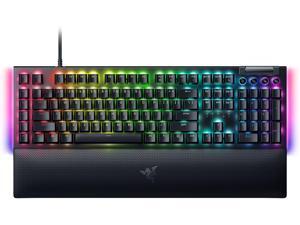

Razer BlackWidow V4 Mechanical Gaming Keyboard: Green Switches Tactile & Clicky - Chroma ...
Save: $25.00 (14%)
$154 .99
Free Shipping
- GREEN MECHANICAL CLICKY SWITCHES: With a 1.9mm actuation point requiring just 50g of force, experience the perfect pairing of pressure and response time—for precise inputs with satisfying, tactile feedback
- 2-SIDE UNDERGLOW & PER-KEY LIGHTING: Featuring Razer Chroma RGB per-key lighting and a striking underglow that highlights the keyboard from more angles — sync it with the battlestation and enjoy greater immersion for hundreds of integrated games
- 6 DEDICATED MACRO KEYS: Expand the arsenal of commands with a set of easy-access macro keys that can be programmed to peferred playstyle
- MAGNETIC PLUSH LEATHERETTE WRIST REST: With a soft, cushioned wrist rest that securely snaps to the keyboard, enjoy long-lasting comfort through the most intense gaming marathons
- DOUBLESHOT ABS KEYCAPS: Using a doubleshot molding process to ensure the labeling never wears off while having extra-thick walls to withstand intense gaming
- MULTI-FUNCTION ROLLER & 4 MEDIA KEYS
Save: $25.00 (14%)
$154 .99
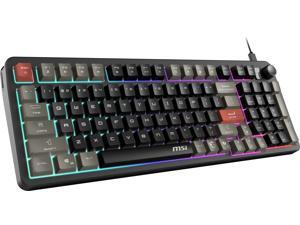

MSI Forge GK110 RGB Gaming Keyboard, Membrane Switch, Anti-Ghosting Keys, RGB ...
Save: $10.00 (33%)
$19 .99
Free Shipping
- Smooth & Responsive Keystrokes
- Quick Access Hotkeys
- Dedicated Volume Scroll Wheel
- Three Stage Adjustable Angles
- RGB Lighting Effects
Save: $10.00 (33%)
$19 .99


Corsair K55 RGB PRO Membrane Wired Gaming Keyboard – IP42 Dust and Spill-Resistant, 6 ...
Save: $20.00 (29%)
$49 .99
Free Shipping
- Light up your desktop with six onboard lighting effects, assign a color to each lighting zone, or program your own vibrant lighting effects across five RGB lighting zones with CORSAIR iCUE software. Activate functions, shortcuts, or keypresses in just one stroke with six dedicated macro keys, easily set up through CORSAIR iCUE software, or use instant streaming commands through Elgato Stream Deck software. IP42-rated dust and spill resistance guards against accidents so your gameplay never has to stop. A soft rubber detachable palm rest reduces stress on your hands so you can play longer in comfort, with a textured surface to keep your hands from slipping. Dedicated volume and media keys let you control media playback and fine-tune volume on-the-fly without having to interrupt your game. Quiet and responsive keys offer comfortable typing during both work and play, with a tactile bump for responsive gaming performance.
Save: $20.00 (29%)
$49 .99
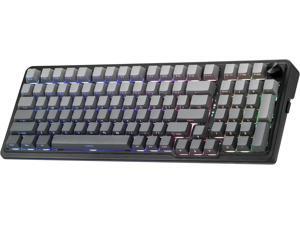
Redragon K686 PRO 98 Keys Wireless Gasket RGB Gaming Keyboard, 3-Mode PBT ...
$72 .99
Free Shipping
+ $20 off w/ promo code BFTTF235, limited offer
- GASKET Design - The body structure differs from traditional screw fixing by using precision-locked covers with gaskets to assist with noise reduction and flexibility. It provides even feedback while the vertical cushioning reduces rigid noise, delivering a crisp, clean and softer typing feel.
- 3-Mode Connection - Geared with Redragon advanced tri-mode connection technology, USB-C wired, BT 3.0/5.0 & 2.4Ghz wireless modes which make the user experience upgraded to another level in all fields.
- Custom Leopard L Switch - With thick-lubed custom linear switches combo with a gasket form factor, K686 PRO features cushioned rich linear travel with silky creamy and cozy typing feedback. The brand new upgraded socket is nearly all switches(3/5 pins) compatible.
- Noise Dampening x 5 - Equipped with 3.5mm PO foam, IXPE switch foam, PET sound pad, bottom socket foam, silicone bottom pad along with the silicone gasket. Significantly reduce the hollow noise, creating dampened and ultra-clean typing acoustics, making each keystroke satisfying and comfortable.
- Tactical 98 Keys - The innovative design keeps the original 100% layout’s function while shrinking the size 20% smaller to provide more compactness. Misery vibe gradient PBT keycaps with side-printed tech equipped with south-facing LEDs, the RGB glows never looked so good.
- ONE-Knob Control - Armed with a convenient easy access control knob, the keyboard backlight brightness and media (volume, play/pause, switch)
$72 .99
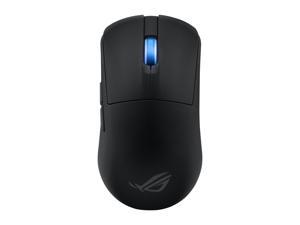
ASUS ROG Harpe Ace Mini Wireless Gaming Mouse, Lightweight, AimPoint Pro 42K Optical ...
$129 .99
Free Shipping
- A smaller form of the pro-approved Harpe Ace mouse, made to fit a wider spectrum of handshapes and grip types
- Optimized weight design to ensure maximum stability and control when flicking and tracking
- 42,000 dpi optical sensor with track-on-glass technology
- Instant actuation with every crisp click and a 100-million-click lifespan
- Flexibility with wired USB, low-latency 2.4 GHz RF, plus Bluetooth® mode
- Wireless performance with minimalized delays and maximized cursor precision with ROG SpeedNova wireless technology and compatibility with the ROG Polling Rate Booster
$129 .99
Loading Dynamic Data...
Questions to Ask When Purchasing Keyboards and Mice
Introduction
Shopping for keyboards and mice for your organization’s computers is a process that involves considering many factors, but the answers above will give you a better idea of what most professionals need and don’t need. To stay under budget, get a keyboard and mouse that fits the tasks at hand and avoid buying those with features that may go unused.
Keyboards
Do I need a wireless keyboard?
Wireless functionality in a keyboard can be a great feature if your organization’s staff can take advantage of it. A wireless keyboard is excellent for using a desktop from a distance, such as in a home theater PC situation. If your organization has computers that need to be controlled from a distance, a wireless keyboard is a solid alternative. Another reason to get a wireless keyboard is that it can reduce cable clutter if a desk already has too many cables for other devices. If your staff’s desks suffer from cable clutter that can’t be easily organized, then wireless keyboards are good choices.
Should I get a keyboard with special keys for software?
Some keyboards include additional keys for used by specific programs for quicker access to certain functions. Multimedia keyboards for instance include buttons that control audio and video playback for compatible programs. Other variations include keyboards with buttons to launch specific programs or act as shortcuts for Microsoft Office functions such as copy and paste. Unless your staff can take advantage of those extra keys and functionality, you can lower costs by choosing a no-frills keyboard.
What extra features are important?
Certain situations can necessitate keyboards with special functions, features, or ergonomics. For instance, if some of your staff work in unlit or dimly lit environments they may be more productive using backlit keyboards. Or if some of your staff type for long periods of time, keyboards with additional wrist rests or unique ergonomic key layouts can reduce the risk of carpal tunnel injury.
Mice
Do I need a high sensitivity mouse?
A high sensitivity mouse can sometimes be marketed as having high dots per inch (DPI) as well. DPI means dots per inch and is a measure of how many dots are in a given line one inch long. 800 DPI is average for most mice while high-DPI mice can range from the low to high thousands. Some high-DPI mice also have adjustable DPI, though they tend cost more. Unless your organization’s professionals require high-DPI mice, average sensitivity mice are more than adequate.
Should I get a wired or wireless mouse?
The choice between a wired or wireless mouse should take into account what type of computer the mouse will be used with and how it will be used. For a desktop computer, a wired mouse is sufficient unless the mouse will be used far away from the computer or there is a problem with cabling.
A laptop can benefit from a wireless mouse, especially if the laptop is often used while out of the office. If you are considering a wireless mouse, you can choose either radio frequency (RF) or Bluetooth. A RF mouse requires the laptop to use an attached USB receiver while a Bluetooth mouse requires your laptop to have Bluetooth functionality either built-in or added on with a USB Bluetooth receiver.
What is a trackball mouse?
A trackball mouse utilizes a ball locked in a socket with sensors that track the ball’s rotation. Instead of moving the entire mouse with your hand, a trackball mouse uses either the thumb or fingers to manipulate the ball. They can be beneficial for users that suffer from wrist injuries, as they minimize wrist movement.
