










Featured Products See All
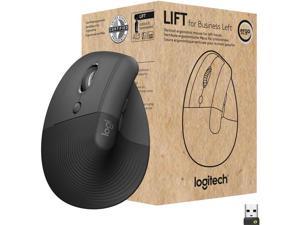

Logitech Lift for Business Left, Vertical Ergonomic Mouse - Left-handed, Wireless, Bluetooth ...
$79 .99
Free Shipping
- Ideal for IT departments that need high-performance, secure wireless connections and ease of deployment and for people who want a vertical ergonomic mouse for day-long comfort and productivity
- Logi Bolt wireless technology exceeds security needs with fully encrypted, Secure Connections Only mode
- Certified in over 100 countries, support for IT pros and business users, remote mass deploy and manage DFUs and Logitech Options app
- Rest on a natural contour—at the perfect 57° angle— throughout the day, with a softly textured grip and snug thumb rest for leveled-up coziness
- Settle into work with customizable buttons, whisper-quiet clicks, and a SmartWheel for smooth, seamless scrolling
- Lift was designed, developed, tested and approved according to criteria set out by leading ergonomists
- Connect via Bluetooth Low Energy or Logi Bolt USB to Windows, macOS, iPadOS, Chrome OS, or Linux, while enjoying up to 2 years’ battery life
$79 .99
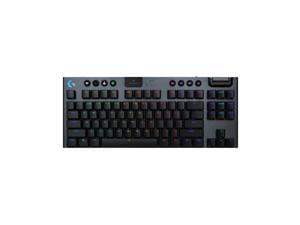
Logitech G915 X LIGHTSPEED TKL Wireless Mechanical Gaming Keryboard - GL Blue Clicky ...
Save: $20.00 (9%)
$209 .99
Free Shipping
- TKL Keyboard for Gaming: Compact gaming keyboard offers the latest innovations in gaming tech; sleek design and next-gen engineering
- Choose Your Connectivity With Tri-Mode: 2.4 GHz LIGHTSPEED wireless, Bluetooth, or USB-C wired data mode
- Master the Game Your Way: Set up to 15 functions per key to turn your wireless keyboard into a personalized command center with KEYCONTROL
- Compact Control: This ultra-thin gaming keyboard features KEYCONTROL, media keys, and a volume roller
- Speed and Precision: increase APM rate (actions per minute) with 1.3mm actuation point and 3.2mm total travel distance
- Elevated Typing Experience: With a brushed aluminum top plate and double-shot PBT keycaps
- Play for Longer: Up to 42 h of battery life with RGB at 100%, up to 100 h of battery life with RGB at 50%, and up to 1,000 h with RGB off
- Light Up the Game With LIGHTSYNC RGB: Access ~16.8M colors to customize play and create themes
Save: $20.00 (9%)
$209 .99
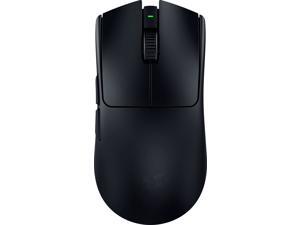

Razer Viper V3 Pro Ultra-lightweight Wireless Symmetrical Esports Gaming Mouse
Save: $30.00 (19%)
$129 .99
Free Shipping
- 54 G Ultra-Lightweight Design Seamless handling. Maximum control
- Razer™ Focus Pro Optical Sensor Gen-2 Best-in-class precision
- Razer™ 8K Hz HyperPolling Technology Ultra-low-latency response
- Razer™ HyperSpeed Wireless Ultra-smooth connection
- Razer™ Optical Mouse Switches Gen-3 Unrivalled durability and speed
- Up to 95 hours of Battery Life No gaming downtime
Save: $30.00 (19%)
$129 .99
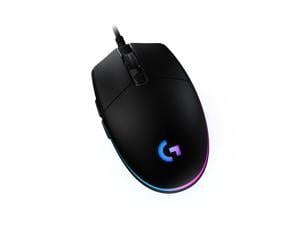
Logitech G203 Wired Gaming Mouse, 8,000 DPI, Rainbow Optical Effect LIGHTSYNC RGB, 6 ...
Save: $5.00 (14%)
$29 .99
Free Shipping
- Step up to gaming grade with 8,000 DPI optical sensor with zero filtering and smoothing for improved control and precision
- Customize G203 RGB gaming mouse lighting via Logitech G HUB with colors, presets, or your own designs
- The six-button mouse design offers comfort and control
- With Logitech G HUB software, customize sensitivity settings assign commands, controls, or key binds to customize and simplify your gameplay experience
- Mechanical primary buttons are tensioned with durable metal springs for reliable performance and feel
Save: $5.00 (14%)
$29 .99
Logitech G915 LIGHTSPEED Wireless Mechanical Gaming Keyboard - Low Profile GL Clicky Key ...
Save: $20.00 (9%)
$209 .99
Free Shipping
- LIGHTSPEED wireless delivers pro-grade performance with flexibility and freedom from cords. Creates a clean aesthetics for battlestations. Delivers 30 hours on a single full charge.
- LIGHTSYNC technology provides next-gen RGB lighting that synchronizes lighting with any content. Personalize each key or create custom animations from ~16.8M colors with Logitech G HUB software.
- Low Profile mechanical switches offers the speed, accuracy and performance of a mechanical switch at half the height. The GL Clicky switch features a distinctive sound and tactile feedback. Comes in 3 options: GL Tactile, GL Linear or GL Clicky.
- Beautifully crafted, the G915 uses aircraft-grade aluminum alloy to deliver incredibly thin but rigid and durable design.
- Enjoy 30 hours of game time on a single charge. Low battery warnings at 15 percent on the keyboard battery LED and via pop-up notification in the Logitech G HUB software. Quickly recharges in 3 hours.
Save: $20.00 (9%)
$209 .99
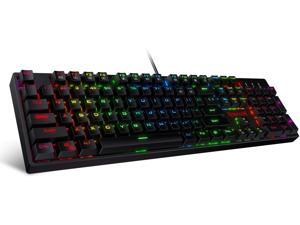
Redragon K582 SURARA RGB LED Backlit Mechanical Gaming Keyboard with 104 Keys-Linear ...
$39 .99
Free Shipping
+ $5 off w/ promo code BLUSF62, limited offer
- Professional Red Switches: Redragon K582 gaming keyboard is equipped with pluggable Redragon red switches, which are linear, top-to-bottom switches. These switches require less force to press down and the keys feel smoother and easier to use. No tactile "bump" but responsive. A great choice for work and play! N-key Rollover: 100% anti-ghosting 104 keys ensure the most accurate simultaneous key presses. Fully programmable - Reassign any key or set up the most extreme macros for effortless gaming. Dynamic RGB Backlight: 6 backlight themes and 18 backlight models allow you to type in the dark. You can adjust its brightness with FN + Up/Down. Arrow Key in any non-breathing mode. Extreme Durability: 50 million times keystroke test, small actuation force and short travel make it. Solid base with double injection ABS keycaps design, it is built to withstand a lifetime of gaming.
$39 .99
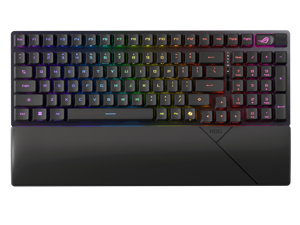

ASUS ROG Strix Scope II 96 RX Wireless Gaming Keyboard, Optical Switches, Low Latency ...
Save: $30.00 (17%)
$149 .99
Free Shipping
- 96% layout: Retains all function and number keys in a more compact and efficient layout that frees up desk space, with a form factor that is only 1 cm wider than a standard 80% keyboard.
- ROG RX optical switches: Light actuated for consistent wobble-free keystrokes with near-zero debounce delay.
- ROG-themed ABS keycaps: UV-coated keycaps with special ROG elements for unique look.
- Support ROG Polling Rate Booster: Achieves 8000 Hz polling rate and provides a 0.125 ms response time - up to 8X faster than other leading gaming keyboards.
- Tri-mode connection: Connect using Bluetooth? (up to three devices), 2.4 GHz with ROG SpeedNova wireless technology (up to 378 hours of battery life) or wired USB.
- Sound-dampening foam: Unique, integrated dampening foam structure absorbs pinging noises and echoes for improved keystroke acoustics.
- Enhanced typing experience: Pre-lubed keyboard stabilizers produce less friction for smoother keystrokes and stability for longer keys; UV-coated ABS keycaps offer a premium feel and shine resistance.
- Hotkeys: F1–F5 keys are pre-programmed as hotkeys for Xbox Game Bar and recording.
- Intuitive controls: Multi-function button and multiwheel for media playback, volume, and keyboard lighting.
- ROG Omni Receiver: Connect to multiple supported devices wirelessly with a single receiver.
- Ergonomic design: Three tilt positions and a detachable wrist rest.
Save: $30.00 (17%)
$149 .99
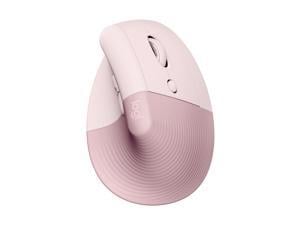
Logitech Lift Vertical Ergonomic Mouse, Wireless, Bluetooth or Logi Bolt USB receiver, Quiet ...
$69 .99
Free Shipping
- Lift yourself up: When the desk life gets you down, lift yourself up with Logitech Lift Vertical Ergonomic Mouse - a great fit for small to medium right hands
- Raise your hand into comfort: Rest on Lift upright mouse throughout the day, with a softly textured grip and snug thumb rest for level-above cosiness
- 57 degrees of sooooothe: Lift’s vertical shape helps wrists feel like “ahhh” at work, and promotes a more natural posture in the forearm, for day-long comfort and productivity
- Relax into focus: Settle into work with a cordless mouse featuring easy-to-reach customisable buttons, whisper-quiet clicks and a SmartWheel for smooth, seamless scrolling
- Ergo-certified: Lift wireless vertical mouse has been designed, developed, tested and approved according to criteria set out by leading ergonomists
- Connect your way: Connect via Bluetooth Low Energy or Logi Bolt USB to Windows, macOS, iPadOS, Chrome OS, or Linux, and enjoy up to 2 years battery life
$69 .99
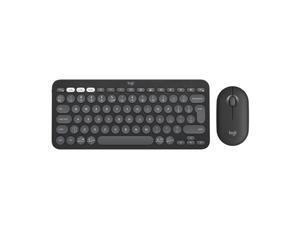
Logitech Pebble 2 Combo Wireless Quiet Keyboard and Mouse, Customisable, Logi Bolt, ...
Free Shipping
- Made with recycled plastic , Pebble 2 Combo's minimalist, slim design makes it as iconic as you and super portable.
- Pair up to 3 wireless devices across OS and switch between devices with a press of a button. (Logi Bolt receiver also included).
- With Logi Options+ app, you can customize your Pebble Mouse 2 M350s' middle button with shortcuts that shuffle your Spotify playlist, send emojis on WhatsApp, and more. Personalize the 10 keyboard Fn shortcut keys to work how you want and save time.
- Make a Big Impression on the Quiet: Let your work speak louder than your typing and clicking with the keyboard's quiet, laptop-like typing and the mouse's Silent Touch Technology (3)
- Work, browse, and chat with quiet clicks and typing, and go for longer with the durable battery.
- A Design Choice to Feel Good About: Plastic parts include certified post-consumer recycled plastic (1); Pebble Keys 2 K380s minimum 49% and Pebble Mouse 2 M350s minimum 58%. *Excludes plastic in printed wiring assembly
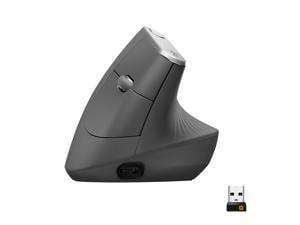
Logitech MX Vertical Wireless Mouse – Advanced Ergonomic Design Reduces Muscle Strain, ...
$89 .99
Free Shipping
- Advanced Ergonomic Design - Places your hand in a natural handshake position using a unique 57-degree angle, preventing forearm twisting and reducing muscular strain by 10 percent* (*Based on Logitech Study, September 2017)
- Hyper-efficient Tracking - 4000 dpi high-precision sensor provides precise tracking that requires 4X less hand movement compared to a traditional mouse with a 1000 dpi sensor
- Cross-computer Control - Game-changing capacity to navigate seamlessly on three computers, and copy-paste text, images, and files from one to the other using Logitech FLOW
- Three Ways to Connect - Use with up to three Windows or Mac computers via included wireless USB unifying receiver or Bluetooth smart technology or the included USB-C charging cable
- Rechargeable Battery - With quick charging: Stays powered for 4 months on a full charge – and get 3 hours of use from a 1-minute quick charge (Battery life may vary based computing conditions)
$89 .99
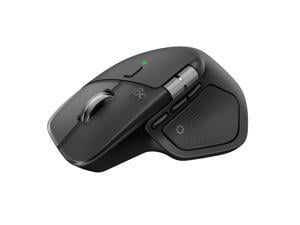
Logitech MX Master 4 Wireless Mouse, Advanced Ergonomic Design, MagSpeed Scroll Wheel, ...
$119 .99
Free Shipping
- MX Master 4 brings immersive control and precision you can feel with haptic feedback.
- Experience haptic feedback on specific actions, shortcuts, notifications like switching desktops, slider adjustments and more.
- Customize vibration intensity in Logi Options+.
- With Actions Ring, save up to 33% of your time by accessing tools and filters at your cursor.
$119 .99


Corsair K55 RGB PRO Membrane Wired Gaming Keyboard – IP42 Dust and Spill-Resistant, 6 ...
$69 .99
Free Shipping
- Light up your desktop with six onboard lighting effects, assign a color to each lighting zone, or program your own vibrant lighting effects across five RGB lighting zones with CORSAIR iCUE software. Activate functions, shortcuts, or keypresses in just one stroke with six dedicated macro keys, easily set up through CORSAIR iCUE software, or use instant streaming commands through Elgato Stream Deck software. IP42-rated dust and spill resistance guards against accidents so your gameplay never has to stop. A soft rubber detachable palm rest reduces stress on your hands so you can play longer in comfort, with a textured surface to keep your hands from slipping. Dedicated volume and media keys let you control media playback and fine-tune volume on-the-fly without having to interrupt your game. Quiet and responsive keys offer comfortable typing during both work and play, with a tactile bump for responsive gaming performance.
$69 .99
Loading Dynamic Data...
Questions to Ask When Purchasing Keyboards and Mice
Introduction
Shopping for keyboards and mice for your organization’s computers is a process that involves considering many factors, but the answers above will give you a better idea of what most professionals need and don’t need. To stay under budget, get a keyboard and mouse that fits the tasks at hand and avoid buying those with features that may go unused.
Keyboards
Do I need a wireless keyboard?
Wireless functionality in a keyboard can be a great feature if your organization’s staff can take advantage of it. A wireless keyboard is excellent for using a desktop from a distance, such as in a home theater PC situation. If your organization has computers that need to be controlled from a distance, a wireless keyboard is a solid alternative. Another reason to get a wireless keyboard is that it can reduce cable clutter if a desk already has too many cables for other devices. If your staff’s desks suffer from cable clutter that can’t be easily organized, then wireless keyboards are good choices.
Should I get a keyboard with special keys for software?
Some keyboards include additional keys for used by specific programs for quicker access to certain functions. Multimedia keyboards for instance include buttons that control audio and video playback for compatible programs. Other variations include keyboards with buttons to launch specific programs or act as shortcuts for Microsoft Office functions such as copy and paste. Unless your staff can take advantage of those extra keys and functionality, you can lower costs by choosing a no-frills keyboard.
What extra features are important?
Certain situations can necessitate keyboards with special functions, features, or ergonomics. For instance, if some of your staff work in unlit or dimly lit environments they may be more productive using backlit keyboards. Or if some of your staff type for long periods of time, keyboards with additional wrist rests or unique ergonomic key layouts can reduce the risk of carpal tunnel injury.
Mice
Do I need a high sensitivity mouse?
A high sensitivity mouse can sometimes be marketed as having high dots per inch (DPI) as well. DPI means dots per inch and is a measure of how many dots are in a given line one inch long. 800 DPI is average for most mice while high-DPI mice can range from the low to high thousands. Some high-DPI mice also have adjustable DPI, though they tend cost more. Unless your organization’s professionals require high-DPI mice, average sensitivity mice are more than adequate.
Should I get a wired or wireless mouse?
The choice between a wired or wireless mouse should take into account what type of computer the mouse will be used with and how it will be used. For a desktop computer, a wired mouse is sufficient unless the mouse will be used far away from the computer or there is a problem with cabling.
A laptop can benefit from a wireless mouse, especially if the laptop is often used while out of the office. If you are considering a wireless mouse, you can choose either radio frequency (RF) or Bluetooth. A RF mouse requires the laptop to use an attached USB receiver while a Bluetooth mouse requires your laptop to have Bluetooth functionality either built-in or added on with a USB Bluetooth receiver.
What is a trackball mouse?
A trackball mouse utilizes a ball locked in a socket with sensors that track the ball’s rotation. Instead of moving the entire mouse with your hand, a trackball mouse uses either the thumb or fingers to manipulate the ball. They can be beneficial for users that suffer from wrist injuries, as they minimize wrist movement.
