


AMD Motherboards - Showing 649 - 672 of 881 Products


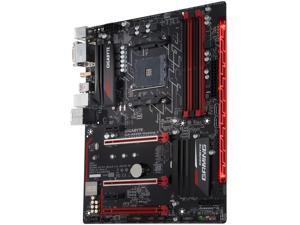

GIGABYTE GA-AB350-GAMING 3 (rev. 1.0) AM4 AMD B350 USB 3.1 HDMI ATX AMD Motherboard
- Brand: GIGABYTE
- CPU Socket Type: AM4
- Chipset: AMD B350
- Serial ATA (SATA): 6 x SATA 6Gb/s
- HDMI: 1 x HDMI
- Form Factor: ATX
- Number of Memory Slots: 4x288pin (DDR4)
- Memory Standard: DDR4 3200(O.C.)/ 2933(O.C.)/ 2667*/ 2400/ 2133 * Support for higher than DDR4 2667 MHz may vary by CPU.
- Model #: GA-AB350-GAMING 3
- Item #: 9SIVS10KU93283
- Return Policy: Yongrui electronic Commerce Co., Limited Return Policy
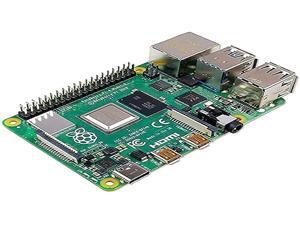
Raspberry Pi 4 Model B 2019 Quad Core 64 Bit WiFi Bluetooth (4GB)
- Model #: 9359014230158
- Item #: 9SIVMNFKKR7371
- Return Policy: haoyuzeshang Return Policy
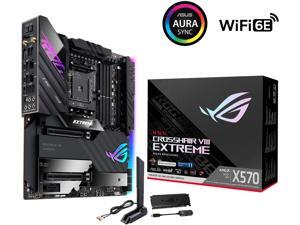

ASUS ROG Crosshair VIII Extreme AMD AM4 X570S EATX Gaming Motherboard (PCIe 4.0, ...
- Brand: ASUS
- CPU Socket Type: AM4
- Chipset: AMD X570
- Serial ATA (SATA): 6 x SATA 6Gb/s
- USB 3.0: 4 x USB 3.0
- HDMI: 1 x HDMI
- Form Factor: Extended ATX
- Number of Memory Slots: 4x288pin (DDR4)
- Model #: ROG CROSSHAIR VIII E
- Item #: 9SIVS10KU53301
- Return Policy: Yongrui electronic Commerce Co., Limited Return Policy
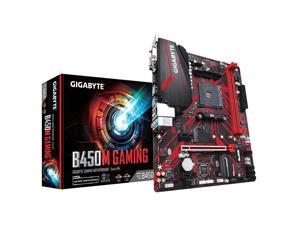
Gigabyte B450M GAMING Motherboard CPU AM4 AMD Ryzen DDR4 LAN DVI HDMI VGA RGB
- Model #: 1.Gigabyte B450M GAMING
- Item #: 9SIVS10KUB4195
- Return Policy: Yongrui electronic Commerce Co., Limited Return Policy
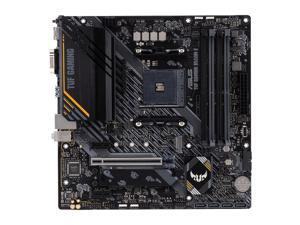
ASUS TUF GAMING B550M-E Socket AM4 AMD B550 DDR4 Micro ATX Motherboard ...
- CPU Socket Type: AM4
- Chipset: AMD B550
- Form Factor: Micro ATX
- CPU Type: Ryzen Series
- Model #: 90MB17U0-M0EAY0
- Item #: 9SIVS10KU53147
- Return Policy: Yongrui electronic Commerce Co., Limited Return Policy
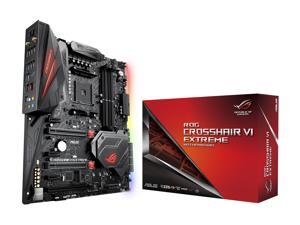
ASUS ROG CROSSHAIR VI EXTREME AM4 AMD X370 USB 3.1 Extended ATX AMD Motherboard
- Brand: ASUS
- CPU Socket Type: AM4
- Chipset: AMD X370
- Serial ATA (SATA): 8 x SATA 6Gb/s
- Form Factor: Extended ATX
- Number of Memory Slots: 4x288pin (DDR4)
- Memory Standard: AMD Ryzen Processors: DDR4 3200(O.C.)/ 2666/ 2400/ 2133 * AMD 7th Generation A-series/Athlon Processors: DDR4 2400/ 2133 * * Hyper DIMM support is subject to the physical characteristics of individual CPUs.
- PCI Express 3.0 x16: AMD Ryzen Processors 2 x PCIe 3.0/2.0 x16 (x16 or dual x8) * * The PCIEX8_2 slot shares bandwidth with M.2_2 AMD 7th Generation A-series/Athlon Processors 1 x PCIe 3.0/2.0 x16 (x8 mode)
- Model #: CROSSHAIR VI EXTREME
- Item #: 9SIVS10KU52733
- Return Policy: Yongrui electronic Commerce Co., Limited Return Policy
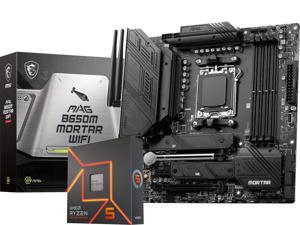

MSI MAG B650M MORTAR WIFI AM5 AMD B650 SATA 6Gb/s DDR5 Ryzen 7000 Micro ATX ...
- CPU Type: Ryzen 7000 Series
- Model #: YF-MSI MAG B650M MORTAR WIFI+AMDR5 7600X
- Item #: 9SIVS10KS87125
- Return Policy: Yongrui electronic Commerce Co., Limited Return Policy
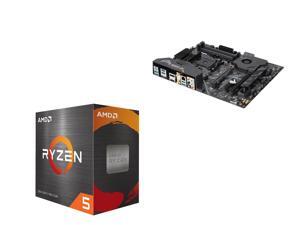
ASUS AM4 TUF Gaming X570-Plus (Wi-Fi) ATX Motherboard with PCIe 4.0, Dual M.2, 12+2 with ...
- Brand: ASUS
- Chipset: AMD X570
- Serial ATA (SATA): 8 x SATA 6Gb/s
- Form Factor: ATX
- Number of Memory Slots: 4x288pin (DDR4)
- Memory Standard: 3rd Gen AMD Ryzen Processors DDR4 4400(O.C.)/ 3466(O.C.)/ 3400(O.C.)/ 3200(O.C.)/ 3000(O.C.)/ 2933(O.C.)/ 2800(O.C.)/ 2666/ 2400/ 2133 MHz Un-buffered Memory 2nd Gen AMD Ryzen Processors DDR4 3600(O.C.)/ 3466(O.C.)/ 3400(O.C.)/ 3200(O.C.)/ 3000(O.C.)/ 2933(O.C.)/ 2800(O.C.)/ 2666/ 2400/ 2133 MHz Un-buffered Memory 2nd and 1st Gen AMD Ryzen with Radeon Vega Graphics Processors DDR4 3200(O.C.)/ 3000(O.C.)/ 2933(O.C.)/ 2800(O.C.)/ 2666/ 2400/ 2133 MHz Un-buffered Memory
- Onboard Video Chipset: Integrated Graphics in the 3rd, 2nd and 1st Gen AMD Ryzen with Radeon Graphics Processors Multi-VGA output support: HDMI/DisplayPort ports - Supports HDMI 1.4b with max. resolution 4096 ...
- Model #: ASUS TUF X570-Plus (Wi-Fi)+AMD R5 5500
- Item #: 9SIVS10KU54042
- Return Policy: Yongrui electronic Commerce Co., Limited Return Policy
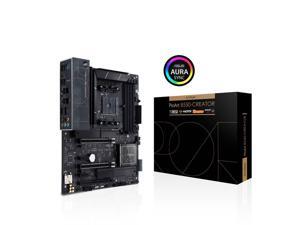
ASUS ProArt B550-CREATOR AM4 AMD B550 USB 3.0 HDMI ATX AMD Motherboard
- Brand: ASUS
- CPU Socket Type: AM4
- Chipset: AMD B550
- Serial ATA (SATA): 4 x SATA 6Gb/s
- USB 3.0: 2 x USB 3.0
- HDMI: 1 x HDMI
- Form Factor: ATX
- Number of Memory Slots: 4x288pin (DDR4)
- Model #: B550-CREATOR
- Item #: 9SIVS10KU54420
- Return Policy: Yongrui electronic Commerce Co., Limited Return Policy
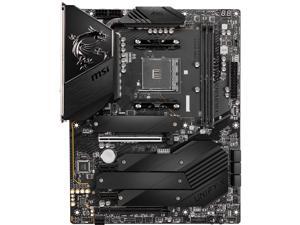
MSI MEG B550 UNIFY-X AM4 AMD B550 USB 3.0 ATX AMD Motherboard
- Brand: MSI
- CPU Socket Type: AM4
- Chipset: AMD B550
- Serial ATA (SATA): 6 x SATA 6Gb/s ports 1 2 1. The SATA5 port will be unavailable when installing M.2 SATA SSD into M2_3. 2. The SATA5 and SATA6 ports will be unavailable when installing M.2 PCIe SSD into M2_3.
- USB 3.0: 4 x USB 3.0
- Form Factor: ATX
- Number of Memory Slots: 2x288pin (DDR4)
- Memory Standard: AMD Ryzen 4000 G-Series processors support DDR4 5300+ (Max. 5800)/ 5100/ 5000/ 4866/ 4800/ 4733/ 4600/ 4533/ 4400/ 4266/ 4133/ 4000/ 3866/ 3733/ 3600/ 3466/ 3200/ 3066/ 3000/ 2933/ 2800/ 2667 MHz by A-XMP OC MODE 3rd Gen AMD Ryzen processors supports DDR4 5100+/ 5000/ 4866/ 4800/ 4733/ 4600/ 4533/ 4400/ 4266/ 4133/ 4000/ 3866/ 3733/ 3600/ 3466/ 3200/ 3066/ 3000/ 2933/ 2800/ 2667 MHz by A-XMP OC MODE Supports DDR4 3200/ 3066/ 3000/ 2933/ 2800/ 2667/...
- Model #: MEG B550 UNIFY-X
- Item #: 9SIVS10KU73609
- Return Policy: Yongrui electronic Commerce Co., Limited Return Policy
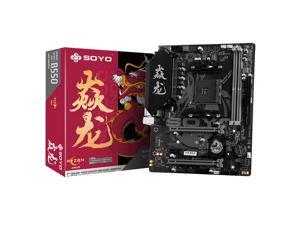
SOYO Monarch Dragon AMD B550M Gaming Motherboard USB3.1 M.2 Nvme Sata3 Supports ...
- CPU Socket Type: AM4
- Chipset: AMD B550
- Serial ATA (SATA): 4 x SATA 6Gb/s
- Number of Memory Slots: 2*DDR4 DIMM
- Memory Standard: DDR4 3200
- PCI Express x1: 1 x PCI Express x1
- Maximum Memory Supported: 32GB
- Channel Supported: Dual Channel
- Model #: 6940709697511
- Item #: 9SIVJ53KB21523
- Return Policy: SOYO Official Store Return Policy

ASUS ROG Strix X470-F Gaming AM4 AMD X470 ATX AMD Motherboard
- Brand: ASUS
- CPU Socket Type: AM4
- Chipset: AMD X470
- Serial ATA (SATA): 6 x SATA 6Gb/s
- Form Factor: ATX
- Number of Memory Slots: 4x288pin (DDR4)
- Memory Standard: AMD Ryzen 2nd Generation Processors DDR4 3600(O.C.)/ 3466(O.C.)/ 3400(O.C.)/ 3200(O.C.)/ 3000(O.C.)/ 2933(O.C.)/ 2800(O.C.)/ 2666/ 2400/ 2133 MHz Un-buffered Memory * Ryzen with Radeon Vega Graphics / Athlon with Radeon Vega Graphics / Ryzen 1st Generation Processors DDR4 3466(O.C.)/ 3400(O.C.)/ 3200(O.C.)/ 3000(O.C.)/ 2933(O.C.)/ 2800(O.C.)/ 2666/ 2400/ 2133 MHz Un-buffered Memory * AMD 7th Generation A-Series/Athlon X4 Processors DDR4 2400/ 2133 MHz Un-buffered Memory * Refer to www.asus.com for the Memory QVL (Qualified Vendors Lists).
- PCI Express 3.0 x16: AMD Ryzen 2nd Generation / Ryzen 1st Generation Processors 2 x PCIe 3.0 x16 (x16 o...
- Model #: Strix X470-F Gaming
- Item #: 9SIVS10KU53593
- Return Policy: Yongrui electronic Commerce Co., Limited Return Policy
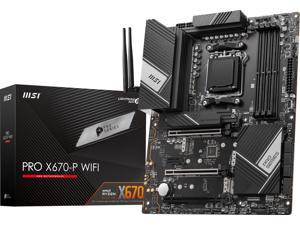
MSI PRO PRO X670-P WIFI DDR5 AM5 AMD Ryzen™ 7000 Series SATA 6Gb/s ATX ...
- Brand: MSI
- Chipset: AMD X670
- Serial ATA (SATA): 4x M.2 slot M.2_1 (From CPU) supports up to PCIe 5.0 x4 , supports 22110/2280 devices M.2_2 (From Chipset) supports up to PCIe 4.0 x4 , supports 2280/2260 devices M.2_3 (From Chipset) supports up to PCIe 4.0 x4 , supports 2280/2260 devices M.2_4 (From Chipset) supports up to PCIe 4.0 x4 , supports 2280/2260 devices 6x SATA 6G port
- HDMI: 1 x HDMI
- Form Factor: ATX
- Number of Memory Slots: 4x DDR5, Maximum Memory Capacity 128GB
- Memory Standard: DDR5 4800
- PCI Express x16: 3x PCI-E x16 slot Supports x16/x4/x2 1x PCI-E x1 slot PCI_E1 PCIe 4.0 supports up to x16 (From CPU) PCI_E2 PCIe 3.0 supports up to x1 (From Chipset) PCI_E3 PCIe 4.0 supports up to x4 (From CPU) PCI_E4 PCIe 4.0 supports up to x2 (From Chipset)
- Model #: PRO X670-P WIFI
- Item #: 9SIVS10KU53381
- Return Policy: Yongrui electronic Commerce Co., Limited Return Policy
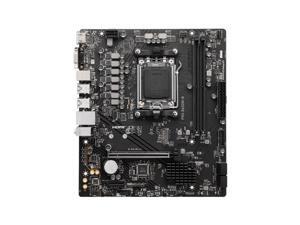
MSI PRO B650M-B motherboard AMD B650 Socket AM5 micro ATX
- Brand: MSI
- Memory Standard: DDR5-SDRAM
- CPU Type: Computer Accessories
- Model #: 7E28-005R
- Item #: 9SIVS10KU52837
- Return Policy: Yongrui electronic Commerce Co., Limited Return Policy

SOYO Brand New Classic B450M Motherboard Dual-channel DDR4 Memory AM4 Motherboard ...
- Brand: AMD
- Chipset: AMD B450
- Serial ATA (SATA): 4 x SATA 6Gb/s
- Number of Memory Slots: 2*DDR4 DIMM
- Memory Standard: DDR4 3200
- PCI Express 3.0 x16: 1 x PCI Express 3.0 x16
- Maximum Memory Supported: 64GB
- Channel Supported: Dual Channel
- Model #: 6940709693049
- Item #: 9SIVJ53KB21511
- Return Policy: SOYO Official Store Return Policy
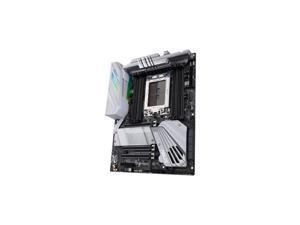
ASUS PRIME TRX40-PRO S sTRX4 AMD TRX40 ATX AMD Motherboard
- Brand: ASUS
- CPU Socket Type: sTRX4
- Chipset: AMD TRX40
- Serial ATA (SATA): 8 x SATA 6Gb/s
- Form Factor: ATX
- Number of Memory Slots: 8x288pin (DDR4)
- Memory Standard: DDR4 4666(O.C.)/ 4600(O.C)/ 4400(O.C)/ 4333(O.C.)/ 4266(O.C.)/ 4133(O.C.)/ 3800(O.C.)/ 3733(O.C.)/ 3466(O.C.)/ 3400(O.C.)/ 3200/ 2933/ 2800/ 2666/ 2400/ 2133 MHz ECC and non-ECC, Un-buffered Memory
- PCI Express x4: AMD TRX40 chipset: 1 x PCIe 4.0 (x4 mode)
- Model #: PRIME TRX40-PRO S
- Item #: 9SIVS10KU52858
- Return Policy: Yongrui electronic Commerce Co., Limited Return Policy
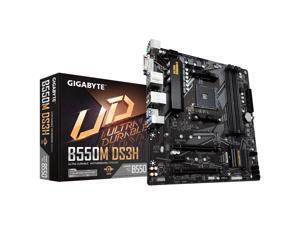
GIGABYTE B550M DS3H AM4 AMD B550 SATA 6Gb/s Micro ATX AMD Motherboard
- Brand: GIGABYTE
- CPU Socket Type: AM4
- Chipset: AMD B550
- Serial ATA (SATA): 4 x SATA 6Gb/s
- Form Factor: Micro ATX
- Number of Memory Slots: 4x288pin (DDR4)
- Memory Standard: DDR4 4733(OC) / 4600(OC) / 4400(OC) / 4000(OC) / 3600(OC) / 3333(OC) / 3200 / 2933 / 2667 / 2400 / 2133 (3rd Gen AMD Ryzen with Radeon Graphics processors) DDR4 4400(OC) / 4000(OC) / 3866(OC) / 3800(OC) / 3733(OC) / 3600(OC) / 3466(OC) / 3400(OC) / 3333(OC) / 3300(OC) / 3200 / 2933 / 2667 / 2400 / 2133 (AMD Ryzen 5000 series processors / 3rd Gen AMD Ryzen processors)
- PCI Express 3.0 x16: 1 x PCI Express 3.0 x16
- Model #: B550M DS3H
- Item #: 9SIVS10KU93089
- Return Policy: Yongrui electronic Commerce Co., Limited Return Policy
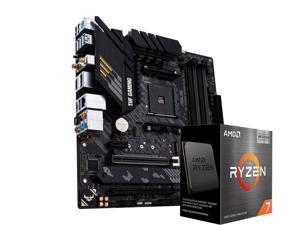
ASUS TUF GAMING B550M-PLUS WIFI II AM4 AMD B550 SATA 6Gb/s Micro ATX AMD ...
- Brand: ASUS
- CPU Socket Type: AM4
- Chipset: AMD B550
- Serial ATA (SATA): 4 x SATA 6Gb/s
- Form Factor: Micro ATX
- Number of Memory Slots: 4x288pin (DDR4)
- Memory Standard: DDR4 4866(OC) / 4800(OC) / 4600(OC) / 4466(OC) / 4400(OC) / 4333(OC) / 4266(OC) / 4200(OC) / 4133(OC) / 4000(OC) / 3866(OC) / 3733(OC) / 3600(OC) / 3466(OC) / 3400(OC) / 3333(OC) / 3200 / 3000 / 2933 / 2800 / 2666 / 2400 / 2133 * Refer to www.asus.com for the Memory QVL (Qualified Vendors Lists), and memory frequency support depends on the CPU types.
- PCI Express 3.0 x16: 1 x PCI Express 3.0 x16* * Running at x4 mode
- Model #: B-ASUS TUF B550M-PLUS WIFI II+AMD5800X3D
- Item #: 9SIVS10KU53443
- Return Policy: Yongrui electronic Commerce Co., Limited Return Policy
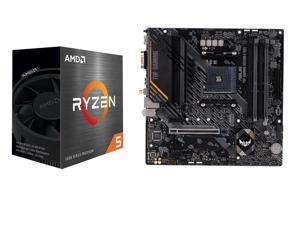
ASUS TUF GAMING B550M-E WIFI Socket AM4 AMD B550 DDR4 Micro ATX Motherboard and ...
- Brand: ASUS
- Chipset: AMD B550
- Serial ATA (SATA): 4 x SATA 6Gb/s
- Form Factor: Micro ATX
- Number of Memory Slots: 4x288pin (DDR4)
- Memory Standard: 4866(OC)/4800(OC)/4600(OC)/4466(OC)/ 4400(OC)/4333(OC)/4266(OC)/4200(OC)/4133(OC)/4000(OC)/3866(OC)/MHz, Un-buffered Memory* * ECC memory (ECC mode) support varies by CPU.
- PCI Express 3.0 x16: AMD Ryzen 5000 G-Series/ 4000 G-Series Desktop Processors 1 x PCIe 3.0 x16 slot (supports x16 mode)
- PCI Express x1: AMD B550 Chipset 2 x PCIe 3.0 x1 slots
- Model #: ASUS TUF B550M-E+AMD Ryzen 5 5600X
- Item #: 9SIVS10KU53089
- Return Policy: Yongrui electronic Commerce Co., Limited Return Policy
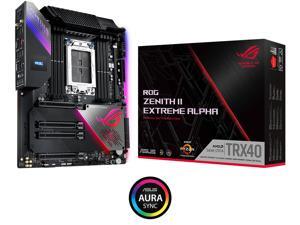
ASUS ROG Zenith II Extreme Alpha TRX40 Gaming AMD 3rd Gen Ryzen Threadripper sTRX4 ...
- Brand: ASUS
- CPU Socket Type: sTRX4
- Chipset: AMD TRX40
- Serial ATA (SATA): 8 x SATA 6Gb/s
- Form Factor: Extended ATX
- Number of Memory Slots: 8x288pin (DDR4)
- Memory Standard: DDR4 4733+(O.C)/ 4600(O.C.)/ 3466(O.C.)/ 3200(O.C.)/ 3000(O.C.)/ 2933(O.C.)/ 2800(O.C.)/ 2666/ 2400/ 2133 MHz ECC & Non-ECC Un-buffered Memory
- Audio Chipset: ROG SupremeFX S1220 high-definition CODEC
- Model #: ZENITH II EXTREME AL
- Item #: 9SIVS10KU53296
- Return Policy: Yongrui electronic Commerce Co., Limited Return Policy
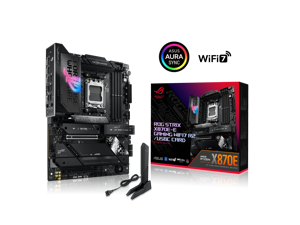
ROG STRIX X870E-E GAMING WIFI7 R2/USBC CARD offers 18+2+2 power stages, DDR5, PCIe ...
- Model #: 90MB1P00-M0VAY0
- Item #: 9SIVS10KTP8675
- Return Policy: Yongrui electronic Commerce Co., Limited Return Policy
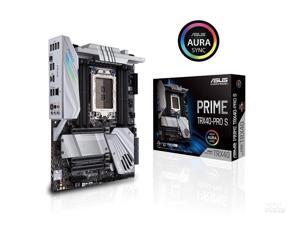
ASUS PRIME TRX40-PRO S sTRX4 AMD TRX40 SATA 6Gb/s ATX AMD Motherboard
- Brand: ASUS
- CPU Socket Type: sTRX4
- Chipset: AMD TRX40
- Serial ATA (SATA): 8 x SATA 6Gb/s
- Form Factor: ATX
- Number of Memory Slots: 8x288pin (DDR4)
- Memory Standard: DDR4 4666(O.C.)/ 4600(O.C)/ 4400(O.C)/ 4333(O.C.)/ 4266(O.C.)/ 4133(O.C.)/ 3800(O.C.)/ 3733(O.C.)/ 3466(O.C.)/ 3400(O.C.)/ 3200/ 2933/ 2800/ 2666/ 2400/ 2133 MHz ECC and non-ECC, Un-buffered Memory
- PCI Express x4: AMD TRX40 chipset: 1 x PCIe 4.0 (x4 mode)
- Model #: PRIME-TRX40-PRO-S
- Item #: 9SIVS10KU53325
- Return Policy: Yongrui electronic Commerce Co., Limited Return Policy

ASUS ROG Crosshair VII Hero (Wi-Fi) AM4 AMD X470 ATX AMD Motherboard
- Brand: ASUS
- CPU Socket Type: AM4
- Chipset: AMD X470
- Serial ATA (SATA): 6 x SATA 6Gb/s
- Form Factor: ATX
- Number of Memory Slots: 4x288pin (DDR4)
- Memory Standard: AMD Ryzen 2nd Generation Processors DDR4 3600(O.C.)/ 3466(O.C.)/ 3400(O.C.)/ 3200(O.C.)/ 3000(O.C.)/ 2933(O.C.)/ 2800(O.C.)/ 2666/ 2400/ 2133 MHz Non-ECC, Un-buffered Memory AMD Ryzen with Radeon Vega Graphics / Ryzen 1st Generation Processors DDR4 3400(O.C.)/ 3200(O.C.)/ 3000(O.C.)/ 2933(O.C.)/ 2800(O.C.)/ 2666/ 2400/ 2133 MHz Non-ECC, Un-buffered Memory AMD 7th Generation A-Series/Athlon X4 Processors DDR4 2400/ 2133 MHz Un-buffered Memory
- PCI Express 3.0 x16: AMD Ryzen 2nd Generation / Ryzen 1st Generation Processors 2 x PCIe 3.0/2.0 x16 (x16 or dual x8) * AMD Ryzen with Radeon Vega Graphics / 7th Generation A-Series/Athlon X4 Process...
- Model #: ROG Cro VII Hero wif
- Item #: 9SIVS10KU52960
- Return Policy: Yongrui electronic Commerce Co., Limited Return Policy
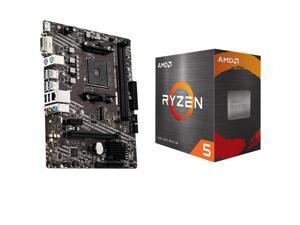
MSI A520M-A PRO AM4 AMD A520 SATA 6Gb/s USB 3.0 Micro ATX AMD Motherboard and AMD ...
- CPU Type: Ryzen 5000 Series
- Model #: MSI A520M-A PRO+AMD Ryzen5 5500
- Item #: 9SIVS10KU53174
- Return Policy: Yongrui electronic Commerce Co., Limited Return Policy
Key Considerations for AMD Motherboards
Introduction
To find the ideal AMD motherboard for your system build, there are several important considerations that you should factor into your purchasing decision. The motherboard is an integral component that affects many different aspects of a computer, from its size to the amount and type of devices that it can support. If you are assembling a computer using an AMD processor and motherboard, the information below will be of value to you.
CPU Socket
A motherboard’s CPU socket determines what type of processor it supports. Whenever a new generation of processors is released, there is a chance that a new type of CPU socket will be required. Sometimes new CPU sockets are backwards compatible with older processors, but it is not guaranteed.
If you want to upgrade your AMD motherboard to one that utilizes a new type of socket but use the same processor, you will need to ensure that the new socket is backwards compatible.
AM3
Designed as the successor to socket AM2+, it is used by Phenom™ II, Athlon™ II, Sempron™, and Opteron processors™. There is some backwards compatibility, as select socket AM2+ AMD motherboards can utilize socket AM3 processors. In addition, some AM3 AMD motherboards are compatible with newer AM3+ processors.
AM3+
An update to socket AM3, AM3+ motherboards are backwards compatible with AM3 processors. Another benefit is that AM3+ processors support error correction code (ECC) memory.
FM2
Socket FM2 is specialized for use with AMD Accelerated Processing Units (APU). An APU is a processor that integrates both the CPU and graphics processing unit (GPU) into one chip. Though many non-APU processors also have video capabilities, AMD markets their APUs as being lower-budget solutions.
FM2+
AMD motherboards with FM2+ sockets can utilize both FM2+ and FM2 APUs, but an FM2 motherboard does not support FM2+ APUs.
Form Factor
A motherboard's form factor dictates computer case compatibility. A larger motherboard form factor will necessitate a larger case while a smaller motherboard will not. Several common Intel and AMD motherboard form factors include the following.
ATX
A common form factor that is compatible with many mid-size and full-size tower cases. Most ATX motherboards feature up to seven expansion card slots, four memory slots, and dimensions measuring 12 × 9.6 inches.
Extended ATX (E-ATX)
Slightly larger than ATX, it is beneficial for systems that have multiple large expansion cards as well as some servers.
Micro ATX (mATX, µATX, or uATX)
A smaller form factor that is well suited for compact computer cases, micro ATX motherboards can range from 9.6 inches × 9.6 inches to 6.75 inches × 6.75 inches.
Mini-ITX
Even more compact than Micro ATX at 6.7 inches × 6.7 inches, mini-ITX motherboards are often used in digital signage players, embedded computers, and media servers.
Expansion Slots
By adding and upgrading existing system expansion cards, a computer’s functionality can be enhanced. The most common expansion slot standard currently is PCI Express® (PCIe®), of which there are several sizes: x1, x4, x8, and x16. Starting with x1, they gradually increase in size and speed up to x16.
Smaller PCIe cards can be used in larger slots, but larger cards are not compatible with smaller slots. So while an x1 PCIe card can be installed into an x16 slot, an x16 card cannot be installed into an x1 slot.
Support for Multiple Video Cards
If you are assembling a desktop computer and plan to utilize multiple video cards, you will need to find one that supports AMD’s CrossFireX™ technology. CrossFireX can enable up to four discrete video cards to work in conjunction, provided the motherboard has the appropriate PCIe slots. AMD motherboards that support CrossFireX typically cost more than their non-CrossFireX counterparts.
Integrated Graphics
To lower costs, you can utilize an AMD motherboard with integrated graphics rather a dedicated video card. Performance-wise though, onboard video cards are slightly slower than discrete video cards. Select AMD motherboards also feature AMD Radeon™ Dual Graphics support, in which the onboard and dedicated video cards work in conjunction to further increase performance.

