


Desktop External Hard Drives - Showing 121 - 130 of 130 Products


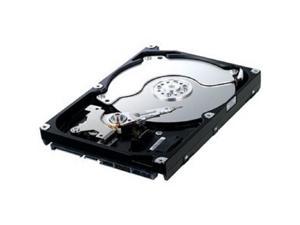

Refurbished: Samsung HD161GJ Spinpoint F1 HD161GJ 160 GB Hard Drive - 3.5" External - ...
- Electrical Outlet Plug Type: Hard Drive
- Model #: HD161GJ
- Item #: 9SIV16GK266138
- Return Policy: ATP Warehouse Return Policy
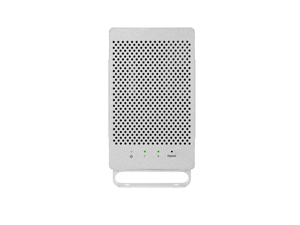
USB 3.2 (5Gb/s) + eSATA Dual-Drive RAID External Storage Solution OWCMED3ER7T02.0
- Dimensions: 5.30" x 9.00" x 2.80"
- Weight: 2.43 lbs.
- Package Contents: (1) OWC Mercury Elite Pro Dual External Storage Solution (1) 0.6M (24") USB-A to USB-B Cable (1) 1.0M (39") eSATA 6G Cable (1) External Power Supply (1) US Power Cable (1) Quick Start Guide for OWC Mercury Elite Pro Dual with USB 3.2 (5Gb/s) + eSATA (1) Assembly Manual & User Guide for OWC Mercury Elite Pro Dual with USB 3.2 (5Gb/s) + eSATA
- Model #: OWCMED3ER7T02.0
- Item #: 9B-22-822-047
- Return Policy: Standard Return Policy
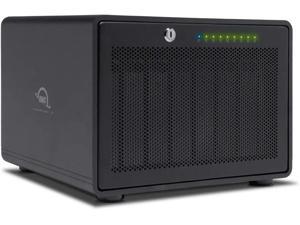
- Model #: OWCTB38SRT048
- Item #: 9B-22-822-026
- Return Policy: Standard Return Policy

Glyph Studio RAID - 8TB, 7200 RPM
- RPM: 7200 RPM
- Model #: SR8000
- Item #: 9B-0ZT-006D-00001
- Return Policy: Standard Return Policy
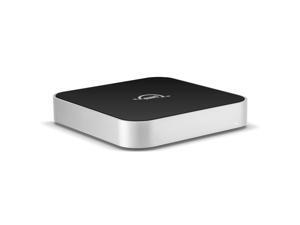
OWC 2.0TB miniStack 7200RPM USB 3.1 Gen 1 Storage Solution Model OWCMSTK3H7T2.0
- Capacity: 2TB
- Color: Black - Gray
- RPM: 7200 RPM
- Form Factor: 3.5"
- Interface: USB 3.2
- Cache: 512MB
- Parts: OWC 3 Year Limited Warranty
- Model #: OWCMSTK3H7T2.0
- Item #: 9B-1B4-00EC-00137
- Return Policy: Standard Return Policy
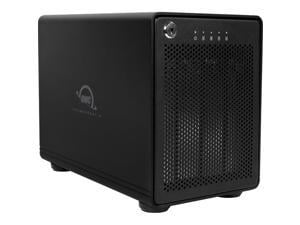
OWC 8.0TB ThunderBay 4, Four-Drive HDD With Dual Thunderbolt 2 Ports, RAID 5 Solution ...
- Model #: OWCTB2SRT08.0S
- Item #: 9B-1B4-00EC-000Z3
- Return Policy: Standard Return Policy
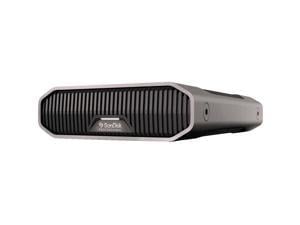

SanDisk Professional 6TB G-Drive Enterprise-Class External Desktop Hard Drive - 7200RPM ...
- RPM: 7200 RPM
- Parts: 3 Year
- Model #: SDPHF1A-006T-NBAAD
- Item #: 9B-1E8-0006-005P8
- Return Policy: Standard Return Policy
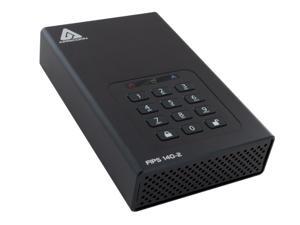
Apricorn 32TB Aegis Padlock DT FIPS - USB 3.0 Desktop Drive FIPS 140-2 Level 2 Validated ...
- Brand: APRICORN
- Capacity: 32TB
- Interface: Super Speed USB 3.2 gen 1
- Part Number: ADT-3PL256F-32TB
- Model #: ADT-3PL256F-32
- Item #: 9B-22-161-179
- Return Policy: Standard Return Policy
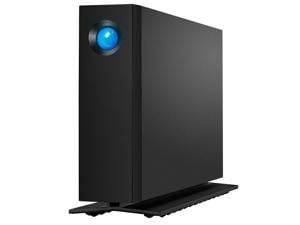
LaCie d2 Professional 4TB USB 3.1 Hard Drives - Desktop External STHA4000800
- Thunderbolt 3: Yes
- Dimensions: 5.12" x 2.36" x 7.42"
- Weight: 3.09 lbs.
- Package Contents: LaCie d2 Professional USB-C (USB 3.1 5Gb/s) cable USB-C to USB-A cable External power supply Quick Installation Guide
- Model #: STHA4000800
- Item #: 9B-1VH-01FT-00002
- Return Policy: Standard Return Policy
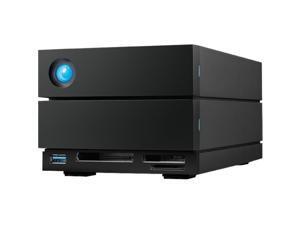
LaCie 2big Dock 40TB USB 3.2 Gen 2 External Hard Drive STLG40000400 Black
- RAID: RAID 0/1
- Thunderbolt 3: Yes
- Dimensions: 3.67" x 4.65" x 8.54"
- Weight: 8.51 lbs.
- Package Contents: LaCie 2Big Dock Thunderbolt 3 USB-C cable External power supply Quick Install Guide ADOBE CC SRS60 TOOLKIT3 Rescue Data Recovery Services4 3 One-month membership to Adobe Creative Cloud All Apps plan is redeemable during product registration. Must redeem within one year of drive registration. Not available in China. Internet connection and Adobe ID required. Available only to users 13 and older. 4 Not available in all countries.
- Model #: STLG40000400
- Item #: 9SIV1DSKAV0625
- Return Policy: NothingButSavings Return Policy
Common Questions about External Hard Drives
Introduction
An external hard drive is an excellent solution if you need to share a large amount of data, expand your computer’s storage capacity, or back up your hard drive’s contents to prevent data loss. Compared to more elaborate external data storage solutions such as tape drives or NAS devices, an external hard drive is relatively easy-to-use and requires minimal setup. Below, NeweggBusiness answers commonly asked questions about external hard drives.
How portable are external hard drives?
Portability for external hard drives can vary greatly, with some being small and handheld while others being rather large and unwieldy. Often, portable hard drives will have smaller capacities but are more compact and light weight.
The terms desktop and expansion are sometimes used to describe larger external hard drives that are primarily used to expand storage capacity or serve as backup drives. Compared to portable hard drives, desktop and expansion hard drives are available in larger capacities.
Should I get an external hard drive or network attached storage (NAS) drive?
They are both excellent options for expanding storage capacity, but utilize different methods for file sharing. To share files with an NAS drive, the recipient needs to be connected to the network or have VPN access. The advantage of a portable hard drive is that you can share files with people that are not on the same network or do not have internet access.
How durable are external hard drives?
They can vary greatly in terms of durability, but some are designed specifically to be very rugged. External hard drives marketed as MIL-STD complaint must meet stringent durability requirements set forth by the United States military. If you require a very durable external hard drive, look for a MIL-STD compliant drive.
Are there external solid state drives?
Yes, some external drives utilize solid state memory instead of hard disk drives as the storage medium. They offer great read/write performance and are not as susceptible to damage caused by sudden movements or drops.
Other than USB, what other connection options are there?
USB is one of the most common connection types for external hard drives, though other options include eSATA™, FireWire®, and Thunderbolt™. Below is a list of the maximum data transfer rates in megabits per second (Mbps) for various connection types.
Connection | Speed |
USB 2.0 | 480 Mbps |
FireWire 800 | 800 Mbps |
eSATA | 3,000 Mbps |
USB 3.0 | 5,000 Mbps |
Thunderbolt | 10,000 Mbps |
If I have a Mac®, do I need a special type of external hard drive?
Mac OS X® utilizes a file system called HFS+ while Windows® computers and external hard drives built for Windows-based systems use NTFS. When attempting to use a NTFS external hard drive with OS X, you will have the ability to read but not write files to the external drive.
To fix this issue, you will need to reformat the hard drive with a HFS+ file system or install an NTFS driver. These drivers may sometimes be provided by the external hard drive manufacturer. Alternatively, you can use third-party NTFS drivers.
Another common—though older—file system is FAT32. A FAT32 drive is fully compatible with both Windows and OS X operating systems, but unfortunately has a file size limit of 4 GB. If you are planning to utilize the external drive with only Mac computers, you can purchase one that comes pre-formatted with an HFS+ file system.

