


Hard Drive / SSD Enclosures - Showing 49 - 72 of 737 Products
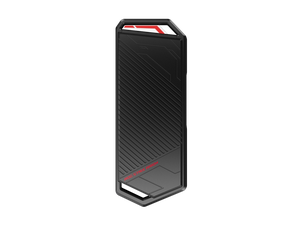

ASUS ROG Strix Arion M.2 NVMe SSD Enclosure, USB 3.2 Gen 2 Type-C 10 Gbps, Up to 2TB, Fits ...
- Brand: ASUS
- Series: ROG Strix Arion
- Size: M.2 M Key PCIe (NVMe) SSD with 2280, 2260, 2242, 2230
- Color: Black
- External Interface: USB 3.2 Gen 2 Type-C
- Material: Aluminum
- Dimensions: 4.90" x 1.88" x 0.43"
- Model #: ESD-S1C/BLK/G/AS//
- Item #: 9B-17-320-006
- Return Policy: Iron Egg Guarantee Return Policy
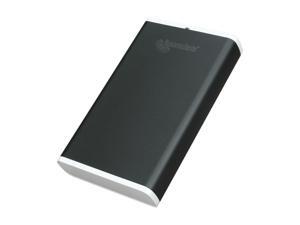
acomdata HDEXXXU2E-740 Aluminum 3.5" Black SATA USB 2.0 SATA Drive Enclosure Kit
- AC Adapter: Yes
- Material: Aluminum
- Dimensions: 7.40" x 4.40" x 1.26"
- Specifications: System Requirements: PC with Windows 7/ Vista/XP (SP1)/ 2000 (SP4) Mac with G3, G4, G5 or Intel Processor and Mac OS 10.2 Free USB port Interface transfer rates: (max) USB 2.0 480 Mbps
- Weight: 1.72 lbs.
- Parts: 1 year limited
- Labor: 1 year limited
- Model #: HDEXXXU2E-740
- Item #: 9B-17-729-023
- Return Policy: Iron Egg Guarantee Return Policy
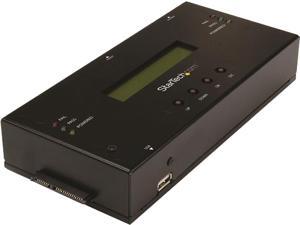
StarTech.com SATSASDUPE11 Steel 2.5" & 3.5" Black SAS/SATA 1:1 Standalone Hard Drive ...
- AC Adapter: Yes
- Material: Steel
- Dimensions: 1.40" x 3.50" x 7.60"
- Specifications: Duplication Modes: System and File All Partitions Sector by Sector (Whole Drive) Percentage Copy Erase Modes: Quick Erase Secure Erase 1-Pass Overwrite 3-Pass Erase and Compare 3-Pass Overwrite 7-Pass Overwrite Port Multiplier: No
- Type: Enclosure
- Number of Bay: 2
- Power: Center Tip Polarity: Positive Input Current: 1.2A Input Voltage: 110V-240V AC Output Current: 7A Output Voltage: 12 DC Plug Type: N
- Model #: SATSASDUPE11
- Item #: 9B-17-707-414
- Return Policy: Iron Egg Guarantee Return Policy
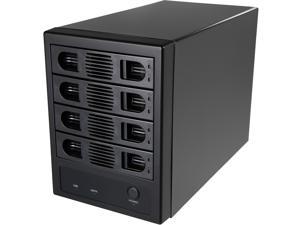
SYBA SY-ENC50104 4 Bay 3.5" SATA III HDD NON-RAID Enclosure -Supports USB 3.0 & eSATA ...
- Brand: SYBA
- Size: 3.5"
- Color: Black
- External Interface: USB 3.0 Type-B Port eSATA Port
- Internal Interface: SATA I/II/III
- Fan: Yes
- Specifications: Supports up to four HDDs in a single unit with a capacity of up to 8TB per drive, providing an amazing solution for transporting data or backing up your system. Port-Multiplier(normal) mode- showing 4 HDDs respectively The Forced Convection Process helps speed up the air circulation and heat ventilation to effectively cool the drive and whole system for stable operation and an extended lifespan No A/C Adapter Required. Direct DC Power Connection to the Unit Adjustable cooling fan with 3 speeding setting (low, high, and auto)
- Type: Enclosure
- Model #: SY-ENC50104
- Item #: 9B-17-801-144
- Return Policy: Iron Egg Guarantee Return Policy
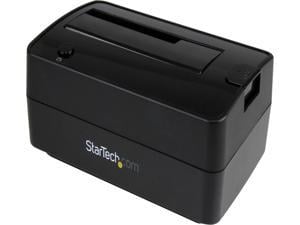
STARTECH.COM SDOCKU313E 1BAY USB 3.1 GEN 2 /ESATA DOCK
- AC Adapter: Yes
- Material: Plastic
- Dimensions: 2.60" x 3.70" x 5.70"
- Specifications: Bus Type: USB 3.1 Gen 2 & eSATA Chipset ID: ASMedia - ASM1351 Compatible Drive Types: SATA Drive Installation: Removable Hot Swap Capability: Yes Max Drive Capacity: Currently tested with hard drives up to 6TB at 7200 RPM Trim Supported: Yes Type and Rate: USB 3.1 Gen 2 - 10 Gbit/s, SATA III (6 Gbps) UASP Support: Yes LED Indicators: 1 - Power & Activity Center Tip Polarity: Positive Input Current: 0.6 A Input Voltage: 110V - 240V AC Output Current: 2.0 A Output Voltage: 12 DC Plug Type: M Power Consumption (In Watts): 24
- Type: Dock
- Number of Bay: 1
- Maximum Capacity (per Bay): Up to 6TB
- Model #: SDOCKU313E
- Item #: 9SIVFYJKN92754
- Return Policy: IT Devices Online Inc. Return Policy
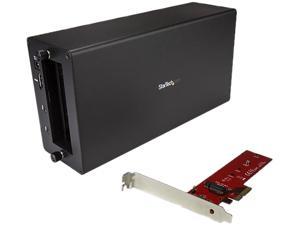
StarTech BNDTB4M2E1 Thunderbolt 3 to M.2 PCIe Adapter - External PCIe Enclosure / Chassis ...
- AC Adapter: Yes
- Material: Aluminum / Steel
- Dimensions: 11.00" x 5.60" x 3.20"
- Fan: 1 x 92mm Sleeve Bearing Fan
- Specifications: Maximum Data Transfer Rate : 40 Gbps (Thunderbolt 3) Type and Rate: Thunderbolt 3 - 40 Gbit/s This Thunderbolt 3 to PCIe M.2 adapter lets you take advantage of the speed of PCIe solid-state drives, connected externally to your Thunderbolt 3 desktop or laptop computer. The adapter combines the StarTech.com Thunderbolt 3 PCIe Expansion Chassis (TB31PCIEX16) and the M.2 PCIe SSD adapter card ( PEX4M2E1), giving you a DisplayPort output and an additional Thunderbolt 3 port. Boost your system speed and performance Get ultra-fast data access by adding this PCIe M.2 SSD adapter externally to your existing Thunderbolt 3 computer, using the Thunderbolt 3 chassis - improving your storage performance and expanding...
- Model #: BNDTB4M2E1
- Item #: 9B-17-707-448
- Return Policy: Iron Egg Guarantee Return Policy
ASUS Cobble M.2 PCI Express SSD Enclosure, USB-C 3.2 Gen 2x1, NVMe/SATA, ...
- Brand: ASUS
- Size: M.2
- Color: Gray / Black
- External Interface: USB3.2 Gen 2X1
- Internal Interface: M.2 PCI Express
- Type: M.2 PCI Express SSD Enclosure
- Model #: 90DD02R6-B08000
- Item #: 9B-17-320-062
- Return Policy: Iron Egg Guarantee Return Policy
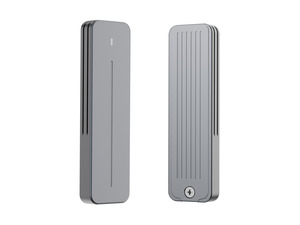

Rosewill 20Gbps M.2 NVMe and SATA SSD Enclosure, Supports M/B+M Key SSDs Up to 8TB in ...
- Model #: RNE-02
- Item #: 9B-17-182-490
- Return Policy: Iron Egg Guarantee Return Policy
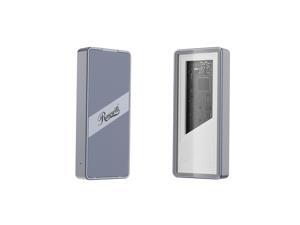
Rosewill 40Gbps M.2 NVMe SSD Enclosure with Cooling Fan, Transparent Back Plate, Support ...
- Brand: Rosewill
- Size: M.2
- Color: Silver
- External Interface: USB 4.0 (40Gbps) (USB-C)
- Internal Interface: M.2 NVME B+M-Key
- Fan: Yes
- Specifications: 40 Gbps HIGH SPEED ONLY SUITABLE FOR PCIe NVMe M.2 SSD Plug and Play, No Driver required
- HDD Count Supported: Single NVMe SSD
- Model #: RNE-01
- Item #: 9B-17-182-470
- Return Policy: Iron Egg Guarantee Return Policy
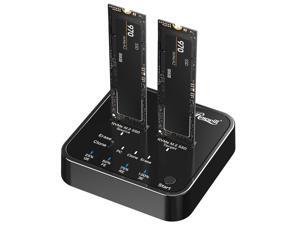
Rosewill M.2 NVMe Cloner + Eraser | M.2 Duplicator Dual Bay NVMe Enclosure | Tool-Free ...
- Brand: Rosewill
- Size: 2.5" / 3.5" HDD / SSD Cloner/ Copier
- External Interface: USB 3.2 Gen 2 Type-C
- AC Adapter: Yes, 5V/3A
- Material: ABS
- Dimensions: 3.1" x 3.01" x 0.71"
- Internal Interface: M.2 NVME M-Key
- Type: Dual Bay M.2 NVMe Duplicator
- Model #: RS-N2-CLE
- Item #: 9B-17-182-488
- Return Policy: Iron Egg Guarantee Return Policy
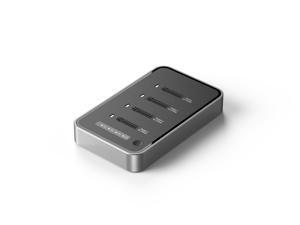
4 Bays USB4.0 (USB-C) 40G Portable NVMe (M Key, B+M Key) / NVMe / PCIe SSD (22110, 2280, ...
- Brand: SYBA
- Color: Black
- Material: Aluminum alloy
- Internal Interface: M.2 NVME B+M-Key
- Thunderbolt: Yes
- Number of Bay: 4 Bay
- Model #: SY-TDB40179
- Item #: 9B-17-801-157
- Return Policy: Iron Egg Guarantee Return Policy
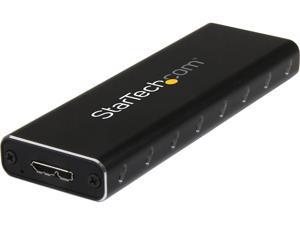
StarTech.com SM2NGFFMBU33 M.2 SSD Enclosure for M.2 SATA SSDs - USB 3.0 (5Gbps) with ...
- Brand: StarTech.com
- Color: Black
- External Interface: USB 3.0
- Dimensions: Height:0.6" x Width:1.4" x Depth:3.9"
- Internal Interface: SATA I/II/III
- Type: See Details
- Features: Turn your solid state drive into an ultra-portable pocket drive, with our M.2 external SSD enclosure Compatible with USB 3.0 computers such as MacBook, HP Probook & Samsung Chromebook and M.2 solid state drives M.2 SSD / USB 3.0 Hard Drive Enclosure / Pocket Drive / USB 3.0 SSD Enclosure / Portable Data Storage / SATA 6Gbps SSD Enclosure Re-purpose an M.2 SSD as a USB 3.0 external drive Carry with your laptop for a highly portable, high-performance external storage solution
- Weight: 2.40 oz
- Model #: SM2NGFFMBU33
- Item #: 9B-17-707-382
- Return Policy: Iron Egg Guarantee Return Policy
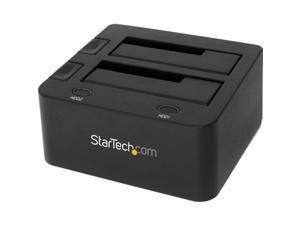
StarTech.com SDOCK2U33 USB 3.0 Dual Hard Drive Docking Station with UASP for 2.5 / 3.5in ...
- Brand: StarTech.com
- Size: 2.5" & 3.5"
- Color: Black
- External Interface: USB 3.0 w/ UASP & SATA III
- AC Adapter: Yes
- Material: Plastic
- Dimensions: 2.80" x 5.20" x 5.80"
- Internal Interface: SATA I/II/III
- Model #: SDOCK2U33
- Item #: 9B-17-707-360
- Return Policy: Iron Egg Guarantee Return Policy
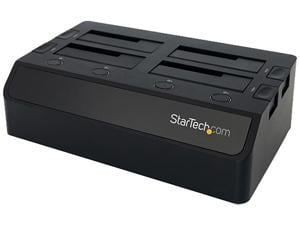
StarTech.com USB 3.0 to 4-Bay SATA 6Gbps Hard Drive Docking Station w/ UASP & Dual Fans - ...
- Brand: StarTech.com
- Color: Black
- External Interface: USB 3.0 w/UASP & SATA III
- Material: Plastic
- Dimensions: Height:3.4" x Width:6.7" x Depth:11.4"
- Internal Interface: SATA I/II/III
- Specifications: Chipset ID: VL812+ASM1053E Color: Black Compatible Drive Types (Type and Rate): SATA Drive Connectors: SATA Data & Power Combo (7+15 pin) Receptacle Drive Installation: Removable Drive Size: 2.5in & 3.5in Enclosure Type: Plastic Fan(s): Yes Fans: 40 mm Host Connectors: USB 3.0 B (9 pin ; SuperSpeed) Female Humidity: 20%RH ~ 80%RH Included in Package: Instruction manual Universal power adapter (NA/EU/UK/AUS) USB 3.0 4-Bay 2.5/3.5" SATA SSD/HDD Dock USB 3.0 Cable Input Current: 2.5A Input Voltage: 100 ~ 240 AC Insertion Rating: 15,000 Cycles Interface: USB 3.0 LED Indicators: Drive power/activity LED Max Drive Cap...
- Model #: SDOCK4U33
- Item #: 9B-17-707-363
- Return Policy: Iron Egg Guarantee Return Policy
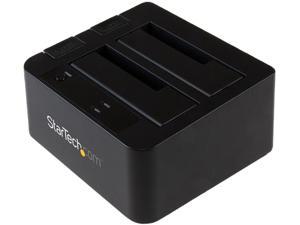
StarTech.com SDOCK2U313 USB 3.1 Gen 2 (10Gbps) Dual-Bay Dock for 2.5"/3.5" SATA ...
- Brand: StarTech.com
- Color: Black
- External Interface: USB 3.1
- Dimensions: Height:2.8" x Width:5.8" x Depth:5.2"
- Internal Interface: SATA I/II/III
- Type: Office Products
- Number of Bay: 2 Bay
- Features: Dock two 2.5” & 3.5” SATA SSD/HDD drives over high performance USB 3.1 Gen 2 (10 Gbps) with UASP Hard drive dock / 2-bay hard drive docking station / HDD docking station with UASP / Dual-drive USB 3.1 Gen 2 docking station Dual-drive docking station with SATA I, II, III (up to 6 Gbps) support Large drive capacity of 12TB (6TB per bay) Top-loading design with eject button for easy drive access Independent power buttons for each drive Backward compatible with USB 3.0, 2.0 and 1.x
- Model #: SDOCK2U313
- Item #: 9SIVFYJKS02719
- Return Policy: IT Devices Online Inc. Return Policy
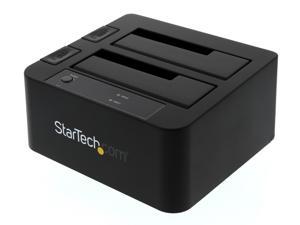
StarTech.com SDOCK2U33EB Plastic 2.5" & 3.5" Black SATA III USB 3.0 & eSATA Notebook ...
- Brand: StarTech.com
- Size: 2.5" & 3.5"
- Color: Black
- External Interface: USB 3.0 & eSATA
- Material: Plastic
- Dimensions: 2.80" x 5.20" x 5.60" (H x W x L)
- Internal Interface: SATA III
- Specifications: Interface: USB 3.0 & eSATA Number of Drives: 2 Drive Size: 2.5in & 3.5in Drive Type: SATA Drive Installation: Removable Chipset ID: JMicron - JMS562 Drive Connectors: 2 - SATA Data & Power Combo (7+15 pin) Receptacle Host Connectors: 1 - eSATA (7 pin; Data) Female 1 - USB 3.0 B (9 pin; SuperSpeed) Female Type and Rate: USB 3.0 - 5 Gbit/s UASP Support: Yes Type and Rate: SATA III (6 Gbps) Max Drive Capacity: Currently tested with up to 4TB 7200 RPM 3.5" hard drives per bay (8TB total) and 2TB 5900 RPM 2.5" hard drives (2TB total) Insertion Rating: 15,000 Cycles
- Model #: SDOCK2U33EB
- Item #: 9B-34-977-541
- Return Policy: Iron Egg Guarantee Return Policy
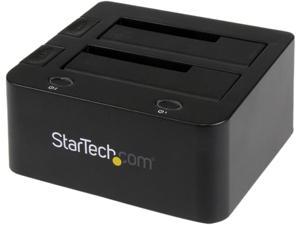
StarTech UNIDOCKU33 Universal hard drive docking station - SATA and IDE dock - 2.5in & 3.5in ...
- Brand: StarTech.com
- Color: Black
- External Interface: USB 3.0 w/UASP & SATA III
- Material: Plastic
- Dimensions: Height:2.8" x Width:5.1" x Depth:5.5"
- Internal Interface: SATA I/II/III
- Type: Drive Dock
- Number of Bay: 2 Bay
- Model #: UNIDOCKU33
- Item #: 9SIVFYJKN92767
- Return Policy: IT Devices Online Inc. Return Policy
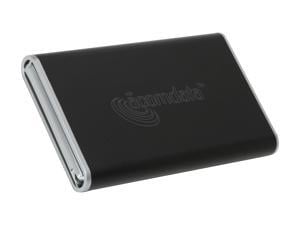
acomdata Tango TNGXXXUSE-BLK 2.5" Black SATA USB 2.0 & eSATA External Enclosure
- Dimensions: 5.31" x 3.19" x 0.63"
- Weight: 0.86
- Parts: 3 years limited
- Labor: 3 years limited
- Model #: TNGXXXUSE-BLK
- Item #: 9B-17-729-007
- Return Policy: Iron Egg Guarantee Return Policy
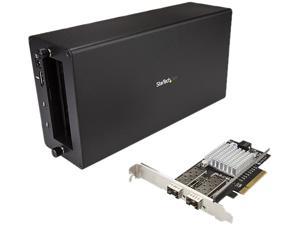
StarTech BNDTB210GSFP Thunderbolt 3 to Fiber - 2 x Open SFP+ Ports - with DisplayPort ...
- AC Adapter: Yes
- Material: Aluminum / Steel
- Dimensions: 11.00" x 5.60" x 3.20"
- Fan: 1 x 92mm Sleeve Bearing Fan
- Specifications: Bandwidth: 3.94 GB/s (x4 PCIe 3.0 ) Compatible Networks: 10 Gbps Full Duplex Support: Yes Jumbo Frame Support: 15K max. Maximum Data Transfer Rate Chassis: 40 Gbps (Thunderbolt 3) / PCIe Card: 20 Gbps - Full-Duplex Promiscuous Mode: Yes Supported Protocols: IEEE 802.3ad (Link Aggregation), IEEE 802.3x (2005 Flow Control Support), IEEE 802.1Q (VLAN tagging) Type and Rate: Thunderbolt 3 - 40 Gbit/s This Thunderbolt 3 to fiber network adapter connects your Thunderbolt 3 enabled device to a 10GbE network. The adapter combines the Thunderbolt 3 technology of TB31PCIEX16 with the 10GbE dual-fiber connection of PEX20000SFPI (Intel 82599 chipset). The assembled adapter features one DisplayPort output, one additi...
- Model #: BNDTB210GSFP
- Item #: 9B-17-707-444
- Return Policy: Iron Egg Guarantee Return Policy
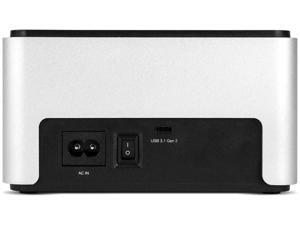
OWC Drive Dock USB 3.2 Dual Drive Bay Solution for 2.5-inch and 3.5-inch NVMe U.2 and SATA ...
- Brand: OWC
- Size: 2.5" & 3.5"
- Internal Interface: NVMe U.2 and SATA Drives
- Part Number: OWCTCDRVDCKSN
- Type: USB 3.2 (10Gb/s)
- Model #: OWCTCDRVDCKSN
- Item #: 9B-1B4-00EC-002U1
- Return Policy: Iron Egg Guarantee Return Policy
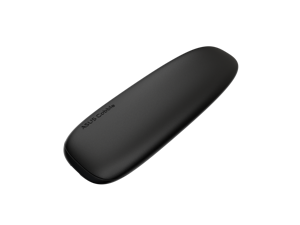
ASUS Cobble Portable M.2 SSD Enclosure, USB-C 3.2 Gen 2x1 up to 10 Gbps, IP55, M.2 NVMe ...
- Brand: ASUS
- Series: ASUS Cobble SSD Enclosure
- Size: M.2
- Color: Black Gray
- External Interface: USB3.2 Gen 2X1
- Material: Aluminum
- Internal Interface: M.2 NVMe® PCIe® and SATA SSDs (2242/2260/2280)
- Model #: 90DD02R0-M08000
- Item #: 9B-17-320-055
- Return Policy: Iron Egg Guarantee Return Policy
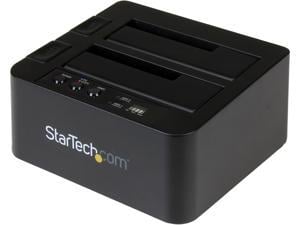
StarTech.com SDOCK2U313R USB 3.1 (10Gbps) Standalone Duplicator Dock for 2.5" & 3.5" ...
- Brand: StarTech.com
- Color: Black
- External Interface: USB 3.1
- Dimensions: Height:2.8" x Width:5.2" x Depth:5.8"
- Internal Interface: SATA I/II/III
- Specifications: Duplicate or dock a SATA SSD/HDD with fast performance - USB 3.1 (10Gbps) standalone duplicator dock for 2.5" & 3.5" SSD/HDD drives - HDD cloner with fast-speed SSD duplication up to 28GB/min - 2.5in and 3.5in hard drive duplicator and drive dock - Works with both USB-C and USB-A enabled devices w/ two cables included - Dual-bay duplicator dock featuring toaster-style design with drive doors and drive eject buttons - Compatible with Thunderbolt 3 USB-C port - Supports SATA I/I/III (up to 6Gbps)
- Type: Office Products
- Features: Duplicate or dock a SATA SSD/HDD with fast performance USB 3.1 (10Gbps) standalone duplicator dock for 2.5" & 3.5"...
- Model #: SDOCK2U313R
- Item #: 9SIVFYJKN92763
- Return Policy: IT Devices Online Inc. Return Policy
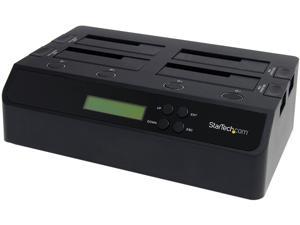
StarTech SATDOCK4U3RE 4 Bay USB 3.0 eSATA to SATA Standalone 1:3 HDD Hard Drive ...
- Brand: StarTech.com
- Size: 2.5" & 3.5"
- Color: Black
- External Interface: 1 - USB 3.0 B (9 pin; SuperSpeed) Female
- Material: Plastic
- Dimensions: 3.70" x 11.22" x 6.69" (H x W x L)
- Internal Interface: 1 - eSATA (7 pin; Data) Receptacle
- Fan: 2 - 60 mm
- Model #: SATDOCK4U3RE
- Item #: 9B-17-998-167
- Return Policy: Iron Egg Guarantee Return Policy
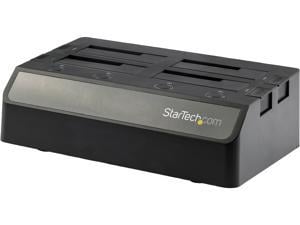
StarTech.com SDOCK4U313 4 Bay SATA HDD Docking Station - For 2.5in / 3.5in SSD / HDD - USB ...
- AC Adapter: Yes
- Material: Plastic
- Dimensions: 3.40" x 6.70" x 11.50"
- Fan: Fan Bearing Type: Sleeve Bearing Fans: 2 x 60mm fan
- Specifications: Drive Connectors: 4 x 22 pin SATA Data & Power Combo Receptacle Host Connectors: 1 x USB Type-C (24 pin) USB 3.1 (10Gbps) Female 4Kn Support: Yes Hot Swap Capability: Yes Insertion Rating: 10000 Max Drive Capacity: Tested up to 10TB Maximum Data Transfer Rate: 10Gbps MTBF: 30000 hours Noise Level: 19.04 dBA S.M.A.R.T. Support: Yes TRIM Support: Yes Type and Rate: USB 3.1 Gen 2 - 10 Gbit/s, SATA III (6 Gbps) UASP Support: Yes
- Type: Dock
- Number of Bay: 4 Bay
- Power: Input Current: 2.0A Input Voltage: 100 ~ 240 AC Output Current: 6500mA Output Voltage: 12 DC Plug Type: 4-pin DIN Power Consumption (In Watts): 78W Power Source: AC Adapter Included
- Model #: SDOCK4U313
- Item #: 9B-17-707-462
- Return Policy: Iron Egg Guarantee Return Policy
How to Buy a Hard Drive Enclosure
Introduction
External hard drives are useful for a variety of purposes, why not create your own with a hard drive enclosure? By using an enclosure, you will have the ability to use an internal hard drive or solid state drive of your choice. Alternatively, if you have multiple internal hard drives that you want to use externally, consider a hard drive dock. If the customizability of a hard drive enclosure or dock appeals to you, NeweggBusiness offers some considerations that will help you select the ideal solution.
Special Features
In this section, NeweggBusiness will outline some special features that you will find in some hard drive docks and enclosures.
Hot Swapping
The ability to hot swap a hard drive means that you can remove and replace the drive without the need to restart the computer. To the operating system, the enclosure or dock will still show as being connected even if the hard drive has been removed. It is a feature that makes backing up data to multiple hard drives a more time-efficient process.
Cloning/Duplication
Cloning or duplicating a hard drive means mirroring all the contents to an image file or another hard drive. It is more comprehensive than copying and pasting files, as cloning captures all data on the drive and not just visible files. With some dual-bay docks, cloning can be as simple as inserting two hard drives and pressing a button to begin the process.
Redundant Array of Independent Disks/Drives (RAID)
A RAID array is a method of setting up multiple hard drives so that they appear and function as a single volume. A RAID setup can be used to improve read/write performance and decrease the likelihood of total data loss, depending on how it is configured.
Just a Bunch of Disks/Drives (JBOD)
Similar to a RAID setup, a JBOD array consists of multiple hard drives. But with JBOD, you can choose to have the drives appear as distinct volumes or one volume.
However, when the drives are set up to appear as one to the operating system, data is not striped or mirrored like how it is in a RAID array. Instead, the JBOD writes data to a drive until it is at capacity and then continues on another drive.
Enclosure or Dock
Below, NeweggBusiness details the differences between external hard drive enclosures and docks.
Enclosure
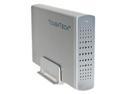 An enclosure is a case that houses an internal hard drive to protect it and adapt the internal connectors for external use. Similar to external hard drives, enclosures come in a variety of sizes and form factors.
Some smaller cases for instance, can convert laptop hard drives into portable solutions. On the other end of the spectrum, there large enclosures that can accommodate multiple hard drives and manage them in RAID and JBOD configurations.
Dock
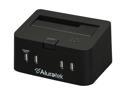 Compared to an enclosure, a hard drive dock fulfills a slightly different role. A dock is ideal if you have multiple hard drives and frequently switch between them. For that reason, many docks support hot swapping. Some dual-bay hard drive docks also have duplication functionality built-in.

