


Hard Drive / SSD Enclosures - Showing 1 - 24 of 423 Products
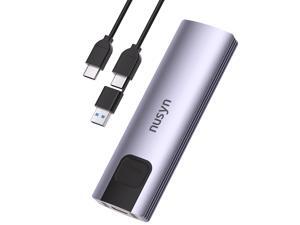
Nusyn NSE20 10Gbps M.2 NVMe/SATA SSD Enclosure,USB-C External Hard Drive Case, ...
- Brand: NUSYN
- Series: NSE20
- Size: M.2
- Color: Silver
- External Interface: USB 3.2 Gen 2
- Material: Aluminum / Plastic
- Dimensions: 4.2" x 1.28" x 0.52"
- Specifications: Data Transfer Rate: 10Gbps
- Model #: NSE20GRK
- Item #: 9B-17-953-001
- Return Policy: Standard Return Policy
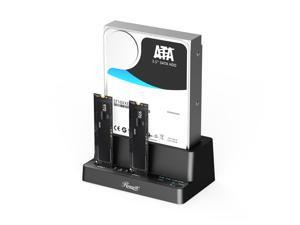

Rosewill M.2 NVMe & SATA SSD / 2.5" & 3.5" HDD Hard Drive Cloner & Reader Docking Station, ...
- Brand: Rosewill
- Size: 2.5" / 3.5" HDD / SSD Cloner/ Copier
- External Interface: USB 3.2 Gen 2 Type-C
- AC Adapter: Yes, 12V/3A
- Material: ABS
- Dimensions: 3.1" x 3.01" x 0.71"
- Internal Interface: M.2 NVME M-Key & 2.5"/3.5" SATA
- Type: Three Bay M.2 NVMe Duplicator
- Model #: RS-N2S-CL
- Item #: 9B-17-182-487
- Return Policy: Standard Return Policy
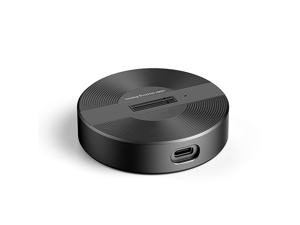
USB4.0 (USB-C) 40G Portable NVMe M-Key (B+M) / NVMe / PCIe SSD (22110, 2280, 2260, ...
- Brand: SYBA
- Color: Black
- Material: Aluminum alloy
- Internal Interface: M.2 NVME B+M-Key
- Thunderbolt 3: Yes
- Model #: SY-TDB40178
- Item #: 9B-17-801-156
- Return Policy: Standard Return Policy
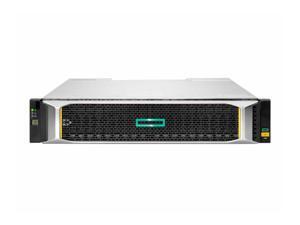
HPE MSA 2060 SAS 2U 12d LFF Drive Enclosure Model R0Q39B
- Type: Enclosure
- Model #: R0Q39B
- Item #: 9SIVMNFKT41906
- Return Policy: haoyuzeshang Return Policy
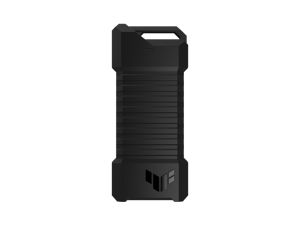

ASUS TUF Gaming A1 External Dual M.2 NVMe PCIe SSD Enclosure - USB-C, SATA interfaces, ...
- Brand: ASUS
- Color: Black
- Part Number: 90DD02N0-M08000
- Type: Enclosure
- Model #: ESD-T1A/BLK/G/AS//
- Item #: 9B-17-320-028
- Return Policy: Standard Return Policy
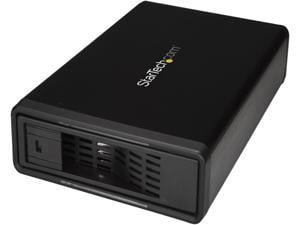
StarTech.com S351BMU33ET Steel, Aluminum and Plastic 3.5" Black 1 x SATA Data & Power ...
- AC Adapter: Yes
- Material: Steel, Aluminum and Plastic
- Dimensions: 8.30" x 5.30" x 1.50"
- Specifications: 4Kn Support: Yes Hot Swap Capability: Yes Insertion Rating: 50,000 cycles Max Drive Capacity: Currently tested with up to 10TB 7200 RPM hard drives Maximum Data Transfer Rate : 6 Gbps S.M.A.R.T. Support: Yes TRIM Support: Yes Type and Rate: USB 3.0 - 5 Gbit/s / SATA III (6 Gbps) UASP Support: Yes
- Type: Enclosure
- Number of Bay: 1
- Power: Input Current : 0.8A Input Voltage : 100 ~ 240 AC Output Current: 2000mA Output Voltage: 12 DC
- Operating Systems Supported: No software or drivers required
- Model #: S351BMU33ET
- Item #: 9B-17-707-441
- Return Policy: Standard Return Policy
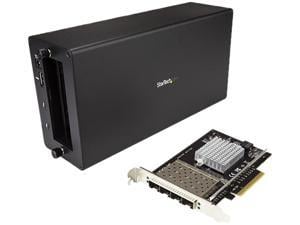
StarTech.com BNDTB410GSFP Aluminum / Steel Black 1 x PCI Express x8 Male 1 x PCI ...
- AC Adapter: Yes
- Material: Aluminum / Steel
- Dimensions: 11.00" x 5.60" x 3.20"
- Fan: 1 x 92mm Sleeve Bearing Fan
- Specifications: Compatible Networks: 10 Gbps Full Duplex Support: Yes Jumbo Frame Support: 9K max. Maximum Data Transfer Rate Chassis: 40 Gbps (Thunderbolt 3) PCIe Card: 20 Gbps - Full-Duplex Supported Protocols:IEEE 802.3ad (Link Aggregation), IEEE 802.3x (Flow Control Support), IEEE 802.1Q (VLAN tagging) Type and Rate: Thunderbolt 3 - 40 Gbit/s This Thunderbolt 3 10GbE NIC adapter lets you connect a Thunderbolt 3 device to a 10GbE network. The adapter combines the Thunderbolt 3 technology of TB31PCIEX16 with the 10GbE dual-fiber connection of PEX10GSFP4I (Intel XL710 chipset). The assembled adapter features one DisplayPort output, one additional Thunderbolt 3 port, and four open 10GbE SFP+ slots. Mission-critical con...
- Model #: BNDTB410GSFP
- Item #: 9B-17-707-447
- Return Policy: Standard Return Policy
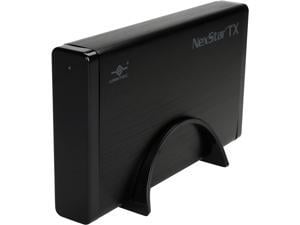
VANTEC NexStar TX 3.5" SATA 6Gb/s to USB 3.0 HDD Enclosure
- Material: Aluminum / Plastic
- Dimensions: 4.50" x 8.00" x 1.20"
- Specifications: Device Support: SATA I/II/III SSD or Hard Drive Interface Cable: USB Type A to Type B USB Cable Length: 800mm
- Type: Enclosure
- Maximum Capacity (per Bay): Up to 16TB
- Operating Systems Supported: Microsoft Windows XP, Vista, 7, 8, 8.1, 10, 11 OS X 10.6 or greater
- Weight: 6.60 oz.
- Package Contents: Vantec TX 3.5" Hard Drive Enclosure USB 3.0 cable (USB 2.0 compatible) External power supply Enclosure Stand Quick Install Guide Installation Screws, Screw driver
- Model #: NST-328S3-BK
- Item #: 9SIV3HVKW15495
- Return Policy: asgroupllcb2b Return Policy
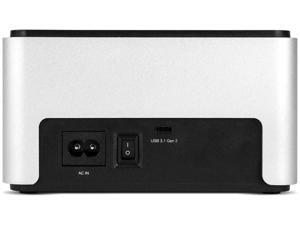
OWC Drive Dock USB 3.2 Dual Drive Bay Solution for 2.5-inch and 3.5-inch NVMe U.2 and SATA ...
- Brand: OWC
- Size: 2.5" & 3.5"
- Internal Interface: NVMe U.2 and SATA Drives
- Part Number: OWCTCDRVDCKSN
- Type: USB 3.2 (10Gb/s)
- Model #: OWCTCDRVDCKSN
- Item #: 9B-1B4-00EC-002U1
- Return Policy: Standard Return Policy
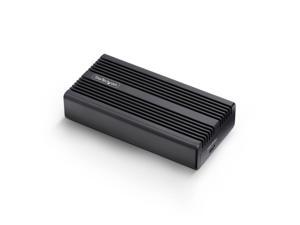
StarTech USB4 M.2 NVMe Enclosure - 40Gbps - External USB-C/Thunderbolt NVMe SSD ...
- Brand: StarTech.com
- Color: Black
- Part Number: 1USB4-NVME-ENCLOSURE
- Package Contents: M.2 NVMe Enclosure 1 x Thermal Pad (Pre-installed) 1 x USB4 Cable 1 x Philips Head Screwdriver 1 x Quick-Start Guide
- Model #: 1USB4-NVME-ENCLOSURE
- Item #: 9SIVFYJKS05620
- Return Policy: IT Devices Online Inc. Return Policy
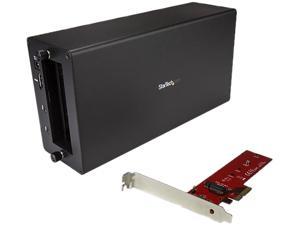
StarTech.com BNDTB4M2E1 Aluminum / Steel Black 1 x PCI Express x4 Male 1 x PCI Express ...
- AC Adapter: Yes
- Material: Aluminum / Steel
- Dimensions: 11.00" x 5.60" x 3.20"
- Fan: 1 x 92mm Sleeve Bearing Fan
- Specifications: Maximum Data Transfer Rate : 40 Gbps (Thunderbolt 3) Type and Rate: Thunderbolt 3 - 40 Gbit/s This Thunderbolt 3 to PCIe M.2 adapter lets you take advantage of the speed of PCIe solid-state drives, connected externally to your Thunderbolt 3 desktop or laptop computer. The adapter combines the StarTech.com Thunderbolt 3 PCIe Expansion Chassis (TB31PCIEX16) and the M.2 PCIe SSD adapter card ( PEX4M2E1), giving you a DisplayPort output and an additional Thunderbolt 3 port. Boost your system speed and performance Get ultra-fast data access by adding this PCIe M.2 SSD adapter externally to your existing Thunderbolt 3 computer, using the Thunderbolt 3 chassis - improving your storage performance and expanding...
- Model #: BNDTB4M2E1
- Item #: 9B-17-707-448
- Return Policy: Standard Return Policy
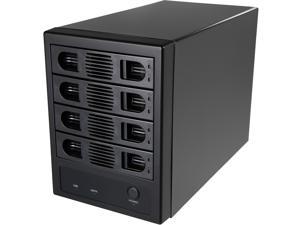
SYBA SY-ENC50104 4 Bay 3.5" SATA III HDD NON-RAID Enclosure -Supports USB 3.0 & eSATA ...
- Brand: SYBA
- Size: 3.5"
- Color: Black
- External Interface: USB 3.0 Type-B Port eSATA Port
- Internal Interface: SATA I/II/III
- Fan: Yes
- Specifications: Supports up to four HDDs in a single unit with a capacity of up to 8TB per drive, providing an amazing solution for transporting data or backing up your system. Port-Multiplier(normal) mode- showing 4 HDDs respectively The Forced Convection Process helps speed up the air circulation and heat ventilation to effectively cool the drive and whole system for stable operation and an extended lifespan No A/C Adapter Required. Direct DC Power Connection to the Unit Adjustable cooling fan with 3 speeding setting (low, high, and auto)
- Type: Enclosure
- Model #: SY-ENC50104
- Item #: 9B-17-801-144
- Return Policy: Standard Return Policy
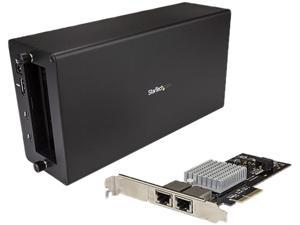
StarTech.com BNDTB310GNDP Aluminum / Steel Black 1 x PCI Express x4 Male 2 x RJ-45 ...
- AC Adapter: Yes
- Material: Aluminum / Steel
- Dimensions: 11.00" x 5.60" x 3.20"
- Fan: 1 x 92mm Sleeve Bearing Fan
- Specifications: Auto MDIX: Yes Compatible Networks: 10 Gbps/5G/2.5G/1G/100 Mbps Full Duplex Support: Yes Jumbo Frame Support: 9K max. Maximum Data Transfer Rate: 40 Gbps (Thunderbolt 3) Promiscuous Mode: Yes Supported Protocols: IEEE 802.3X (Flow Control Support), IEEE 802.1q (VLAN tagging) Type and Rate: Thunderbolt 3 - 40 Gbit/s This Thunderbolt 3 to 10GbE NIC lets you connect your Thunderbolt 3 enabled device to a 10 Gigabit Ethernet network. This adapter combines the StarTech.com Thunderbolt 3 PCIe Expansion Chassis (TB31PCIEX16) and the 2-port PCI Express 10G NIC (ST10GPEXNDPI), giving you one DisplayPort output, one additional Thunderbolt 3 port and two 10GbE ports. Reliable, high-performance and versatile multim...
- Model #: BNDTB310GNDP
- Item #: 9B-17-707-446
- Return Policy: Standard Return Policy
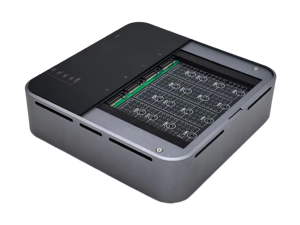
4 Bays USB4.0 (USB-C) 40G Portable NVMe (M Key, B+M Key) / PCIe SSD (2280, 2260, 2242, ...
- Brand: SYBA
- Size: M.2
- Color: Metallic Color
- External Interface: USB 4.0 (40Gbps) (USB-C)
- AC Adapter: Yes
- Material: Aluminum alloy
- Internal Interface: M.2 NVMe (M-Key, B+M Key) / PCIe
- Fan: Yes
- Model #: SY-TDB40180
- Item #: 9B-17-801-158
- Return Policy: Standard Return Policy
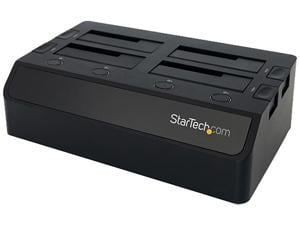
StarTech.com USB 3.0 to 4-Bay SATA 6Gbps Hard Drive Docking Station w/ UASP & Dual Fans - ...
- Brand: StarTech.com
- Color: Black
- External Interface: USB 3.0 w/UASP & SATA III
- Material: Plastic
- Dimensions: Height:3.4" x Width:6.7" x Depth:11.4"
- Internal Interface: SATA I/II/III
- Specifications: Chipset ID: VL812+ASM1053E Color: Black Compatible Drive Types (Type and Rate): SATA Drive Connectors: SATA Data & Power Combo (7+15 pin) Receptacle Drive Installation: Removable Drive Size: 2.5in & 3.5in Enclosure Type: Plastic Fan(s): Yes Fans: 40 mm Host Connectors: USB 3.0 B (9 pin ; SuperSpeed) Female Humidity: 20%RH ~ 80%RH Included in Package: Instruction manual Universal power adapter (NA/EU/UK/AUS) USB 3.0 4-Bay 2.5/3.5" SATA SSD/HDD Dock USB 3.0 Cable Input Current: 2.5A Input Voltage: 100 ~ 240 AC Insertion Rating: 15,000 Cycles Interface: USB 3.0 LED Indicators: Drive power/activity LED Max Drive Cap...
- Model #: SDOCK4U33
- Item #: 9B-17-707-363
- Return Policy: Standard Return Policy
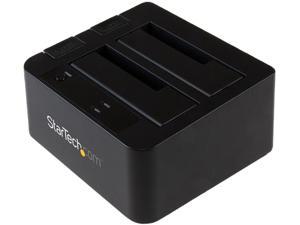
StarTech.com SDOCK2U313 USB 3.1 Gen 2 (10Gbps) Dual-Bay Dock for 2.5"/3.5" SATA ...
- Brand: StarTech.com
- Color: Black
- External Interface: USB 3.1
- Dimensions: Height:2.8" x Width:5.8" x Depth:5.2"
- Internal Interface: SATA I/II/III
- Type: Office Products
- Number of Bay: 2 Bay
- Features: Dock two 2.5” & 3.5” SATA SSD/HDD drives over high performance USB 3.1 Gen 2 (10 Gbps) with UASP Hard drive dock / 2-bay hard drive docking station / HDD docking station with UASP / Dual-drive USB 3.1 Gen 2 docking station Dual-drive docking station with SATA I, II, III (up to 6 Gbps) support Large drive capacity of 12TB (6TB per bay) Top-loading design with eject button for easy drive access Independent power buttons for each drive Backward compatible with USB 3.0, 2.0 and 1.x
- Model #: SDOCK2U313
- Item #: 9B-17-707-398
- Return Policy: Standard Return Policy
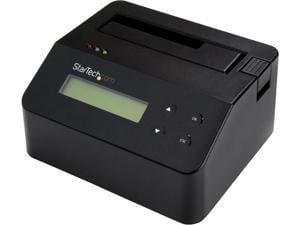
StarTech.com SDOCK1EU3P2 Hard Drive Eraser - for 2.5in / 3.5in SATA SSD/HDD - 4Kn Support ...
- AC Adapter: Yes
- Material: Steel and Plastic
- Dimensions: 5.50" x 4.80" x 2.80"
- Specifications: Bus Type: USB 3.0 Chipset ID: Xilinx - Spartan-6 Compatible Drive Types: SATA Drive Installation: Removable Drive Size: 2.5in & 3.5in Interface: USB 3.0 Number of Drives: 1 4Kn Support: Yes Erase Modes: Quick Erase 1-Pass Overwrite (NIST SP 800-88 Rev 1 - Clear) 3-Pass Overwrite 7-Pass Overwrite Custom Erase Secure Erase (NIST SP 800-88 Rev 1 - Purge) Enhanced Secure Erase (NIST SP 800-88 Rev 1 - Purge) Hot Swap Capability: Yes Max Drive Capacity: Currently tested with up to 10TB 7200 RPM Maximum Data Transfer Rate: 3Gbps MTBF: 8640 Hours Port Multiplier: No S.M.A.R.T. Support: Yes Type and Rate: USB 3.0 - 5 Gbit/s, SATA III (6 Gbps)
- Type: Office Products
- Number of Bay: 1
- Power: Center Tip Polarity: P...
- Model #: SDOCK1EU3P2
- Item #: 9SIV1DSKSA6524
- Return Policy: NothingButSavings Return Policy
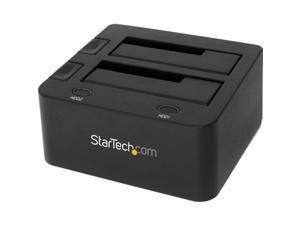
StarTech.com SDOCK2U33 USB 3.0 Dual Hard Drive Docking Station with UASP for 2.5 / 3.5in ...
- Brand: StarTech.com
- Size: 2.5" & 3.5"
- Color: Black
- External Interface: USB 3.0 w/ UASP & SATA III
- AC Adapter: Yes
- Material: Plastic
- Dimensions: 2.80" x 5.20" x 5.80"
- Internal Interface: SATA I/II/III
- Model #: SDOCK2U33
- Item #: 9B-17-707-360
- Return Policy: Standard Return Policy
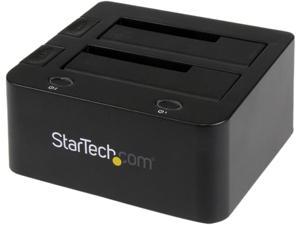
StarTech UNIDOCKU33 Universal hard drive docking station - SATA and IDE dock - 2.5in & 3.5in ...
- Brand: StarTech.com
- Color: Black
- External Interface: USB 3.0 w/UASP & SATA III
- Material: Plastic
- Dimensions: Height:2.8" x Width:5.1" x Depth:5.5"
- Internal Interface: SATA I/II/III
- Type: Drive Dock
- Number of Bay: 2 Bay
- Model #: UNIDOCKU33
- Item #: 9SIVFYJKN92767
- Return Policy: IT Devices Online Inc. Return Policy
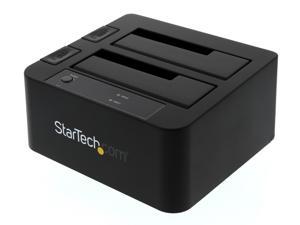
StarTech.com SDOCK2U33EB Plastic 2.5" & 3.5" Black SATA III USB 3.0 & eSATA Notebook ...
- Brand: StarTech.com
- Size: 2.5" & 3.5"
- Color: Black
- External Interface: USB 3.0 & eSATA
- Material: Plastic
- Dimensions: 2.80" x 5.20" x 5.60" (H x W x L)
- Internal Interface: SATA III
- Specifications: Interface: USB 3.0 & eSATA Number of Drives: 2 Drive Size: 2.5in & 3.5in Drive Type: SATA Drive Installation: Removable Chipset ID: JMicron - JMS562 Drive Connectors: 2 - SATA Data & Power Combo (7+15 pin) Receptacle Host Connectors: 1 - eSATA (7 pin; Data) Female 1 - USB 3.0 B (9 pin; SuperSpeed) Female Type and Rate: USB 3.0 - 5 Gbit/s UASP Support: Yes Type and Rate: SATA III (6 Gbps) Max Drive Capacity: Currently tested with up to 4TB 7200 RPM 3.5" hard drives per bay (8TB total) and 2TB 5900 RPM 2.5" hard drives (2TB total) Insertion Rating: 15,000 Cycles
- Model #: SDOCK2U33EB
- Item #: 9B-34-977-541
- Return Policy: Standard Return Policy
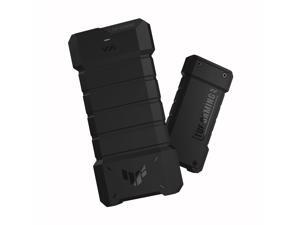
ASUS TUF Gaming A2- USB-C 3.2 Gen 2x2 Portable SSD Enclosure, Dual M.2 NVMe PCIe and ...
- Brand: ASUS
- Series: TUF Gaming A2/20 Gbps
- Color: Black
- External Interface: USB 3.2 GEN
- AC Adapter: User manual
- Dimensions: 4.3 in x 14.2 in x 20.1 in
- Internal Interface: TUF GAMING A2/BLK/G/AS
- Specifications: ASUS
- Model #: 90DD02X0-B08000
- Item #: 9B-0VN-009H-00022
- Return Policy: Standard Return Policy
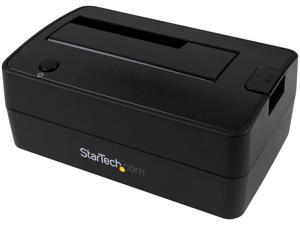
StarTech.com USB 3.1 Gen 2 (10Gbps) Single-Bay Dock for 2.5"/3.5" SATA SSD/HDDs - ...
- Brand: StarTech.com
- Color: Black
- External Interface: USB 3.1
- Dimensions: Height:2.6" x Width:3.7" x Depth:5.7"
- Internal Interface: SATA I/II/III
- Type: Desktop
- Number of Bay: 10
- Features: Dock your 2.5” or 3.5” SATA SSD/HDD over high performance USB 3.1 Gen 2 (10 Gbps) with UASP HDD Dock / SSD Dock / USB Hard Drive Dock / External Hard Drive Docking Station / SATA 2.5 or 3.5 HDD & SSD Dock 2.5/3.5 SATA Dock USB 3.1 Gen 2 single-drive docking station SATA I, II, III (up to 6 Gbps) support Up to 6TB drive capacity Top-loading design with eject button for easy drive access Backward compatible with USB 3.0, 2.0 and 1.x
- Model #: SDOCKU313
- Item #: 9SIVFYJKN92740
- Return Policy: IT Devices Online Inc. Return Policy
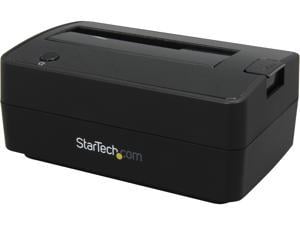
StarTech.com SATDOCKU3S Plastic 2.5" & 3.5" Black SATA USB 3.0 Hard Drive Docking ...
- Brand: StarTech.com
- Size: 2.5" & 3.5"
- Color: Black
- External Interface: USB 3.0
- AC Adapter: Yes
- Material: Plastic
- Internal Interface: SATA
- Specifications: Chipset ID: Lucidport OS Compatibility: Windows 2000/ XP(32/64bit)/ Server 2003(32/64bit)/ Vista(32/64bit)/ 7(32/64bit)/ Server 2008 R2, and Linux 2.6.31 and up
- Model #: SATDOCKU3S
- Item #: 9SIVFYJKN92777
- Return Policy: IT Devices Online Inc. Return Policy
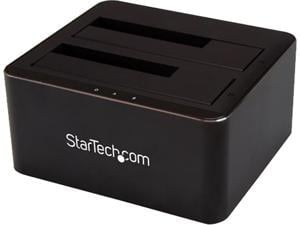
StarTech.com Dual Bay SATA HDD Docking Station for 2 x 2.5/3.5" SATA SSDs/HDDs - USB 3.0 - ...
- Brand: StarTech.com
- Color: Black
- External Interface: USB 3.1
- Dimensions: Height:2.4" x Width:5.1" x Depth:4.5"
- Internal Interface: SATA I/II/III
- Type: Office Products
- Weight: 1.61 lb
- Package Contents: Dual-Bay SATA HDD Docking Station for 2 x 2.5/3.5" SATA SSDs/HDDs - USB 3.0 1 x USB 3.0 Cable 1 x Universal Power Adapter (NA/JP, UK, EU, ANZ) 1 x Quick-start Guide
- Model #: SDOCK2U33V
- Item #: 9SIVFYJKN92764
- Return Policy: IT Devices Online Inc. Return Policy
How to Buy a Hard Drive Enclosure
Introduction
External hard drives are useful for a variety of purposes, why not create your own with a hard drive enclosure? By using an enclosure, you will have the ability to use an internal hard drive or solid state drive of your choice. Alternatively, if you have multiple internal hard drives that you want to use externally, consider a hard drive dock. If the customizability of a hard drive enclosure or dock appeals to you, NeweggBusiness offers some considerations that will help you select the ideal solution.
Special Features
In this section, NeweggBusiness will outline some special features that you will find in some hard drive docks and enclosures.
Hot Swapping
The ability to hot swap a hard drive means that you can remove and replace the drive without the need to restart the computer. To the operating system, the enclosure or dock will still show as being connected even if the hard drive has been removed. It is a feature that makes backing up data to multiple hard drives a more time-efficient process.
Cloning/Duplication
Cloning or duplicating a hard drive means mirroring all the contents to an image file or another hard drive. It is more comprehensive than copying and pasting files, as cloning captures all data on the drive and not just visible files. With some dual-bay docks, cloning can be as simple as inserting two hard drives and pressing a button to begin the process.
Redundant Array of Independent Disks/Drives (RAID)
A RAID array is a method of setting up multiple hard drives so that they appear and function as a single volume. A RAID setup can be used to improve read/write performance and decrease the likelihood of total data loss, depending on how it is configured.
Just a Bunch of Disks/Drives (JBOD)
Similar to a RAID setup, a JBOD array consists of multiple hard drives. But with JBOD, you can choose to have the drives appear as distinct volumes or one volume.
However, when the drives are set up to appear as one to the operating system, data is not striped or mirrored like how it is in a RAID array. Instead, the JBOD writes data to a drive until it is at capacity and then continues on another drive.
Enclosure or Dock
Below, NeweggBusiness details the differences between external hard drive enclosures and docks.
Enclosure
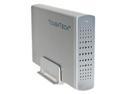 An enclosure is a case that houses an internal hard drive to protect it and adapt the internal connectors for external use. Similar to external hard drives, enclosures come in a variety of sizes and form factors.
Some smaller cases for instance, can convert laptop hard drives into portable solutions. On the other end of the spectrum, there large enclosures that can accommodate multiple hard drives and manage them in RAID and JBOD configurations.
Dock
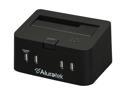 Compared to an enclosure, a hard drive dock fulfills a slightly different role. A dock is ideal if you have multiple hard drives and frequently switch between them. For that reason, many docks support hot swapping. Some dual-bay hard drive docks also have duplication functionality built-in.

