


Internal SSDs - Showing 433 - 456 of 1321 Products


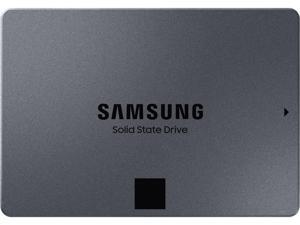

SAMSUNG 870 QVO Series 2.5" 2TB SATA III Samsung 4-bit MLC V-NAND Internal Solid State ...
- Model #: CNSSD-29
- Item #: 9SIV05ZJN64440
- Return Policy: 3C Expert Return Policy

2TB Micron 2400 M.2 2230 NVMe PCIe 4.0x4 SSD MTFDKBK2T0QFM-1BD1AABYYR for Steam ...
- Max Sequential Read: Up to 4500 MBps
- Max Sequential Write: Up to 4000 MBps
- 4KB Random Read: Up to 650,000 IOPS
- Form Factor: M.2 2230
- Capacity: 2TB
- Interface: PCI-Express 4.0 x4
- 4KB Random Write: Up to 700,000 IOPS
- Power Consumption (Idle): 0.2W
- Model #: MTFDKBK2T0QFM-1BD1AABYYR
- Item #: 9SIV05ZK2S0008
- Return Policy: 3C Expert Return Policy
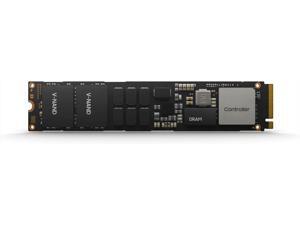
Samsung MZ1L21T9HCLS-00A07 PM9A3 1.9TB NVMe PCIe Gen4 V6 M.2 22x110mm SSD
- Model #: MZ1L21T9HCLS-00A07Xaj
- Item #: 9SIV05ZKC88049
- Return Policy: 3C Expert Return Policy
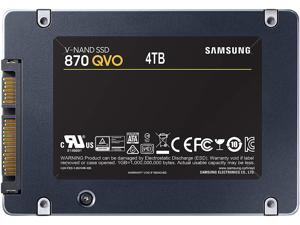
SAMSUNG 870 QVO Series 2.5" 4TB SATA III Samsung V-NAND 4bit MLC Internal Solid State ...
- Max Sequential Read: Up to 560 MBps
- Max Sequential Write: Up to 530 MBps
- 4KB Random Read: Up to 98,000 IOPS
- Controller: Samsung MKX Controller
- 4KB Random Write: Up to 88,000 IOPS
- Power Consumption (Active): 3.2 W
- Power Consumption (Idle): 35 mW
- Max Shock Resistance: 1500G
- Model #: MZ-77Q4T0BW
- Item #: 9SIV05ZDSK2582
- Return Policy: 3C Expert Return Policy
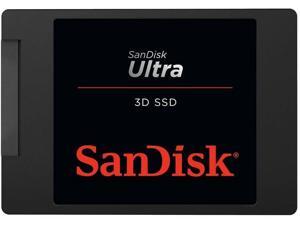

SANDISK Ultra 3D NAND 1TB 2.5" Internal SSD SATA III 6 Gb/s, 7 mm, Up to 560 MB/s ...
- Max Sequential Read: Up to 560 MBps
- Max Sequential Write: Up to 520 MBps
- Form Factor: 2.5"
- Capacity: 1TB
- Interface: SATA III
- Brand: SanDisk
- Series: Ultra 3D
- Part Number: SDSSDH3-1T00-G27
- Model #: SDSSDH3-1T00-G27
- Item #: 9SIV05ZKW09668
- Return Policy: 3C Expert Return Policy
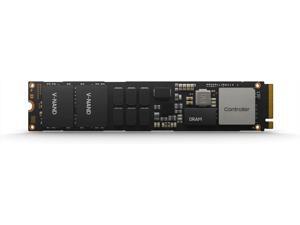
Samsung MZ1L23T8HBLA-00A07 PM9A3 3.8TB NVMe PCIe Gen4 V6 M.2 22x110mm SSD
- Model #: MZ1L23T8HBLA-00A0772
- Item #: 9SIV05ZKC88081
- Return Policy: 3C Expert Return Policy

SAMSUNG 870 EVO SATA SSD 250GB 2.5” Internal Solid State Drive, Upgrade Desktop PC or ...
- Max Sequential Read: Up to 560 MBps
- Max Sequential Write: Up to 530 MBps
- Form Factor: 2.5"
- Capacity: 250GB
- Interface: SATA III
- Power Consumption (Active): Average: 2.2W Maximum: 3.5W
- Power Consumption (Idle): Max. 30 mW
- Max Shock Resistance: 1500G
- Model #: MZ-77E250B/AM
- Item #: 9SIV05ZDR65649
- Return Policy: 3C Expert Return Policy
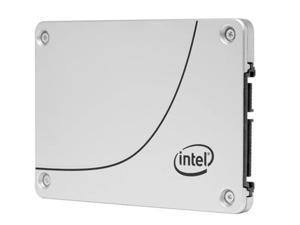

Intel SSDSC2KB038TZ01 internal solid state drive 2.5" 3840 GB Serial ATA III
- Model #: INT_SSDSC2KB038TZ01
- Item #: 9SIV05ZJCB9488
- Return Policy: 3C Expert Return Policy
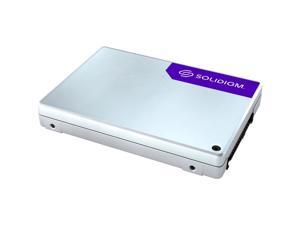
SOLIDIGM D5-P5430 7.68 TB Solid State Drive - 2.5" Internal - PCI Express NVMe
- Model #: sbfpf2bu076t001sU
- Item #: 9SIV05ZKCE7626
- Return Policy: 3C Expert Return Policy
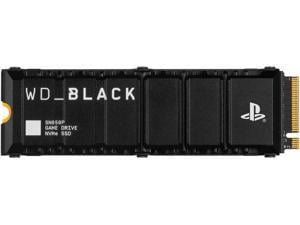
Western Digital WD_BLACK™ SN850P 1TB NVMe™ SSD for PS5™ consoles M.2 2280 ...
- Max Sequential Read: Up to 7300 MBps
- Max Sequential Write: Up to 6300 MBps
- 4KB Random Read: Up to 800,000 IOPS
- Controller: Western Digital
- Form Factor: M.2 2280
- Capacity: 1TB
- Interface: PCI-Express 4.0 x4
- 4KB Random Write: Up to 1,100,000 IOPS
- Model #: WDBBYV0010BNC-WRSN
- Item #: 9SIV18PKW37836
- Return Policy: Neworld Return Policy
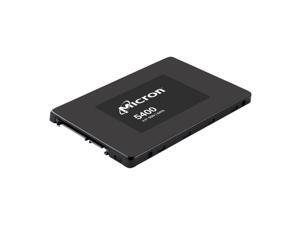
Micron 5400 PRO 240 GB SSD - SATA 6Gb/s MTFDDAK240TGA-1BC1ZABYYR
- Form Factor: 2.5"
- Capacity: 240GB
- Interface: Serial ATA
- Brand: Micron
- Series: 5400 PRO
- Model: MTFDDAK240TGA-1BC1ZABYYR
- Part Number: MTFDDAK240TGA-1BC1ZABYYR
- Device Type: Internal Solid State Drive (SSD)
- Model #: MTFDDAK240TGA-1BC1ZABYYR
- Item #: 9SIV1DSKEE8508
- Return Policy: NothingButSavings Return Policy
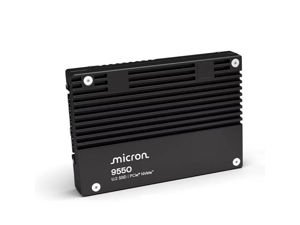
Micron 9550 MAX 3.2 TB Solid State Drive Internal U.2 PCIe NVMe PCI Express NVMe 5.0 ...
- Capacity: 3.2TB
- Interface: NVMe
- Brand: Micron
- Model: 9550 MAX
- Part Number: MTFDLAL3T2THB-1BK1DA
- Device Type: Internal SSD
- Memory Components: 3D NAND TLC
- Model #: MTFDLAL3T2THB-1BK1DA
- Item #: 9SIV1DSKNH3492
- Return Policy: NothingButSavings Return Policy
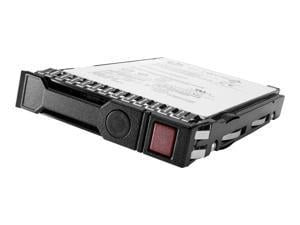

HPE - SSD - Mixed Use - 1.6 TB - hot-swap - 2.5" SFF - SAS 12Gb/s - Multi Vendor - with HPE Smart ...
- Protocol: SAS
- Model #: P49048-B21
- Item #: 9SIV0Z4KFK2705
- Return Policy: Compute4Less Corp Return Policy
Micron 5400 PRO 240GB 2.5" SATA Internal SSD MTFDDAK240TGA1BC15ABYYR
- Brand: Micron
- Device Type: Internal Solid State Drive (SSD)
- Model #: MTFDDAK240TGA1BC15ABYYR
- Item #: 9SIV2GEKKW1945
- Return Policy: TechSavers Return Policy
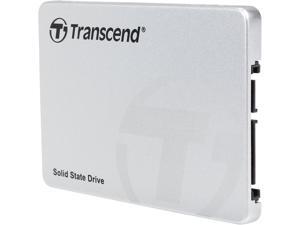
Transcend 2.5" 32GB SATA III MLC Internal Solid State Drive (SSD) TS32GSSD370S
- Used For: Consumer
- Operating Temperature: 0°C ~ +70°C
- Height: 6.8mm
- Width: 69.85mm
- Depth: 100.00mm
- Weight: 58g (1.86oz)
- Package Content: SSD370, 3.5" Bracket, Screws x 8
- Model #: TS32GSSD370S
- Item #: 9SIV1DSKW21920
- Return Policy: NothingButSavings Return Policy
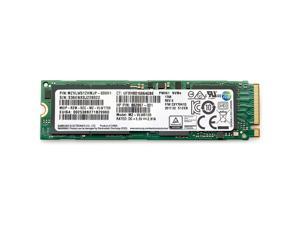
HP 512 GB Solid State Drive Internal PCI Express NVMe 1 Year Warranty 406L8AA
- Brand: HP
- Device Type: Internal SSD
- Parts: 1 Year
- Model #: 406L8AA
- Item #: 9SIV1DSKB92749
- Return Policy: NothingButSavings Return Policy

Crucial 7500 PRO 1.92 TB Solid State Drive Internal U.3 PCI Express NVMe 4.0 x4
- Brand: Micron
- Device Type: Solid State Drives
- Model #: MTFDKCC1T9TGP-1BK1DABYYR
- Item #: 9SIV1DSKBU9850
- Return Policy: NothingButSavings Return Policy
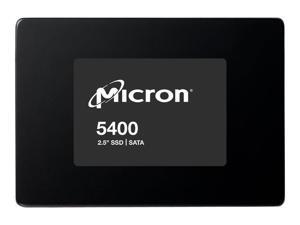
Micron 5400 PRO - SSD - 3.84 TB - internal - 2.5" - SATA 6Gb/s
- Max Sequential Read: Up to 540 MBps
- Max Sequential Write: Up to 520 MBps
- Used For: Enterprise
- Protocol: SATA
- Model #: MTFDDAK3T8TGA-1BC1ZA
- Item #: 9SIV1DSKEC2265
- Return Policy: NothingButSavings Return Policy
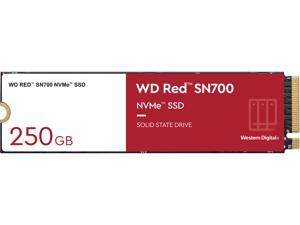
WD Red SN700 NVMe SSD, 250GB of NVMe Solid-State Drive for NAS Devices
- Max Sequential Read: Up to 3100 MBps
- Max Sequential Write: Up to 1600 MBps
- 4KB Random Read: Up to 220,000 IOPS
- Form Factor: M.2 2280
- Capacity: 250GB
- Interface: PCI-Express 3.0 x4
- 4KB Random Write: Up to 180,000 IOPS
- Power Consumption (Idle): 70 mW
- Model #: WDS250G1R0C
- Item #: 9SIVG8GKW79778
- Return Policy: roboshine Return Policy
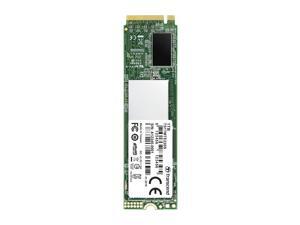
Transcend 220S 1 TB Solid State Drive - PCI Express (PCI Express 3.0 x4) - Internal - M.2 2280
- Controller: Transcend
- Height: 0.1"
- Width: 0.9"
- Depth: 3.1"
- Weight: 0.28 oz
- Parts: 5 Years
- Labor: 5 Years
- Model #: TS1TMTE220S
- Item #: 9SIV1DSKPT8192
- Return Policy: NothingButSavings Return Policy
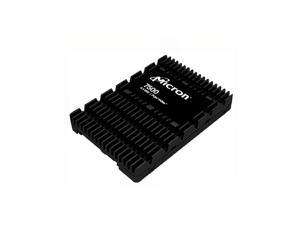
Micron 7500 Pro 960 GB Enterprise Solid State Drive - 2.5" Internal - U.3 - PCI Express NVMe 4.0 ...
- Capacity: 960GB
- Brand: Micron
- Model: MTFDKCC960TGP-1BK1DABYYR
- Part Number: MTFDKCC960TGP-1BK1DABYYR
- Device Type: Internal SSD
- Model #: MTFDKCC960TGP-1BK1DABYYR
- Item #: 9SIV1DSKNK8258
- Return Policy: NothingButSavings Return Policy
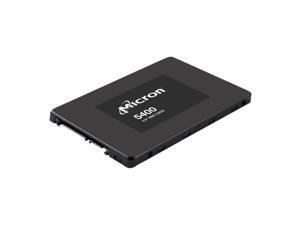
Micron 5400 PRO - SSD - 1.92 TB - SATA 6Gb/s
- Brand: Micron
- Device Type: External Solid State Drive (SSD)
- Model #: R5400P1T9E
- Item #: 9SIV2GEKKW1892
- Return Policy: TechSavers Return Policy
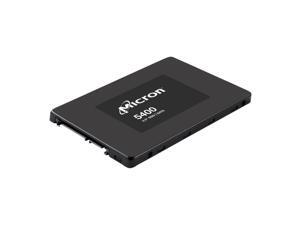
Micron 5400 PRO 1.92 TB SATA 2.5 (7mm) TCG-Opal SSD - SATA 6Gb/s ...
- Form Factor: 2.5"
- Capacity: 1.92TB
- Interface: Serial ATA
- Brand: Micron
- Part Number: MTFDDAK1T9TGA-1BC15ABYYR
- Device Type: External Solid State Drive (SSD)
- Model #: MTFDDAK1T9TGA-1BC15ABYYR
- Item #: 9SIV0Z4K451003
- Return Policy: Compute4Less Corp Return Policy
HP 512 GB Solid State Drive M.2 Internal
- Brand: HP
- Device Type: Internal SSD
- Model #: 56Q89AA
- Item #: 9SIV1DSKW57952
- Return Policy: NothingButSavings Return Policy
What is an Internal Solid State Drive?
Introduction
Internal solid state drives (SSD) have several advantages over hard drives and in recent years have become a popular storage alternative. So should you consider purchasing internal SSDs instead of hard drives for your organization? Below, NeweggBusiness will brief you on the basics of internal SSDs and their benefits as well as their disadvantages to help you make an informed decision.
Benefits of External RAID Enclosures
Computer hard drives store data on magnetic disks and have heads that read and write bits of data. As the head moves over the surface of a disk, it interacts with the disk’s magnetic field and causes changes that can be measured and converted to a binary value. Because data is spread across the surface of the disk, the head must physically go to where the data is located on the disk so that it can read the binary values. Referred to as seek time, this process is measured in milliseconds and can cause some noise and vibrations. An operation such as loading software requires the drive to move to many different sections of the disk to read the data, which is not an instant or entirely silent process.
In contrast, internal solid state drives have no moving parts. They store data in memory chips similar to those found in USB flash drives and have controller chips to regulate communication between the memory chips and computer. The controller card on an internal SSD accesses data by sending and receiving electrical signals from the memory chips, requiring no moving components. So when a SSD reads a large file, the controller chip reads the data from the memory and sends it to the computer quickly and silently.
Some advantages that internal solid state drives have over hard drives include:
Performance
Internal solid state drives usually score higher than hard drives in performance benchmarks, with some having average read speeds over 400 MBps. Performance can depend heavily on the components and type of interface used, so you will want to check the rated read/write speeds and interface listed on the internal SSD product description pages.
Durability
Sudden movements can be big problems for disks spinning at several thousand revolutions per minute. Compared to hard drives, internal Solid state drives have less points of failure and are not as susceptible to external forces. Because of that, laptops benefit greatly from internal SSDs since they can be subjected to a lot of movement and possible impacts while being transported.
Form Factor
Many solid state drives have the same 2.5 inch form factor as laptop hard drives, so they can be used as replacement drives without additional equipment required. For desktops that do not support 2.5 inch drives, 2.5 inch to 3.5 inch adapters will be required.
Noise
Because hard drives need to spin the storage media and have heads that need to move, they can create perceptible noise. With no moving parts, SSDs have no noise output.
Considerations
Despite the advantages listed above, internal SSDs have not made the hard drive obsolete. One reason that SSDs are not more widely used is their high cost per gigabyte (GB). A 100 GB SSD will cost more than a 100 GB hard drive, so unless fast read or write speeds are required, SSDs are usually not used for storing copious amounts of data.
If your organization is considering SSDs for use in servers, enterprise-grade SSDs may be better suited. They are designed to fit the needs of data centers by being more reliable, having bigger capacities, and longer operational life spans. For more information on enterprise SSDs, please visit the NeweggBusiness Enterprise SSD store. Unless your organization requires the benefits that an enterprise-grade SSD can give, standard internal SSDs for desktops and laptops have plenty of performance and features for most office tasks.
If you wish to purchase an internal SSD for your organization, some criteria you should look at include:
Interface
The two most common internal SSD interface types are SATA and PCIe, with most standard internal SSDs using SATA. Many newer laptops and desktops are compatible with SATA drives, but you should confirm if your organization’s workstationssupport them. PCIe SSDs are typically enterprise-grade and have slightly better performance. They are not compatible with laptops, and only some desktops support them.
Controller
The controller of an internal SSD acts as the intermediary between the memory storage and the computer. The controller chip is a major factor in determining SSD performance, reliability, and compatibility. Different SSD models may use the same controller chip, so check user reviews to get a sense of how a certain controller chip performs or if it is compatible with your organization’s computers.
Single-level Cell (SLC) / Multi-level Cell (MLC)
MLC and SLC are two different SSD technologies that refer to the type of flash memory cell used on the drive, which can impact performance and endurance. Memory cells in internal SSDs have a finite life span and can only be written to a limited number of times before performance starts to degrade. An SLC drive is more expensive than an MLC drive but has slightly better performance and more write/rewrite endurance.
Warranty
Internal SSDs have better reliability than hard drives, but they are not indestructible. Try to find a drive with a long and comprehensive warranty.
If the advantages of internal SSDs outlined above meet your organization’s storage requirements, switching over from hard drives is not a difficult process. Many internal SSDs use the same 2.5 inch form factor and SATA interface as laptop hard drives, so if your organization’s computers are SATA compatible the only additional equipment needed may be 2.5 inch to 3.5 inch adapters. Upgrading a workstation’s hard drive with an internal SSD is a low cost upgrade and can improve performance noticeably.

