


Laptop Internal Hard Drives - Showing 121 - 144 of 600 Products



Seagate Momentus 7200.2 ST9100821AS 100GB 7200 RPM 8MB Cache SATA 3.0Gb/s 2.5" ...
- Average Latency: 4.17ms
- Parts: 3 years limited
- Labor: 3 years limited
- Model #: ST9100821AS
- Item #: 9SIV0AHBBC2678
- Return Policy: Best Hdd Inc Return Policy

TOSHIBA MK2552GSX(HDD2H02) 250GB 5400 RPM 8MB Cache SATA 1.5Gb/s 2.5" Notebook ...
- Average Seek Time: 12ms
- Parts: 3 years limited
- Labor: 3 years limited
- Model #: MK2552GSX
- Item #: 9SIV0AHJP98442
- Return Policy: Best Hdd Inc Return Policy
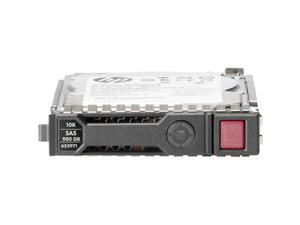

HPE-IMSourcing 146 GB 2.5" Internal Hard Drive - SAS
- Brand: HPE
- Features: Hard Drive
- Model #: 652605-B21
- Item #: 9SIV0AHJP20986
- Return Policy: Best Hdd Inc Return Policy
Seagate Momentus 5400.5 ST980310AS 80GB 5400 RPM 8MB Cache SATA 3.0Gb/s 2.5" ...
- Average Latency: 5.6ms
- Parts: 3 years limited
- Labor: 3 years limited
- Model #: ST980310AS
- Item #: 9SIV0AH7901039
- Return Policy: Best Hdd Inc Return Policy

Seagate ST600MX0082 2.5" 600GB SAS 12Gb/s 15K RPM eMLC 32GB ValkyrieBP TurboBoost ...
- Model #: ST600MX0082
- Item #: 9SIV0AHBAZ5048
- Return Policy: Best Hdd Inc Return Policy

Seagate Momentus 7200.4 ST9500423AS 500GB 7200 RPM 16MB Cache SATA 3.0Gb/s 2.5" ...
- Brand: Seagate
- Series: Momentus 7200.4
- Capacity: 500GB
- RPM: 7200 RPM
- Form Factor: 2.5"
- Interface: SATA 3.0Gb/s
- Packaging: Bare Drive
- Cache: 16MB
- Model #: ST9500423AS
- Item #: 9SIV0AH5VV8234
- Return Policy: Best Hdd Inc Return Policy
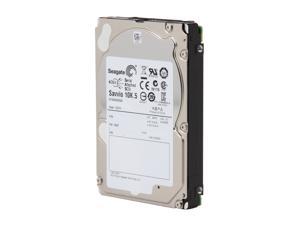
Seagate Savvio 10K.5 ST9900805SS 900GB 10000 RPM 64MB Cache SAS 6Gb/s 2.5" Internal ...
- Brand: Seagate
- Series: Savvio 10K.5
- Capacity: 900GB
- RPM: 10000 RPM
- Form Factor: 2.5"
- Interface: SAS 6Gb/s
- Packaging: Bare Drive
- Cache: 64MB
- Model #: ST9900805SS
- Item #: 9SIV0AH5VV8214
- Return Policy: Best Hdd Inc Return Policy

Seagate EE25.2 Series ST940817AM 40GB 5400 RPM 8MB Cache PATA 2.5" Extreme Class ...
- Average Latency: 5.6ms
- Parts: 3 years limited
- Labor: 3 years limited
- Model #: ST940817AM
- Item #: 9SIV0AHK4W1723
- Return Policy: Best Hdd Inc Return Policy

Hitachi GST Travelstar 5K500.B HTS545032B9A300 (0A57913) 320GB 5400 RPM 8MB Cache ...
- Average Seek Time: 12ms
- Average Latency: 5.5ms
- Parts: 3 years limited
- Labor: 3 years limited
- Model #: HTS545032B9A300
- Item #: 9SIV0AH8P80853
- Return Policy: Best Hdd Inc Return Policy
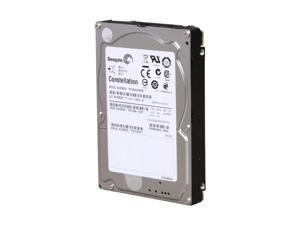
Seagate Constellation ST9500430SS 500GB 7200 RPM 16MB Cache SAS 6Gb/s 2.5" Internal ...
- Brand: Seagate
- Series: Constellation
- Capacity: 500GB
- RPM: 7200 RPM
- Form Factor: 2.5"
- Interface: SAS 6Gb/s
- Packaging: Bare Drive
- Cache: 16MB
- Model #: ST9500430SS
- Item #: 9SIV0AH7962419
- Return Policy: Best Hdd Inc Return Policy

Seagate ST500LM000 500GB 5400 RPM 64MB Cache SATA 6.0Gb/s 2.5" Laptop Thin SSHD ...
- Brand: Seagate
- Capacity: 500GB
- RPM: 5400 RPM
- Form Factor: 2.5"
- Interface: SATA 6.0Gb/s
- Packaging: Bare Drive
- Cache: 64MB
- Flash Memory Capacity: 8GB
- Model #: ST500LM000
- Item #: 9SIV0AHAJN1810
- Return Policy: Best Hdd Inc Return Policy

Hitachi GST Travelstar 7K500 HTS725050A9A364 (0A72335) 500GB 7200 RPM 16MB Cache ...
- Average Seek Time: 12ms
- Average Latency: 4.2ms
- Parts: 3 years limited
- Labor: 3 years limited
- Model #: 0A72335
- Item #: 9SIV0AHAPT3264
- Return Policy: Best Hdd Inc Return Policy

Seagate Momentus 5400 ST9640320AS 640GB 5400 RPM 8MB Cache SATA 3.0Gb/s 2.5" ...
- Average Seek Time: 11ms
- Average Latency: 5.5ms
- Parts: 2 years limited
- Labor: 2 years limited
- Model #: ST9640320AS
- Item #: 9SIV0AH8H54635
- Return Policy: Best Hdd Inc Return Policy
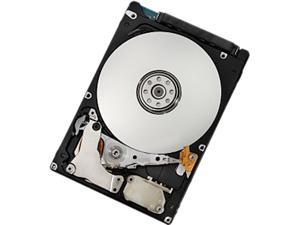
Hitachi GST Travelstar Z7K320 HTE723225A7A364 (Part#: 0J13212) 250GB 7200 RPM 16MB ...
- Parts: 3 years limited
- Labor: 3 years limited
- Model #: 0J13212
- Item #: 9SIV0AHDTC0495
- Return Policy: Best Hdd Inc Return Policy
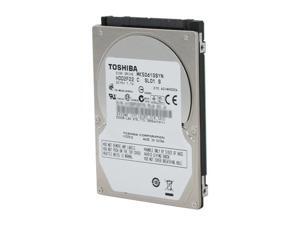
TOSHIBA MK5061GSYN 500GB 7200 RPM 16MB Cache SATA 3.0Gb/s 2.5" Internal Notebook ...
- Brand: TOSHIBA
- Series: MKxx61GSYN
- Capacity: 500GB
- RPM: 7200 RPM
- Form Factor: 2.5"
- Interface: SATA 3.0Gb/s
- Packaging: Bare Drive
- Cache: 16MB
- Model #: MK5061GSYN
- Item #: 9SIV2A9JH21751
- Return Policy: Anand International Return Policy
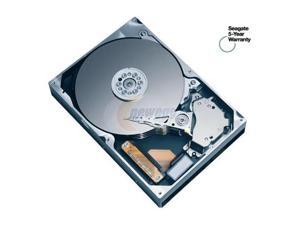
Seagate Momentus 4200.2 ST9808210A 80GB 4200 RPM 8MB Cache IDE Ultra ATA100 / ...
- Average Seek Time: 12.5ms
- Average Latency: 5.56ms
- Parts: 1 year limited
- Labor: 1 year limited
- Model #: ST9808210A
- Item #: 9SIV0AHBB88729
- Return Policy: Best Hdd Inc Return Policy


Seagate Samsung Spinpoint M8 ST1000LM024 (HN-M101MBB/EX2) 1TB 5400 RPM 8MB ...
- Brand: Seagate Samsung
- Series: Spinpoint M8
- Capacity: 1TB
- RPM: 5400 RPM
- Form Factor: 2.5"
- Interface: SATA 6.0Gb/s
- Packaging: Bare Drive
- Cache: 8MB
- Model #: ST1000LM024
- Item #: 9SIV0AHA6Y0935
- Return Policy: Best Hdd Inc Return Policy
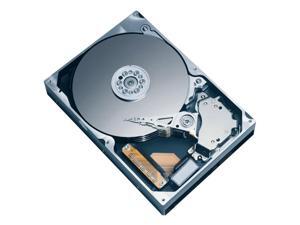
Fujitsu MAY2036RC 36.7GB 10000 RPM 16MB Cache Serial Attached SCSI (SAS) 2.5" Internal ...
- Average Seek Time: 4ms
- Average Write Time: 4.5ms
- Average Latency: 2.99ms
- Parts: 3 years limited
- Labor: 3 years limited
- Model #: MAY2036RC
- Item #: 9SIV0AH8PC4230
- Return Policy: Best Hdd Inc Return Policy
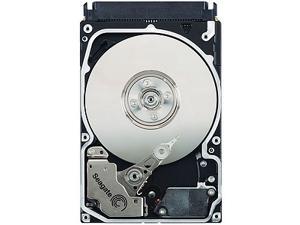
Seagate Savvio 15K ST973451SS 73.40 GB 2.5' Internal Hard Drive
- Brand: Seagate
- Series: Savvio
- RPM: 15000 RPM
- Form Factor: 2.5"
- Interface: SAS 3Gb/s
- Cache: 16MB
- Features: Important Warranty Information This product is end-of-sale and no longer warranted by the manufacturer. Instead, Newegg warranties this product for one year from date of purchase. If you require warranty service after thirty days, please contact Newegg Customer Service, not the manufacturer.
- Parts: 1 YR
- Model #: ST973451SS
- Item #: 9SIV0AH8H77749
- Return Policy: Best Hdd Inc Return Policy
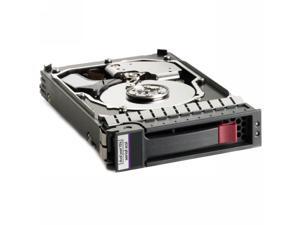
HP 418367-B21 146GB 10000 RPM SAS 3Gb/s 2.5" Internal Hard Drive
- Average Seek Time: 4.1ms
- Model #: 418367-B21
- Item #: 9SIV0AHJNT9264
- Return Policy: Best Hdd Inc Return Policy
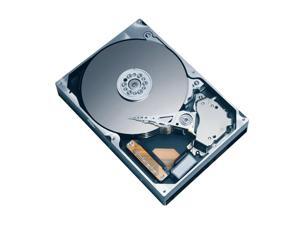
Fujitsu MHV2060BH 60GB 5400 RPM 8MB Cache SATA 1.5Gb/s 2.5" Notebook Hard Drive ...
- Average Seek Time: 12ms
- Average Latency: 5.56ms
- Parts: 1 year limited
- Labor: 1 year limited
- Model #: MHV2060BH
- Item #: 9SIV0AH8P79555
- Return Policy: Best Hdd Inc Return Policy
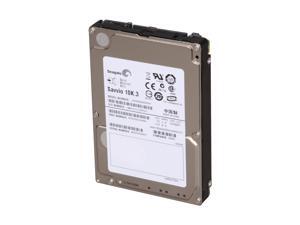
Seagate Savvio 10K.3 ST9300603SS 300GB 10000 RPM 16MB Cache SAS 6Gb/s 2.5" Internal ...
- Brand: Seagate
- Series: Savvio 10K.3
- Capacity: 300GB
- RPM: 10000 RPM
- Form Factor: 2.5"
- Interface: SAS 6Gb/s
- Packaging: Bare Drive
- Cache: 16MB
- Model #: ST9300603SS
- Item #: 9SIV0AHBTE3757
- Return Policy: Best Hdd Inc Return Policy
Seagate ST900MM0088 2.5" 900GB SAS 12Gb/s, 10K RPM, eMLC 32GB, 4KN (THUNDERBOLT ...
- Model #: ST900MM0088
- Item #: 9SIV0AHBMS8154
- Return Policy: Best Hdd Inc Return Policy

HGST Travelstar Z5K500 HTS545050A7E380 (0J11285) 500GB 5400 RPM 8MB Cache SATA ...
- Average Latency: 5.5ms
- Height (maximum): 7mm
- Width (maximum): 69.75mm
- Length (maximum): 100.3mm
- Model #: 0J11285
- Item #: 9SIV0AHAYV6714
- Return Policy: Best Hdd Inc Return Policy
Common Laptop Hard Drive Questions
Introduction
The term laptop hard drive is often applied to 2.5 inch hard drives even though they are used in many types of devices and not just laptops. For instance, they can be found in entertainment devices, desktop computers, server workstations, and more. Below, NeweggBusiness answers several common questions about 2.5 inch and laptop hard drives.
Questions
What does 2.5 inch refer to?
The designation stems from the fact that the disk platters inside of the drive are traditionally 2.5 inches in diameter. The exterior of a 2.5 inch hard drive is actually 100 millimeters (length) by 69.85 millimeters (width).
Thickness can vary, though 9.5 millimeters is very common for most laptops. On the lower end of the scale, Ultrabooks™ can sometimes have hard drives as slim as 5 millimeters. Enterprise-grade hard drives can sometimes be as thick as 15 millimeters.
How do I use a 2.5 inch or laptop hard drive with a device doesn’t support that form factor?
In order to use a 2.5 inch hard drive with a device that is designed for 3.5 inch or desktop hard drives, you will need an adapter bracket. Even with the bracket however, you will still need to ensure that the connectors are compatible.
Can I use an enterprise-grade 2.5 inch hard drive with a laptop?
While some enterprise-grade hard drives and laptop hard drives have similar form factors, they typically utilize different connectors. A laptop for instance, will usually have a SATA connector—or PATA/IDE in the case of older laptops. A server-grade hard drive on the other hand, will typically have a SAS or SCSI connector.
So while a SAS hard drive may physically fit inside a laptop, it cannot be used due to connection differences.
How do I replace a laptop hard drive?
Not all laptops feature removable hard drives, so you will first need to consult the laptop’s user guide or manufacturer’s website for confirmation. If the manufacturer states that your laptop’s hard drive can be replaced, the information below can serve as a general outline.
The first step is to ensure that you have the appropriate tools. Recommended tools include a Phillips screwdriver with a relatively small head, a flat-head screwdriver, and possibly Torx® screwdrivers.
While each laptop model may have a unique design, there are some commonalities with how the hard drives can be accessed. Three of the more common laptop hard drive configurations are as follows.
- Tray-mounted
- Access panel on the underside
- Underneath the keyboard
Once you have determined how to access the laptop hard drive, you should remove the battery and unplug the laptop to avoid electrical damage or injury.

