


- Home
- >Computer Hardware
- >Barebone / Mini Computers
- >Mini-PC Barebone
Mini-PC Barebone - Showing 1417 - 1419 of 1419 Products
Narrow Results
NARROW RESULTS
CPU Socket
CPU Type
North Bridge
Memory slot
Memory Type Supported
PCI
Sold by
Serial ATA
Integrated Graphics
Channel
Max LAN Speed
PCI Express 3.0 x16
HDMI
Thunderbolt 3
Brands
All Top Brands
Availability
Condition
Price
Useful Links
Shipping Options
Warranty
Customer Ratings


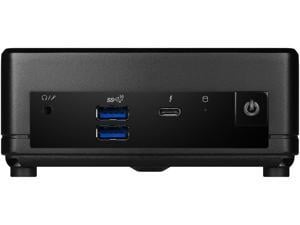

MSI Cubi 5 12M, 0.7L Mini PC, Intel Core i5-1235U, WiFi 6, BT 5.2, Duel LAN, ThunderBOLT Type ...
- Type: Desktop PC
- Monitor: Monitor not included
- Model #: CUBI512M015B
- Item #: 9B-1VK-0053-00YM8
- Return Policy: Standard Return Policy
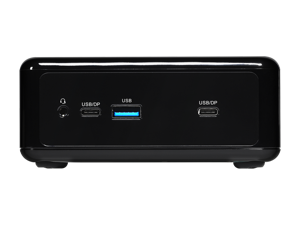

ASRock Industrial NUC NUC BOX-1360P/D4 Barebone Systems- Mini-PC (with Intel® 13th ...
- Brand: ASRock Industrial
- Series: NUC
- CPU Socket: Intel Socket LGA1700
- Material: Plastic with sheet metal
- Color: Black
- Integrated Graphics: Intel® Iris® Xe Graphics
- Wireless LAN: 1 x Wi-Fi 6E 802.11ax (2.4Gbps)
- Bluetooth: BT 5.2
- Model #: NUC BOX-1360P/D4
- Item #: 9B-56-158-090
- Return Policy: Replacement Only Return Policy
ASRock Industrial 4X4 BOX-AI350 Barebone Systems- Mini-PC (AMD Ryzen™ AI 7 350, DDR5 ...
- Brand: ASRock Industrial
- Color: Black
- Wireless LAN: 1 x Wi-Fi 6E 802.11ax
- Bluetooth: Bluetooth 5.2
- HDMI: 2 x HDMI 2.1
- Memory slot: 2 x 262Pin SO-DIMM
- Memory Type Supported: DDR5 5600
- CPU Type: 8Cores, Max Speed up to 5.0GHz
- Model #: 4X4 BOX-AI350
- Item #: 9B-56-179-017
- Return Policy: Replacement Only Return Policy
Key Considerations for Mini and Booksize Barebone PCs
Introduction
A mini PC—also sometimes referred to as a nettop PC—is a very small form factor desktop computer with smaller and lower power internal hardware. A mini PC can be useful for professionals that primarily carry out office tasks such as word processing, data entry, or internet browsing. For more information about how mini PCs are differentiated from desktop computers, see below.
Mini PC Advantages
Compact
Compared to desktop and laptop computers, mini PCs are much more compact. The smallest examples are about the same size as wireless routers while the largest are no bigger than micro ATX computer cases.
Integrated Components
To fit all the hardware into such a limited space, nettop/mini PCs integrate many components onto an already small motherboard. Gone are support for discrete sound cards, graphics accelerators, network interface cards, and large power supplies. Some models also have built-in processors, so you can save on costs by not having to purchase one separately.
Low Energy Consumption
Another benefit of nettop PCs is that they consume less power than most standard desktop systems and generate much less heat. Because they generate low amounts of heat, they do not require noisy active cooling components such as fans.
Barebone Mini PC Buying Tips
Design
Nettop PCs are available in a variety of non-standard designs and form factors. However, there are two ways that they can be oriented, vertically or horizontally. If you want to maximize desk space, you should get a mini PC that can be stood up vertically.
CPU
Some mini PCs allow you to install a desktop processor of your choice while others have embedded low-power processors. Embedded processors tend to generate less heat and use less power. Utilizing a desktop processor can drive up costs and heat generation, but will net you a more powerful computer.
Connectivity
The number of connections that a mini PC has impacts what and how many devices can be connected to it. For video output, the usual offerings are DVI, VGA, or HDMI. Other standard connectivity options include USB for external devices, 3.5mm audio output, and RJ45 for networking. More advanced mini PCs can sometimes include wireless networking, multiple video connections, and eSATA.

