


Server CPU Processor - Showing 625 - 648 of 1213 Products


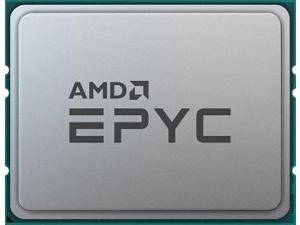

AMD EPYC 9004 (4th Gen) 9334 Dotriaconta-core (32 Core) 2.70 GHz Processor - 128 MB L3 ...
- Brand: AMD
- Name: EPYC 9334
- Operating Frequency: 2.7 GHz
- CPU Socket Type: Socket SP5
- Thermal Design Power: 210W
- # of Cores: 32-Core
- Series: AMD EPYC 9004
- L3 Cache: 128MB
- Model #: 100-000000800
- Item #: 9SIV2XVKJY9218
- Return Policy: High Performance Tech Return Policy
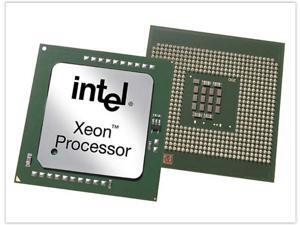

HPE 726668-B21 Intel Xeon E5-2600 v3 E5-2650L v3 Dodeca-core (12 Core) 1.80 GHz ...
- Brand: HPE
- Type: Interface Processor
- Color: Green
- Model #: 726668-B21
- Item #: 9SIV1JDAN59848
- Return Policy: Avanti Data Products Return Policy
Cisco Refresh ASR1000-ESP200X
- Model #: ASR1000-ESP200X-RF
- Item #: 9SIV1W6KK52431
- Return Policy: Optdex Return Policy
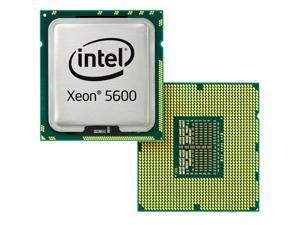
HP Xeon DP X5650 2.66 GHz Processor Upgrade - Socket B LGA-1366
- # of Cores: Six-Core
- Series: Xeon DP
- L2 Cache: 1.50 MB
- L3 Cache: 12MB
- Manufacturing Tech: 32 nm
- 64-Bit Support: Yes
- L1 Cache: 384 KB
- Model #: 611143-B21
- Item #: 9SIV1JDA7S6249
- Return Policy: Avanti Data Products Return Policy
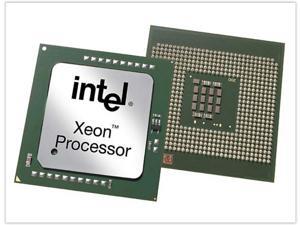
HP Intel Xeon E5-2630 v4 Deca-core (10 Core) 2.20 GHz Processor Upgrade - Socket R3 ...
- Series: Xeon
- L2 Cache: 2.50 MB
- L3 Cache: 25MB
- Manufacturing Tech: 14 nm
- 64-Bit Support: Yes
- QPI: 8.00 GT/s
- L1 Cache: 2.50 MB
- Model #: 801238-B21
- Item #: 9SIV1JDA7S8230
- Return Policy: Avanti Data Products Return Policy
HP 860657-B21 Intel Xeon Silver 4114 - 2.2 Ghz - 10-Core - 20 Threads - 13.75 Mb Cache - ...
- Model #: 860657-B21
- Item #: 9SIV1JD9BP9246
- Return Policy: Avanti Data Products Return Policy

HPE P23682-001 EPYC 7742 2.25GHz 64-Core Processor
- Type: Control Module
- Model #: P23682-001
- Item #: 9SIV1JDKC60629
- Return Policy: Avanti Data Products Return Policy
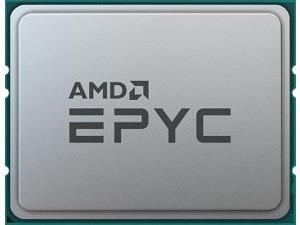
AMD EPYC 9004 (4th Gen) 9684X Hexanonaconta-core (96 Core) 2.55 GHz Processor - OEM ...
- Brand: AMD
- Name: EPYC 9684X
- Operating Frequency: 2.55 GHz
- CPU Socket Type: Socket SP5
- Thermal Design Power: 400W
- # of Cores: 96-Core
- Series: AMD EPYC 9004
- L3 Cache: 1152MB
- Model #: 100-000001254
- Item #: 9SIV2XVKEM6828
- Return Policy: High Performance Tech Return Policy

AMD EPYC 9004 (4th Gen) 9254 Tetracosa-core (24 Core) 2.90 GHz Processor - 128 MB L3 ...
- Brand: AMD
- Name: EPYC 9254
- Operating Frequency: 2.9 GHz
- CPU Socket Type: Socket SP5
- Thermal Design Power: 200W
- # of Cores: 24-Core
- Series: AMD EPYC 9004
- L3 Cache: 128MB
- Model #: 100-000000480
- Item #: 9SIV2XVKBE2558
- Return Policy: High Performance Tech Return Policy
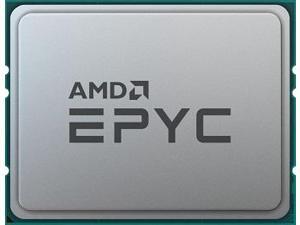
HPE P39472-B21 EPYC 7643 2.3GHz 48-Core Processor
- Type: Control Module
- Model #: P39472-B21
- Item #: 9SIVSYTKUR9315
- Return Policy: SuZhouLiYuanLiXinBaiHuo Return Policy
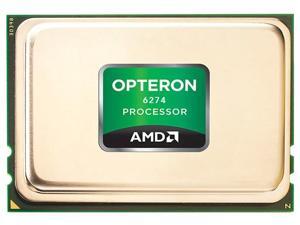
HP Opteron 6274 2.2GHz 16MB L3 Cache Socket G34 655091-L21 Server Processor
- Brand: HP
- Name: Opteron 6274
- Operating Frequency: 2.2 GHz
- CPU Socket Type: Socket G34
- Thermal Design Power: 115W
- # of Cores: 16-Core
- Series: AMD Opteron 6200 Series
- L3 Cache: 16MB
- Model #: 655091-L21
- Item #: 9SIV1JD9BP8829
- Return Policy: Avanti Data Products Return Policy
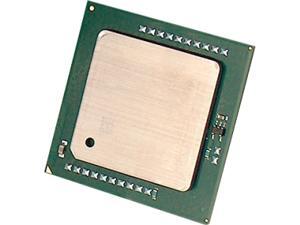
HP Xeon DP X5672 3.20 GHz Processor Upgrade - Socket B LGA-1366
- # of Cores: Quad-Core
- Series: Xeon DP
- L2 Cache: 1MB
- L3 Cache: 12MB
- Manufacturing Tech: 32 nm
- 64-Bit Support: Yes
- L1 Cache: 256 KB
- Model #: 633783-B21
- Item #: 9SIV1JDA7S6331
- Return Policy: Avanti Data Products Return Policy

Intel Xeon Gold 6336Y Ice Lake 2.4 GHz 36MB L3 Cache LGA 4189 185W CD8068904658702 ...
- # of Cores: 24-Core
- Series: Intel Xeon Gold
- L3 Cache: 36MB
- Manufacturing Tech: 10 nm
- 64-Bit Support: Yes
- Virtualization Technology Support: Yes
- Hyper-Threading Support: Yes
- Integrated Memory Controller Speed: 3200 MHz
- Model #: CD8068904658702
- Item #: 9SIV2XVKV88437
- Return Policy: High Performance Tech Return Policy
AMD EPYC 7543P
- Model #: 730143315418
- Item #: 9SIV2XVKEJ8084
- Return Policy: High Performance Tech Return Policy
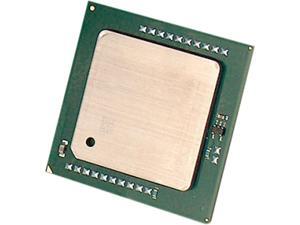
HP Xeon E5-2637 3 GHz Processor Upgrade - Socket R LGA-2011
- # of Cores: Dual-Core
- Series: Xeon
- L2 Cache: 512 KB
- L3 Cache: 5MB
- Manufacturing Tech: 32 nm
- 64-Bit Support: Yes
- Model #: 654430-B21
- Item #: 9SIV1JDA7S6664
- Return Policy: Avanti Data Products Return Policy
Intel Xeon Gold (4th Gen) 5412U Tetracosa-core (24 Core) 2.10 GHz Processor - 45 MB L3 ...
- # of Cores: 24-Core
- Series: Intel Xeon Gold
- L3 Cache: 45MB
- Manufacturing Tech: 10 nm
- 64-Bit Support: Yes
- Cooling Device: Cooling device not included - Processor Only
- Virtualization Technology Support: Yes
- Integrated Memory Controller Speed: 4400 MHz
- Model #: PK8071305120401
- Item #: 9SIV2XVKTC9007
- Return Policy: High Performance Tech Return Policy
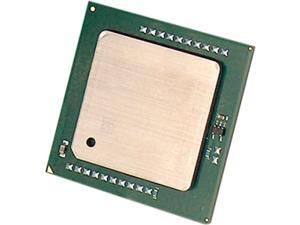
HP Xeon E5-2637 3 GHz Processor Upgrade - Socket R LGA-2011
- # of Cores: Dual-Core
- Series: Xeon
- L2 Cache: 512 KB
- L3 Cache: 5MB
- Manufacturing Tech: 32 nm
- 64-Bit Support: Yes
- Model #: 654776-B21
- Item #: 9SIV1JDA7S0481
- Return Policy: Avanti Data Products Return Policy
HP Intel Xeon E5-2620 v3 Hexa-core (6 Core) 2.40 GHz Processor Upgrade - Socket LGA ...
- Series: Xeon
- L2 Cache: 1.50 MB
- L3 Cache: 15MB
- Manufacturing Tech: 22 nm
- 64-Bit Support: Yes
- QPI: 8.00 GT/s
- L1 Cache: 1.50 MB
- Model #: 768586-B21
- Item #: 9SIV1JDA7S1195
- Return Policy: Avanti Data Products Return Policy
HP Intel Xeon E5-2650 v4 Dodeca-core (12 Core) 2.20 GHz Processor Upgrade - Socket LGA ...
- Series: Xeon
- L2 Cache: 3 MB
- L3 Cache: 30 MB
- Manufacturing Tech: 14 nm
- 64-Bit Support: Yes
- QPI: 9.60 GT/s
- L1 Cache: 3 MB
- Model #: 818178-B21
- Item #: 9SIV1JDA7S8688
- Return Policy: Avanti Data Products Return Policy
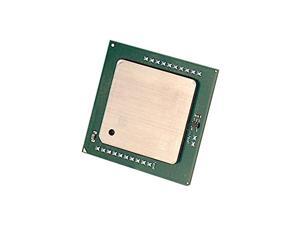
HP 817937-B21 Hpe Dl380 Gen9 E5-2640V4 Processor Kit - Includes 2.4Ghz Intel Xeon ...
- # of Cores: 10-Core
- Series: Xeon
- 64-Bit Support: Yes
- Cooling Device: Cooling device not included - Processor Only
- QPI: 8 GT/s
- Hyper-Threading Support: Yes
- Average CPU Power: 90W
- # of Threads: 20
- Model #: 817937-B21
- Item #: 9SIV1JDA7S5474
- Return Policy: Avanti Data Products Return Policy
Intel Xeon Platinum (4th Gen) 8444H Hexadeca-core (16 Core) 2.90 GHz Processor - 45 MB L3 ...
- # of Cores: 16-Core
- Series: Intel Xeon Platinum
- L3 Cache: 45MB
- Manufacturing Tech: 10 nm
- 64-Bit Support: Yes
- Cooling Device: Cooling device not included - Processor Only
- Virtualization Technology Support: Yes
- Hyper-Threading Support: Yes
- Model #: PK8071305075101
- Item #: 9SIV2XVKFV4911
- Return Policy: High Performance Tech Return Policy
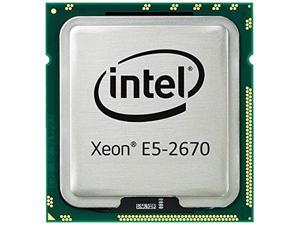
HP SL230s Gen8 Intel Xeon E5-2670 Sandy Bridge-EP 2.6GHz (Turbo Boost up to 3.3GHz) 2MB ...
- # of Cores: 8-Core
- Series: Xeon
- L2 Cache: 2MB
- L3 Cache: 20MB
- Manufacturing Tech: 32 nm
- 64-Bit Support: Yes
- Virtualization Technology Support: Yes
- QPI: 8.00 GT/s
- Model #: 654408-B21
- Item #: 9SIV1JD9BP8769
- Return Policy: Avanti Data Products Return Policy
AMD 100-100000342WOF EPYC 7443P 2.85GHz 24-Core Processor NEW
- Type: Rackmount
- Model #: 100-100000342WOF-NEW
- Item #: 9SIV2XVKEJ8186
- Return Policy: High Performance Tech Return Policy
HP Xeon DP E5645 2.40 GHz Processor Upgrade - Socket B LGA-1366
- # of Cores: Six-Core
- Series: Xeon DP
- L2 Cache: 1.50 MB
- L3 Cache: 12MB
- Manufacturing Tech: 32 nm
- 64-Bit Support: Yes
- L1 Cache: 384 KB
- Model #: 636206-B21
- Item #: 9SIV1JDA7S7346
- Return Policy: Avanti Data Products Return Policy
Desktop and Server Processor Comparison
What are the differences between a desktop and server processor?
Servers and desktops are used for different purposes, and a server processor reflects that. It is designed to be more robust and have features that are not needed in desktops. It must be able to process the needs of multiple users simultaneously, run reliably for very long periods of time, support server-specific hardware and software, manage network resources, and more. NeweggBusiness will detail some of the major hardware differences between desktop and server processors that allow the latter to meet those requirements.
Increased number of cores
The number of cores a processor has and the clock speed of those cores are two important factors that affect overall processor performance. Increasing the clock speed of a processor’s cores allows it to perform calculations quicker while increasing the number of cores allows it to perform more calculations simultaneously.
Some server programs can utilize multiple cores to increase the number processes that can be executed at one time. For instance, when multiple client computers send requests to a server, each individual core can be leveraged to handle a different request.
Multi-processor support
Some server motherboards have the ability to use more than one processor, with a handful able to support up to four CPUs. This allows for additional cores to be utilized by the server, which is then able to support more users and processes. For instance, one common practice is to use two quad-core processors for a total of eight useable cores.
Support for error-correction code (ECC) memory
Some server processors are able to support memory with error-correction code, otherwise known as ECC memory. ECC is a feature that allows the memory to perform self-checks and fixes for common data errors. It is a very important feature, as errors in system memory can lead to data corruption or crashes.
Larger CPU cache sizes
A CPU cache is a small amount of memory that is located on the processor chip and is used to store frequently accessed data. Compared to desktop processors, server processors will typically have larger caches.
Support for larger memory capacities
When comparing specifications for server and desktop processors, you may notice that some server processors are able to support very large amounts of memory—much more than desktop processors. However, the motherboard and software must also be able to support that much memory.
Rated for longer periods of sustained load
Servers sometimes operate continuously for very long periods of time, which can put a lot of strain on the processor. To meet those needs, server processors have features that help prevent overheating, reduce power consumption, equalize workloads, and more.

