


USB Flash Drives - Showing 505 - 528 of 971 Products
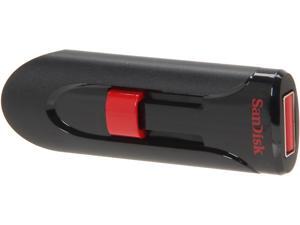

SanDisk 128GB Cruzer Glide USB Flash Drive 128bit AES Encryption SDCZ60-128G-A11
- Brand: SanDisk
- Capacity: 128GB
- Security: 128bit AES Encryption
- USB Specification: USB 2.0
- Color: Black
- Features: Reliable storage for photos, videos, music and other files Password protection and file encryption with included SanDisk SecureAccess software Added protection with 2GB of secure online storage
- Model #: SDCZ60-128G-A11 DUP
- Item #: 9SIV1DSKAF1960
- Return Policy: NothingButSavings Return Policy
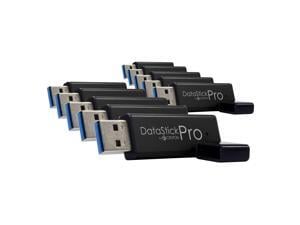
Centon MP ValuePack USB 3.0 Pro (Black) , 32GB x 10
- Brand: CENTON
- Series: DataStick Pro
- Capacity: 32GB
- USB Specification: USB 3.0
- Color: Black
- Features: Sold as 10/Pack.
- Model #: S1-U3P6-32G-10B
- Item #: 9SIV1DSKEM7189
- Return Policy: NothingButSavings Return Policy
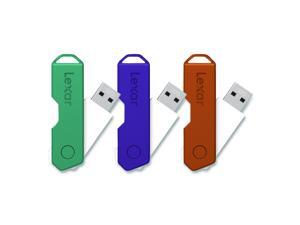
Twist Turn2 USB 2.0 Flash Drive 32 GB Orange/Purple/Teal 3/Pack LJDTT232GABNA3
- Brand: Lexar
- Model #:
- Item #: 9SIV1DSKSP6265
- Return Policy: NothingButSavings Return Policy
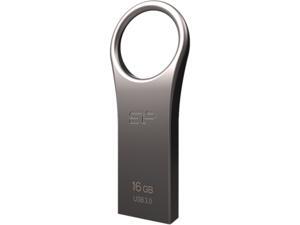

Silicon Power 16GB Jewel J80 USB 3.0 Flash Drive (SP016GBUF3J80V1T)
- Brand: Silicon Power
- Series: J80
- Capacity: 16GB
- Ready Boost: Yes
- USB Specification: USB 3.0
- Color: Titanium
- Features: SuperSpeed USB 3.0 data transferring interface Ergonomic design, easier to use, grasp Exclusive circular shape, can be perfectly fitted on a keychain Exquisite metallic design as a fashion accessory Stylish and sturdy zinc alloy exterior COB (Chip-on-board) technology, water, dust, shock and vibration proof Cap-less design, no more worries about cap loss Recuva File Recovery, allowing recovery of erased files, such as digital photos, documents, music and videos Material: Zinc alloy Operating temperature: 0° C ~ 70° C Supported Operation Systems: Windows 10 / 8.1 / 8 / 7 / Vista / XP, Mac OS 10.3.x, Linux 2.6.x Certification: CE / FCC / BSMI / Green dot / WEEE / RoHS / KCC
- ...
- Model #: SP016GBUF3J80V1T
- Item #: 9SIV04GJVB3424
- Return Policy: Hot Deals 4 Less Return Policy
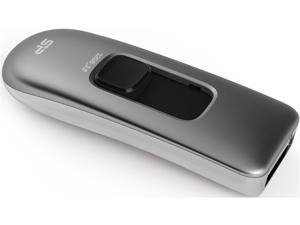
Silicon Power Marvel M70 32GB 200/40 MB/s (read/write) Retractable USB 3.0 Flash Drive ...
- Brand: Silicon Power
- Series: Marvel
- Capacity: 32GB
- Ready Boost: Yes
- USB Specification: USB 3.0
- Color: Silver
- Read Speed: up to 240BM/s
- Write Speed: up to 80MB/s
- Model #: SP032GBUF3M70V1S
- Item #: 9SIV04GJVB3360
- Return Policy: Hot Deals 4 Less Return Policy
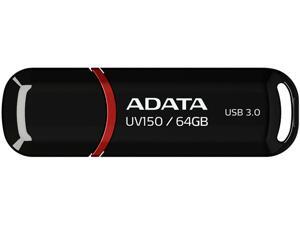

ADATA 64GB UV150 Snap-on Cap USB 3.1 Flash Drive (AUV150-64G-RBK)
- Brand: ADATA
- Series: DashDrive UV150
- Capacity: 64GB
- USB Specification: USB 3.1
- USB Connectors: Type A
- Color: Black
- Read Speed: up to 100MB/s
- Features: A handy snap-on cap design - keeps the drive cap safe and snug on the rear of the device Large capacity up to 128GB Includes a strap mount to attach to lanyard or keychain High compatibility: PCs, tablets, smart TVs, in-car systems, game consoles, home entertainment systems and more
- Model #: AUV150-64G-RBK
- Item #: 9SIV04GJVD1727
- Return Policy: Hot Deals 4 Less Return Policy
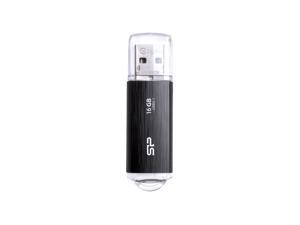
16GB Silicon Power Blaze B02 USB3.1 Flash Drive Black
- Capacity: 16GB
- Ready Boost: Yes
- USB Specification: USB 3.0
- Model #: SP016GBUF3B02V1K
- Item #: 9SIV04GJVB3436
- Return Policy: Hot Deals 4 Less Return Policy
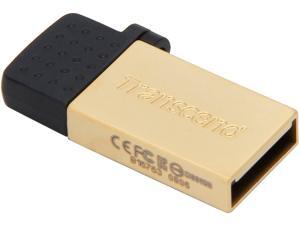
Transcend JetFlash 380 8GB USB 2.0 OTG Flash Drive TS8GJF380G
- Brand: Transcend
- Series: JetFlash 380
- Capacity: 8GB
- USB Specification: USB 2.0/Micro USB
- Color: Gold
- Features: Refined zinc alloy body COB (Chip on Board) manufacturing technique Excellent for USB OTG (On-The-Go) Easy Plug and Play installation USB powered. No external power or battery needed Offers a free download of Transcend Elite data management tools
- Dimensions: 28.1mm x 12.25mm x 4.5mm
- Weight: 3.2g
- Model #: TS8GJF380G
- Item #: 9SIV04GJVB1599
- Return Policy: Hot Deals 4 Less Return Policy
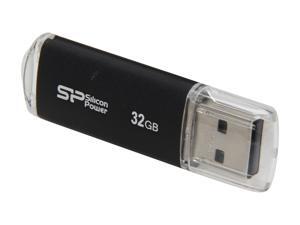
Silicon Power Ultima II-I Series 32GB USB 2.0 Flash Drive (Black) Model SP032GBUF2M01V1K
- Brand: Silicon Power
- Capacity: 32GB
- USB Specification: USB 2.0
- Color: Black
- Features: Silicon Power Ultima II-I series is an USB 2.0 flash drive designed with durable aluminum solid casing. The aluminum casing protects the surface from fingerprints and scratches. The build-in LED indicator light displays power on and data transfer status.
- Dimensions: 60.6mm x 18.0mm x 8.1mm
- Weight: 10g
- Model #: SP032GBUF2M01V1K
- Item #: 9SIV04GJVB3407
- Return Policy: Hot Deals 4 Less Return Policy
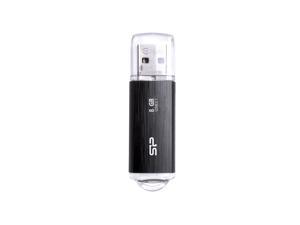
8GB Silicon Power Blaze B02 USB3.1 Flash Drive Black
- Capacity: 8GB
- Ready Boost: Yes
- USB Specification: USB 3.0
- Model #: SP008GBUF3B02V1K
- Item #: 9SIV04GJVB3428
- Return Policy: Hot Deals 4 Less Return Policy
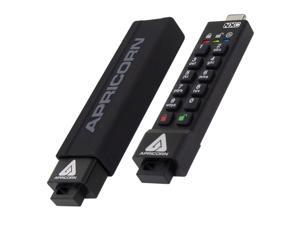
Apricorn 32GB USB3.2 Type-C Flash Drive Black Model ASK3-NXC-32GB
- Model #: ASK3-NXC-32GB
- Item #: 9SIV04GJVC9842
- Return Policy: Hot Deals 4 Less Return Policy
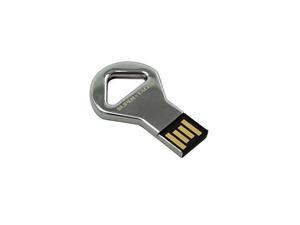
SUPER TALENT STU16GCKBS
- Brand: SUPER TALENT
- Capacity: 16GB
- USB Specification: USB 2.0
- Color: Silver
- Model #: 878294021052
- Item #: 9SIV04GJVB2566
- Return Policy: Hot Deals 4 Less Return Policy
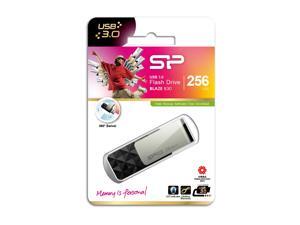
256GB Silicon Power B30 Blaze USB3.0 Flash Drive Swivel Style Black
- Capacity: 256GB
- Ready Boost: Yes
- USB Specification: USB 3.0
- Model #: SP256GBUF3B30V1K
- Item #: 9SIV04GJVB3324
- Return Policy: Hot Deals 4 Less Return Policy
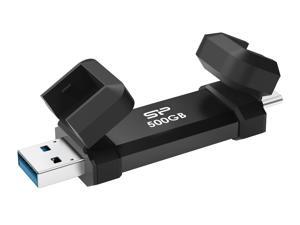
Silicon Power 500GB Marvel Xtreme DS72 USB3.2 Gen2 USB Drive Black (Type-A / Type-C) ...
- Model #: SP500GBUC3S72VPK
- Item #: 9SIV04GKT38397
- Return Policy: Hot Deals 4 Less Return Policy
APRICORN MASS STORAGE ASK3Z-32GB 32GB 256-BIT AES XTS HW
- Brand: Apricorn
- Parts: 3 Year
- Model #: ASK3Z-32GB
- Item #: 9SIV04GK719563
- Return Policy: Hot Deals 4 Less Return Policy
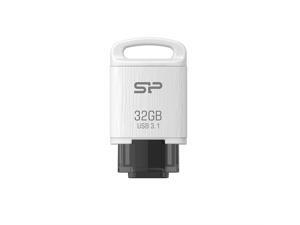
32GB Silicon Power Mobile C10 Android USB3.1 Type-C Flash Drive White
- Capacity: 32GB
- Model #: SP032GBUC3C10V1W
- Item #: 9SIV04GJVB3414
- Return Policy: Hot Deals 4 Less Return Policy
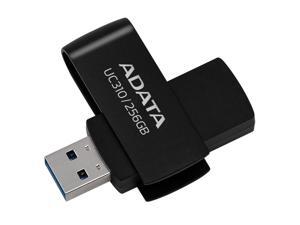
256GB AData UC310 USB 3.2 Flash Drive - Black Capless Swivel
- Capacity: 256GB
- Model #: UC310-256G-RBK
- Item #: 9SIV04GK417596
- Return Policy: Hot Deals 4 Less Return Policy
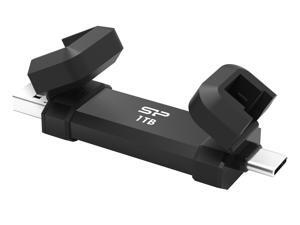
Silicon Power 1TB Marvel Xtreme DS72 USB3.2 Gen2 USB Drive Model SP001TBUC3S72VPK
- Capacity: 1TB
- USB Specification: USB 3.2 Gen 2
- Model #: Silicon Power
- Item #: 9SIV04GKT38402
- Return Policy: Hot Deals 4 Less Return Policy
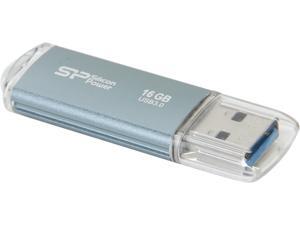
Silicon Power Marvel M01 16GB Entry Level USB 3.0 Flash Drive Model SP016GBUF3M01V1B
- Brand: Silicon Power
- Series: MARVEL
- Capacity: 16GB
- USB Specification: USB 3.0
- Color: Icy Blue
- Features: USB 3.0 interface, backward compatible with USB 2.0 and 1.1 devices Durable and scratch resistant aluminum solid casing LED indicates the usage status Metallic Appearance Fingerprint Free
- Dimensions: 60.6 mm x 18.0 mm x 8.1 mm
- Weight: 0.02 lbs.
- Model #: SP016GBUF3M01V1B
- Item #: 9SIV04GJVB3420
- Return Policy: Hot Deals 4 Less Return Policy
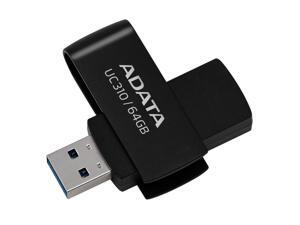
64GB AData UC310 USB 3.2 Flash Drive - Black Capless Swivel
- Capacity: 64GB
- Model #: UC310-64G-RBK
- Item #: 9SIV04GKDD7852
- Return Policy: Hot Deals 4 Less Return Policy
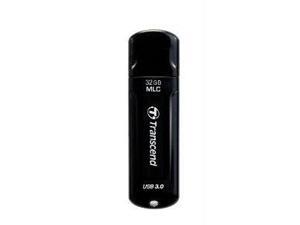
Transcend 32GB JetFlash 750 USB 3.0 Flash Drive
- Brand: Transcend
- Series: JetFlash 750
- Capacity: 32GB
- Ready Boost: Yes
- USB Specification: USB 3.0
- Color: Black
- Write Speed: up to 30MB/s
- Dimensions: Height:0.3" x Width:0.8" x Length:2.7"
- Model #: TS32GJF750K
- Item #: 9SIV04GJVB1690
- Return Policy: Hot Deals 4 Less Return Policy
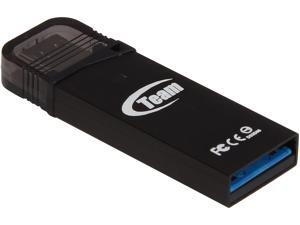

Team M132 64GB USB 3.0 Flash Drive With OTG Support TM13264GB01
- Brand: Team
- Series: M132
- Capacity: 64GB
- USB Specification: USB 3.0/Micro USB
- Color: Black
- Features: New generation USB 3.0 & Micro USB in one package Support for smart phones and tablets equipped with OTG Backward compatibility with USB 2.0/USB 1.1 Aluminum alloy casing with a compact size Device comes with a string and earphone plug
- Dimensions: 37.2 (L) x 12.5 (W) x 4.6 (H)mm
- Weight: 3.2g
- Model #: TM13264GB01
- Item #: 9SIV04GJVB2336
- Return Policy: Hot Deals 4 Less Return Policy
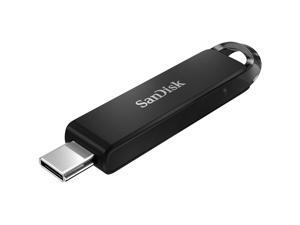
SanDisk Sandisk 64GB Ultra USB Type-C Flash Drive #SDCZ460-064G-A46
- Model #: SDCZ460-064G-A46
- Item #: 9SIV18MKKW1118
- Return Policy: Adorama Camera Return Policy
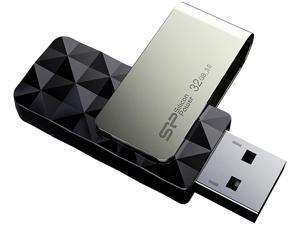
Silicon Power 32GB Blaze B30 USB 3.0 Flash Drive (SP032GBUF3B30V1K)
- Brand: Silicon Power
- Series: B30
- Capacity: 32GB
- Ready Boost: Yes
- USB Specification: USB 3.0
- Color: Black
- Features: Classic diamond-cut pattern for a more stylish look Cap-less design for easily use and store Four-way positioning rotating Patents Great reliability, rotating over 5000 times LED indicates the usage status SP Widget free download provided Recuva File Recovery provided, allowing recovery of erased files, such as digital photos, documents, music and videos
- Dimensions: 0.41" x 0.71" x 2.11"
- Model #: SP032GBUF3B30V1K
- Item #: 9SIV04GJVB3389
- Return Policy: Hot Deals 4 Less Return Policy
Other Uses for USB Flash Drives
Introduction
A USB flash drive is a versatile data storage solution that can be used for many purposes, some of which are not widely known. While flash drives are popular for backing up and transferring data, other uses include boosting computer performance or serving as an operating system boot disk. Below, NeweggBusiness presents several lesser-known benefits of flash drives that you may find useful.
Increase System Performance
Certain operating systems allow you to use a USB flash drive to increase system performance by complementing the main system memory. Known as ReadyBoost ®, it is supported by Windows® Vista®, Windows 7, and Windows 8. In order for a USB flash drive to be used, it must have at least 256 MB of unused space.
Portable Applications
What are portable applications? They are programs that can be installed onto a USB flash drive and run on a host computer without modifying the host computer’s settings or configurations. For instance, a portable .pdf reader on a USB flash drive will allow you to read .pdf files without requiring installation.
Boot Disk
A boot disk can be used for many purposes, including operating system installation, updating Basic Input / Output System (BIOS) settings, and troubleshooting operating system issues. Traditionally, boot disks were specially formatted 3.5 inch floppy disks and later optical discs, but USB flash drives can also be used. The process to make a USB flash drive a boot disk varies depending on the operating system.
Automated Backup
Some USB flash drives include automated backup software bundled or preinstalled onto the drive. With automatic backup, files, folders, and settings can be backed up to a flash drive whenever it is inserted into a USB slot.
Lock or Unlock a Computer
If you have concerns about computer security and do not feel that a password is sufficient protection, a USB flash drive can be used to add an extra layer of security. Some programs, when installed onto your computer and USB flash drive, require the flash drive to be inserted in order for the computer to be locked or unlocked.
Security Tools
By installing portable security tools onto a USB drive, you can scan for viruses and malware on any computer that the flash drive is connected to. A useful tool if you need to remove viruses, malware, or other malicious software from multiple computers or frequently use public computers.
Optical Drive Replacement
Installing an operating system typically requires you to have the installation disc, which can be an issue if the computer does not have an optical drive. One workaround is to use a USB flash drive as the installation medium, rather than an optical disc. This is accomplished by formatting the USB flash drive as a boot disk and copying the operating system installation files.

