












Featured Products See All
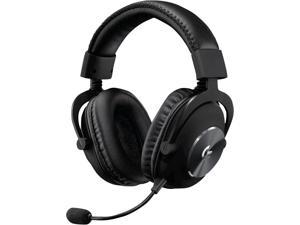

Logitech G PRO X Wireless LIGHTSPEED Gaming Headset with Blue VO!CE Mic Filter Tech, 50 ...
Save: $45.00 (25%)
$134 .99
Free Shipping
- Based on the award-winning PRO Gaming Headset design, the PRO X Wireless headset features high-quality materials, advanced communications, precision audio and total wireless freedom.Specific uses for product : Gaming
- High performance PRO X gaming headset with Lightspeed wireless technology, up to 20-plus hours of battery life and up to 15 m of 2.4 GHz wireless range.
- Next generation DTS Headphone: X 2.0 7.1 surround sound channel with object-based surround sound for greater positional and distance awareness of objects in-game.
- Advanced PRO-G 50 millimeter drivers deliver clear and precise sound imaging with improved bass response. Hear footsteps and environmental cues with clarity to give you the competitive advantage in game.
- Soft memory foam earpads with your choice of premium passive noise-canceling leatherette or soft, breathable velour for supreme comfort.
- Built to last with a durable aluminum fork and steel headband.
- Console compatible: PlayStation 5 and PlayStation 4 (USB wireless stereo sound only), Nintendo Switch (wireless stereo sound when docked)
Save: $45.00 (25%)
$134 .99
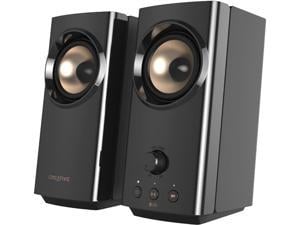
Creative T60 2.0 Compact Hi-Fi Desktop Speakers with Clear Dialog and Surround by Sound ...
Save: $10.00 (10%)
$89 .99
Free Shipping
- HEAR CLEARER DIALOGS AND ENJOY IMMERSIVE SURROUND, POWERED BY SOUND BLASTER - Creative T60 features Clear Dialog and Surround, audio technologies powered by Sound Blaster, to deliver clearer spoken dialogs so you can focus on the show without having to read subtitles, or stay engaged in your gaming session with enhanced Surround immersion. Turn these features on or off directly via the buttons located on the speaker, and enjoy an elevated desktop movie and gaming experience right away
- VARIOUS CONNECTIVITY OPTIONS - Comes with a plethora of connectivity options including USB-C audio that can be connected to your laptops / desktop computer / gaming consoles, wireless audio streaming from your mobile devices with Bluetooth 5.0, built-in 3.5 mm headset and microphone jacks for when you need to attend online work calls, and a standard 3.5 mm AUX-in port for any of your universal analogue devices
- CONVENIENT CONTROLS INCLUDING HEADSET AND SPEAKERS SWITCH
Save: $10.00 (10%)
$89 .99
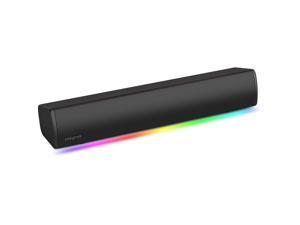
Creative Labs Sound Blaster GS3 Compact Gaming Soundbar (Black)
Free Shipping
- Dual 75 x 52mm Oval Drivers
- Bluetooth 5.4 & Wired Support
- 3.5mm AUX-In
- 3.5mm Headphone-Out
- USB-C 2.0 Connectivity
- Up to 24W Peak Power
- RGB Lighting

Creative Pebble Plus 2.1 USB Desktop Speakers with Subwoofer, Far-Field Drivers, Bass ...
Free Shipping
- POWERFUL DOWN-FIRING SUBWOOFER | The Creative Pebble Plus features a newly designed standalone 4” down-firing ported subwoofer for remarkable power and depth, providing a significant audio performance upgrade over its predecessor
- 45° ELEVATED DRIVERS | Featuring 2” mid-range drivers that are elevated at 45°, the Pebble Plus speakers are specifically angled towards you, providing the best soundstage while ensuring that you are the centre of attention
- HIGH GAIN MODE | Bring out the most of the Creative Pebble Plus! With a simple switch of a button, access the High Gain Mode to increase the power output to 8W RMS with a 5V 2A USB adapter (not included) for stronger bass performance and room-filling audio — at no loss to audio quality
- EASY ACCESS VOLUME CONTROLS | The volume controls are conveniently located at the front of the speakers for easy and hassle-free access
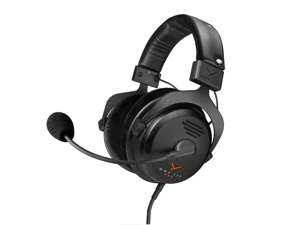

beyerdynamic MMX 330 Pro Open-Back Gaming Headset with Stellar.45 Driver and ...
Save: $120.00 (24%)
$379 .99
Free Shipping
- Open back gaming headset with STELLAR.45 drivers delivers a wide natural soundstage with precise positional audio, allowing players to detect footsteps, direction, and in game cues for a competitive edge
- Studio grade sound tuned for gaming and media provides clear highs, detailed mids, and controlled bass for accurate audio across games, music, and content creation
- High quality condenser microphone ensures clear, natural, and intelligible voice communication during fast paced gameplay
- Designed for long sessions with soft breathable circumaural velour ear pads and balanced clamping force to reduce fatigue and maintain comfort
- Built in Germany with durable serviceable construction offers professional reliability, long term wearability, and wired plug and play performance for PC and console gaming, also suitable for video conferencing applications like Zoom, Teams, Webex, and Google Meets
Save: $120.00 (24%)
$379 .99
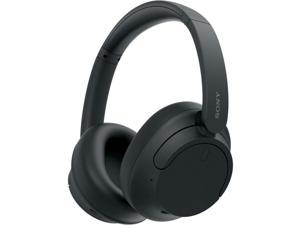
Sony WHCH720NB Wireless Noise Cancelling Headphone - Black
$178 .00
Free Shipping
- Sonys Lightest Wireless Noise-Canceling Headband Ever High Sound Quality and Well-Balanced Sound Tuning Adjustable Ambient Sound Mode Crystal Clear Hands-Free Calling
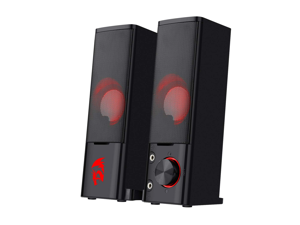
Redragon GS550 Orpheus PC Gaming Speakers, 2.0 Channel Stereo Desktop Computer ...
$24 .99
Free Shipping
- Move Out, Shapeshifter - The maneuverable compact size of GS550 makes sure you are enchanted deeply at the first look. Whether its standing individually on each side of the monitor, or lying merged together underneath, youll love it in both ways. 2.0 Channel Stereo Core - Equipped with advanced sound drive unit with full range 2.0 channel stereo core.so, turn it up and get high. Plug & Play for Broad Compatibility - USB powered with 3.5mm audio and mic cables allows this rockstar to party on wide type of stages for PC, TV, and Laptop. Get it all connected well on your device and let the party begin. Indispensable Red LED - Our Redragon themed red LED-backlit. Handy Volume Knob - Delicate volume knob combined with an on/off switch ensures you a convenient and precise volume adjustment. Additional geared up with extra audio and the mic port supports your other peripheral devices needs.
$24 .99
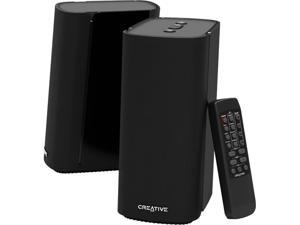
Creative T100 2.0 Bluetooth Desktop Speakers, Wireless Audio, Clear Stereo Sound, ...
Save: $10.00 (9%)
$99 .99
Free Shipping
- MINIMALISTIC 2.0 COMPUTER SPEAKERS - Elegant and minimalistic design that fits into any desktop setting. Perfect for desktop computers and laptops with limited tabletop space
- SIMPLE SETUP WITH MULTIPLE CONNECTIVITY OPTIONS - Simply connect T100 via a myriad of connectivity options such as wireless Bluetooth 5.0, 3.5 mm AUX-in, Optical-in for PS4 Pro, and USB flash drives (supports FLAC for hi-res lossless audio, WMA, and MP3 formats)
- WIDE SOUNDSTAGE AND SUPERIOR AUDIO CLARITY - Specially tuned to bring out a truly immersive and room-filling audio experience, enjoy wide, lifelike soundstage with incredible depth and audio clarity. Our proprietary BasXPort technology further enhances the bass for rich, deep tones without the need for a subwoofer
- POWERFUL 40W RMS DIGITAL AMPLIFIER - Furnished with 2.75” full-range drivers with built-in digital amplifier that fires up to 40W RMS and peak power of up to 80W. Enjoy detailed vocals and catch details that you have been missing before
Save: $10.00 (9%)
$99 .99
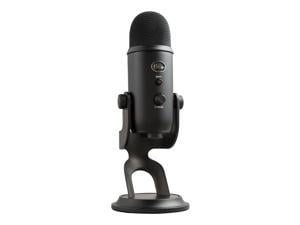
Logitech Blue Yeti USB Microphone, Multi-Pattern Condenser Mic, Plug & Play, Streaming, ...
$98 .63
Free Shipping
- Custom three-capsule array: This professional USB mic produces clear, powerful, broadcast-quality sound for YouTube videos, Twitch game streaming, podcasting, Zoom meetings, music recording and more
- Blue VO!CE software: Elevate your streamings and recordings with clear broadcast vocal sound and entertain your audience with enhanced effects, advanced modulation and HD audio samples
- Four pickup patterns: Flexible cardioid, omni, bidirectional, and stereo pickup patterns allow you to record in ways that would normally require multiple mics, for vocals, instruments and podcasts
- Onboard audio controls: Headphone volume, pattern selection, instant mute, and mic gain put you in charge of every level of the audio recording and streaming process
- Positionable design: Pivot the mic in relation to the sound source to optimize your sound quality thanks to the adjustable desktop stand and track your voice in real time with no-latency monitoring
- Plug 'n Play
$98 .63

Logitech G432 Wired Gaming Headset, 7.1 Surround Sound, DTS Headphone:X 2.0, ...
$48 .99
Free Shipping
- Frequency Response: 20Hz-20KHz.Headphones fit type:On-Ear
- Large 50 millimeter audio drivers produce great sound for a more immersive gaming experience
- Advanced DTS Headphone: X 2; 0 surround sound creates precise positional audio and a 3D soundscape
- 6 millimeter flip to mute mic with volume control at your fingertips
- Connects to PC, mobile devices and game consoles via simple 3.5 millimeter or USB DAC input
- Premium leatherette ear pads and headband for comfortable gaming
$48 .99
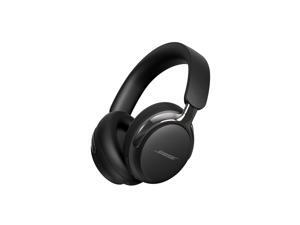

Bose QuietComfort Ultra (2nd Gen) Noise Cancelling Over-Ear Wireless Bluetooth ...
Save: $50.00 (11%)
$399 .00
Free Shipping
- BREAKTHROUGH SPATIALIZED AUDIO: Super immersive sound spatializes everything, taking the music out of your head and placing it in front of you to push the boundaries of listening.
- NOISE CANCELLING HEADPHONES: Enjoy Bose's best noise cancellation for headphones with Quiet Mode, turn on Aware Mode to hear more of your surroundings, or combine noise cancellation and Bose Immersive Audio with Immersion Mode.
- NEW CINEMA MODE: Bring video content to life like never before with Cinema Mode; spatialize and balance background sound and sound effects for movie-like immersion wherever you go.
- LOSSLESS USB AUDIO: Over-the-ear headphones with USB-C audio for wired listening deliver crystal-clear lossless sound that reveals every nuance, so you can hear your favorite song like it's the first time all over again.
- ENHANCED LONG-LASTING BATTERY: Up to 30 hours of play time (23 with Immersive Audio)* keeps the music playing through even the longest listening sessions. Charge your headphones with the included USB-C cord and listen to music at the same time.
- BUILT-IN MICROPHONES: Noise-rejecting mics focus on your voice and AI-based background noise suppression filter out your surroundings and wind for clear phone calls.
- STYLISH PREMIUM DESIGN: Comfortable headphones with plush cushions wrap your ears in a soft embrace while the refined metal headband evenly distributes pressure, ensuring a snug fit all day long.
Save: $50.00 (11%)
$399 .00
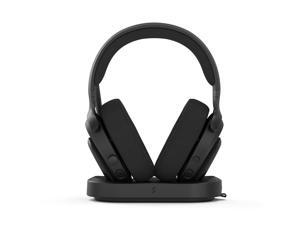

Fractal Design Scape Dark RGB Wireless Gaming Headset w/ Immersive Audio, USB Dongle & ...
$199 .99
Free Shipping
- Custom-tuned audio drivers with adjustable EQ presets via built-in DSP
- Includes an inductive charging stand with magnet-assisted docking
- Detachable Super Wideband microphone with noise cancellation
- Flip-to-mute and press-to-mute functions with mute LED indicator
- Bluetooth 5.3 and ultra-low latency 24-bit/96 kHz wireless connectivity
- Configurable ambient lighting array with status indicator functionality
- Compatible with Adjust Pro, an intuitive web-based configuration tool
- Sleek, lightweight, and adjustable frame with metal alloy details
- Memory foam ear cushions and headband with optimized support
- Control crown for easy volume adjustment and media playback control
- Battery with up to 40 hours of continuous use out of the charging stand
$199 .99
Loading Dynamic Data...
How to Shop for Input Devices
Introduction
A computer input device such as a keyboard, mouse, and graphics tablet can have a huge impact on user experience and productivity. They need to be adequate for the tasks that they will be used to complete and also ergonomic, because they can be used for long periods of time every day. Below, NeweggBusiness has outlined some considerations to help you select top-notch computer input devices for your organization.
Mice
Purchasing a new mouse can be a very subjective process, as the ideal solution can vary from person to person. However, there are general considerations that hold true in most situations.
Dots Per Inch (DPI)
This refers to the resolution of the mouse, with higher DPI meaning more sensitivity. Some users may prefer higher DPI, but it can vary from person to person. High-DPI mice are usually marketed towards home consumers and tend to cost more than mice not marketed as high-DPI.
Size
The size of the mouse is largely a personal preference, but can affect portability. Smaller mice are more portable than larger ones, so professionals that use their laptops on business trips can benefit from smaller mice. Mice for desktops can be larger, as they usually will not be moved away from the workstation much.
Connectivity
Wired and wireless mice each have their own advantages and your purchasing decision will need to factor in the needs of the user as well as the computers that they will be used with.
- Wired – The more cost-effective option of the two, wired mice are less portable since the wire can tangle while in transport. Most wired mice are USB though they usually do include PS/2 adapters. One disadvantage is that they are less portable and fit for travel than wireless mice.
- Wireless – Wireless mice can be split into two camps, Bluetooth® mice and radio frequency (RF) mice. Bluetooth mice require the laptop or desktop to have Bluetooth functionality, which can be either built-in or added with a Bluetooth USB accessory. RF wireless mice all include USB receivers that specifically work with them. Whether you purchase a Bluetooth mouse or RF mouse, both are more portable than wired mice.
Keyboard
Like purchasing a mouse, purchasing a keyboard is a decision that is partially dependent on user preference. However, there are some general considerations that should be factored into your purchasing decision.
Ergonomics
If your organization’s staff is requesting sick days because of repeated strain injuries (RSI), it could be because their keyboards are not ergonomic enough.
Connectivity
Wired USB keyboards are standard for desktops and laptops, but some users may prefer the extra portability of wireless keyboards. Wired keyboards also tend to cost less, which makes them more attractive from a budget standpoint.
Wired – Most new wired keyboards use USB connectors, but many also include PS/2 adapters for systems that don’t have USB ports available. For the user, there is little difference between the two types and adapters can fix any compatibility issues.
Wireless – Using wireless keyboards can reduce cable clutter for desktop and laptop workstations, which may be beneficial for already crowded desks. Tablets can benefit from Bluetooth keyboards, as they allow a user to do word processing tasks much more easily.
Graphics Tablets
Graphics tablets are a type of input device that complement mice and are designed specifically for the needs of designers and artists. However, some users in non-design and artistic roles also prefer them over mice because graphics tablets can be more intuitive and ergonomic. Unless a workstation will be used for design or media purposes, a graphics tablet is usually not needed.
Final Words
Purchasing computer input devices for your organization is a non-trivial matter, but catering to every individual’s personal preferences is impractical. You should factor in general considerations such as what type of workstation the input device will be used with and what tasks the workstation will be used to complete. Avoid purchasing a computer input device with extra features that may go unused to lower costs.
