










Featured Products See All
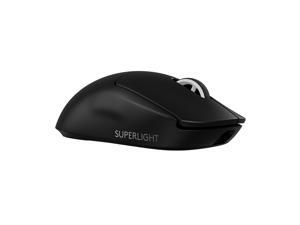

Logitech G PRO X SUPERLIGHT 2 Lightspeed Wireless Gaming Mouse, 60g Lightweight, ...
$149 .99
Free Shipping
- Fast and Precise Wireless Gaming Mouse: A pro gaming icon—now faster and more precise; it is designed in collaboration with the world’s leading esports pros and engineered to win
- Pro Precision: LIGHTFORCE hybrid optical-mechanical switches enable pro-level precision, reliability and ultralow latency optical actuation with a crisp, tactile click
- Most Advanced Optical Sensor in Gaming: HERO 2 features tracking over 888+ IPS, up to 44,000 DPI and precise sensor calibration with zero smoothing, acceleration or filtering
- Better Performance: Our championship-winning, wireless mouse—made even better; now with 8 kHz polling, USB-C charging, 95-hour battery life and POWERPLAY compatibility all at 60g
- Zero-Additive PTFE Mouse Feet: Command a smooth glide and seamless connection to your game with Zero-additive PTFE mouse feet
- Command a smooth glide and seamless connection to your game with Zero-additive PTFE mouse feet
$149 .99
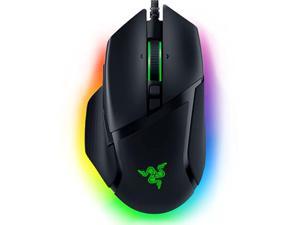

Razer Basilisk V3 Customizable Ergonomic Gaming Mouse: Fastest Gaming Mouse Switch - ...
Save: $32.00 (46%)
$37 .99
Free Shipping
- 10+1 Programmable Buttons: Assign all your macros and secondary functions across 11 programmable buttons - including its acclaimed multi-function trigger - to execute essential actions like push-to-talk, ping, and more Razer Focus+ 26K DPI Optical Sensor: Our best-in-class sensor with intelligent functions such as asymmetric cut- off, flawlessly tracks your movement with zero smoothing, allowing for crisp response and pixel-precise accuracy Razer HyperScroll Tilt Wheel: Speed through content with a scroll wheel that free - spins until its stopped, or switch to tactile mode for more precision and satisfying feedback that’s ideal for cycling through weapons or skills Iconic Ergonomic Design with Thumb Rest: Favored by millions worldwide, the mouse's signature form factor perfectly supports your hand while its buttons are optimally positioned for quick and easy access
Save: $32.00 (46%)
$37 .99
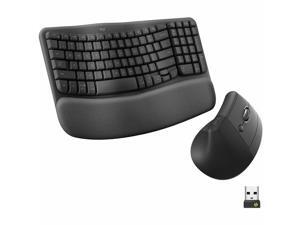
Logitech Wave Keys & Lift Vertical Mouse Ergonomic Wireless Keyboard and Mouse Combo ...
Save: $10.00 (8%)
$109 .99
Free Shipping
- Keyboard & Mouse 2 x AAA Batteries (Keyboard) 1 x AA Battery (Mouse) Logi Bolt USB Receiver
Save: $10.00 (8%)
$109 .99
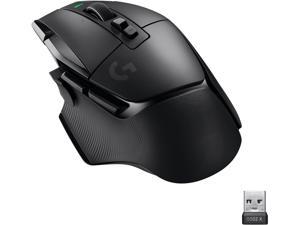
Logitech G502 X LIGHTSPEED Wireless Gaming Mouse - Optical mouse with LIGHTFORCE ...
Save: $40.00 (25%)
$119 .99
Free Shipping
- • Icon reinvented: From the legacy of Logitech's most popular G502 design, G502 X LIGHTSPEED wireless gaming mouse is reimagined and redesigned
- • LIGHTFORCE switches: All-new hybrid optical-mechanical switch technology for incredible speed and reliability, as well as precise actuation with crisp response
- • LIGHTSPEED wireless: This wireless mouse features pro-grade connectivity, with an updated protocol achieving a 68 percent faster response rate than the previous generation and improved reliability
- • HERO 25K gaming sensor: Incredibly precise down to the sub-micron for high-precision accuracy with zero smoothing/filtering/acceleration
- • Redesigned DPI-shift button: This cordless optical gaming mouse features a reversible and removable DPI-shift button for precise customization depending on your grip and preference
- • POWERPLAY compatible: G502 X LIGHTSPEED computer mouse stays charged, at rest and at play, with our unique wireless charging solution (sold separately)
Save: $40.00 (25%)
$119 .99
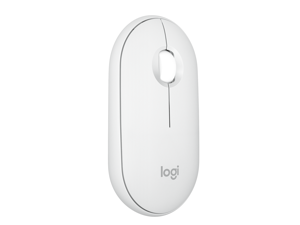
Logitech Pebble 2 M350s Mouse, Slim, Compact design, Bluetooth® Wireless, Customizable ...
Save: $7.00 (23%)
$22 .99
Free Shipping
- Defy Boring: With a slim design, multiple colors and smarter tech, this Bluetooth mouse from the Pebble 2 Collection lets you express your vibe and make your statement
- Never Made Ordinary: Made to go places: Pebble Mouse 2 M350s' minimalist round design is made with recycled plastic - it's slim, lightweight and portable
- Easily Hop Across 3 Devices: Use Bluetooth to connect up to 3 wireless devices across OSs (Windows, macOS, iPadOS, ChromeOS), and switch between them with the mouse's Easy-Switch button
- Save Time: Personalize the middle button with Logi Options+ app to do more with Pebble Mouse 2; add shortcuts for your favorite apps, including WhatsApp and Spotify
- Make a Big Impression on the Quiet: Let your work speak louder than your clicks; Pebble Mouse 2 M350s is a quiet mouse with Silent Touch Technology that removes 90% click noise
- Go for Longer: The wireless mouse gives you hours of use, 2 years of battery life and auto-sleep power-saving mode for worry-free usage
Save: $7.00 (23%)
$22 .99
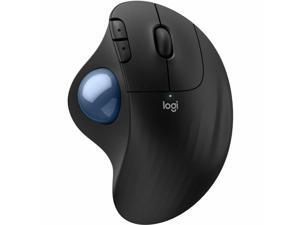
Logitech ERGO M575s Black + Blue Ball Wireless TrackBall Wireless Trackball (Black+Blue ...
Save: $5.00 (10%)
$44 .99
- Wireless
- TrackBall
Save: $5.00 (10%)
$44 .99
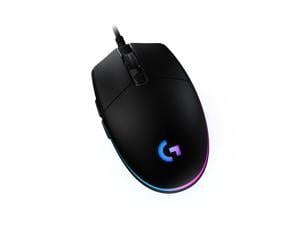
Logitech G203 Wired Gaming Mouse, 8,000 DPI, Rainbow Optical Effect LIGHTSYNC RGB, 6 ...
Save: $5.00 (14%)
$29 .99
Free Shipping
- Step up to gaming grade with 8,000 DPI optical sensor with zero filtering and smoothing for improved control and precision
- Customize G203 RGB gaming mouse lighting via Logitech G HUB with colors, presets, or your own designs
- The six-button mouse design offers comfort and control
- With Logitech G HUB software, customize sensitivity settings assign commands, controls, or key binds to customize and simplify your gameplay experience
- Mechanical primary buttons are tensioned with durable metal springs for reliable performance and feel
Save: $5.00 (14%)
$29 .99
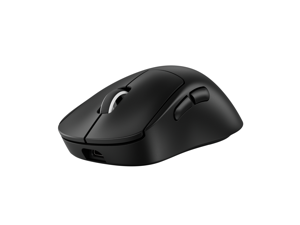
Logitech PRO X SUPERLIGHT 2 DEX Wireless Gaming Mouse, Lightweight 60g Pro-grade ...
Save: $10.00 (6%)
$149 .99
Free Shipping
- Designed alongside the world’s best esports athletes, the PRO X SUPERLIGHT 2 DEX wireless gaming mouse helps you perform at your peak and unlocks your potential
- The asymmetrical design and programmable side thumb buttons offer total comfort for different playing styles, enhancing dexterity and precision
- The most advanced sensor in gaming. The HERO 2 sensor has sub micron tracking at up to 44K DPI across full range of motion, and up to 888 IPS/ 88G acceleration (1)
- Our LIGHTSPEED wireless operates at up to 8 kHz polling for a responsive and reliable tournament-grade experience (1)
- Get up to 95 hours of battery life on a single charge; quickly recharge using the included USB-A to USB-C cable, or experience non-stop play with POWERPLAY (2)
- (1) Advanced features require Logitech G HUB Software; tested on G640 mousepad
- (2) Battery life may vary based on user and computing conditions when in constant motion
Save: $10.00 (6%)
$149 .99
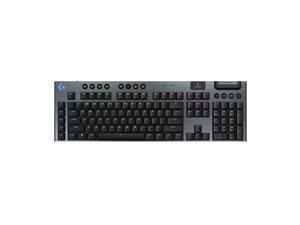
Logitech G915 X LIGHTSPEED Full-size Wireless Mechanical Gaming Keyboard - GL Red Linear ...
Save: $30.00 (12%)
$229 .99
Free Shipping
- Full-Size Wireless Keyboard for Gaming: The Logitech G915 X LIGHTSPEED is built on a legacy of performance; sleek design and next-gen engineering elevate every level of play
- Choose your connectivity with tri-mode: Connect with 2.4 GHz LIGHTSPEED wireless, Bluetooth, or USB-C wired data mode
- Intuitive Control: G915 X features KEYCONTROL, nine advanced G keys, media controls, a volume roller, and a numpad
- Speed and Precision: Achieve speed, precision and comfort with low-profile GL mechanical switches
- Elevated Typing Experience: With a brushed aluminum top plate and double-shot PBT keycaps
- Light Up the Game With LIGHTSYNC RGB: Access ~16.8M colors to customize play and create themes; sync with other Logitech G gear in G HUB
- Play for Longer: Up to 36 h of battery life with RGB at 100%, up to 90 h of battery life with RGB at 50%, and up to 800 h with RGB off
- Cutting-Edge Design: Measuring only 23mm high, this PC gaming keyboard offers increased control with a slim, sleek aesthetic
Save: $30.00 (12%)
$229 .99
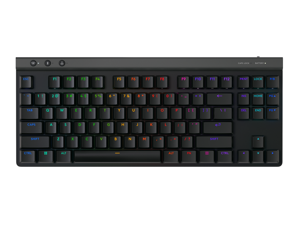
Logitech G515 LIGHTSPEED TKL Low Profile Wireless Gaming Keyboard - GL Red Linear ...
Save: $30.00 (19%)
$129 .99
Free Shipping
- Mechanical Gaming Keyboard: The Logitech G515 LIGHTSPEED TKL offers a slim profile and tenkeyless design with tri-mode connectivity via LIGHTSPEED wireless, Bluetooth, or wired data transfer
- GL Red Linear Switches with Smooth Keystroke: The low-profile GL mechanical switches on this compact gaming keyboard are factory-lubed for a smoother feel, fast actuation, and precise typing
- 36 Hours of Play: Keep playing wirelessly with up to 36 hours of continuous battery life; battery life varies with use conditions
- Next-Level Customization: With KEYCONTROL, players can program up to 15 functions per key to customize their gaming experience and create a personalized control center
- PBT Keycaps: Double-shot PBT keycaps offer durability for the most intense moments of play and look as good as they perform with anti-oil design and premium feel
- Control at Your Fingertips: Three hotkeys allow for quick access to LIGHTSPEED wireless, Bluetooth connectivity, and Game Mode
- LIGHTSYNC RGB
Save: $30.00 (19%)
$129 .99
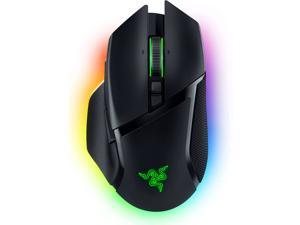
Razer Basilisk V3 Pro Wireless Gaming Mouse, Customizable RGB, HyperScroll Tilt Wheel, ...
Save: $60.99 (38%)
$99 .00
Free Shipping
- Razer™ HyperScroll Tilt Wheel
- 13-Zone Chroma Lighting with Full Underglow
- Iconic Ergonomic Form with 10+1 Programmable Buttons
- Razer™ Focus Pro 30K Optical Sensor
- Razer™ HyperSpeed Wireless
- Razer™ Optical Mouse Switches Gen-3
- Next-Gen Wireless Charging
Save: $60.99 (38%)
$99 .00
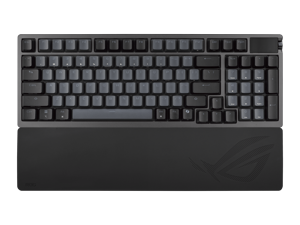

ASUS ROG Azoth 96 HE Wireless Gaming Keyboard, Hall Effect Magnetic Switches, ...
$305 .99
Free Shipping
Save even more w/ promo code BFPSF49, limited offer
- Hot-swappable ROG HFX V2 Magnetic Switch: Refined keystrokes with customizable 0.1-3.5mm actuation and 0.01mm-step precise tuning
- New ROG Hall Sensor: Exceptional precision, accurate input detection, reduces electrical noise and interference, and increases magnetic flux tolerance for superior performance
- Superb connectivity: ROG SpeedNova 8K wireless technology, wired USB, and Bluetooth connectivity supports up to five devices simultaneously; wired and wireless modes offer up to 8K polling rate
- Full-color OLED touchscreen: View system info and customize keyboard settings; built-in three-way knob allows for instant adjustments
- Gasket mount and six-layer dampening design: Delivers a cushioned typing feel, with four PORON® layers, an IXPE pad, and a silicone pad to absorb vibrations and switch pinging noises. Gasket softness can also be adjusted by swapping out the underlying dampening foam
- Refined top cover design: Redesigned metallic top cover enhances metallic aesthetics
- Extended Silicone Wrist Rest: Ensures comfortable typing experiences, and retains firmness over time
- Unique ROG-themed keycaps: Additional translucent keycaps with ROG markings provide unique customization options
$305 .99
Loading Dynamic Data...
Questions to Ask When Purchasing Keyboards and Mice
Introduction
Shopping for keyboards and mice for your organization’s computers is a process that involves considering many factors, but the answers above will give you a better idea of what most professionals need and don’t need. To stay under budget, get a keyboard and mouse that fits the tasks at hand and avoid buying those with features that may go unused.
Keyboards
Do I need a wireless keyboard?
Wireless functionality in a keyboard can be a great feature if your organization’s staff can take advantage of it. A wireless keyboard is excellent for using a desktop from a distance, such as in a home theater PC situation. If your organization has computers that need to be controlled from a distance, a wireless keyboard is a solid alternative. Another reason to get a wireless keyboard is that it can reduce cable clutter if a desk already has too many cables for other devices. If your staff’s desks suffer from cable clutter that can’t be easily organized, then wireless keyboards are good choices.
Should I get a keyboard with special keys for software?
Some keyboards include additional keys for used by specific programs for quicker access to certain functions. Multimedia keyboards for instance include buttons that control audio and video playback for compatible programs. Other variations include keyboards with buttons to launch specific programs or act as shortcuts for Microsoft Office functions such as copy and paste. Unless your staff can take advantage of those extra keys and functionality, you can lower costs by choosing a no-frills keyboard.
What extra features are important?
Certain situations can necessitate keyboards with special functions, features, or ergonomics. For instance, if some of your staff work in unlit or dimly lit environments they may be more productive using backlit keyboards. Or if some of your staff type for long periods of time, keyboards with additional wrist rests or unique ergonomic key layouts can reduce the risk of carpal tunnel injury.
Mice
Do I need a high sensitivity mouse?
A high sensitivity mouse can sometimes be marketed as having high dots per inch (DPI) as well. DPI means dots per inch and is a measure of how many dots are in a given line one inch long. 800 DPI is average for most mice while high-DPI mice can range from the low to high thousands. Some high-DPI mice also have adjustable DPI, though they tend cost more. Unless your organization’s professionals require high-DPI mice, average sensitivity mice are more than adequate.
Should I get a wired or wireless mouse?
The choice between a wired or wireless mouse should take into account what type of computer the mouse will be used with and how it will be used. For a desktop computer, a wired mouse is sufficient unless the mouse will be used far away from the computer or there is a problem with cabling.
A laptop can benefit from a wireless mouse, especially if the laptop is often used while out of the office. If you are considering a wireless mouse, you can choose either radio frequency (RF) or Bluetooth. A RF mouse requires the laptop to use an attached USB receiver while a Bluetooth mouse requires your laptop to have Bluetooth functionality either built-in or added on with a USB Bluetooth receiver.
What is a trackball mouse?
A trackball mouse utilizes a ball locked in a socket with sensors that track the ball’s rotation. Instead of moving the entire mouse with your hand, a trackball mouse uses either the thumb or fingers to manipulate the ball. They can be beneficial for users that suffer from wrist injuries, as they minimize wrist movement.
