




Featured Products See All
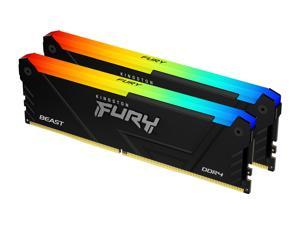
Kingston FURY Beast 32GB (2 x 16GB) 288-Pin PC RAM DDR4 3200 (PC4 25600) Desktop ...
$379 .99
Free Shipping
Save even more w/ promo code BLUSF73, limited offer
- DDR4 3200 (PC4 25600)
- Timing 16-18-18
- CAS Latency CL16
- Voltage 1.35V
$379 .99
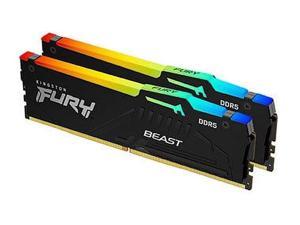
Kingston FURY Beast 32GB (2 x 16GB) 288-Pin PC RAM DDR5 6000 (PC5 48000) Memory ...
$479 .99
Free Shipping
Save even more w/ promo code BLUSF67, limited offer
- DDR5 6000 (PC5 48000)
- Timing 36-44-44
- CAS Latency CL36
- Voltage 1.35V
$479 .99
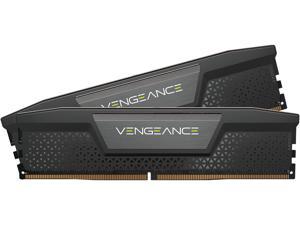

CORSAIR Vengeance 32GB (2 x 16GB) 288-Pin PC RAM DDR5 7200 (PC5 57600) Desktop ...
$624 .99
Free Shipping
- DDR5 7200 (PC5 57600)
- Timing 34-44-44-96
- CAS Latency 34
- Voltage 1.45V
- High-Speed Gaming Memory
$624 .99
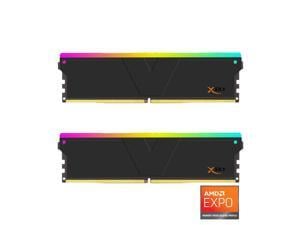

V-COLOR Manta XSky DDR5 32GB (2x16GB) 6000MHz CL30 SK Hynix IC RGB Gaming Desktop ...
$389 .99
Free Shipping
+ $10 off w/ promo code BLUSF68, limited offer
- Memory Series: Manta XSky RGB UDIMM (AMD EXPO Exclusive) Capacity: 32GB (16GBx2) Overclocking Speed: DDR5 6000MHz (PC5-48000) Overclocking Timing: CL30 | Timing 30-38-38-96 1.35V Overclocking Profile: AMD EXPO Base Speed: DDR5-4800 (PC5-38400)
$389 .99
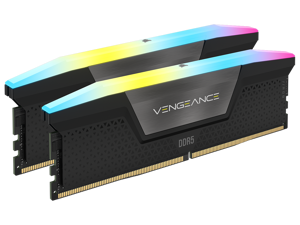
CORSAIR Vengeance RGB 16GB (2 x 8GB) 288-Pin PC RAM DDR5 5200 (PC5 41600) Desktop ...
$277 .99
Free Shipping
Save even more w/ promo code BLUSF86, limited offer
- DDR5 5200 (PC5 41600)
- Timing 40-40-40-77
- CAS Latency CL40
- Voltage 1.25V
$277 .99
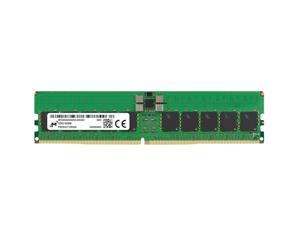
Micron MTC20F2085S1RC64BD2R 32GB DDR5 6400MHz Memory Module
$1,599 .99
Free Shipping
- Brand: Micron Model: MTC20F2085S1RC64BD2R Product Type: Memory Module
$1,599 .99
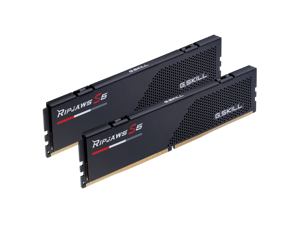

G.SKILL Ripjaws S5 Series 32GB (2 x 16GB) 288-Pin PC RAM DDR5 6000 (PC5 48000) Desktop ...
Save: $10.00
$479 .99
Free Shipping
+ $40 off w/ promo code BLUSF77, limited offer
- DDR5 6000 (PC5 48000)
- Timing 36-36-36-96
- CAS Latency CL36
- Voltage 1.35V
Save: $10.00
$479 .99
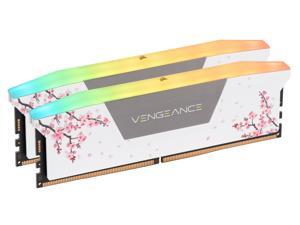
CORSAIR Vengeance RGB 32GB (2 x 16GB) 288-Pin PC RAM DDR5 6000 (PC5 48000) Custom ...
$604 .99
Free Shipping
Save even more w/ promo code BLUSF93, limited offer
- DDR5 6000 (PC5 48000)
- Timing 30-36-36-76
- CAS Latency CL30
- Voltage 1.40V
$604 .99
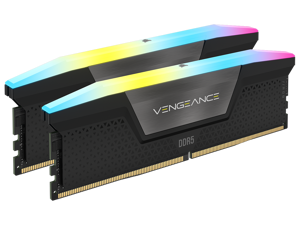
CORSAIR Vengeance RGB 32GB (2 x 16GB) 288-Pin PC RAM DDR5 6400 (PC5 51200) Desktop ...
$499 .99
Free Shipping
Save even more w/ promo code BLUSF72, limited offer
- DDR5 6400 (PC5 51200)
- Timing 36-48-48-104
- CAS Latency 36
- Voltage 1.40V
- High-Speed Gaming RGB Memory
$499 .99
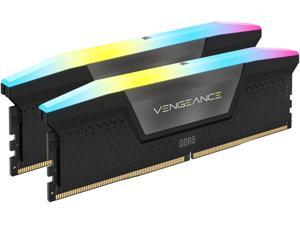
CORSAIR Vengeance RGB 64GB (2 x 32GB) 288-Pin PC RAM DDR5 6400 (PC5 51200) Desktop ...
$1,225 .99
Free Shipping
Save even more w/ promo code BLUSF88, limited offer
- DDR5 6400 (PC5 51200)
- Timing 32-40-40-40-84
- CAS Latency CL32
- Voltage 1.40V
$1,225 .99
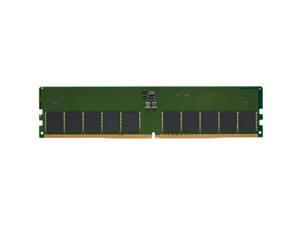
Kingston KTD-PE556E-32G DDR5 5600MT/s ECC Unbuffered DIMM CL46 2RX8 1.1V 288-pin ...
$1,049 .99
Free Shipping
- Number of Pins 288-pin
- Form Factor DIMM
- Product Type RAM Module
- CAS Latency CL46
- Error Checking ECC
- Signal Processing Unbuffered
- Memory Size 32 GB
- Memory Technology DDR5 SDRAM
- Memory Voltage 1.10 V
- Memory Rank Dual-rank
$1,049 .99
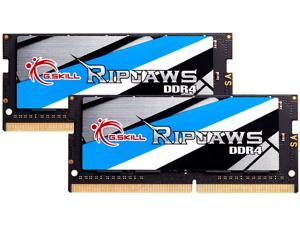
G.SKILL Ripjaws Series 32GB (2 x 16GB) 260-Pin DDR4 SO-DIMM DDR4 3200 (PC4 25600) ...
$279 .99
Free Shipping
+ $82 off w/ promo code BLUSF75, limited offer
- DDR4 3200 (PC4 25600)
- CAS Latency CL22
- 1.20V
- Dual Channel Kit
$279 .99
Loading Dynamic Data...
Tips for Buying Computer Memory
Introduction
Adding or upgrading computer memory is a quick and relatively low-cost method of improving computer performance. Compared to upgrading a processor, upgrading random access memory (RAM) can be more cost-effective and easier to install. If you wish to perform a computer memory upgrade, there are a few performance factors that you should take into account.
Performance Factors
Capacity
Capacity is one of the most important factors when upgrading computer memory, as it affects how well a computer can multitask. Increasing the amount of memory in a computer can increase the number of programs and tasks it can run without adversely affecting system performance.
So how much memory does a computer need? It depends greatly on theoperating system, software, and intended usage for the computer. For instance, Microsoft’s recommended amount of computer memory for Windows® XP is 128 MB. For Windows 8.1, they recommend 1 GB for 32-bit installations and 2 GB for 64-bit installations. It is a good precaution to have more than the recommended amount of memory in case your users need to run many system-intensive programs simultaneously.
Speed
Memory speed can have a small impact on overall system performance, but not by an easily noticeable margin. For instance, the performance difference between an 1866 MHz memory module and a 1333 MHz module can be difficult to detect without benchmarking software.
Utilizing the fastest memory is important mainly for server workstations that constantly save and retrieve data.
Timings
Computer memory timing is sometimes referred to as latency and is usually provided as four ratings separated by dashes, such as 9-9-9-28. Typically, the lower the numbers are, the better the performance of the memory will be.
But how much does latency matter? Latency is generally less important than memory speed and the difference between a 7 rating and a 10 rating will not be noticeable by the average user.
Multi-Channel Kits
The configuration of a computer memory upgrade kit has a small impact on system performance, but not as much as the amount of memory. If your motherboard supports multi-channel memory, a matching kit will net more performance gains than a non-matching kit.
For example, using a dual-channel memory kit with a dual-channel motherboard will be better than using two unpaired memory modules on that same motherboard. However, the performance gains are relatively minor and not as important as the amount of computer memory.
