




Featured Products See All
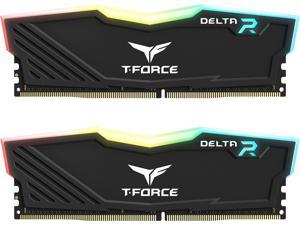

Team T-Force Delta RGB 16GB (2 x 8GB) 288-Pin PC RAM DDR4 3200 (PC4 25600) Desktop ...
Save: $8.00
$149 .99
Free Shipping
+ $30 off w/ promo code BFPSF77, limited offer
- DDR4 3200 (PC4 25600)
- Timing 16-20-20-40
- CAS Latency CL16
- Voltage 1.35V
Save: $8.00
$149 .99
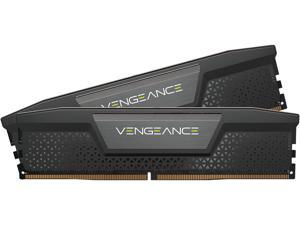

CORSAIR Vengeance 32GB (2 x 16GB) 288-Pin PC RAM DDR5 6000 (PC5 48000) Desktop ...
$449 .99
Free Shipping
Save even more w/ promo code BFPSF87, limited offer
- DDR5 6000 (PC5 48000)
- Timing 38-34-34-96
- CAS Latency 38
- Voltage 1.35V
- High-Speed Gaming Memory
$449 .99
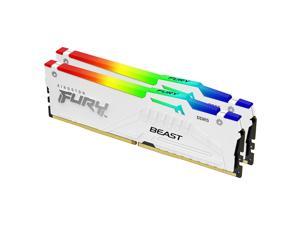
Kingston FURY Beast 64GB (2 x 32GB) 288-Pin PC RAM DDR5 6000 (PC5 48000) Memory ...
$999 .99
Free Shipping
Save even more w/ promo code BFPSF58, limited offer
- DDR5 6000 (PC5 48000)
- Timing 36-38-38-74
- CAS Latency CL36
- Voltage 1.35V
$999 .99
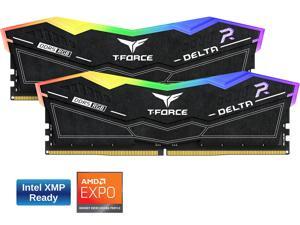
Team Group 16GB (2 x 8GB) 288-Pin PC RAM DDR5 6000 (PC5 48000) Memory Model ...
Save: $10.00
$249 .99
Free Shipping
+ $30 off w/ promo code BFPSF222, limited offer
- DDR5 6000 (PC5 48000)
- Timing 38-38-38-78
- CAS Latency CL38
- Voltage 1.25V
- Not compatible with Intel 13th Gen and up MB
Save: $10.00
$249 .99
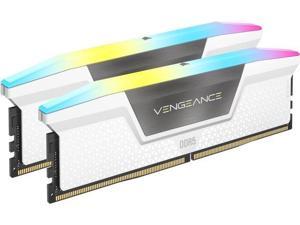
CORSAIR Vengeance RGB 64GB (2 x 32GB) 288-Pin PC RAM DDR5 6400 (PC5 51200) Desktop ...
$1,175 .99
Free Shipping
Save even more w/ promo code BFPSF92, limited offer
- DDR5 6400 (PC5 51200)
- Timing 32-40-40-40-84
- CAS Latency 32
- Voltage 1.40V
- High-Speed Gaming RGB Memory
- Newegg Exclusive
$1,175 .99
CORSAIR Vengeance 32GB (2 x 16GB) 288-Pin PC RAM DDR5 6000 (PC5 48000) Desktop ...
$459 .99
Free Shipping
- DDR5 6000 (PC5 48000)
- Timing 36-44-44-96
- CAS Latency 36
- Voltage 1.40V
- High-Speed Gaming Memory
$459 .99

CORSAIR Vengeance 32GB (2 x 16GB) 288-Pin PC RAM DDR5 6000 (PC5 48000) Desktop ...
$474 .99
Free Shipping
Save even more w/ promo code BFPSF95, limited offer
- DDR5 6000 (PC5 48000)
- Timing 36-44-44-96
- CAS Latency CL36
- Voltage 1.30V
$474 .99
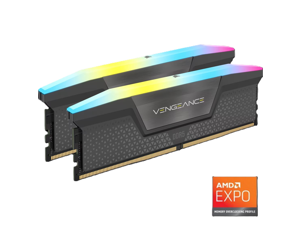
CORSAIR Vengeance RGB 32GB (2 x 16GB) 288-Pin PC RAM DDR5 6000 (PC5 48000) Desktop ...
$575 .99
Free Shipping
Save even more w/ promo code BFPSF88, limited offer
- DDR5 6000 (PC5 48000)
- Timing 30-36-36-76
- CAS Latency 30
- Voltage 1.40V
- High-Speed Gaming RGB Memory
- Newegg Exclusive
$575 .99
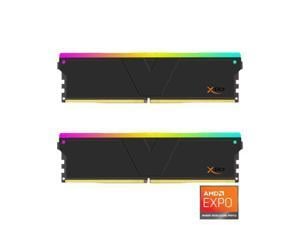

V-COLOR Manta XSky DDR5 32GB (2x16GB) 6400MHz CL32 1.4V SK Hynix IC RGB Gaming ...
$459 .99
Free Shipping
+ $80 off w/ promo code BFPSF65, limited offer
- Product Spec: 32GB (16GBx2) | DDR5 6400MHz (PC5-51200) | CL32 | Timing 32-39-39-102 | 1.4V Achieve fast response times with industry-leading IC tuning, designed for gamers, creators, and overclocking enthusiasts. Built with carefully selected SK Hynix original ICs for exceptional overclocking ability, ensuring superior headroom, enhanced stability, and high tolerance under demanding workloads. Optimized for AMD EXPO, enabling easy overclocking and reliable performance on compatible AMD platforms. Premium Heatsink A premium, high-quality heatsink efficiently dissipates heat, maintaining peak performance under extreme loads. Optimized for High FPS & Smooth Gameplay Reduce input lag and boost frame rates with ultra-low latency memory, ensuring a seamless and competitive gaming experience.
$459 .99
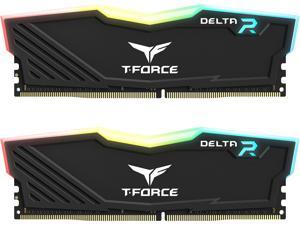
Team T-Force Delta RGB 32GB (2 x 16GB) 288-Pin PC RAM DDR4 3200 (PC4 25600) Desktop ...
Save: $10.00
$249 .99
Free Shipping
+ $40 off w/ promo code BFPSF76, limited offer
- DDR4 3200 (PC4 25600)
- Timing 16-20-20-40
- CAS Latency CL16
- Voltage 1.35V
Save: $10.00
$249 .99
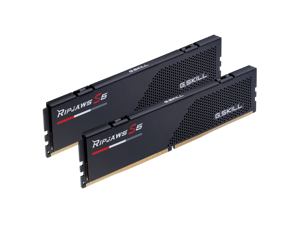

G.SKILL Ripjaws S5 Series 32GB (2 x 16GB) 288-Pin PC RAM DDR5 6000 (PC5 48000) Desktop ...
$479 .99
Free Shipping
+ $70 off w/ promo code BFPSF83, limited offer
- DDR5 6000 (PC5 48000)
- Timing 36-36-36-96
- CAS Latency CL36
- Voltage 1.35V
$479 .99
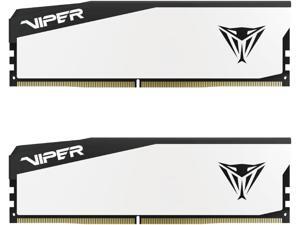
Patriot Viper Elite 5 32GB (2 x 16GB) 288-Pin PC RAM DDR5 6000 CL30(PC5 48000) Hynix ...
Save: $20.50
$389 .99
Free Shipping
- NOT Compatible with Intel Ultra (Arrow Lake) CPUs.
- Compatible with AMD and Intel Gen 13 to 14 (Raptor Lake)
- DDR5 6000 (PC5 48000)
- Timing 30-40-40-76
- CAS Latency CL30
- Voltage 1.35V
Save: $20.50
$389 .99
Loading Dynamic Data...
Tips for Buying Computer Memory
Introduction
Adding or upgrading computer memory is a quick and relatively low-cost method of improving computer performance. Compared to upgrading a processor, upgrading random access memory (RAM) can be more cost-effective and easier to install. If you wish to perform a computer memory upgrade, there are a few performance factors that you should take into account.
Performance Factors
Capacity
Capacity is one of the most important factors when upgrading computer memory, as it affects how well a computer can multitask. Increasing the amount of memory in a computer can increase the number of programs and tasks it can run without adversely affecting system performance.
So how much memory does a computer need? It depends greatly on theoperating system, software, and intended usage for the computer. For instance, Microsoft’s recommended amount of computer memory for Windows® XP is 128 MB. For Windows 8.1, they recommend 1 GB for 32-bit installations and 2 GB for 64-bit installations. It is a good precaution to have more than the recommended amount of memory in case your users need to run many system-intensive programs simultaneously.
Speed
Memory speed can have a small impact on overall system performance, but not by an easily noticeable margin. For instance, the performance difference between an 1866 MHz memory module and a 1333 MHz module can be difficult to detect without benchmarking software.
Utilizing the fastest memory is important mainly for server workstations that constantly save and retrieve data.
Timings
Computer memory timing is sometimes referred to as latency and is usually provided as four ratings separated by dashes, such as 9-9-9-28. Typically, the lower the numbers are, the better the performance of the memory will be.
But how much does latency matter? Latency is generally less important than memory speed and the difference between a 7 rating and a 10 rating will not be noticeable by the average user.
Multi-Channel Kits
The configuration of a computer memory upgrade kit has a small impact on system performance, but not as much as the amount of memory. If your motherboard supports multi-channel memory, a matching kit will net more performance gains than a non-matching kit.
For example, using a dual-channel memory kit with a dual-channel motherboard will be better than using two unpaired memory modules on that same motherboard. However, the performance gains are relatively minor and not as important as the amount of computer memory.
