


All-in-One Computer - Showing 1273 - 1288 of 1288 Products


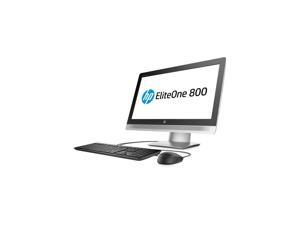

Refurbished: HP EliteOne 800 G2 23" FHD All in One Desktop Intel Quad Core i7-6700 ...
- Screen Size: 23"
- Screen Resolution: 1920 x 1080
- CPU Name: 3.40GHz
- Memory Capacity: 8GB DDR4
- SSD: 512GB
- GPU/VGA Type: Intel HD Graphics 530
- Operating System: Windows 10 Pro
- Model #: Elite1-800G2AIO.I7._31
- Item #: 9SIVDP6JKN6240
- Return Policy: Price Right Computers Return Policy
Refurbished: HP EliteOne 800 G2 23" FHD All in One Desktop Intel Quad Core i5-6500 ...
- Screen Size: 23"
- Screen Resolution: 1920 x 1080
- CPU Name: 3.2GHz
- Memory Capacity: 8GB DDR4
- GPU/VGA Type: Intel HD Graphics 530
- Operating System: Windows 10 Pro
- WLAN: 802.11a/b/g/n Wireless LAN
- Model #: Elite1-800G2AIO.I5._1
- Item #: 9SIVDP6JKN6246
- Return Policy: Price Right Computers Return Policy
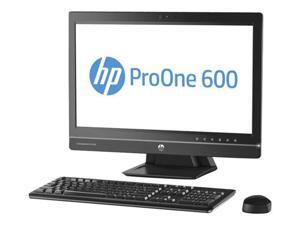
Refurbished: HP ProOne 600 G1 21.5” LED All-in-One Desktop Intel Quad-Core i5-4570s ...
- Form Factor: All-in-One
- Color: Black/Silver
- CPU Type: Intel Core i5 4th Gen
- Memory Speed: DDR3
- Memory Slots (Available/Total): 0/2
- Maximum Memory Supported: 16 GB
- Optical Drive Type: DVD±RW
- Audio Chipset: HD Integrated High-Performance Stereo Speakers – DTS SOUND+
- Model #: HP-ProOne600_2
- Item #: 9SIVDP6JKN0290
- Return Policy: Price Right Computers Return Policy
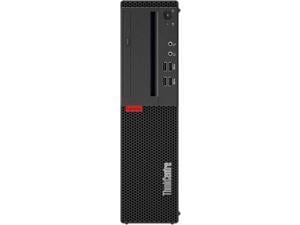

Refurbished: Lenovo ThinkCentre M710 SFF Intel Core i5-6400, 16GB DDR4, 256GB SSD, ...
- CPU Name: 2.70GHz
- Memory Capacity: 16GB DDR4
- SSD: 256GB
- HDD: 256GB
- GPU/VGA Type: Intel HD Graphics
- Operating System: Windows 10 Pro
- Type: Business Desktops & Workstations
- Color: Black
- Model #: 10M7000FUS-R
- Item #: 9SIVEK6JZ87812
- Return Policy: CNB Computers USA DBA System Liquidation Return Policy
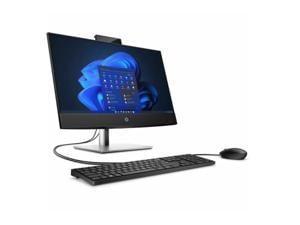
HP ProOne 440 G9 All-in-One Computer 23.8" Intel Core i5 14th Gen i5 -14500 - 16 GB - 512 GB ...
- Screen Size: 23.8"
- Screen Resolution: 1920 x 1080
- CPU Name: Intel Core i5-14500
- Memory Capacity: 16GB
- SSD: 512GB
- Operating System: Windows 11 Pro
- Brand: HP
- Model #: KS7782
- Item #: 9SIV1DSKD88531
- Return Policy: NothingButSavings Return Policy
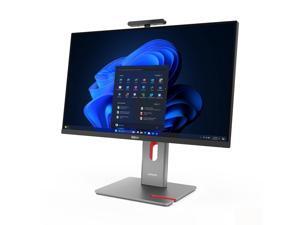
Lenovo Thinkcentre M90A Pro G6 27" All in oneUltra 5 245 32GB RAM 1TB SSD W11P
- Screen Size: 27"
- Memory Capacity: 32GB DDR5
- SSD: 1 TB
- Brand: Lenovo
- Model: Thinkcentre M90A Pro G6
- Part Number: LN.AO.F22807
- Type: All-in-One PC
- Monitor: Monitor included
- Model #: LN.AO.F22807
- Item #: 9SIV2XYKUN7768
- Return Policy: DealPlanIT Return Policy
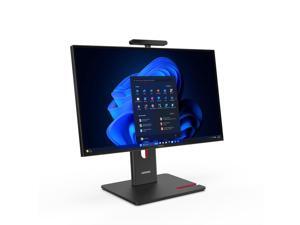
Lenovo Thinkcentre M90A G6 23.8" Intel Ultra 7 265 32GB RAM 1TB SSD W11P
- Screen Size: 23.8"
- Memory Capacity: 32GB DDR5
- SSD: 1 TB
- Brand: Lenovo
- Model: Thinkcentre M90A G6
- Part Number: LN.AO.F23309
- Type: All-in-One PC
- Monitor: Monitor included
- Model #: LN.AO.F23309
- Item #: 9SIV2XYKV42227
- Return Policy: DealPlanIT Return Policy

Refurbished: HP 22-dg0003w 21.45" FHD AIO Intel Pentium J5040 2.0GHz 8GB 128GB W11H
- Screen Size: 21.45"
- CPU Name: AMD Ryzen 5 7520U
- Memory Capacity: 8GB
- SSD: 128 GB
- Operating System: Windows 11 Home
- Brand: HP
- Model #: B41JGU8R
- Item #: 9B-2NR-000A-01M57
- Return Policy: Standard Return Policy
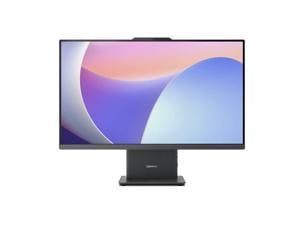
Refurbished: Lenovo Ideacentre Aio 27Arr9 27" Touch AMD Ryzen 5-7535HS 16GB 512GB ...
- Part Number: F0HQ001EUS
- Type: Everyday Value
- Monitor: Monitor included
- Weight: 15.6500
- Model #: F0HQ001EUS
- Item #: 9SIV2XYKC18853
- Return Policy: DealPlanIT Return Policy
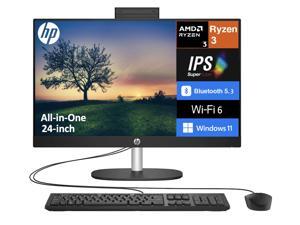
HP 24 Everyday Value All-in-One 23.8" IPS FHD Display (AMD Ryzen 3 7320U, 8GB LPDDR5, ...
- Screen Size: 23.8"
- Memory Capacity: 8GB LPDDR5
- SSD: 1 TB
- GPU/VGA Type: AMD Radeon Graphics
- Operating System: Windows 11 Home
- WLAN: 802.11ax Wireless LAN
- Brand: HP
- Model #: NB-25058933620
- Item #: 9SIV0F3KP52402
- Return Policy: MichaelElectronics2 Return Policy
HP 24 Everyday Value All-in-One 23.8" IPS FHD Display (AMD Ryzen 3 7320U, 8GB LPDDR5, ...
- Screen Size: 23.8"
- Memory Capacity: 8GB LPDDR5
- SSD: 512 GB
- GPU/VGA Type: AMD Radeon Graphics
- Operating System: Windows 11 Home
- WLAN: 802.11ax Wireless LAN
- Brand: HP
- Model #: NB-250589
- Item #: 9SIV0F3KP52209
- Return Policy: MichaelElectronics2 Return Policy
HP 24 Everyday Value All-in-One 23.8" IPS FHD Display (AMD Ryzen 3 7320U, 8GB LPDDR5, ...
- Screen Size: 23.8"
- Memory Capacity: 8GB LPDDR5
- SSD: 1 TB
- GPU/VGA Type: AMD Radeon Graphics
- Operating System: Windows 11 Pro
- WLAN: 802.11ax Wireless LAN
- Brand: HP
- Model #: NB-250589230661
- Item #: 9SIV0F3KP52403
- Return Policy: MichaelElectronics2 Return Policy
HP 24 Everyday Value All-in-One 23.8" IPS FHD Display (AMD Ryzen 3 7320U, 8GB LPDDR5, ...
- Screen Size: 23.8"
- Memory Capacity: 8GB LPDDR5
- SSD: 512 GB
- GPU/VGA Type: AMD Radeon Graphics
- Operating System: Windows 11 Pro
- WLAN: 802.11ax Wireless LAN
- Brand: HP
- Model #: NB-250589230649
- Item #: 9SIV0F3KP52404
- Return Policy: MichaelElectronics2 Return Policy
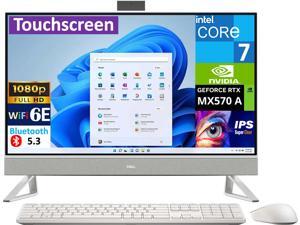

Refurbished: Dell Inspiron 7000 Business All-in-One 27" Touchscreen IPS FHD Display (Intel ...
- WLAN: Wi-Fi 6E AX211
- Brand: DELL
- Type: All-in-One
- Form Factor: All-in-One
- Power Supply: 130W
- Monitor: 1920x1080
- L3 Cache Per CPU: 12MB Cache
- Graphics Interface: PCI Express x16
- Model #: NB-240761
- Item #: 9SIV0F3KJH8812
- Return Policy: MichaelElectronics2 Return Policy
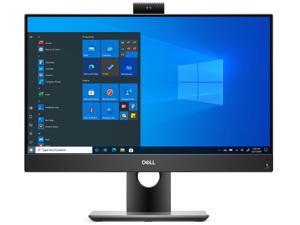
Refurbished: Dell OptiPlex 7490 Home & Business All-in-One (Intel i5-11500 6-Core, 16GB ...
- GPU/VGA Type: Intel UHD Graphics 750
- WLAN: Wi-Fi 6 AX201
- Type: All-in-One
- Form Factor: All-in-One
- Color: Black
- Monitor: 1920x1080
- CPU Type: Intel Core i5 11th Gen
- L3 Cache Per CPU: 12MB Cache
- Model #: V1MK9-NB1862551
- Item #: 9SIV0F3K953336
- Return Policy: MichaelElectronics2 Return Policy
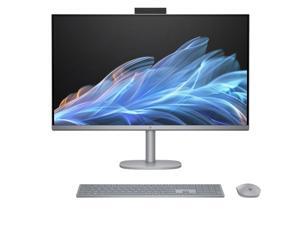
Refurbished: HP OmniStudio X 32-C0000 31.5" 4K UHD Intel Core Ultra 7 155H 1.4 GHz up to ...
- Screen Size: 31.5"
- SSD: 512 GB
- GPU/VGA Type: Intel UHD Graphics
- Operating System: Windows 11 Home
- WLAN: 802.11ax Wireless LAN
- Brand: HP
- Part Number: 9T0F7AV-V001-R
- Model #: 9T0F7AV-V001-R
- Item #: 9SIV3JSKPT9414
- Return Policy: Iconic Micro, Inc Return Policy
All-in-One Desktop PCs
Why buy an all-in-one PC?
All-in-ones have a clean aesthetic and save space on a table or desk. The computer components are encased with the display hardware. The concept gives you a completely wireless computing experience. If you have a Bluetooth keyboard mouse combo and Wi-Fi connection, the AC power cable is your only cord.
Which all-in-ones have a touch screen?
Nearly all manufacturer AIO product lines have both—you can choose from a touchscreen or conventional display. Newer products come equipped with multi-touch screen that replicate the feel of a new tablet. Pinch your fingers to grab a page element, alter zoom, or change orientation. A touch screen is popular choice among those who like a cable-free experience.
Why do AIOs have a higher price than a regular desktop PC?
Case materials, custom components, and a relatively complex assembly increases the cost per unit compared to a standard desktop computer. You pay the Apple premium for the clean look. You might consider more inexpensive options for a small office PC. Compare the price to performance for a small form factor computer plus a new LCD monitor. You will achieve similar space savings with a bracket-mount for PCs that secure it to the back of a monitor.
How about a quick summary of product reviews for all in one computers?
People want their desktop PC to look good. Most prefer a slick external casing and pay attention to monitor quality; what constitutes the best all in one PC depends who you ask. Among cheap all-in-ones, a Dell Inspiron with Intel Core i3 CPU gets lots of mention for value and a simple aesthetic. The impressive curved display of HP Envy 34, and the always classy Apple iMac (the original AiO), have great looks at higher price points.
What are the best all in ones for business use?
Certain models in the all-in-one form factor make suitable primary business computers for the office. Specifically, HP EliteOne, Dell OptiPlex AiO, Acer Veriton Z, and Lenovo ThinkCentre X1 are designated as professional-grade by OEMs. You may buy PCs with Windows 10 Pro included, or as a Chromebase, an all-in-one installed with Chrome OS.
Can you upgrade an all-in-one PC?
AiOs aren’t designed to open easily. Also, you are limited to upgrading only the RAM and internal hard drive. It is possible to switch the CPU with another supported by the LGA socket in the motherboard. Regardless of whether they use AMD or Intel chips, AIOs are not conducive to a sensible processor upgrade.
What is different about all in one computer parts?
Hardware inside of all-in-one computers is a mixed bag. Details vary across product lines. It often features a powerful desktop Intel Core i7-series CPU in standard LGA sockets on the motherboard—but have SODIMM slots for laptop RAM. Standard 3.5-inch desktop HDDs are too large for most AiOs. Most fit a single 2.5-inch laptop drive inside. Expanding storage requires networking to a storage server, NAS, or external drive array which you’d use for backup.
Are there any all in one PCs with video cards?
Certain models of boutique AIOs support discrete video cards. See the ASUS Zen AIiO Pro or Dell Inspiron 7000 as examples. Mostly these are luxury items for home users and gamers. Programs for animation, video editing, 3D design, and high-definition content playback run superbly on these computers if you need a reason to buy one for the office.
Can you attach an external graphics card?
Technically you could add an external graphics card (eGPU) as you might for laptop. This is generally reserved for experimental setups. The mini-PCIe slot input in AIO computers is occupied by the Wi-Fi card in many instances.

