


- Home
- >Computer Hardware
- >Computer Case
- >Computer Cases
Computer Cases - Showing 1057 - 1071 of 1071 Products
Narrow Results
NARROW RESULTS
Type
Case Material
Motherboard Compatibility
External 5.25" Drive Bays
Side Panel
Color
Internal 3.5" Drive Bays
LED
Sold by
Max GPU Length
Max CPU Cooler Height
Max PSU Length
Fan Options
Front Ports
With Power Supply
External 3.5" Drive Bays
Dust Filters
Internal 2.5" Drive Bays
Expansion Slots
Radiator Installed
Radiator Options
120mm Fans
140mm Fans
250mm Fans
PSU Mount
Brands
All Top Brands
Availability
Condition
Price
Discount
Useful Links
Shipping Options
Warranty
Customer Ratings
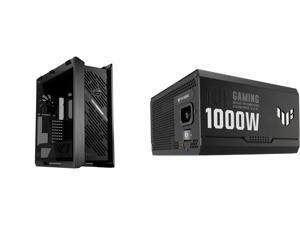
ASUS ROG Strix Helios II EATX mid-tower gaming case with dual tempered glass, aluminum ...
- Motherboard Compatibility: ATX / E-ATX / Micro ATX / Mini ITX
- Brand: ASUS
- Color: Black
- Case Material: Aluminum, Steel, Tempered Glass, ABS Plastic
- Internal 3.5" Drive Bays: 2
- Internal 2.5" Drive Bays: 4
- Expansion Slots: 8
- Part Number: 90DC00W0-B38000
- Model #: COMBO 4879360
- Item #: 9B-CMB-4879360
- Return Policy: Standard Return Policy
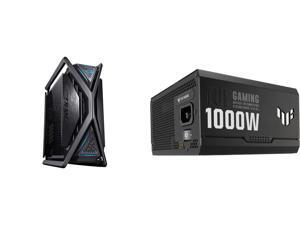
ASUS ROG Hyperion GR701 EATX case: semi-open, tool-free panels, 2x 420mm radiator ...
- Motherboard Compatibility: EATX (12"x10.9") ATX Micro-ATX Mini-ITX
- Front Ports: 1 x headphone / Microphone 4 x USB 3.2Gen1 1 x USB 3.2 Gen2 Type C LED Control Button Reset Button 1 x USB 4.0 Type C or 1 x USB 3.2 Gen 2x2 Type C
- Brand: ASUS
- Color: Black
- Case Material: Aluminum/Steel/Tempered Glass/ABS Plastic
- Type: E-ATX Full Tower Case
- Side Panel: with Side Window
- Internal 3.5" Drive Bays: 2 x 2.5"/3.5" Combo Bay
- Model #: COMBO 4879361
- Item #: 9B-CMB-4879361
- Return Policy: Standard Return Policy
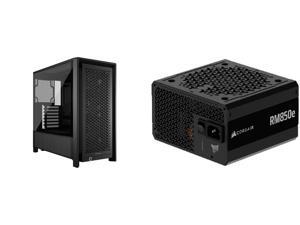
Corsair FRAME 4000D RS Black Computer Case- 3X CORSAIR RS Fans – InfiniRail Fan ...
- Motherboard Compatibility: Mini-ITX/Micro-ATX/ATX/E-ATX(305mm x 277mm)
- Brand: Corsair
- Series: FRAME 4000D RS ARGB
- Color: Black
- Case Material: Steel / Tempered Glass
- Type: ATX Mid Tower
- Internal 3.5" Drive Bays: 2
- Model #: COMBO 4879325
- Item #: 9B-CMB-4879325
- Return Policy: Standard Return Policy
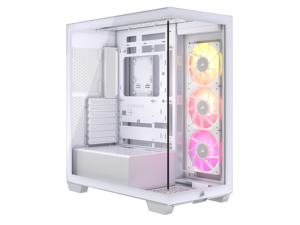

CORSAIR iCUE LINK 3500X RGB Tempered Glass Mid-Tower PC Case, White – 3x Pre-Installed ...
- Motherboard Compatibility: Mini-ITX, Micro-ATX, ATX, E-ATX (305mm x 277mm)
- Front Ports: 2 x USB 3.2 Gen 1 Type-A, 1 x USB 3.2 Gen 2 Type-C, 1 x Audio, 2 x Buttons
- Brand: Corsair
- Color: White
- Case Material: Steel / Tempered Glass
- Type: ATX Mid Tower
- Internal 3.5" Drive Bays: 2
- Internal 2.5" Drive Bays: 2
- Model #: CC-9011281-WW
- Item #: 9B-11-139-217
- Return Policy: Standard Return Policy
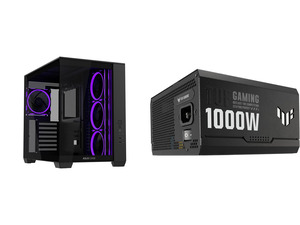
ASUS A32 PLUS Black ATX gaming PC case: supports 360mm radiators, 420mm graphics ...
- Motherboard Compatibility: Mini-ITX / Micro-ATX / ATX
- Front Ports: USB 3.0 / USB 3.2 Gen 2x1 Type-C / Audio
- 120mm Fans: 4
- Brand: ASUS
- Series: A32 PLUS
- Color: Black / White
- Case Material: Steel, Tempered Glass, ABS Plastic
- Type: ATX Mid Tower
- Model #: COMBO 4879357
- Item #: 9B-CMB-4879357
- Return Policy: Standard Return Policy
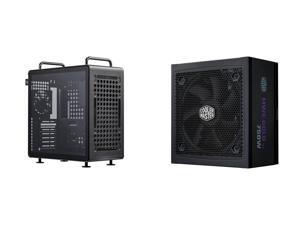
Cooler Master QUBE 540 ATX Mid-Tower PC Case - Customizable Chassis with Movable I/O ...
- Motherboard Compatibility: ITX / M-ATX / ATX / *E-ATX(*Up to 280 mm)
- Brand: Cooler Master
- Color: Stardust Iron
- Case Material: Steel / Tempered Glass
- Internal 3.5" Drive Bays: 1
- Internal 2.5" Drive Bays: 2
- Expansion Slots: 7
- Dust Filters: Bottom / Front / Top
- Model #: COMBO 4882109
- Item #: 9B-CMB-4882109
- Return Policy: Standard Return Policy
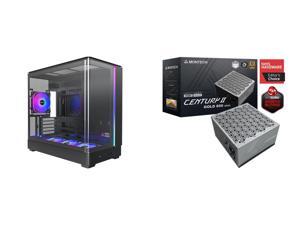
Computer Case PSU Combo - Montech KING 15 PRO (B) Bundle with Montech Century II 850
- Motherboard Compatibility: Micro ATX
- PSU Mount: Side Mount
- Brand: Montech
- Series: Montech King 15
- Color: Black
- Case Material: curved tempered glass panel
- Type: Micro ATX
- Model #: COMBO 4853273
- Item #: 9B-CMB-4853273
- Return Policy: Standard Return Policy
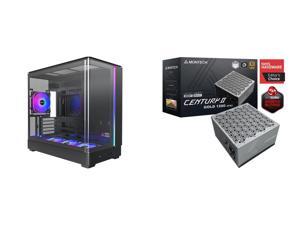
Computer Case PSU Combo - Montech KING 15 PRO (B) Bundle with Montech Century II 1200
- Motherboard Compatibility: Micro ATX
- PSU Mount: Side Mount
- Brand: Montech
- Series: Montech King 15
- Color: Black
- Case Material: curved tempered glass panel
- Type: Micro ATX
- Model #: COMBO 4853289
- Item #: 9B-CMB-4853289
- Return Policy: Standard Return Policy
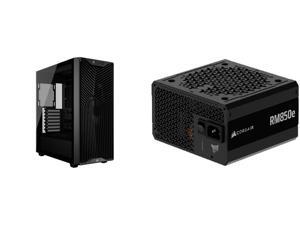
CORSAIR 3200D RS Mid-Tower PC Case: 360mm radiator support, USB-C/A front I/O, 9x ...
- Motherboard Compatibility: ATX / Micro ATX / Mini ITX
- Front Ports: USB 2.0 Type-A (x1) USB 3.2 Gen2 Type-C (x1) Headphone/Microphone (x1) Power Reset
- Brand: Corsair
- Color: Black
- Case Material: Steel / Plastic / Tempered Glass
- Type: ATX Mid Tower
- Internal 3.5" Drive Bays: 1
- Internal 2.5" Drive Bays: 2
- Model #: COMBO 4879323
- Item #: 9B-CMB-4879323
- Return Policy: Standard Return Policy
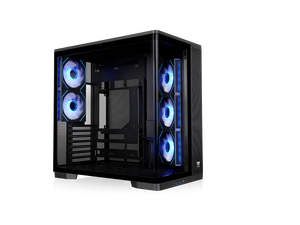

Thermaltake Arcus 380 TG ARGB; Mid Tower Chassis; 4mm Curved Tempered Glass; ...
- Motherboard Compatibility: ATX / Micro ATX / Mini ITX
- Front Ports: USB 3.1 (Gen 2) Type-C x 1, USB 3.0 x 2, HD Audio x 1
- Brand: Thermaltake
- Color: Black
- Case Material: SPCC
- Type: Mid Tower
- Side Panel: 4mm Tempered Glass x 1
- Internal 3.5" Drive Bays: 1
- Model #: CA-11Z-00M1WN-00
- Item #: 9B-11-133-628
- Return Policy: Standard Return Policy
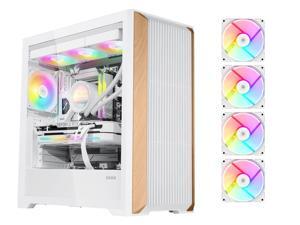

SAMA Z60 White Genuine Walnut Wood PC Case, ATX Mid Tower, Pre-Installed 4x 140mm ...
- Motherboard Compatibility: Micro ATX / ATX / ITX / E-ATX
- Front Ports: USB 3.0 / USB Type-C / Audio
- Brand: SAMA
- Series: Z60 Series
- Color: White
- Case Material: Steel / Tempered Glass
- Type: ATX Mid Tower
- Model #: Z60 White
- Item #: 9SIV8G5KM53882
- Return Policy: SAMA official store Return Policy

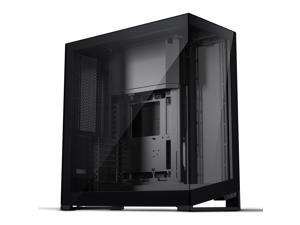
Phanteks NV9 MKII, Showcase Full-Tower Chassis, Rear-Connect MB Support, Integrated ...
- Motherboard Compatibility: ATX, Rear-Connect ATX, micro-ATX, mini-ITX, SSI-CEB, E-ATX (up to 280mm wide)
- Brand: Phanteks
- Series: NV9 MKII
- Color: Black
- Case Material: Steel / Tempered Glass
- Type: ATX Full Tower
- Side Panel: 2 x Sides Tempered Glass Panel
- Internal 3.5" Drive Bays: 3
- Model #: PH-NV923TG_DBK02
- Item #: 9B-9UB11-854-140
- Return Policy: Standard Return Policy
Phanteks NV9 MKII, Showcase Full-Tower Chassis, Rear-Connect MB Support, Integrated ...
- Motherboard Compatibility: ATX, Rear-Connect ATX, micro-ATX, mini-ITX, SSI-CEB, E-ATX (up to 280mm wide)
- Brand: Phanteks
- Series: NV9 MKII
- Color: Black
- Case Material: Steel / Tempered Glass
- Type: ATX Full Tower
- Side Panel: 2 x Sides Tempered Glass Panel
- Internal 3.5" Drive Bays: 3
- Model #: PH-NV923TG_DBK02
- Item #: 9B-9UC11-854-140
- Return Policy: Standard Return Policy
Phanteks NV9 MKII, Showcase Full-Tower Chassis, Rear-Connect MB Support, Integrated ...
- Motherboard Compatibility: ATX, Rear-Connect ATX, micro-ATX, mini-ITX, SSI-CEB, E-ATX (up to 280mm wide)
- Brand: Phanteks
- Series: NV9 MKII
- Color: Black
- Case Material: Steel / Tempered Glass
- Type: ATX Full Tower
- Side Panel: 2 x Sides Tempered Glass Panel
- Internal 3.5" Drive Bays: 3
- Model #: PH-NV923TG_DBK02
- Item #: 9B-9UD11-854-140
- Return Policy: Standard Return Policy
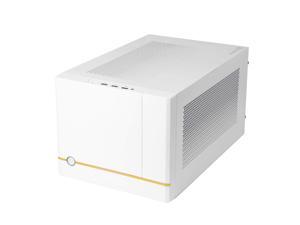
SilverStone Technology SUGO 14, SG14, White, Mini-ITX Cube Chassis, Supports 3 Slot Full ...
- Model #: 9359014229794
- Item #: 9SIVMNFKKS0726
- Return Policy: haoyuzeshang Return Policy
Considerations for Choosing a New PC Case
Introduction
When assembling a new computer system, you will at some point need to decide what computer case to use. To find the ideal case for your build, you should consider details such as size, weight, compatibility, number of drive bays, and more.
Size / Form Factor
The size of a computer case is an important factor that can determine what type of motherboard you can use, how many internal drives you can install, and more. As the size of the case increases, the number and size of components that you can install increase as well.
Computer cases fall into several categories in terms of size and form factor. For standard ATX form factor motherboards, tower cases are one of the most popular types of cases. They can be categorized as being either full size tower, mid-size tower, or mini tower. Computer cases for smaller form factors such as Mini-ITX and Micro ATX tend to be more varied in design.
Weight
The weight of a computer case is a factor of both its size and materials. There are several types of materials commonly used in computer cases, each with their own pros and cons.
- Steel – The heaviest type of case material, steel is also very sturdy and durable. Cases that are made from steel are not as transportable due to their weight.
- Aluminum – Computer cases made from aluminum are relatively light but tend cost more than steel cases. Aluminum is often used to make cases that are designed to be easily transportable.
- Acrylic – Acrylic is primarily used for clear computer cases to achieve a completely transparent aesthetic. It is also sometimes used in steel and aluminum computer cases that have transparent surfaces or windows.
Drive Bays
There are three types of drive bays, 5.25 inch external bays, 3.5 inch external bays, and 3.5 inch internal bays. External bays are typically used by devices such as optical drives, card readers, and floppy disk drives. Internal drive bays are mostly used for solid state drives and hard disk drives. When choosing a computer case, ensure that it has the adequate amount of internal and external bays for your needs.
Expansion Slots
An expansion slot is used to add and enhance a system’s functionality, such as adding wireless networking or improving graphics performance. Most mid and full tower computer cases can support up to seven expansion cards, which is the ATX standard.
However, larger motherboards such as extended ATX motherboards can sometimes have more than seven expansion card slots. In order to take advantage of the additional slots, you will need to find a computer case that supports E-ATX motherboards with additional slots.
Front Panel Ports
Connecting audio and USB cables to a computer using rear ports can be a hassle and sometimes may require the use of a longer cable. Front panel ports add convenience by providing more easily accessible ports for many different types of devices. When shopping for a computer case, try to find one with a front panel port that is adequate for your needs.

