


Flatbed Scanners - Showing 49 - 61 of 61 Products
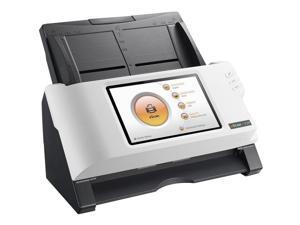
Plustek Escan A350 Document Scanner 25 Ppm Wifi/Ethernet No PC Needed
- Model #: 783064637787
- Item #: 9SIV2G2F3R6746
- Return Policy: PremierSource Return Policy
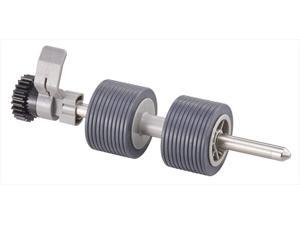
Ricoh / Fujitsu Consumable Separation Roller FI-7800 FI-7900
- Model #: PA03800K012
- Item #: 9SIV2G2ANK1893
- Return Policy: PremierSource Return Policy
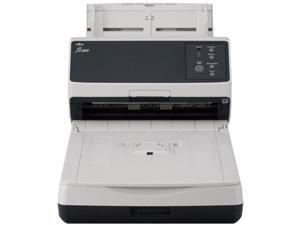
Ricoh fi-8250 Large Format Flatbed/ADF Scanner 600 dpi Optical PA03810B605
- Brand: RICOH
- Parts: 1 Year
- Model #: PA03810-B605
- Item #: 9SIV2G2JNP8865
- Return Policy: PremierSource Return Policy
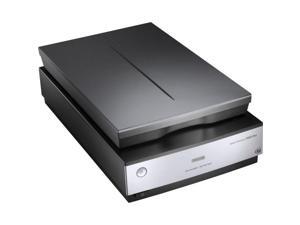
Epson Perfection V850 Pro Flatbed Image Scanner - 6400 dpi Optical - USB
- Brand: EPSON
- Series: Perfection Series
- Part Number: B11B224201
- Scanner Type: Photo
- Image Sensor: CCD
- Light Source: ReadyScan LED technology
- Scanning Speed: High-speed mode: 4800 dpi Full color: 10.8 msec / line (approx.) Monochrome: 10.8 msec / line(approx.)
- Resolutions, Optical: Epson Dual Lens System 4800 dpi and 6400 dpi
- Model #: B11B224201
- Item #: 9SIV2G293W4945
- Return Policy: PremierSource Return Policy
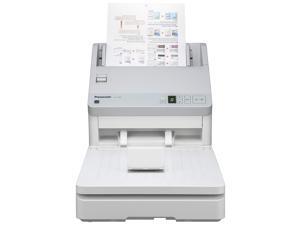
Panasonic KV-SL3066 600 x 600 DPI Flatbed & ADF Scanner White A4
- Model #: KV-SL3066
- Item #: 9SIV2G2AV18241
- Return Policy: PremierSource Return Policy
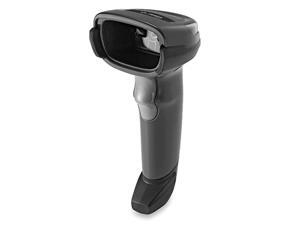
DS2208Series SR Corded Handheld Standard Range Imager Kit with Stand and Shielded USB ...
- Model #: pnKSN-B06VYGFGR7
- Item #: 9SIVGXPK5S3516
- Return Policy: Lezone Return Policy
DS2208Series SR Corded Handheld Standard Range Imager Kit with Stand and Shielded USB ...
- Model #: 4Owm0-B06VYGFGR7
- Item #: 9SIVGXPK5S3520
- Return Policy: Lezone Return Policy
DS2208Series SR Corded Handheld Standard Range Imager Kit with Stand and Shielded USB ...
- Model #: I14oi-B06VYGFGR7
- Item #: 9SIVGXPK5S3507
- Return Policy: Lezone Return Policy
DS2208Series SR Corded Handheld Standard Range Imager Kit with Stand and Shielded USB ...
- Model #: 4fiQC-B06VYGFGR7
- Item #: 9SIVGXPK5S3527
- Return Policy: Lezone Return Policy
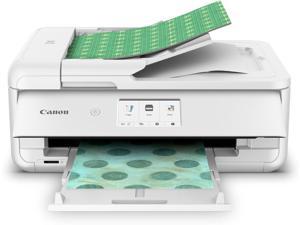
PIXMA TS9521Ca Wireless Home All-in-One Inkjet Printer
- Model #: C53R-M-309093
- Item #: 9SIVS8XKTY5017
- Return Policy: zijianmaoyigongsi Return Policy
DS2208Series SR Corded Handheld Standard Range Imager Kit with Stand and Shielded USB ...
- Model #: xASAW-B06VYGFGR7
- Item #: 9SIVGXPK5S3524
- Return Policy: Lezone Return Policy
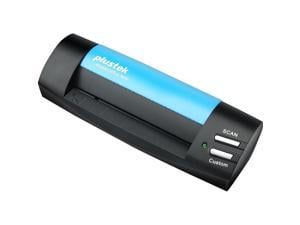
Plustek S602 CARD & ID SCANNER USB
- Model #: 783064606998
- Item #: 9B-371-0009-00033
- Return Policy: Manufacturer Only Return Policy
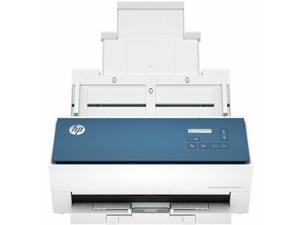

HP Scanjet Enterprise Flow 9000 s1 Sheetfed Scanner - 600 x 600 dpi Optical - 24-bit Color - ...
- Brand: HP
- Parts: 1 Year
- Model #: 8Q4W0A#BGJ
- Item #: 9SIV1DSKPX9455
- Return Policy: NothingButSavings Return Policy
Frequently Asked Questions about Flatbed Scanners
Introduction
Professionals may not use one every day, but the flatbed scanner is common in many offices of organizations large and small. If you are shopping for a USB scanner for your organization, a flatbed scanner is an excellent choice. If you are unfamiliar with flatbed scanners but need to purchase one for your organization, the questions and answer below will help you with shopping for one.
What differentiates a flatbed scanner from other types of scanners?
With a flatbed scanner, the document to be scanned is placed on a flat transparent surface and a cover goes covers the document and surface. It is a design similar to what you would find on an enterprise-grade copier. A document scanner operates by being fed a document instead of having it placed on top of a transparent surface. As its name implies, a document scanner can only be used to scan papers and other documents, and cannot be used to scan larger objects such as magazines and books.
There are also specialized scanners that such as a photo scanner, film scanner, business card scanner, and negative scanner. These scanners are designed to be used with specific types of items and a few may use flatbed scanning surfaces.
What can I scan with a flatbed scanner?
One of their main strengths is that unlike document scanners, flatbed scanners can be used to scan objects thicker than a piece of paper. A flatbed scanner can be used to scan a variety of paper media, including business cards, photos, books, magazines, and other objects. So they are great if your staff need to scan pages from a magazine or technical manual without tearing pages out. Another advantage is the ability to scan extremely fragile documents.
What if I need to scan a large number of pages?
Normally with a flatbed scanner, the user must manually place the document onto the scanning surface and close the lid. Some flatbed scanners have automatic document feeders (ADF) that will feed documents from a tray onto the scanning surface, and then eject them onto another tray. Unfortunately automatic document feeders cannot be used with larger objects such as books, magazines, or notepads.
What is duplex scanning?
Duplex scanning is the ability to scan both sides of a paper without requiring the user to turn it over to scan the other side. Many document scanners support this feature, and some select flatbed scanners have it as well. However, it is relatively rare feature among flatbed scanners.
What specifications should I look for to get a flatbed scanner?
For USB scanners in general, there are two ratings that you should look at, dots per inch (DPI) and color depth. DPI is a measurement of a scanner’s resolution and the higher the DPI, the more detail a scanner will be able to pick up. Color depth is a measure the number of colors that a scanner can translate into a digital image. The higher the number, the more colors that will be picked up by the scanner.
Generally, 300 DPI is more than adequate for scanning decent quality images and documents, while 600 DPI is good for scanning high-resolution images. For scanning black and white text documents, 8-bit color depth is adequate. If your organization scans high quality images to be reprinted however, you should consider going with a 48-bit scanner or photo scanner.

