


- Home
- >Computer Hardware
- >GPU & Video Graphics Device
- >GPUs / Video Graphics Cards
GPUs / Video Graphics Cards - Showing 1009 - 1032 of 1977 Products
Narrow Results
NARROW RESULTS
GPU
Chipset Manufacturer
Memory Size
Cooler
Max GPU Length
Features
Form Factor
Interface
Sold by
Memory Interface
DisplayPort
HDMI
Slot Width
Recommended PSU Wattage
Virtual Reality Ready
Core Clock
Memory Type
DirectX
Max Resolution
DVI
Multi-Monitor Support
CUDA Cores
Boost Clock
Stream Processors
Low Profile Bracket Included
Tensor Cores
DLSS Support
Ray Tracing Support
Color
Brands
All Top Brands
Availability
Condition
Price
Useful Links
Shipping Options
Warranty
Customer Ratings


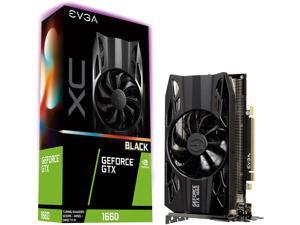
EVGA GeForce GTX 1660 XC Black GAMING, 06G-P4-1161-KR, 6GB GDDR5, HDB Fan
- Max Resolution: 7680 x 4320
- DisplayPort: 1 x DisplayPort 1.4
- DVI: 1 x Dual-Link DVI-D
- HDMI: 1 x HDMI 2.0b
- Card Dimensions (L x H): 7.48" x 4.38"
- Slot Width: 2.75 Slots
- DirectX: DirectX 12
- Chipset Manufacturer: NVIDIA
- Model #: 06G-P4-1161-KR
- Item #: 9SIV7KVFDC0330
- Return Policy: Micron Tech Return Policy
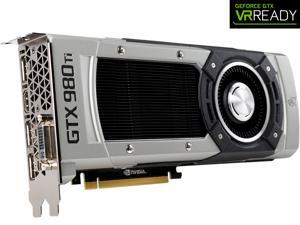
MSI GeForce GTX 980 Ti 6GB GDDR5 PCI Express 3.0 SLI Support ATX Graphics Card GTX 980Ti ...
- Core Clock: 1000 MHz
- DisplayPort: 3 x DisplayPort
- DVI: 1 x DL-DVI-I
- HDMI: 1 x HDMI
- Card Dimensions (L x H): 10.83" x 4.33"
- DirectX: DirectX 12
- Chipset Manufacturer: NVIDIA
- Brand: MSI
- Model #: GTX 980Ti 6GD5
- Item #: 9SIV7KVFDC0870
- Return Policy: Micron Tech Return Policy
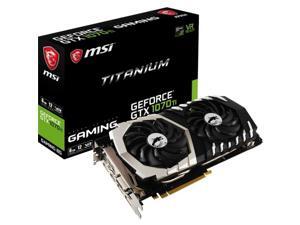

MSI GTX 1070 Ti Titanium 8G GeForce GTX 1070 Graphic Card - 1.61 GHz Core - 1.68 GHz Boost ...
- DisplayPort: 3
- HDMI: 1 x HDMI
- DirectX: DirectX 12 OpenGL 4.5
- Chipset Manufacturer: NVIDIA
- Brand: MSI
- GPU: GTX 1070
- Memory Size: 8 GB
- Memory Interface: 256-Bit
- Model #: G1070TT8
- Item #: 9SIV7KVFDC3050
- Return Policy: Micron Tech Return Policy
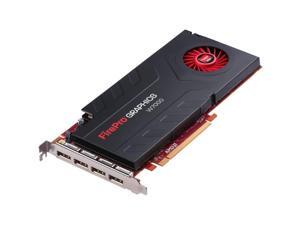

Sapphire FirePro W7000 Graphic Card - 950 MHz Core - 4 GB GDDR5 - PCI Express 3.0 x16 - ...
- Core Clock: 950 MHz
- DisplayPort: Yes
- Chipset Manufacturer: AMD
- Brand: SAPPHIRE
- Interface: PCI Express 3.0 x16
- GPU: W7000
- Memory Size: 4GB
- Memory Type: SDRAM
- Model #: 31004-31-40R
- Item #: 9SIV7KVFDC2775
- Return Policy: Micron Tech Return Policy
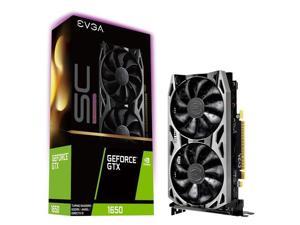
EVGA GeForce GTX 1650 SC Ultra Gaming, 04G-P4-1057-KR, 4GB GDDR5, Dual Fan, Metal ...
- Model #: 32728039489639
- Item #: 9SIV7KVFDC3586
- Return Policy: Micron Tech Return Policy
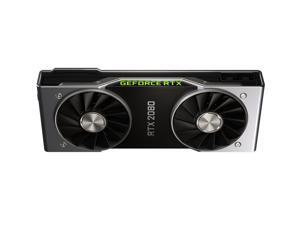
NVIDIA Official GeForce RTX 2080 Founders Edition 8GB GDDR6 PCI Express 3.0 Graphics Card
- Core Clock: 1515 MHz
- Max Resolution: 7680 x 4320
- DisplayPort: 1 x DisplayPort 1.4a
- HDMI: 1 x HDMI 2.0b
- Slot Width: 2 Slots
- DirectX: DirectX 12
- Chipset Manufacturer: NVIDIA
- Brand: NVIDIA
- Model #: 900-1G180-2500-000
- Item #: 9SIV7KVFDC0112
- Return Policy: Micron Tech Return Policy
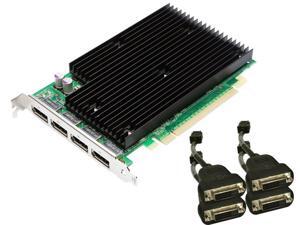
NVIDIA Quadro NVS 450 by PNY 512MB GDDR3 PCI Express Gen 2 x16 Quad DisplayPort or ...
- Model #: 01RBE7GO
- Item #: 9SIV7KVFDC3233
- Return Policy: Micron Tech Return Policy
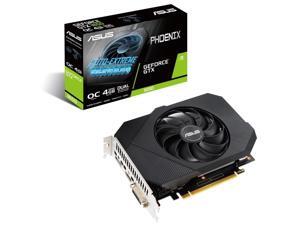

ASUS Phoenix NVIDIA GeForce GTX 1650 OC Edition Gaming Graphics Card (PCIe 3.0, 4GB ...
- Model #: ZXHD-13
- Item #: 9SIV7KVFDC0295
- Return Policy: Micron Tech Return Policy
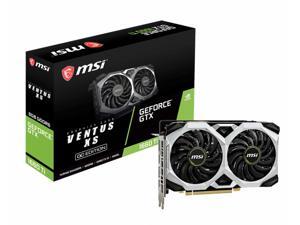
MSI GTX 1660 TI VENTUS XS 6G OC GEFORCE GTX 1660 TI VENTUS XS 6G OC 6GB
- Memory Type: GDDR6
- Model #: MSI#GTX1660TIVENTUSX
- Item #: 9SIV7KVFDC0218
- Return Policy: Micron Tech Return Policy
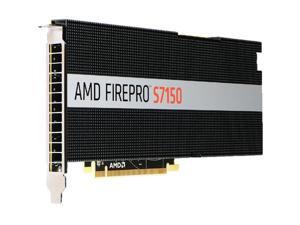
Sapphire FirePro S7150 Graphic Card - 8 GB GDDR5 - PCI Express 3.0 x16 - ...
- Chipset Manufacturer: AMD
- Brand: SAPPHIRE
- Interface: PCI Express 3.0 x16
- GPU: S7150
- Memory Size: 8GB
- Memory Type: GDDR5
- OpenGL: OpenGL
- Cooler: Passive Cooler
- Model #: 100-505929
- Item #: 9SIV7KVFDC3736
- Return Policy: Micron Tech Return Policy

MSI Radeon R7 370 2GB GDDR5 PCI Express 3.0 x16 CrossFireX Support ATX Graphics Card R7 ...
- Core Clock: 970 MHz
- Max Resolution: 4096 x 2160
- DisplayPort: 1 x DisplayPort 1.2
- DVI: 1 x DL-DVI-I 1 x DL-DVI-D
- HDMI: 1 x HDMI
- Card Dimensions (L x H): 10.04" x 4.88"
- Slot Width: 2 Slots
- DirectX: DirectX 12
- Model #: R7 370 2GD5T OC
- Item #: 9SIV7KVJX49754
- Return Policy: Micron Tech Return Policy


NVIDIA Tesla K40 GPU Accelerator (Passive Cooling)
- Model #: NVTK40
- Item #: 9SIV7KVFDC2899
- Return Policy: Micron Tech Return Policy
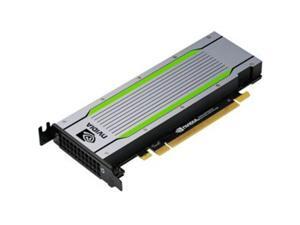

HPE Tesla T4 Graphic Card 16 GB R0W29A
- Chipset Manufacturer: NVIDIA
- Brand: HPE
- GPU: T4
- Memory Size: 16GB
- Model #: R0W29A
- Item #: 9SIV7KVJHA5989
- Return Policy: Micron Tech Return Policy
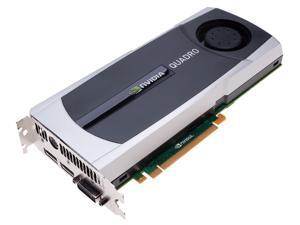
NVIDIA Quadro 6000 by PNY 6GB GDDR5 PCI Express Gen 2 x16 DVI-I DL Dual DisplayPort and ...
- Memory Type: GDDR5
- Model #: 7-9C0044XUD1U
- Item #: 9SIV7KVFDC3776
- Return Policy: Micron Tech Return Policy
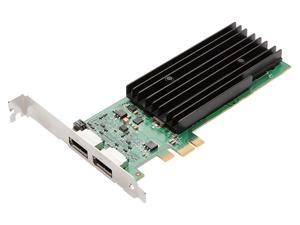
NVIDIA Quadro NVS 295 by PNY 256MB GDDR3 PCI Express Gen 2 x1 Dual DisplayPort or DVI-D ...
- Model #: 0017-7C0023BJ9H4
- Item #: 9SIV7KVFDC3280
- Return Policy: Micron Tech Return Policy
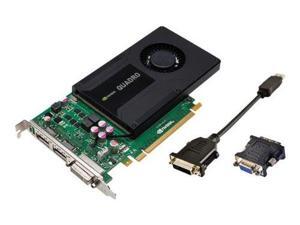
PNY Technologies VCQK2000-PB Quadro K2000 PCIE 2.0 x 16
- Model #: 037-9C00CGTQTOE
- Item #: 9SIV7KVFDC3270
- Return Policy: Micron Tech Return Policy
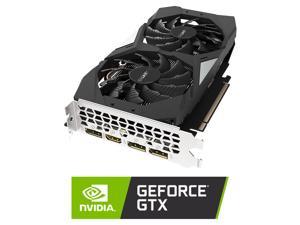

GIGABYTE GeForce GTX 1660 Ti OC 6G Graphics Card, 2 x WINDFORCE Fans, 6GB 192-Bit ...
- Core Clock: 1800 MHz
- Max Resolution: 7680x4320@60Hz
- DisplayPort: 3 x DisplayPort 1.4
- HDMI: 1 x HDMI 2.0b
- Card Dimensions (L x H): 8.88" x 4.80"
- Slot Width: 2 Slots
- DirectX: DirectX 12
- Chipset Manufacturer: NVIDIA
- Model #: GV-N166TOC-6GD
- Item #: 9SIV7KVJXB6696
- Return Policy: Micron Tech Return Policy
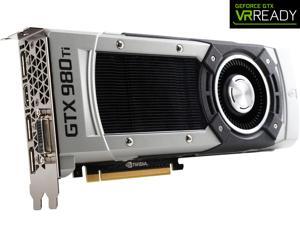
ASUS GeForce GTX 980 Ti 6GB DDR5 PCI Express 3.0 SLI Support Graphics Card ...
- Core Clock: 1000MHz
- DisplayPort: 3 x Native DisplayPort 1.2
- DVI: 1 x Native Dual-link DVI-I
- HDMI: 1 x Native HDMI 2.0
- Card Dimensions (L x H): 10.5" x 4.38"
- Chipset Manufacturer: NVIDIA
- Brand: ASUS
- Interface: PCI Express 3.0
- Model #: GTX980TI-6GD5
- Item #: 9SIV7KVFDC0149
- Return Policy: Micron Tech Return Policy
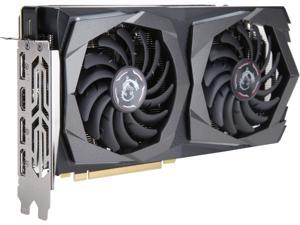
MSI GeForce GTX 1660 6GB GDDR5 PCI Express 3.0 x16 Graphics Card GTX 1660 GAMING X 6G
- Max Resolution: 7680 x 4320
- DisplayPort: 3 x DisplayPort 1.4
- HDMI: 1 x HDMI 2.0b
- Card Dimensions (L x H): 9.72" x 5.00"
- DirectX: DirectX 12
- Chipset Manufacturer: NVIDIA
- Brand: MSI
- Interface: PCI Express 3.0 x16
- Model #: GTX 1660 GAMING X 6G
- Item #: 9SIV7KVJXB6698
- Return Policy: Micron Tech Return Policy
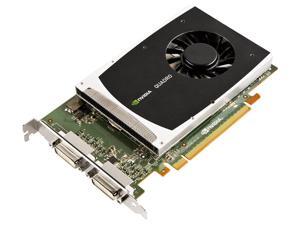
NVIDIA Quadro 2000D by PNY 1GB GDDR5 PCI Express Gen 2 x16 Dual DVI-I DL OpenGL, ...
- Model #: 04LNOMHO
- Item #: 9SIV7KVFDC2770
- Return Policy: Micron Tech Return Policy
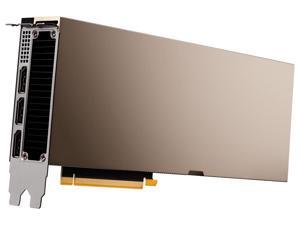
PNY NVIDIA A40 48GB GDDR6 Passive Heatsink Deep Learning Graphics Card Accelerator ...
- Memory Type: GDDR6
- Model #: 699-2G133-0200-C00
- Item #: 9SIV2XVKB89315
- Return Policy: High Performance Tech Return Policy
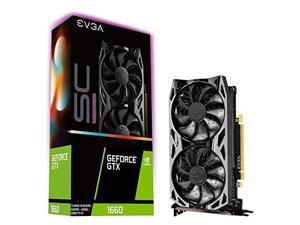
EVGA GeForce GTX 1660 SC Ultra Gaming, 06G-P4-1067-KR, 6GB GDDR5, Dual Fan
- Memory Size: 6GB
- Memory Type: GDDR5
- Cooler: Double Fans
- Model #: 9901239028567
- Item #: 9SIV7KVFDC1964
- Return Policy: Micron Tech Return Policy
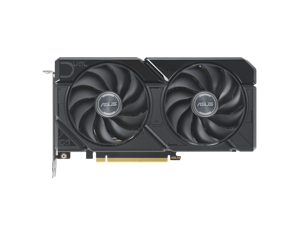
ASUS Dual Radeon RX 7600 XT OC Edition 16GB GDDR6 (AMD RDNA 3, PCIe 4.0, 16GB GDDR6 ...
- Max Resolution: 7680 x 4320
- DisplayPort: 3 x DisplayPort 1.4
- HDMI: 1 x HDMI 2.1
- Slot Width: 2.5 Slots
- DirectX: DirectX 12 Ultimate
- Chipset Manufacturer: AMD
- Brand: ASUS
- Series: Dual
- Model #: DUAL-RX7600XT-O16G
- Item #: 9SIV7KVKGS7341
- Return Policy: Micron Tech Return Policy


XFX BLACK Edition Radeon R9 390 8GB GDDR5 PCI Express 3.0 CrossFireX Support Graphics ...
- Core Clock: 1050 MHz
- Max Resolution: ANALOG: 2048 x 1536 DIGITAL: 2560 x 1600 (DVI); 4096 x 2160 (HDMI; DP)
- DisplayPort: 1 x DisplayPort
- DVI: 2 x DL-DVI-D
- HDMI: 1 x HDMI
- Card Dimensions (L x H): 11.61" x 5.63"
- Slot Width: 2 Slots
- DirectX: DirectX 12
- Model #: R9-390P-8286
- Item #: 9SIV7KVJEA0098
- Return Policy: Micron Tech Return Policy
Key Terms for Graphics Cards
Introduction
One of the most basic functions of a graphics card is to output content to a display. However, graphics cards can vary greatly in regards to performance and capabilities. Because there are so many different types of video cards with various specifications and technologies, finding the ideal one can be a challenge. To aid you in your search, NeweggBusiness defines several key terms and technologies.
Key Terms and Technologies
Interface
A graphics card’s interface refers to the type of expansion slot that it is compatible with. There are several expansion slot standards that are commonly found on graphics cards, including PCI Express® (PCIe) 2.0, PCI Express 2.1, PCI Express 3.0, and AGP. Amongst those standards, the latest and fastest is PCI Express 3.0 while the oldest is AGP.
Ports
The ports available on the rear panel of a graphics card dictate what type of devices can be connected to it. Some of the most commonly supported ports include VGA, DVI, DisplayPort, and HDMI™. Many have multiple ports and are able to output to them simultaneously, which allows users to have multiple monitor setups.
Graphics Processing Unit (GPU)
Early desktop computers utilized the CPU to perform calculations required for rendering images. In modern computers however, that task can be performed by a GPU. In comparison to a CPU, a GPU is more efficient at and better suited for rendering images. Every graphics card features an onboard GPU, with some higher-end cards having two.
GPU Clock Speed
Similar to a CPU, a GPU also has a core clock that indicates how quickly it can perform calculations. It is usually measured in either megahertz or gigahertz. Generally, a faster GPU clock is better but it should not be the most important determining factor in your purchasing decision.
Memory
A graphics card’s onboard memory is the component that stores image data such as textures. A GPU utilizes video RAM (VRAM) to store frequently accessed data, similar to how a CPU utilizes system RAM. This means that a larger VRAM capacity will allow you store more texture data.
Memory Clock Speed
A video card’s memory clock speed will tell you how quickly the GPU can transfer and read data stored in the VRAM. For certain applications, the speed of VRAM is more important than the amount of VRAM.
SLI™ / CrossFire™
Both SLI and CrossFire are technologies that allow you to use multiple video cards simultaneously for improved graphics performance, provided that your motherboard supports it. In a SLI or CrossFire setup, multiple GPUs share the workload to render graphics. To maximize performance, you should utilize multiple graphics cards in a SLI or CrossFire configuration.

