


- Home
- >Computer Hardware
- >GPU & Video Graphics Device
- >GPUs / Video Graphics Cards
GPUs / Video Graphics Cards - Showing 1225 - 1248 of 2586 Products
Narrow Results
NARROW RESULTS
GPU
Chipset Manufacturer
Memory Size
Cooler
Max GPU Length
Features
Form Factor
Interface
Sold by
Memory Interface
DisplayPort
HDMI
Slot Width
Recommended PSU Wattage
Virtual Reality Ready
Core Clock
Memory Type
DirectX
Max Resolution
DVI
Multi-Monitor Support
CUDA Cores
Boost Clock
Stream Processors
Low Profile Bracket Included
Tensor Cores
DLSS Support
Ray Tracing Support
Color
Brands
All Top Brands
Availability
Condition
Price
Useful Links
Shipping Options
Warranty
Customer Ratings


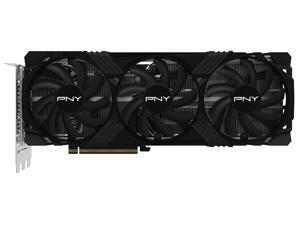
PNY VERTO GeForce RTX 4070 Ti SUPER 16GB GDDR6X PCI Express 4.0 x16 ATX Graphics Card ...
- Core Clock: 2340 MHz
- Max Resolution: 7680 x 4320
- DisplayPort: 3 x DisplayPort 1.4a
- HDMI: 1 x HDMI 2.1
- Slot Width: 3 Slots
- DirectX: DirectX 12 Ultimate
- Chipset Manufacturer: NVIDIA
- Brand: PNY
- Model #: KMR47TSN4KGGT3D
- Item #: 9B-9UB14-133-936
- Return Policy: Standard Return Policy


Open Box: PowerColor Reaper Radeon RX 9070 XT 16GB GDDR6 PCI Express 5.0 x16 RDNA 4 ...
- Max Resolution: 7680 x 4320
- DisplayPort: 3 x DisplayPort 2.1
- HDMI: 1 x HDMI 2.1
- Card Dimensions (L x H): 289mm*111mm*41mm 304mm*127mm*42mm(with bracket) 304*127*42mm(w/bracket)
- Slot Width: 2 Slots
- DirectX: DirectX 12
- Chipset Manufacturer: AMD
- Brand: PowerColor
- Model #: RX9070XT 16G-A
- Item #: 9B-14-131-871R
- Return Policy: Final Sale Return Policy
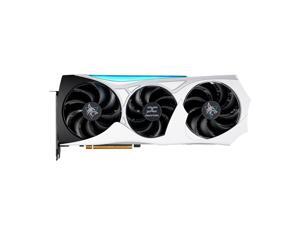
Open Box: PowerColor Hellhound Radeon RX 9070 XT 16GB GDDR6 PCI Express 5.0 x16 ATX ...
- Core Clock: up to 2400MHz(Game) up to 2970MHz(Boost)
- Max Resolution: 7680 x 4320
- DisplayPort: 3 x DisplayPort 2.1a
- HDMI: 1 x HDMI 2.1b
- Card Dimensions (L x H): 346mm*151mm*57mm(with bracket)
- Slot Width: 2.5 Slots
- DirectX: DirectX 12 Ultimate
- Chipset Manufacturer: AMD
- Model #: RX9070XT 16G-L/OC/REVA
- Item #: 9B-14-131-886R
- Return Policy: Final Sale Return Policy
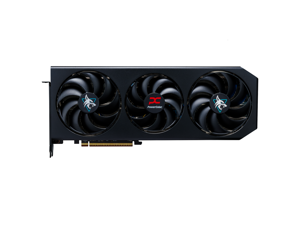
Open Box: PowerColor Hellhound Radeon RX 9070 XT 16GB 256-Bit GDDR6 PCI Express 5.0 ...
- Max Resolution: 7680 x 4320
- DisplayPort: 3 x DisplayPort 2.1
- HDMI: 1 x HDMI 2.1
- Card Dimensions (L x H): 327*128*49mm 340*142*49mm(w/bracket)
- Slot Width: 2.5 Slots
- DirectX: DirectX 12
- Chipset Manufacturer: AMD
- Brand: PowerColor
- Model #: RX9070XT 16G-L/OC
- Item #: 9B-14-131-870R
- Return Policy: Final Sale Return Policy
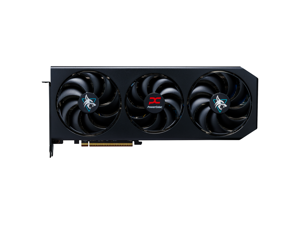
Open Box: PowerColor Hellhound Radeon RX 9070 16GB 256-Bit GDDR6 PCI Express 5.0 ...
- Max Resolution: 7680 x 4320
- DisplayPort: 3 x DisplayPort 2.1
- HDMI: 1 x HDMI 2.1
- Card Dimensions (L x H): 327*128*41mm 340*142*42mm(w/bracket)
- Slot Width: 2 Slots
- DirectX: DirectX 12
- Chipset Manufacturer: AMD
- Brand: PowerColor
- Model #: RX9070 16G-L/OC
- Item #: 9B-14-131-873R
- Return Policy: Final Sale Return Policy
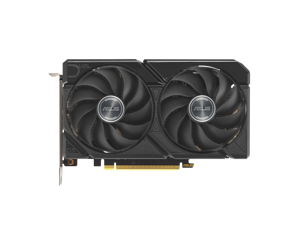

Open Box: ASUS Dual Radeon RX 9060 XT 16GB GDDR6 PCI Express 5.0 x16 ATX Graphics Card ...
- Core Clock: Default mode: up to 3230 MHz (Boost Clock)/up to 2620 MHz (Game Clock)
- Max Resolution: 7680 x 4320
- DisplayPort: 2 x DisplayPort 2.1a
- HDMI: 1 x HDMI 2.1b
- Card Dimensions (L x H): 202 x 120 x 49mm
- Slot Width: 2.5 Slots
- DirectX: DirectX 12 Ultimate
- Chipset Manufacturer: AMD
- Model #: DUAL-RX9060XT-16G
- Item #: 9B-14-126-817R
- Return Policy: Final Sale Return Policy
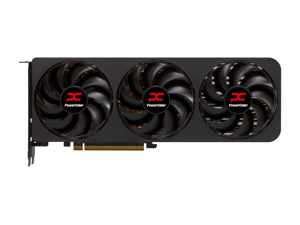
Open Box: PowerColor Reaper Radeon RX 9070 16GB 256-Bit GDDR6 PCI Express 5.0 RDNA 4 ...
- Max Resolution: 7680 x 4320
- DisplayPort: 3 x DisplayPort 2.1
- HDMI: 1 x HDMI 2.1
- Slot Width: 2 Slots
- DirectX: DirectX 12
- Chipset Manufacturer: AMD
- Brand: PowerColor
- Series: Reaper
- Model #: RX9070 16G-A
- Item #: 9B-14-131-874R
- Return Policy: Final Sale Return Policy
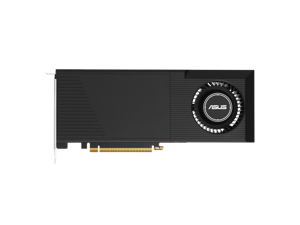
Open Box: ASUS TURBO R9700 TURBO-AI-PRO-R9700-32G 32GB 256-bit GDDR6 PCI ...
- Brand: ASUS
- Series: TURBO
- Part Number: TURBO-AI-PRO-R9700-32G
- Interface: PCI Express 5.0 x16
- Chipset Manufacturer: AMD
- GPU: R9700
- Core Clock: OC mode(GPU Tweak III): up to 2940 MHz (Boost Clock)/up to 2370 MHz (Game Clock) Default mode: up to 2920 MHz (Boost Clock)/up to 2350MHz (Game Clock)
- Stream Processors: 4096
- Model #: TURBO-AI-PRO-R9700-32G
- Item #: 9B-14-126-826R
- Return Policy: Final Sale Return Policy
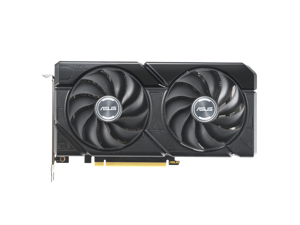
Open Box: ASUS Dual GeForce RTX 4070 12GB GDDR6 PCI Express 4.0 ATX Graphics Card ...
- Core Clock: 2520 MHz
- Max Resolution: 7680 x 4320
- DisplayPort: 3 x DisplayPort 1.4a
- HDMI: 1 x HDMI 2.1a
- Card Dimensions (L x H): 227.2 x 123.24 x 49.6 mm 8.94 x 4.85 x 1.95 inch
- Slot Width: 2.5 Slots
- Chipset Manufacturer: NVIDIA
- Brand: ASUS
- Model #: DUAL-RTX4070-O12GD6-EVO
- Item #: 9B-14-126-767R
- Return Policy: Final Sale Return Policy
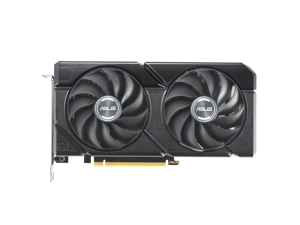
Open Box: ASUS Dual GeForce RTX 4060 Ti 16GB GDDR6 PCI Express 4.0 x8 ATX Graphics Card ...
- Max Resolution: 7680 x 4320
- DisplayPort: 3 x DisplayPort 1.4a
- HDMI: 1 x HDMI 2.1a
- Slot Width: 2.5 Slots
- DirectX: DirectX 12
- Chipset Manufacturer: NVIDIA
- Brand: ASUS
- Series: Dual
- Model #: DUAL-RTX4060TI-O16G-EVO
- Item #: 9B-14-126-828R
- Return Policy: Final Sale Return Policy
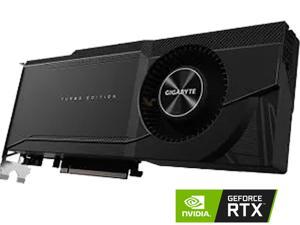

GIGABYTE GeForce RTX 3090 24GB GDDR6X PCI Express 4.0 Graphics Card ...
- Core Clock: 1695 MHz
- Slot Width: 2 Slots
- DirectX: DirectX 12 Ultimate
- Chipset Manufacturer: NVIDIA
- Brand: GIGABYTE
- Interface: PCI Express 4.0
- GPU Series: NVIDIA GeForce RTX 30 Series
- GPU: GeForce RTX 3090
- Model #: GV-N3090TURBO-24GD
- Item #: 9SIV7KVKC69902
- Return Policy: Micron Tech Return Policy
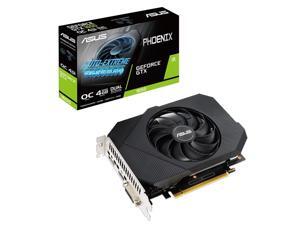
ASUS Phoenix GeForce® GTX 1650 O4GB GDDR6 is your ticket to enter the PC gaming world ...
- Core Clock: 1410 MHz
- Max Resolution: 7680 x 4320
- DisplayPort: 1 x DisplayPort 1.4
- DVI: 1 x DVI-D
- HDMI: 1 x HDMI 2.0b
- Card Dimensions (L x H): 7.00" x 5.03"
- Slot Width: Dual Slot
- Chipset Manufacturer: NVIDIA
- Model #: ASUS GTX1650 O4G
- Item #: 9SIV7KVFDC0074
- Return Policy: Micron Tech Return Policy
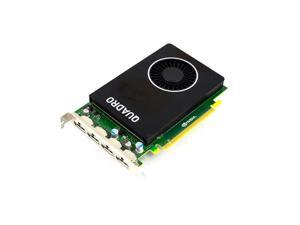

Lenovo 4X60M28228 Nvidia Quadro M2000 - Graphics Card - Quadro M2000 - 4 Gb - 4 X ...
- Cooler: Single Fan
- Model #: 4X60M28228
- Item #: 9SIV7KVFDC1506
- Return Policy: Micron Tech Return Policy
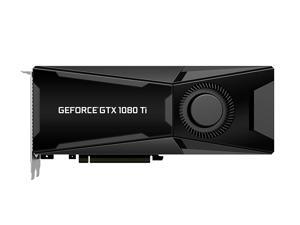
PNY XLR8 GeForce GTX 1080 Ti Gaming Overclocked Blower Design Graphic Cards ...
- Model #: h2020PB0787G3V9M
- Item #: 9SIV7KVFDC2462
- Return Policy: Micron Tech Return Policy
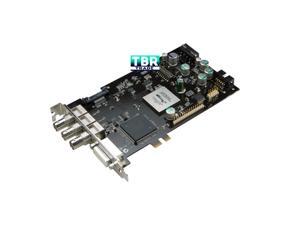

NVIDIA PNY Quadro SDI Option 2 II Output Card VCQFXSDIOPT2 + Cables
- Model #: VCQFXSDIOUTPUT-T
- Item #: 9SIV7KVFDC3063
- Return Policy: Micron Tech Return Policy
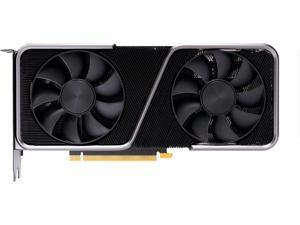
NVIDIA GeForce RTX 3070 Founders Edition Graphics Card 8GB GDDR6X - Titanium and Black
- Core Clock: 1500 MHz
- Max Resolution: 7680 x 4320
- DisplayPort: 3 x DisplayPort
- HDMI: 1 x HDMI
- DirectX: DirectX 12
- Chipset Manufacturer: NVIDIA
- Brand: NVIDIA
- Interface: PCI Express 4.0
- Model #: 9001G1422510000
- Item #: 9SIV7KVK210347
- Return Policy: Micron Tech Return Policy
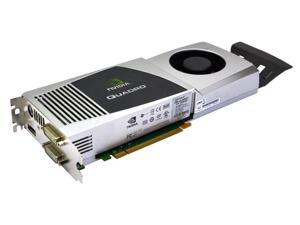
FX5800 900-50607-1750-000 Nvidia Quadro 4GB DP Mini DIN-3 2X DVI PCI-E Video Card ...
- Model #: FX5800
- Item #: 9SIV7KVFDC2328
- Return Policy: Micron Tech Return Policy

EVGA GeForce GTX 980 4GB 04G-P4-1980-KR GAMING, Silent Cooling Video Graphics Card
- Core Clock: 1126 MHz
- DisplayPort: 3 x DisplayPort
- DVI: 1 x DVI-I
- HDMI: 1 x HDMI
- Card Dimensions (L x H): 10.50" x 4.38"
- Slot Width: 2 Slots
- DirectX: DirectX 12
- Chipset Manufacturer: NVIDIA
- Model #: JSHZ5M08
- Item #: 9SIV7KVFDC3011
- Return Policy: Micron Tech Return Policy
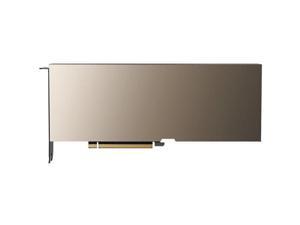
PNY NVIDIA A10 24 GB GDDR6 Passive Cooler Computing Accelerator Deep Learning ...
- Memory Type: GDDR6
- Model #: 900-2G133-0020-10
- Item #: 9SIV7KVJZY9096
- Return Policy: Micron Tech Return Policy

ASUS TUF Gaming X3 GeForce GTX 1660 SUPER TUF 3-GTX1660S-O6G-GAMING 6GB 192-Bit ...
- Core Clock: 1530 MHz
- Max Resolution: 7680 x 4320
- DisplayPort: 1 x DisplayPort 1.4
- DVI: 1 x DVI-D
- HDMI: 1 x HDMI 2.0b
- Card Dimensions (L x H): 10.40" x 5.10"
- Slot Width: 2.7 slot
- Chipset Manufacturer: NVIDIA
- Model #: TUF 3-GTX1660S-O6G-G
- Item #: 9SIV7KVFDC0275
- Return Policy: Micron Tech Return Policy
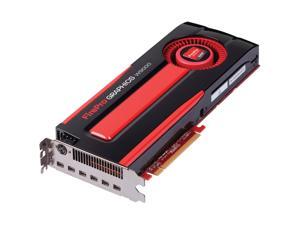

Sapphire FirePro W9000 Workstation Graphics Card
- Model #: SA100505859
- Item #: 9SIV7KVFDC2833
- Return Policy: Micron Tech Return Policy


MSI GeForce GTX 1650 4GB GDDR5 PCI Express 3.0 x16 Graphics Card GTX 1650 GAMING X 4G
- Max Resolution: 7680 x 4320
- DisplayPort: 2 x DisplayPort 1.4a
- HDMI: 1 x HDMI 2.0b
- Card Dimensions (L x H): 9.65" x 5.00"
- Slot Width: 2 Slots
- DirectX: DirectX 12
- Chipset Manufacturer: NVIDIA
- Brand: MSI
- Model #: GTX 1650 GAMING X 4G
- Item #: 9SIV7KVFDC0155
- Return Policy: Micron Tech Return Policy
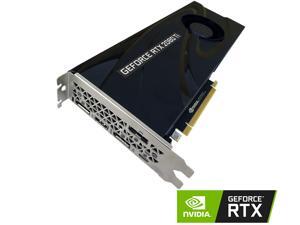
PNY GeForce RTX 2080 Ti 11GB Blower Graphics Card
- Core Clock: 1350 MHz
- Max Resolution: 7680 x 4320
- DisplayPort: 3 x DisplayPort 1.4
- HDMI: 1 x HDMI 2.0b
- Card Dimensions (L x H): 11.06" x 5.04"
- Slot Width: 2 Slots
- DirectX: DirectX 12
- Chipset Manufacturer: NVIDIA
- Model #: VCG2080T11BLMPB
- Item #: 9SIV7KVFDC0555
- Return Policy: Micron Tech Return Policy
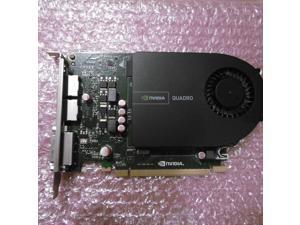

HP Inc. NVIDIA Quadro 2000 PCIe 2.0
- Model #: 0-008B43QRQ
- Item #: 9SIV7KVFDC3145
- Return Policy: Micron Tech Return Policy
Key Terms for Graphics Cards
Introduction
One of the most basic functions of a graphics card is to output content to a display. However, graphics cards can vary greatly in regards to performance and capabilities. Because there are so many different types of video cards with various specifications and technologies, finding the ideal one can be a challenge. To aid you in your search, NeweggBusiness defines several key terms and technologies.
Key Terms and Technologies
Interface
A graphics card’s interface refers to the type of expansion slot that it is compatible with. There are several expansion slot standards that are commonly found on graphics cards, including PCI Express® (PCIe) 2.0, PCI Express 2.1, PCI Express 3.0, and AGP. Amongst those standards, the latest and fastest is PCI Express 3.0 while the oldest is AGP.
Ports
The ports available on the rear panel of a graphics card dictate what type of devices can be connected to it. Some of the most commonly supported ports include VGA, DVI, DisplayPort, and HDMI™. Many have multiple ports and are able to output to them simultaneously, which allows users to have multiple monitor setups.
Graphics Processing Unit (GPU)
Early desktop computers utilized the CPU to perform calculations required for rendering images. In modern computers however, that task can be performed by a GPU. In comparison to a CPU, a GPU is more efficient at and better suited for rendering images. Every graphics card features an onboard GPU, with some higher-end cards having two.
GPU Clock Speed
Similar to a CPU, a GPU also has a core clock that indicates how quickly it can perform calculations. It is usually measured in either megahertz or gigahertz. Generally, a faster GPU clock is better but it should not be the most important determining factor in your purchasing decision.
Memory
A graphics card’s onboard memory is the component that stores image data such as textures. A GPU utilizes video RAM (VRAM) to store frequently accessed data, similar to how a CPU utilizes system RAM. This means that a larger VRAM capacity will allow you store more texture data.
Memory Clock Speed
A video card’s memory clock speed will tell you how quickly the GPU can transfer and read data stored in the VRAM. For certain applications, the speed of VRAM is more important than the amount of VRAM.
SLI™ / CrossFire™
Both SLI and CrossFire are technologies that allow you to use multiple video cards simultaneously for improved graphics performance, provided that your motherboard supports it. In a SLI or CrossFire setup, multiple GPUs share the workload to render graphics. To maximize performance, you should utilize multiple graphics cards in a SLI or CrossFire configuration.

