


Intel Motherboards - Showing 649 - 672 of 2521 Products


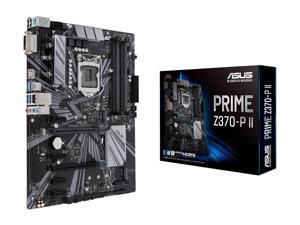

ASUS PRIME Z370-P II LGA 1151 (300 Series) Intel Z370 HDMI SATA 6Gb/s USB 3.1 ATX Intel ...
- Memory Standard: DDR4 4000(O.C.)*/ 3866(O.C.)*/ 3733(O.C.)*/ 3600(O.C.)*/ 3466(O.C.)*/ 3400(O.C.)*/ 3333(O.C.)*/ 3300(O.C.)*/ 3200(O.C.)*/ 3000(O.C.)*/ 2800(O.C.)*/ 2666 / 2400 / 2133 * The maximum memory frequency supported varies by processor ** Refer to www.asus.com for the Memory QVL (Qualified Vendors List)
- Number of Memory Slots: 4x288pin (DDR4)
- Audio Chipset: Realtek ALC887
- Brand: ASUS
- CPU Socket Type: LGA 1151 (300 Series)
- Chipset: Intel Z370
- Form Factor: ATX
- Serial ATA (SATA): 4 x SATA 6.0Gb/s ports (gray)
- Model #: PRIME Z370-P II..,
- Item #: 9SIVG8GKWP5161
- Return Policy: roboshine Return Policy
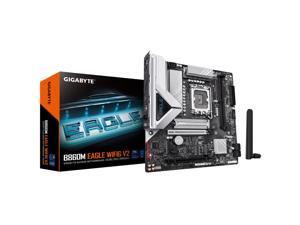

GIGABYTE B860M EAGLE WIFI6 V2 Intel Core Ultra (Series 2) LGA 1851 Motherboard, mATX, ...
- Model #: B860M EAGLE WIFI6 V2
- Item #: 9SIVR5CKWK2594
- Return Policy: XianTaoHengCanFuShiYouXianGongSi Return Policy
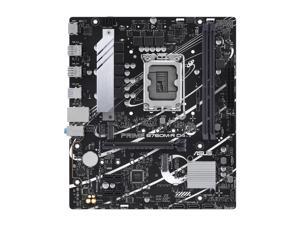
ASUS PRIME B760M-R D4 Intel B760 LGA 1700 micro ATX
- Brand: ASUS
- CPU Type: Computer Accessories
- Model #: 90MB1HA0-M0EAY0
- Item #: 9SIVTERKX79112
- Return Policy: Zyngear Return Policy
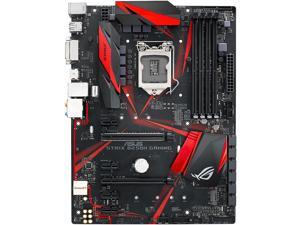
ASUS ROG STRIX B250H GAMING LGA1151 DDR4 HDMI DVI M.2 B250 ATX Motherboard with ...
- Memory Standard: DDR4 2400/ 2133 * Due to Intel chipset limitation, DDR4 2400 MHz memory frequency is only supported by 7th Gen Intel processors. Higher memory modules will run at the maximum transfer rate of DDR4 2400 MHz. ** Due to Intel chipset limitation, DDR4 2133 MHz and higher memory modules on 6th Gen Intel processors will run at the maximum transfer rate of DDR4 2133 MHz.
- Number of Memory Slots: 4x288pin (DDR4)
- Audio Chipset: ROG SupremeFX High Definition Audio CODEC S1220A
- Brand: ASUS
- CPU Socket Type: LGA 1151
- Chipset: Intel B250
- Form Factor: ATX
- Serial ATA (SATA): 6 x SATA 6Gb/s
- Model #: ROG STRIX B250H GAMI
- Item #: 9SIVS10KU53350
- Return Policy: Yongrui electronic Commerce Co., Limited Return Policy
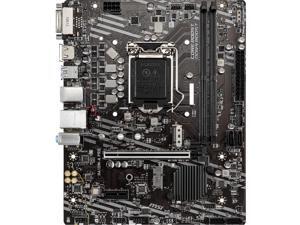

MSI PRO H410M-A PRO LGA 1200 Intel H410 Micro ATX Intel Motherboard
- Memory Standard: Intel Core i7/i9 Supports up to DDR4 2933 MHz Intel Core i5 and below Supports up to DDR4 2666 MHz
- Number of Memory Slots: 2x288pin (DDR4)
- Audio Chipset: Realtek ALC892
- Brand: MSI
- CPU Socket Type: LGA 1200
- Chipset: Intel H410
- Form Factor: Micro ATX
- Serial ATA (SATA): 4 x SATA 6Gb/s
- Model #: H410M-A PRO
- Item #: 9SIVS10KU80130
- Return Policy: Yongrui electronic Commerce Co., Limited Return Policy
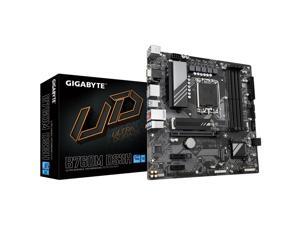
GIGABYTE B760M DS3H DDR5 LGA 1700 Intel B760 Micro ATX Motherboard,with Integrated ...
- Model #: B760M DS3H DDR5
- Item #: 9SIVR5CKWK2086
- Return Policy: XianTaoHengCanFuShiYouXianGongSi Return Policy
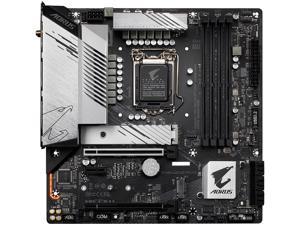
GIGABYTE B560M AORUS PRO AX LGA 1200 Intel B560 Micro ATX Intel Motherboard
- Memory Standard: 11th Generation Intel Core i9/i7/i5 processors: Support for DDR4 5333(O.C.)/ DDR4 5133(O.C.)/DDR4 5000(O.C.)/4933(O.C.)/4800(O.C.)/ 4700(O.C.)/ 4600(O.C.)/ 4500(O.C.)/ 4400(O.C.)/ 4300(O.C.)/4266(O.C.) / 4133(O.C.) / 4000(O.C.) / 3866(O.C.) / 3800(O.C.) / 3733(O.C.) / 3666(O.C.) / 3600(O.C.) / 3466(O.C.) / 3400(O.C.) / 3333(O.C.) / 3300(O.C.) / 3200 / 3000 / 2933 / 2800 / 2666 / 2400 / 2133 MHz memory modules 10th Generation Intel Core i9/i7 processors: Support for DDR4 2933/2666/2400/2133 MHz memory modules 10th Generation Intel Core i5/i3 /Pentium/Celeron processors: Support for DDR4 2666/2400/2133 MHz memory modules
- Brand: GIGABYTE
- CPU Socket Type: LGA 1200
- Chipset: Intel B560
- Form Factor: Micro ATX
- Serial ATA (SATA): 6 x SATA 6Gb/s
- PCI Express 4.0 x16: 1 x PCI Express x16 slot, running...
- Model #: B560M AORUS PRO AX
- Item #: 9SIVR5CKWK1973
- Return Policy: XianTaoHengCanFuShiYouXianGongSi Return Policy
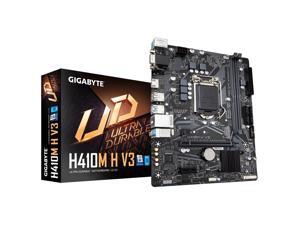
Gigabyte H410M H V3 Motherboard CPU SOCKET LGA1200 Intel DDR4 HDMI VGA GbE LAN
- Model #: 1.H410M H V3
- Item #: 9SIVR5CKWK2075
- Return Policy: XianTaoHengCanFuShiYouXianGongSi Return Policy
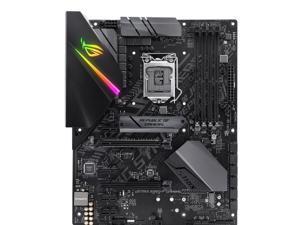
ROG Strix B360-F GAMING Desktop Motherboard - Intel Chipset - Socket H4 LGA-1151
- Number of Memory Slots: 4
- PCI Express x16: 2 x PCI Express x16
- Brand: ROG
- CPU Socket Type: Socket H4 LGA-1151
- Form Factor: ATX
- HDMI: 1 x HDMI
- Max LAN Speed: Yes
- CPU Type: Core i7 Core i3 Core i5 Pentium
- Model #: ROG STRIX B360-F GAM
- Item #: 9SIVS10KRD2440
- Return Policy: Yongrui electronic Commerce Co., Limited Return Policy
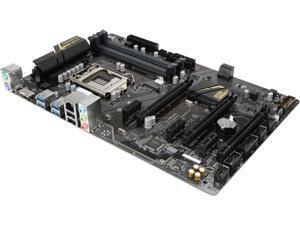
GIGABYTE GA-Z270P-D3 (rev. 1.0) LGA 1151 Intel Z270 HDMI SATA 6Gb/s USB 3.1 ATX ...
- CPU Socket Type: LGA 1151
- CPU Type: Intel Core 7th Gen (LGA 1151)
- Model #: JJ GA-Z270P-D3
- Item #: 9SIVS10KUN3600
- Return Policy: Yongrui electronic Commerce Co., Limited Return Policy
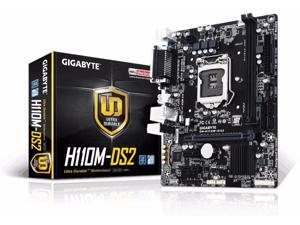
GIGABYTE GA-H110M-DS2 LGA 1151 Intel H110 SATA 6Gb/s USB 3.0 Micro ATX Intel ...
- Memory Standard: DDR4 2133
- Number of Memory Slots: 2 x DIMM
- PCI Express x16: 1 x PCI Express x16 slot, running at x16
- Audio Chipset: Realtek ALC887
- Brand: GIGABYTE
- CPU Socket Type: LGA 1151
- Chipset: Intel H110
- Form Factor: Micro ATX
- Model #: GA-H110M-DS2
- Item #: 9SIVR5CKWK1976
- Return Policy: XianTaoHengCanFuShiYouXianGongSi Return Policy
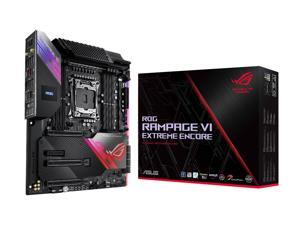
ASUS ROG Rampage VI Extreme Encore LGA 2066 Intel X299 Extended ATX Intel Motherboard
- Memory Standard: DDR4 4266(O.C.)/ 4133(O.C.)/ 4000(O.C.)/ 3866(O.C.)/ 3800(O.C.)/ 3600(O.C.)/ 3466(O.C.)/ 3200(O.C.)/ 3000(O.C.)/ 2933/ 2800/ 2666/ 2400/ 2133 * Hyper DIMM support is subject to the physical characteristics of individual CPUs. * Refer to www.asus.com for the Memory QVL (Qualified Vendors Lists).
- Number of Memory Slots: 8x288pin (DDR4)
- Audio Chipset: ROG SupremeFX High Definition Audio CODEC S1220
- Brand: ASUS
- CPU Socket Type: LGA 2066
- Chipset: Intel X299
- Form Factor: Extended ATX
- Serial ATA (SATA): 8 x SATA 6Gb/s
- Model #: RAMPAGE VI EXTRME EN
- Item #: 9SIVS10KU54284
- Return Policy: Yongrui electronic Commerce Co., Limited Return Policy
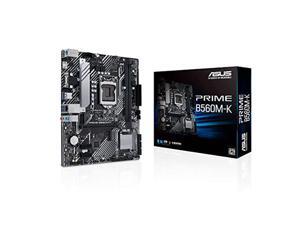
ASUS INTEL 10th and 11th generation CPU (LGA1200) compatible B560 chipset micro ATX ...
- CPU Type: Intel Core 13th Gen (LGA 1700)
- Model #: 195553112086
- Item #: 9SIVS10KU53440
- Return Policy: Yongrui electronic Commerce Co., Limited Return Policy
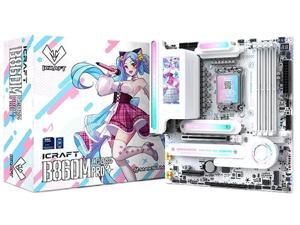
MAXSUN iCraft B860M CROSS PRO Intel B860 (LGA1851) mATX Motherboard, Onboard LED ...
- Model #: iCraft B860M CROSS PRO
- Item #: 9SIVG8GKWR1596
- Return Policy: roboshine Return Policy
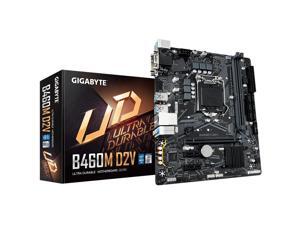
Gigabyte B460M D2V LGA 1200 DDR4 Micro ATX VGA DVI Intel B460 SATA3 GB460MD2V
- Model #: 1.B460M D2V
- Item #: 9SIVR5CKWK2055
- Return Policy: XianTaoHengCanFuShiYouXianGongSi Return Policy
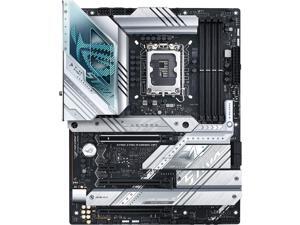
ASUS ROG Strix Z790-A Gaming WiFi D5 LGA 1700 ATX (16 + 1 power stages, DDR5, four M.2 ...
- CPU Type: Intel Core 13th Gen (LGA 1700)
- Model #: BE-ASUS ROG Strix Z790-A WIFI D5
- Item #: 9SIVR5CKWK2667
- Return Policy: XianTaoHengCanFuShiYouXianGongSi Return Policy
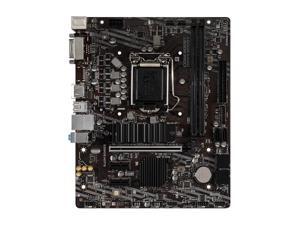
MSI B460M BOMBER LGA 1200 Intel B460 SATA 6Gb/s Micro ATX Intel Motherboard
- Model #: MSI B460M BOMBER,.
- Item #: 9SIVR5CKWK2239
- Return Policy: XianTaoHengCanFuShiYouXianGongSi Return Policy
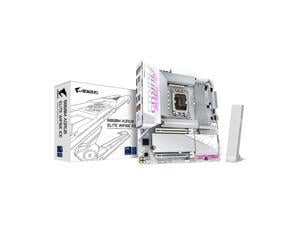
GIGABYTE B860M AORUS ELITE WIFI6E ICE Intel Core Ultra (Series 2) LGA 1851 Motherboard, ...
- Memory Standard: DDR5 5600 / DDR5 6400 / DDR5 6600 / DDR5 6800 / DDR5 7000 / DDR5 7200 / DDR5 7400 / DDR5 7600 / DDR5 7800 / DDR5 7900 / DDR5 7950 / DDR5 8000 / DDR5 8200 / DDR5 8266 / DDR5 8400 / DDR5 8600 / DDR5 8800 / DDR5 9200
- Number of Memory Slots: 4x288pin (DDR5)
- Brand: GIGABYTE
- CPU Socket Type: LGA 1851
- Chipset: Intel B860
- Form Factor: Micro ATX
- Serial ATA (SATA): 4 x SATA 6Gb/s
- PCI Express 5.0 x16: CPU: - 1 x PCI Express x16 slot, supporting PCIe 5.0 and running at x16 (PCIEX16) * The PCIEX16 slot can only support a graphics card or an NVMe SSD. If only one graphics card is to be installed, be sure to install it in the PCIEX16 slot.
- Model #: B860M A ELT WF6E ICE
- Item #: 9SIVR5CKWK2126
- Return Policy: XianTaoHengCanFuShiYouXianGongSi Return Policy
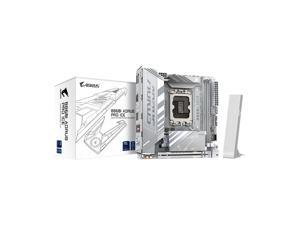
GIGABYTE B860I AORUS PRO ICE Intel Core Ultra (Series 2) LGA 1851 Motherboard, Mini-ITX, ...
- Memory Standard: DDR5 5600 / DDR5 6400 / DDR5 6600 / DDR5 6800 / DDR5 7000 / DDR5 7200 / DDR5 7400 / DDR5 7600 / DDR5 7800 / DDR5 7900 / DDR5 7950 / DDR5 8000 / DDR5 8200 / DDR5 8266 / DDR5 8400 / DDR5 8600 / DDR5 8800 / DDR5 9200
- Number of Memory Slots: 2x288pin (DDR5)
- Brand: GIGABYTE
- CPU Socket Type: LGA 1851
- Chipset: Intel B860
- Form Factor: Mini ITX
- Serial ATA (SATA): 4 x SATA 6Gb/s
- PCI Express 5.0 x16: CPU: - 1 x PCI Express x16 slot, supporting PCIe 5.0 and running at x16 * The PCIEX16 slot can only support a graphics card or an NVMe SSD.
- Model #: B860I AORUS PRO ICE
- Item #: 9SIVR5CKWK2127
- Return Policy: XianTaoHengCanFuShiYouXianGongSi Return Policy
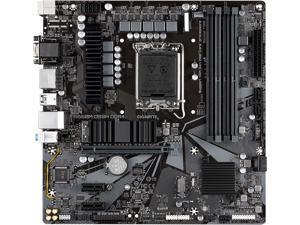
GIGABYTE B660M DS3H DDR4 B660 Intel LGA 1700 M-ATX Motherboard with DDR4, Dual M.2, ...
- Memory Standard: DDR4 3200
- Number of Memory Slots: 4x288pin (DDR4)
- Brand: GIGABYTE
- CPU Socket Type: LGA 1700 * Dedicated LGA1700 mounting bracket is required.
- Chipset: Intel B660
- Form Factor: Micro ATX
- Serial ATA (SATA): 4 x SATA 6Gb/s
- PCI Express 4.0 x16: 1 x PCI Express x16 slot, running at x16 (The PCIEX16 slot conforms to PCI Express 4.0 standard.)
- Model #: B660M DS3H DDR4
- Item #: 9SIVR5CKWK1885
- Return Policy: XianTaoHengCanFuShiYouXianGongSi Return Policy
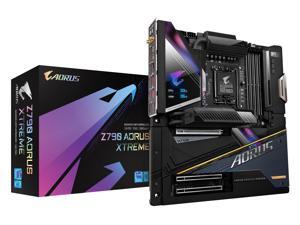
GIGABYTE Z790 AORUS XTREME LGA 1700 Intel Z790 EATX Motherboard with DDR5, M.2, PCIe ...
- Memory Standard: Support for DDR5 8000(O.C) / 7950(O.C) / 7900(O.C) / 7800(O.C) / 7600(O.C.) / 7400(O.C.) / 7200(O.C.) / 7000(O.C.) / 6800(O.C.) / 6600(O.C.) / 6400(O.C.) / 6200(O.C.) / 6000(O.C.) / 5800(O.C.) / 5600(O.C.) / 5400(O.C.) / 5200(O.C.) / 4800 / 4000 MT/s memory modules 4 x DDR5 DIMM sockets supporting up to 128 GB (32 GB single DIMM capacity) of system memory Support for ECC Un-buffered DIMM 1Rx8/2Rx8 memory modules (operate in non-ECC mode) Support for non-ECC Un-buffered DIMM 1Rx8/2Rx8/1Rx16 memory modules Support for Extreme Memory Profile (XMP) memory modules
- Number of Memory Slots: 4x288pin (DDR5)
- Brand: GIGABYTE
- CPU Socket Type: LGA 1700
- Chipset: Intel Z790
- Form Factor: E-ATX Form Factor
- Serial ATA (SATA): 4 x SATA 6Gb/s
- PCI Express 5.0 x16: 1 x PCI Express x16 slot, suppo...
- Model #: Z790 AORUS XTREME
- Item #: 9SIVR5CKWK2019
- Return Policy: XianTaoHengCanFuShiYouXianGongSi Return Policy
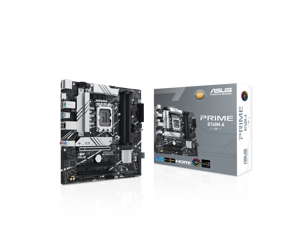
ASUS PRIME B760M-A Intel B760 (LGA 1700)(13th and 12th Gen) mATX motherboard, PCIe ...
- Memory Standard: 4 x DIMM slots, Max. 128GB, DDR5 7200+(OC)/7000(OC)/6800(OC)/6600(OC)/ 6400(OC)/6200(OC)/6000(OC)/5800(OC)/5600/ 5400/5200/5000/4800MHz Non-ECC, Un-buffered Memory*
- Number of Memory Slots: 4x288pin (DDR5)
- Brand: ASUS
- CPU Socket Type: LGA 1700
- Chipset: Intel B760
- Form Factor: mATX Form Factor
- Serial ATA (SATA): 4 x SATA 6Gb/s
- PCI Express 4.0 x16: 1 x PCIe 4.0 x16 slot
- Model #: PRIME B760M-A
- Item #: 9SIVG8GKWP8011
- Return Policy: roboshine Return Policy
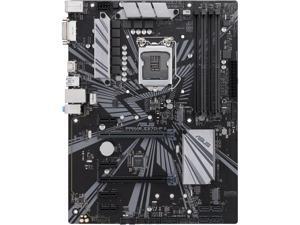
ASUS PRIME Z370-P II LGA 1151 (300 Series) Intel Z370 HDMI USB 3.1 ATX Intel Motherboard
- Memory Standard: DDR4 4000(O.C.)*/ 3866(O.C.)*/ 3733(O.C.)*/ 3600(O.C.)*/ 3466(O.C.)*/ 3400(O.C.)*/ 3333(O.C.)*/ 3300(O.C.)*/ 3200(O.C.)*/ 3000(O.C.)*/ 2800(O.C.)*/ 2666 / 2400 / 2133 * The maximum memory frequency supported varies by processor ** Refer to www.asus.com for the Memory QVL (Qualified Vendors List)
- Number of Memory Slots: 4x288pin (DDR4)
- Audio Chipset: Realtek ALC887
- Brand: ASUS
- CPU Socket Type: LGA 1151 (300 Series)
- Chipset: Intel Z370
- Form Factor: ATX
- Serial ATA (SATA): 4 x SATA 6.0Gb/s ports (gray)
- Model #: PRIME Z370-P II
- Item #: 9SIVG8GKWN9046
- Return Policy: roboshine Return Policy
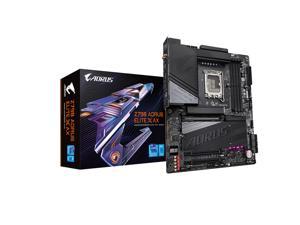
GIGABYTE Z790 AORUS ELITE X AX Intel LGA 1700 Socket supports 13th , 14th gen Intel Z790 X ...
- Memory Standard: Support for DDR5 8266(O.C) / 8200(O.C) / 8000(O.C) / 7950(O.C) / 7900(O.C) / 7800(O.C) / 7600(O.C.) / 7400(O.C.) / 7200(O.C.) / 7000(O.C.) / 6800(O.C.) / 6600(O.C.) / 6400(O.C.) / 6200(O.C.) / 6000(O.C.) / 5800(O.C.) / 5600(O.C.) / 5400(O.C.) / 5200(O.C.) / 4800 / 4000 MT/s memory modules
- Number of Memory Slots: 4x288pin (DDR5)
- Audio Chipset: Realtek ALC1220-VB CODEC * The back panel line out jack supports DSD audio. High Definition Audio 2/4/5.1/7.1-channel * You can change the functionality of an audio jack using the audio software. To configure 7.1-channel audio, access the audio software for audio settings. Support for S/PDIF Out
- Brand: GIGABYTE
- CPU Socket Type: LGA 1700
- Chipset: Intel Z790 Express Chipset
- Form Factor: ATX
- Serial ATA (SATA): 6 x SATA 6Gb/s
- Model #: Z790 AORUS ELITE X AX
- Item #: 9SIVS10KU73603
- Return Policy: Yongrui electronic Commerce Co., Limited Return Policy
Intel Motherboard Questions and Answers
Introduction
A compatible Intel® motherboard is an essential component when assembling a desktop with an Intel processor. The motherboard determines what type of processor you can use, how many data storage drives you can install, the maximum amount of system memory supported, and more. To help you find the ideal Intel motherboard for your desktop build, NeweggBusiness answers several common questions about motherboards.
Questions
What is a motherboard chipset?
A motherboard chipset is a collection of components on the motherboard designed to integrate the processor with the rest of the system hardware. The chipset has a major impact on overall system performance and device compatibility. For each family of Intel processors, a different chipset is typically used. When shopping for an Intel motherboard, you will have to ensure that its chipset is compatible with the processor you intend to use.
What does CPU socket type mean?
The CPU socket is the component on the motherboard that holds and locks the processor in place. In order for a processor to be installed onto a motherboard, they both must have the same socket type. For example, an LGA 1150 processor can only be installed onto an Intel motherboard with a LGA 1150 socket.
However, having the same socket type does not necessarily mean that the processor and motherboard are compatible. Sometimes, multiple generations of processors can have the same socket type but use different chipsets.
What is the difference between PCI and PCIe®?
Both PCI and PCIe are computer expansion card standards that are used by devices such as video cards, sound cards, network adapters, and more. PCIe is a newer standard designed to replace PCI and is not backwards compatible. It is capable of faster data transfer rates, which allows for better performance from expansion cards.
Many ATX form factor Intel motherboards will have a combination of both PCI and PCIe expansion slots. Unfortunately, some motherboards—mainly small form factor motherboards such as Mini ITX—only have one PCIe slot due to space limitations.
What is BIOS?
It is an acronym that stands for Basic Input/Output System and is the very first program that starts when a computer is powered on. Stored on the motherboard, BIOS is the intermediary that interconnects the components and launches the operating system. The interface for BIOS is rather limited because it is mainly text based with a small color palette. Many motherboards include BIOS, though there is now a transition to the newer Unified Extensible Firmware Interface (UEFI).
What is UEFI?
Like BIOS, UEFI is an intermediary for the main operating system and the hardware. It is designed to replace BIOS as the standard operating system included on AMD and Intel motherboards. Compared to BIOS, UEFI is much more user friendly and secure, supports larger hard drives, reduces startup times, and more. Many new Intel motherboards now include UEFI instead of BIOS, though such motherboards may sometimes be advertised as having UEFI BIOS.

