


Intel Motherboards - Showing 841 - 864 of 1785 Products


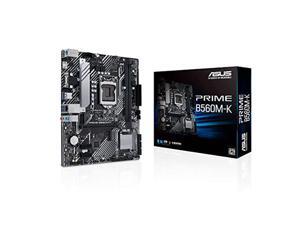

ASUS INTEL 10th and 11th generation CPU (LGA1200) compatible B560 chipset micro ATX ...
- CPU Type: Intel Core 13th Gen (LGA 1700)
- Model #: 195553112086
- Item #: 9SIVS10KU53440
- Return Policy: Yongrui electronic Commerce Co., Limited Return Policy
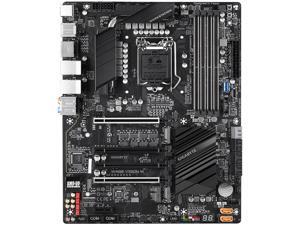

GIGABYTE W480 VISION W LGA 1200 Intel W480 ATX Intel Motherboard
- Memory Standard: Intel Xeon W-1290/W-1270 series processors / Intel Core i9/i7 processors: Support for DDR4 2933/ 2666/ 2400/ 2133 MHz Intel Xeon W-1250 series processors / Intel Core i5/i3/Pentium/Celeron processors: Support for DDR4 2666/ 2400/ 2133 MHz Support for ECC Un-buffered DIMM 1Rx8/2Rx8 memory modules * To support ECC, you must install an Intel Xeon processor. Support for non-ECC Un-buffered DIMM 1Rx8/2Rx8/1Rx16 memory modules Support for Extreme Memory Profile (XMP) memory modules
- Number of Memory Slots: 4x288pin (DDR4)
- Audio Chipset: Realtek ALC1220-VB codec * The back panel line out jack supports DSD audio.
- Brand: GIGABYTE
- CPU Socket Type: LGA 1200
- Chipset: Intel W480
- Form Factor: ATX
- Serial ATA (SATA): 8 x SATA 6Gb/s connectors (SATA3 0~7) 2 x SATA 6Gb/s connectors (GSATA3 0~1), sup...
- Model #: W480 VISION W
- Item #: 9SIVS10KU60098
- Return Policy: Yongrui electronic Commerce Co., Limited Return Policy
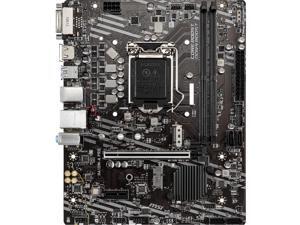

MSI PRO H410M-A PRO LGA 1200 Intel H410 Micro ATX Intel Motherboard
- Memory Standard: Intel Core i7/i9 Supports up to DDR4 2933 MHz Intel Core i5 and below Supports up to DDR4 2666 MHz
- Number of Memory Slots: 2x288pin (DDR4)
- Audio Chipset: Realtek ALC892
- Brand: MSI
- CPU Socket Type: LGA 1200
- Chipset: Intel H410
- Form Factor: Micro ATX
- Serial ATA (SATA): 4 x SATA 6Gb/s
- Model #: H410M-A PRO
- Item #: 9SIVS10KU80130
- Return Policy: Yongrui electronic Commerce Co., Limited Return Policy
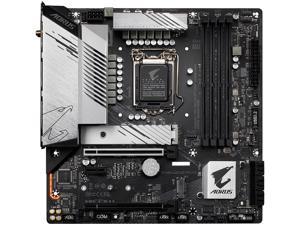
GIGABYTE B560M AORUS PRO AX LGA 1200 Intel B560 Micro ATX Intel Motherboard
- Memory Standard: 11th Generation Intel Core i9/i7/i5 processors: Support for DDR4 5333(O.C.)/ DDR4 5133(O.C.)/DDR4 5000(O.C.)/4933(O.C.)/4800(O.C.)/ 4700(O.C.)/ 4600(O.C.)/ 4500(O.C.)/ 4400(O.C.)/ 4300(O.C.)/4266(O.C.) / 4133(O.C.) / 4000(O.C.) / 3866(O.C.) / 3800(O.C.) / 3733(O.C.) / 3666(O.C.) / 3600(O.C.) / 3466(O.C.) / 3400(O.C.) / 3333(O.C.) / 3300(O.C.) / 3200 / 3000 / 2933 / 2800 / 2666 / 2400 / 2133 MHz memory modules 10th Generation Intel Core i9/i7 processors: Support for DDR4 2933/2666/2400/2133 MHz memory modules 10th Generation Intel Core i5/i3 /Pentium/Celeron processors: Support for DDR4 2666/2400/2133 MHz memory modules
- Brand: GIGABYTE
- CPU Socket Type: LGA 1200
- Chipset: Intel B560
- Form Factor: Micro ATX
- Serial ATA (SATA): 6 x SATA 6Gb/s
- PCI Express 4.0 x16: 1 x PCI Express x16 slot, running...
- Model #: B560M AORUS PRO AX
- Item #: 9SIVS10KU93454
- Return Policy: Yongrui electronic Commerce Co., Limited Return Policy
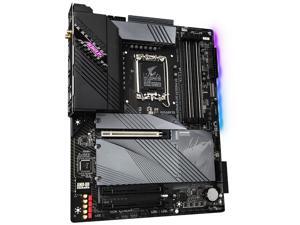
GIGABYTE Z690 AORUS ELITE AX DDR4 V2 LGA 1700 Intel Z690 ATX Motherboard with DDR4, ...
- Number of Memory Slots: 4x288pin (DDR4)
- Brand: GIGABYTE
- Chipset: Intel Z690
- Form Factor: ATX
- Serial ATA (SATA): 6 x SATA 6Gb/s
- Onboard Video Chipset: Supported only by CPU with integrated graphic
- Max LAN Speed: 2.5Gbps
- CPU Type: Intel Core 13th Gen (LGA 1700)
- Model #: Z690 AORUS ELITE AX DDR4 V2
- Item #: 9SIVS10KS87118
- Return Policy: Yongrui electronic Commerce Co., Limited Return Policy

GIGABYTE GA-B250-FinTech (Rev 1.0) LGA 1151 Intel B250 Cryptocurrency Mining (BTC) ...
- Memory Standard: DDR4 2400(O.C.)*/ 2133
- Number of Memory Slots: 4x288pin (DDR4)
- Audio Chipset: Realtek ALC887
- Brand: GIGABYTE
- CPU Socket Type: LGA 1151
- Chipset: Intel B250
- Form Factor: ATX
- Serial ATA (SATA): 6 x SATA 6Gb/s
- Model #: GA-B250-FinTech
- Item #: 9SIVS10KU80135
- Return Policy: Yongrui electronic Commerce Co., Limited Return Policy
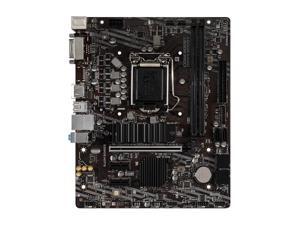
MSI B460M BOMBER LGA 1200 Intel B460 SATA 6Gb/s Micro ATX Intel Motherboard
- Model #: MSI B460M BOMBER,.
- Item #: 9SIVS10KU54021
- Return Policy: Yongrui electronic Commerce Co., Limited Return Policy
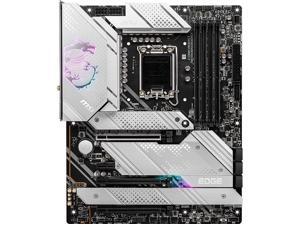
MSI MPG Z690 EDGE TI WIFI Motherboard (ATX,Intel Z690 LGA1700 12th Gen Intel ...
- CPU Type: Intel Core 12th Gen (LGA 1700)
- Model #: BEMSI MPG Z690 EDGE TI
- Item #: 9SIVS10KU53019
- Return Policy: Yongrui electronic Commerce Co., Limited Return Policy
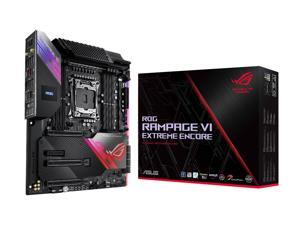
ASUS ROG Rampage VI Extreme Encore LGA 2066 Intel X299 Extended ATX Intel Motherboard
- Memory Standard: DDR4 4266(O.C.)/ 4133(O.C.)/ 4000(O.C.)/ 3866(O.C.)/ 3800(O.C.)/ 3600(O.C.)/ 3466(O.C.)/ 3200(O.C.)/ 3000(O.C.)/ 2933/ 2800/ 2666/ 2400/ 2133 * Hyper DIMM support is subject to the physical characteristics of individual CPUs. * Refer to www.asus.com for the Memory QVL (Qualified Vendors Lists).
- Number of Memory Slots: 8x288pin (DDR4)
- Audio Chipset: ROG SupremeFX High Definition Audio CODEC S1220
- Brand: ASUS
- CPU Socket Type: LGA 2066
- Chipset: Intel X299
- Form Factor: Extended ATX
- Serial ATA (SATA): 8 x SATA 6Gb/s
- Model #: RAMPAGE VI EXTRME EN
- Item #: 9SIVS10KU54284
- Return Policy: Yongrui electronic Commerce Co., Limited Return Policy
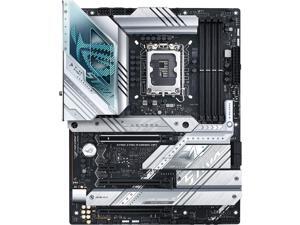
ASUS ROG Strix Z790-A Gaming WiFi D5 LGA 1700 ATX (16 + 1 power stages, DDR5, four M.2 ...
- CPU Type: Intel Core 13th Gen (LGA 1700)
- Model #: BE-ASUS ROG Strix Z790-A WIFI D5
- Item #: 9SIVS10KU53281
- Return Policy: Yongrui electronic Commerce Co., Limited Return Policy
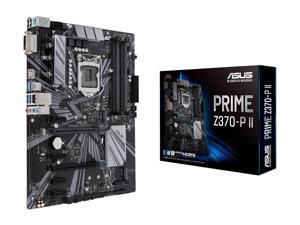
ASUS PRIME Z370-P II LGA 1151 (300 Series) Intel Z370 HDMI SATA 6Gb/s USB 3.1 ATX Intel ...
- Memory Standard: DDR4 4000(O.C.)*/ 3866(O.C.)*/ 3733(O.C.)*/ 3600(O.C.)*/ 3466(O.C.)*/ 3400(O.C.)*/ 3333(O.C.)*/ 3300(O.C.)*/ 3200(O.C.)*/ 3000(O.C.)*/ 2800(O.C.)*/ 2666 / 2400 / 2133 * The maximum memory frequency supported varies by processor ** Refer to www.asus.com for the Memory QVL (Qualified Vendors List)
- Number of Memory Slots: 4x288pin (DDR4)
- Audio Chipset: Realtek ALC887
- Brand: ASUS
- CPU Socket Type: LGA 1151 (300 Series)
- Chipset: Intel Z370
- Form Factor: ATX
- Serial ATA (SATA): 4 x SATA 6.0Gb/s ports (gray)
- Model #: PRIME Z370-P II..,
- Item #: 9SIVS10KU53053
- Return Policy: Yongrui electronic Commerce Co., Limited Return Policy
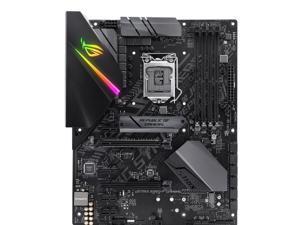
ROG Strix B360-F GAMING Desktop Motherboard - Intel Chipset - Socket H4 LGA-1151
- Number of Memory Slots: 4
- PCI Express x16: 2 x PCI Express x16
- Brand: ROG
- CPU Socket Type: Socket H4 LGA-1151
- Form Factor: ATX
- HDMI: 1 x HDMI
- Max LAN Speed: Yes
- CPU Type: Core i7 Core i3 Core i5 Pentium
- Model #: ROG STRIX B360-F GAM
- Item #: 9SIVS10KRD2440
- Return Policy: Yongrui electronic Commerce Co., Limited Return Policy
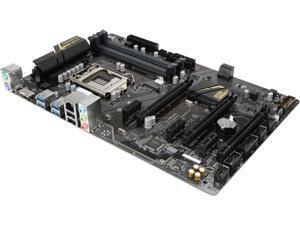
GIGABYTE GA-Z270P-D3 (rev. 1.0) LGA 1151 Intel Z270 HDMI SATA 6Gb/s USB 3.1 ATX ...
- CPU Socket Type: LGA 1151
- CPU Type: Intel Core 7th Gen (LGA 1151)
- Model #: JJ GA-Z270P-D3
- Item #: 9SIVS10KUN3600
- Return Policy: Yongrui electronic Commerce Co., Limited Return Policy
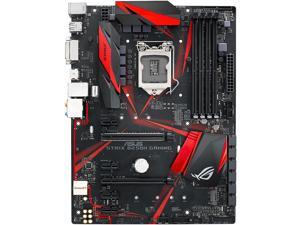
ASUS ROG STRIX B250H GAMING LGA1151 DDR4 HDMI DVI M.2 B250 ATX Motherboard with ...
- Memory Standard: DDR4 2400/ 2133 * Due to Intel chipset limitation, DDR4 2400 MHz memory frequency is only supported by 7th Gen Intel processors. Higher memory modules will run at the maximum transfer rate of DDR4 2400 MHz. ** Due to Intel chipset limitation, DDR4 2133 MHz and higher memory modules on 6th Gen Intel processors will run at the maximum transfer rate of DDR4 2133 MHz.
- Number of Memory Slots: 4x288pin (DDR4)
- Audio Chipset: ROG SupremeFX High Definition Audio CODEC S1220A
- Brand: ASUS
- CPU Socket Type: LGA 1151
- Chipset: Intel B250
- Form Factor: ATX
- Serial ATA (SATA): 6 x SATA 6Gb/s
- Model #: ROG STRIX B250H GAMI
- Item #: 9SIVS10KU53350
- Return Policy: Yongrui electronic Commerce Co., Limited Return Policy
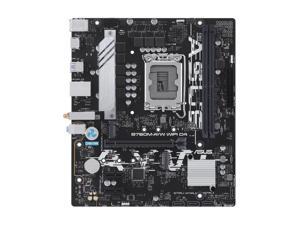
ASUS PRIME B760MAYW WIFI (13th and 12th Gen) LGA 1700 mATX Motherboard with 4 × ...
- CPU Type: Intel Core 13th Gen (LGA 1700)
- Model #: BEASUS B760M AYW WIFI
- Item #: 9SIVS75KU13497
- Return Policy: ANHENGXING (HONG KONG) LIMITED Return Policy
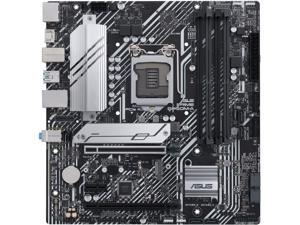
ASUS PRIME B560M-A LGA 1200 Intel B560 Micro ATX Intel Motherboard
- Memory Standard: DDR4 5000(OC) / 4800(OC) / 4600(OC) / 4400(OC) / 4266(OC) / 4000(OC) / 3733(OC) / 3600(OC) / 3466(OC) / 3333(OC) / 3200 / 2933 / 2800 / 2666 / 2400 / 2133* * 11th Gen Intel processors support 3200 / 2933 / 2800 / 2666 / 2400 / 2133 natively. * 10th Gen Intel Core i7 / i9 processors support 2933 / 2800 / 2666 / 2400 / 2133 natively, others will run at the maximum transfer rate of DDR4 2666. * Refer to www.asus.com for the Memory QVL (Qualified Vendors Lists), and memory frequency support depends on the CPU types.
- Number of Memory Slots: 4x288pin (DDR4)
- Audio Chipset: Realtek ALC897
- Brand: ASUS
- CPU Socket Type: LGA 1200
- Chipset: Intel B560
- Form Factor: Micro ATX
- Serial ATA (SATA): 6 x SATA 6Gb/s
- Model #: PRIME B560M-A
- Item #: 9SIVS75KU10517
- Return Policy: ANHENGXING (HONG KONG) LIMITED Return Policy
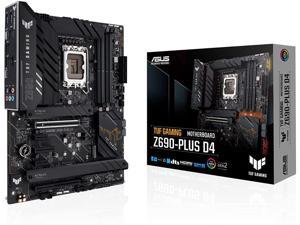
ASUS TUF Gaming Z690-PLUS D4 LGA 1700 ATX Motherboard, 15 DrMOS, PCIe 5.0, DDR4 ...
- CPU Socket Type: LGA 1700
- CPU Type: Intel Core 13th Gen (LGA 1700)
- Model #: ASUS TUF GAMING Z690-PLUS D4
- Item #: 9SIVS10KU52724
- Return Policy: Yongrui electronic Commerce Co., Limited Return Policy
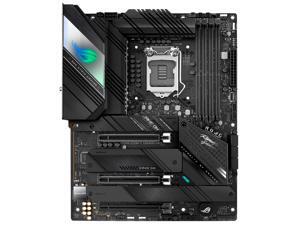
ASUS ROG STRIX Z590-F GAMING WIFI (90MB1630-M0EAY0) LGA 1200 Intel Z590 ATX Intel ...
- Memory Standard: DDR4 5333(OC) / 5133(OC) / 5000(OC) / 4800(OC) / 4700(OC) / 4600(OC) / 4500(OC) / 4400(OC) / 4266(OC) / 4133(OC) / 4000(OC) / 3866(OC) / 3733(OC) / 3600(OC) / 3466(OC) / 3400(OC) / 3333(OC) / 3200 / 3000 / 2933 / 2800 / 2666 / 2400 / 2133* * 11th Gen Intel Core processors support 3200 / 2933 / 2800 / 2666 / 2400 / 2133 natively. * 10th Gen Intel Core i9 / i7 processors support 2933 / 2800 / 2666 / 2400 / 2133 natively, others will run at the maximum transfer rate of DDR4 2666. * Refer to www.asus.com for the Memory QVL (Qualified Vendors Lists).
- Number of Memory Slots: 4x288pin (DDR4)
- Audio Chipset: ROG SupremeFX High Definition Audio CODEC ALC4080
- Brand: ASUS
- CPU Socket Type: LGA 1200
- Chipset: Intel Z590
- Form Factor: ATX
- Serial ATA (SATA): 6 x SATA 6Gb/s
- Model #: 90MB1630-M0EAY0
- Item #: 9SIVS10KU54566
- Return Policy: Yongrui electronic Commerce Co., Limited Return Policy
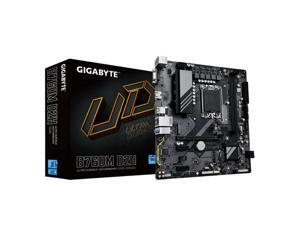
GIGABYTE B760M D2H LGA 1700 Intel B760 M-ATX Motherboard With DDR4, 2* M.2, PCIe 4.0, ...
- Memory Standard: Support DDR5 7800(O.C.)/7600(O.C.) /7400(O.C.) /7200(O.C.) /7000(O.C.) /6800(O.C.) /6600(O.C.) / 6400(O.C.) / 6200(O.C.) / 6000(O.C. ) / 5800(O.C.) / 5600(O.C.) / 5400(O.C.) / 5200(O.C.) / 4800 / 4000 MT/s
- Number of Memory Slots: 2x288pin (DDR5)
- Audio Chipset: Integrated Realtek® audio chip
- Brand: GIGABYTE
- CPU Socket Type: LGA 1700
- Chipset: Intel B760
- Serial ATA (SATA): 4 x SATA 6Gb/s
- PCI Express 4.0 x16: 1 x PCI Express 4.0 x16
- Model #: B760M D2H DDR4
- Item #: 9SIVS10KU93482
- Return Policy: Yongrui electronic Commerce Co., Limited Return Policy
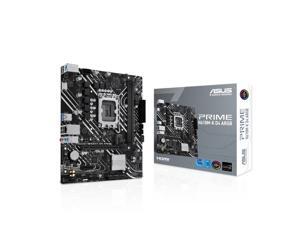
ASUS PRIME H610M-K D4 ARGB Intel H610 (LGA 1700) micro-ATX motherboard with DDR4, ...
- Model #: H610M-K D4 ARGB
- Item #: 9SIVS10KU52640
- Return Policy: Yongrui electronic Commerce Co., Limited Return Policy
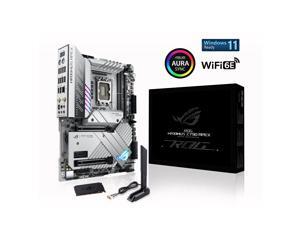
ASUS ROG Maximus Z790 Apex (WiFi 6E) LGA 1700 (Intel12th&13th Gen) ATX Gaming ...
- Memory Standard: DDR5 7467(OC) / 7200(OC) / 7000(OC) / 6800(OC) / 6600(OC) / 6400(OC) / 6200(OC) / 6000(OC) / 5800(OC) / 5600 / 5400 / 5200 / 5000 / 4800 Non-ECC, Un-buffered Memory*
- Number of Memory Slots: 2x288pin (DDR5)
- Brand: ASUS
- CPU Socket Type: LGA 1700
- Chipset: Intel Z790
- Form Factor: ATX
- Serial ATA (SATA): 6 x SATA 6Gb/s
- PCI Express 5.0 x16: Intel 13th & 12th Gen Processors* 2 x PCIe 5.0 x16 slots (supports x16 or x8/x8 modes)** * Please check the PCIe bifurcation table on the support site (https://www.asus.com/support/FAQ/ 1037507/). ** When the PCIE 5.0 M.2 card is installed on the PCIEX16(G5)_2, PCIEX16(G5)_1 will run x8 only. - To ensure compatibility of the device installed, please refer to https://www.asus.com/support/ for the list of supported peripherals.
- Model #: ROG MAXIMUS Z790 APEX
- Item #: 9SIVS10KU52882
- Return Policy: Yongrui electronic Commerce Co., Limited Return Policy
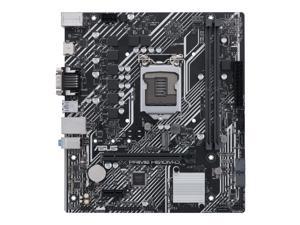
ASUS PRIME H510M-D Intel H510 LGA 1200 Micro ATX DDR4-SDRAM Motherboard
- CPU Socket Type: LGA 1200
- Chipset: Intel H510
- Form Factor: Micro ATX
- CPU Type: Core i9 / i7 / i5 / i3 (11th / 10th Gen, LGA1200)
- Model #: 90MB17M0-M0EAY0
- Item #: 9SIVS10KU52813
- Return Policy: Yongrui electronic Commerce Co., Limited Return Policy
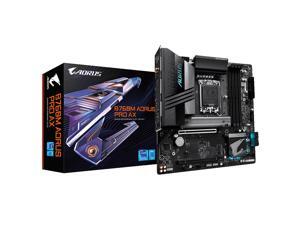
GIGABYTE B760M AORUS Pro AX (LGA 1700/ Intel/ B760/ M-ATX/ DDR5/ Dual M.2/ PCIe 4.0/ ...
- CPU Type: Intel Core 13th Gen (LGA 1700)
- Model #: BEGIGABYTE B760M AORUS Pro AX
- Item #: 9SIVS10KU80069
- Return Policy: Yongrui electronic Commerce Co., Limited Return Policy
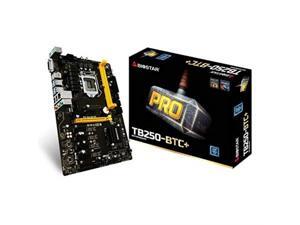
BIOSTAR TB250-BTC+ LGA 1151 Intel B250 SATA 6Gb/s ATX Intel Motherboard
- Memory Standard: DDR4 2400/ 2133/ 1866 * DDR4 2400 for 7th Generation Intel Core Processor Family
- Number of Memory Slots: 2x288pin (DDR4)
- Audio Chipset: Realtek ALC887
- Brand: BIOSTAR
- CPU Socket Type: LGA 1151
- Chipset: Intel B250
- Form Factor: ATX
- Serial ATA (SATA): 6 x SATA 6Gb/s
- Model #: TB250-BTC+
- Item #: 9SIVMNFKKS0860
- Return Policy: haoyuzeshang Return Policy
Intel Motherboard Questions and Answers
Introduction
A compatible Intel® motherboard is an essential component when assembling a desktop with an Intel processor. The motherboard determines what type of processor you can use, how many data storage drives you can install, the maximum amount of system memory supported, and more. To help you find the ideal Intel motherboard for your desktop build, NeweggBusiness answers several common questions about motherboards.
Questions
What is a motherboard chipset?
A motherboard chipset is a collection of components on the motherboard designed to integrate the processor with the rest of the system hardware. The chipset has a major impact on overall system performance and device compatibility. For each family of Intel processors, a different chipset is typically used. When shopping for an Intel motherboard, you will have to ensure that its chipset is compatible with the processor you intend to use.
What does CPU socket type mean?
The CPU socket is the component on the motherboard that holds and locks the processor in place. In order for a processor to be installed onto a motherboard, they both must have the same socket type. For example, an LGA 1150 processor can only be installed onto an Intel motherboard with a LGA 1150 socket.
However, having the same socket type does not necessarily mean that the processor and motherboard are compatible. Sometimes, multiple generations of processors can have the same socket type but use different chipsets.
What is the difference between PCI and PCIe®?
Both PCI and PCIe are computer expansion card standards that are used by devices such as video cards, sound cards, network adapters, and more. PCIe is a newer standard designed to replace PCI and is not backwards compatible. It is capable of faster data transfer rates, which allows for better performance from expansion cards.
Many ATX form factor Intel motherboards will have a combination of both PCI and PCIe expansion slots. Unfortunately, some motherboards—mainly small form factor motherboards such as Mini ITX—only have one PCIe slot due to space limitations.
What is BIOS?
It is an acronym that stands for Basic Input/Output System and is the very first program that starts when a computer is powered on. Stored on the motherboard, BIOS is the intermediary that interconnects the components and launches the operating system. The interface for BIOS is rather limited because it is mainly text based with a small color palette. Many motherboards include BIOS, though there is now a transition to the newer Unified Extensible Firmware Interface (UEFI).
What is UEFI?
Like BIOS, UEFI is an intermediary for the main operating system and the hardware. It is designed to replace BIOS as the standard operating system included on AMD and Intel motherboards. Compared to BIOS, UEFI is much more user friendly and secure, supports larger hard drives, reduces startup times, and more. Many new Intel motherboards now include UEFI instead of BIOS, though such motherboards may sometimes be advertised as having UEFI BIOS.

