


Portable Monitor - Showing 289 - 300 of 300 Products
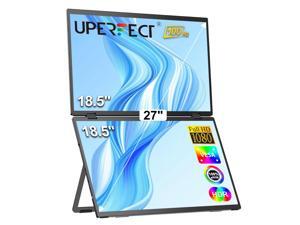

UPERFECT Dual Monitor 18.5" Stacked Triple Monitor Folding Travel Monitor w/VESA
- Cabinet Color: Black
- Screen Size: 18.5"
- Touchscreen Interface: Serial/USB
- Resolution: 1920 x 1080
- Brightness: 300 cd/m2
- Contrast Ratio: 1200:1
- Response Time: 3ms
- Built-in Speakers: 2 x 3W
- Model #: M185F11-B
- Item #: 9SIVJKEKB96640
- Return Policy: Uperfect Return Policy

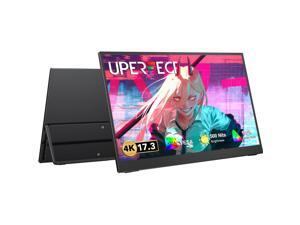
UPERFECT Portable Monitor 4K, 17.3'' UHD FreeSync 100% Adobe RGB 500 Nits Brightness ...
- Brand: Uperfect
- Screen Size: 17.3"
- Resolution: 3840 x 2160 (4K)
- Built-in Speakers: 2 x 2W
- Panel: IPS
- Display Type: UHD
- Maximum Resolution: 3840 x 2160
- Viewing Angle: 178° (H) / 178° (V)
- Model #: M173A03W
- Item #: 9SIVJKEKB96341
- Return Policy: Uperfect Return Policy
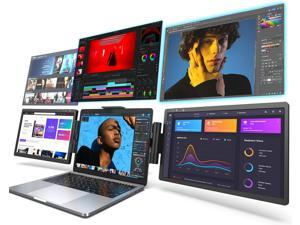
Triple Portable Monitor for Laptop, Laptop Screen Monitor Extender for Dual Monitor Display, ...
- Model #: WUQ4909GH552
- Item #: 9SIVFTRKBU8698
- Return Policy: SWYFLY Return Policy
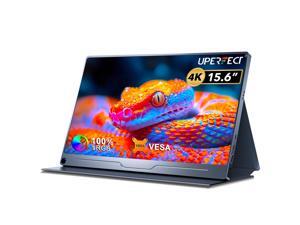
UPERFECT 15.6" 4K Portable Monitor for Working and Traveling, W/ Smart Stand & Dual ...
- Brand: UPERFECT
- Cabinet Color: Black
- Screen Size: 15.6"
- Touchscreen Interface: Serial/USB
- Resolution: 3840 x 2160 (4K)
- Brightness: 600 cd/m2
- Contrast Ratio: 1500:1
- Model #: M156A27-B
- Item #: 9SIVJKEKB96527
- Return Policy: Uperfect Return Policy
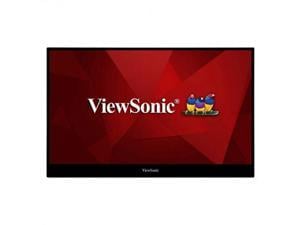
Viewsonic ViewBoard ID1655 16" (15.6" Viewable) LCD Touchscreen Monitor, 16:9, 250 ...
- Brand: ViewSonic
- Model: ID1655
- Cabinet Color: Black
- Screen Size: 15.6"
- Touchscreen Type: Projected Capacitive
- Resolution: 1920 x 1080
- Brightness: 250 cd/m2
- Contrast Ratio: 800:1
- Model #: ID1655
- Item #: 9SIVHNDKCK9356
- Return Policy: ViewSonic Return Policy
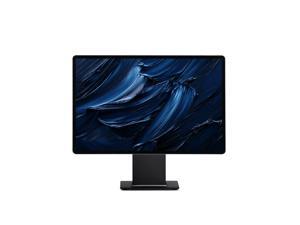
FlipAction Pro 16" Gen2 Premium Portable Monitor - Universe Black
- Screen Size: 16"
- Resolution: 2560 x 1600 (2K)
- Brightness: 400 Nits
- Contrast Ratio: 1500:1
- Model #: SFA16PMUB
- Item #: 9SIVSB9KX13689
- Return Policy: SOTSU Return Policy
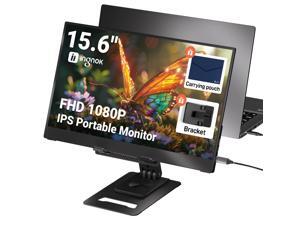
Ingnok Portable Monitor, Ultra Slim 15.6 Inch FHD IPS Laptop Screen Extender with Adjustable ...
- Brand: Ingnok
- Cabinet Color: Black
- Screen Size: 15.6 inches
- Pixel Pitch: 0.062
- Brightness: 300 candela
- Contrast Ratio: 1200:1
- Response Time: 5 milliseconds
- Input Video Compatibility: Any device supporting DVI, HDMI, or VGA interfaces
- Model #: YN02D
- Item #: 9SIVPN8KKJ8863
- Return Policy: INGNOK Return Policy
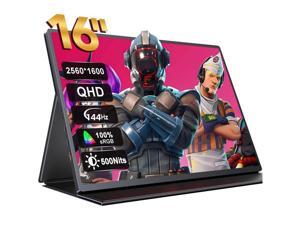
UPERFECT Portable Monitor 2K 144HZ 16" QHD 500 Nits Portable Gaming Monitor FreeSync ...
- Brand: UPERFECT
- Cabinet Color: Black
- Screen Size: 16"
- Resolution: 2560 x 1600 (2K)
- Brightness: 500 cd/m2
- Contrast Ratio: 1200:1
- Response Time: 3ms
- Connectors: Mini HDMI, USB 3.0
- Model #: M160C01W-B
- Item #: 9SIVJKEKB96367
- Return Policy: Uperfect Return Policy
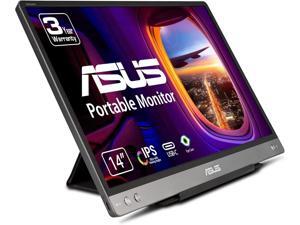

Refurbished: Asus ZenScreen MB14AC 14" Full HD LCD Monitor - 16:9 - Dark Gray - 14" Class - ...
- Type: Misc
- Model #: 90LM0631-B011B0
- Item #: 9SIV02WK4H4071
- Return Policy: Tech For Less Return Policy
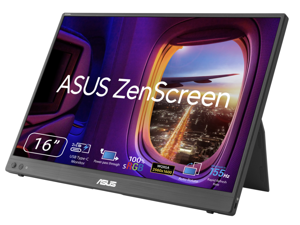
ASUS ZenScreen 16 inch WQXGA Full HD 155Hz USB-C IPS Portable Monitor with Tripod Socket ...
- Brand: ASUS
- Cabinet Color: Black
- Screen Size: 16"
- Resolution: 2560 x 1600 (2K)
- Pixel Pitch: 0.135mm
- Brightness: 400 cd/m2
- Contrast Ratio: 1500:1
- Response Time: 5ms
- Model #: MB16NCG
- Item #: 9B-24-281-417
- Return Policy: Replacement Only Return Policy
Planar PT3270Q 32" Class LCD Touchscreen Monitor 16:9 14 ms
- Brand: Planar Systems
- Screen Size: 32"
- Monitor Type: Touchscreen Monitor
- Model #:
- Item #: 9SIV1DSKG45819
- Return Policy: NothingButSavings Return Policy
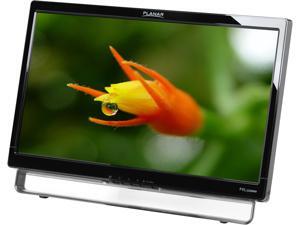
PLANAR PXL2230MW 22" Full HD 1920x1080 5ms VGA DVI-D HDMI USB Input Built-in ...
- Brand: PLANAR
- Cabinet Color: Glossy Black
- Screen Size: 21.5"
- Touchscreen Interface: USB
- Touchscreen Type: Optical
- Resolution: 1920 x 1080
- Brightness: 200 cd/m2 (w/ Touchscreen); 250 cd/m2 (w/o Touchscreen)
- Contrast Ratio: 1000:1
- Model #: 997-7039-00
- Item #: 9SIV1DSKAE3229
- Return Policy: NothingButSavings Return Policy
Questions to Ask When Buying a Touch Screen Monitor
Introduction
In recent years, touch screen monitors have become more prevalent than ever. They have always been popular for point of sale computers and specialized workstations, but now are also more widely used with desktops and laptops for general office tasks. Microsoft® Windows® 8 furthers this trend by being much more touch-compatible than any other Windows operating system ever before. However, shopping for a touch screen monitor for a desktop or laptop computer will require you to a bit more selective than shopping for a non-touchscreen monitor.
As with shopping for a conventional monitor, some core considerations include: resolution, price, size, and panel type. The resolution of a monitor will determine the how much detail it is able to display, and you should aim for a 1920 × 1080 monitor if your budget allows. You should also consider what type of panel technology a touch screen monitor uses, as it can affect color accuracy, response time, and viewing angles.
The most common panel technologies for touchscreen monitors are: twisted nematic (TN), vertical alignment (VA), and in-plane-switching (IPS). Twisted nematic (TN) is the most common LCD monitor panel technology due to its low cost but has narrower viewing angles and less color accuracy than other panel technologies. VA and IPS panels offer superior viewing angles and color accuracy, but are more expensive. If you expect that the touch screen monitor will be used by a single user looking at it straight on, then a TN panel will be just fine. However, if it is going to be constantly viewed from the sides then you will need to look for a VA or IPS display.
When shopping for a non-touchscreen monitor, the importance of the stand is often downplayed and the focus is more on the display. For touch screen monitors though, the stand plays a central role. Because users will be touching the monitor with varying amounts of force, the stand will need to be sturdy enough to hold the monitor in place. Also, it needs to offer a large amount of adjustability for customizable ergonomics.
A touch screen monitor relies on its stand being both adjustable and also sturdy.
If your organization plans to use a touchscreen monitor with Windows 8, one of the most important considerations will be Windows 8 certification. Why does it matter? Because Windows 8 allows for greater touch input than any other desktop operating system before it and some inputs will require hardware functionality that not all touch screen monitors are capable of. Only touch screen monitors that meet Microsoft’s stringent hardware requirements are certified.
A touch screen monitor that is not Windows 8 certified will not be able to take full advantage of Windows 8’s touch-input features. For instance, a touch screen monitor with a large bezel surrounding the screen will not meet Windows 8 certification requirements because the bezel may interfere with edge to edge swiping motions. There are also more obscure requirements such as a touch screen monitor’s digitizer being human interface device (HID) complaint, which ensures that no software drivers are needed for the touchscreen functionality to work.
Touch screen monitors are more popular than ever, and new operating systems continue to integrate touch functionality into their designs. So if you are shopping for a touch screen monitor, not only should you consider the basic criteria such as resolution, price, size but also additional criteria such as panel type, and adjustability.

