


Sound Card - Showing 529 - 537 of 537 Products
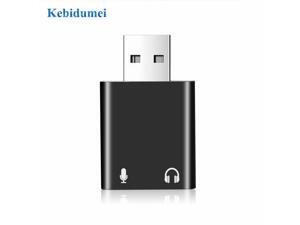
USB Sound Card USB To 3.5mm Audio Earphone Adapter External Sound Card 7.1 Audio Card ...
- Model #: 1-Soun1-Car10294
- Item #: 9SIV9F7KE27116
- Return Policy: Fashion Technology Return Policy
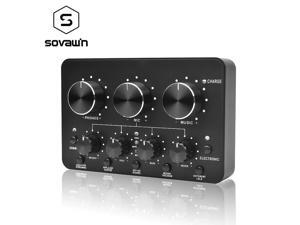
Live Sound Card BM 800 Microphone Multi Function Interface usb Audio Support Mobile Phone ...
- Model #: 1-Soun1-Car10217
- Item #: 9SIVN52KFZ7843
- Return Policy: yeye Return Policy
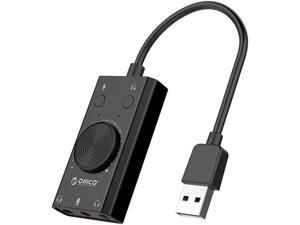
SC2 External USB Sound Card Volume Adjustable 3-Port Mic Headphone Audio Card Adapter ...
- Model #: B3EW-1204-115
- Item #: 9SIVSSHKU25133
- Return Policy: tomorroW3 Return Policy
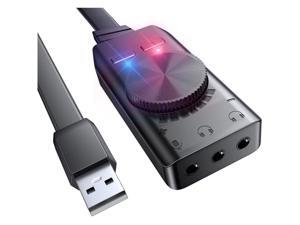
Virtual 7.1 USB Sound Card Adapter BENGOO External Audio Adapter Stereo Sound Card ...
- Model #: C2AG-1103-22
- Item #: 9SIVPDHKR27297
- Return Policy: chaomao Return Policy
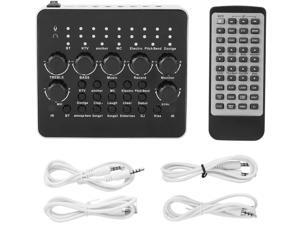
Live Sound Card, for Live Broadcasting, Singing Entertainment, Recording, Game ...
- Model #: LB096F3S2R5
- Item #: 9SIVSM8KVA7161
- Return Policy: Guohuashangmao Return Policy
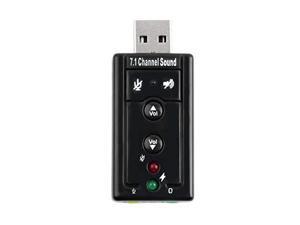
Hot 1pc Mini USB 2.0 3D External 7.1 Channel Virtual 12Mbps Audio Sound Card Adapter Newest
- Model #: LB07PWHZQDB
- Item #: 9SIVM7DKK90389
- Return Policy: EnYZME Return Policy
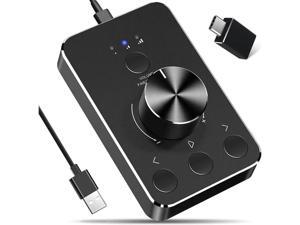
USB Multimedia Control Knob Inline Volume Controller with USB Type-C Audio Input Ports, ...
- Model #: BZ59-1222-Z2
- Item #: 9SIVM7DKR10125
- Return Policy: EnYZME Return Policy
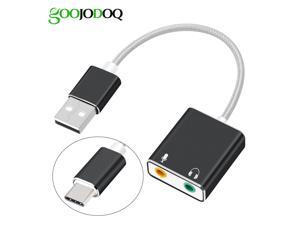
7.1 External USB Sound Card Type C / USB to 3.5mm Jack USB Audio Adapter Earphone ...
- Model #: 1-Soun1-Car10033
- Item #: 9SIVM7DKRD2950
- Return Policy: EnYZME Return Policy
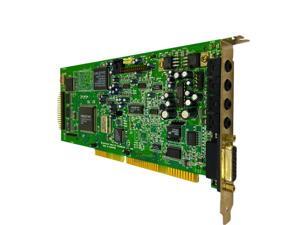
Refurbished: Sound Blaster 16 Pro PNP Sound Card (CT2950)
- Model #: CT2950 REF
- Item #: 9SIV2GPK1T0834
- Return Policy: ITS Distribution Return Policy
Questions to Ask When Shopping for a Sound Card
Introduction
Though motherboards sometimes have built-in audio capabilities, there are advantages to using a dedicated sound card. For users that require more than basic audio playback functionality, integrated sound cards sometimes lack beneficial features and have lower specifications. To help guide you through the technical details, NeweggBusiness answers several common questions about sound cards below.
What is signal-to-noise-ratio (SNR)?
SNR is a measurement used to determine sound clarity and is usually given in decibels (dB). The higher the SNR is, the less background noise there will be during audio playback. Compared to onboard audio devices, dedicated sound cards typically have higher SNR ratings.
Some sound cards have different SNR ratings for various input and output ports, so it is important to examine the SNR specifications for all ports. For example, a sound card may have a SNR of 110 for its head phone output, 120 for its auxiliary input, and 130 for its rear output.
What do I need to output surround sound?
To output surround sound from a computer system, there are two common methods. One is to use a sound card with a separate analog output for each surround channel. Another is to use a sound card with a digital output such as TOSLINK or S/PDIF.
If you plan to have the computer output the audio to an A/V receiver, then you will want a sound card equipped with either TOSLINK or S/PDIF output. However, if you want to output audio directly to the speakers and not use a receiver, you can use a sound card equipped with separate analog outputs for each channel.
What type of motherboard interface do sound cards typically use?
The three most common types of interfaces for sound cards are PCI, PCI Express®, and USB. From a performance standpoint, PCI Express and USB 3.0 are capable of faster data transfer rates than PCI. However, a sound card will rarely use the maximum data bandwidth of the PCI standard.
When adding a sound card to a desktop PC, you should consider which expansion slots are available and if they will be used in the future. For laptops, USB is the only option if you wish to add a discrete sound card.
What does sample rate mean?
Sample rate is a measure of the number of audio samples taken per second and is commonly rated in either hertz (Hz) or kilohertz (kHz). A higher sample rate means more audio detail can be played or stored. For example, a sound card that can output 192 kHz is capable of better sound reproduction than one that outputs 96 kHz. If the computer will be used for tasks that require very accurate audio reproduction, you should choose a sound card capable of high sample rates.

