


USB Flash Drives - Showing 553 - 576 of 997 Products
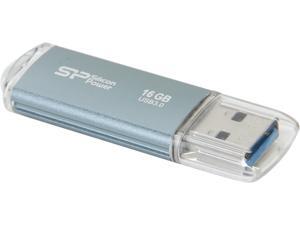

Silicon Power Marvel M01 16GB Entry Level USB 3.0 Flash Drive Model SP016GBUF3M01V1B
- Brand: Silicon Power
- Series: MARVEL
- Capacity: 16GB
- USB Specification: USB 3.0
- Color: Icy Blue
- Features: USB 3.0 interface, backward compatible with USB 2.0 and 1.1 devices Durable and scratch resistant aluminum solid casing LED indicates the usage status Metallic Appearance Fingerprint Free
- Dimensions: 60.6 mm x 18.0 mm x 8.1 mm
- Weight: 0.02 lbs.
- Model #: SP016GBUF3M01V1B
- Item #: 9SIV04GJVB3420
- Return Policy: Hot Deals 4 Less Return Policy
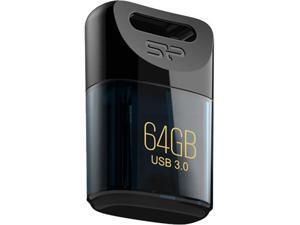
Silicon Power 64GB Jewel J06 USB 3.0 Flash Drive (SP064GBUF3J06V1D)
- Brand: Silicon Power
- Series: J06
- Capacity: 64GB
- USB Specification: USB 3.0
- Color: Deep Blue
- Features: Tiny and Trendy design Specialized shape design for easier operation Waterproof, vibration-proof and dustproof Plug in and use, no external power supply required SP Widget free download software, providing 7 major back-up and Secure functions Recuva File Recovery, allowing recovery of erased files, such as digital photos, documents, music and videos
- Dimensions: 0.33" x 0.63" x 0.94"
- Weight: 0.01 lb.
- Model #: SP064GBUF3J06V1D
- Item #: 9SIV04GJVB3362
- Return Policy: Hot Deals 4 Less Return Policy
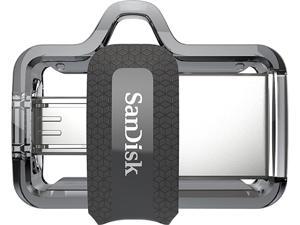

SanDisk 64GB Ultra Dual Drive m3.0, Speed Up to 150MB/s (SDDD3-064G-G46)
- Brand: SanDisk
- Series: Ultra Dual m3.0
- Capacity: 64GB
- USB Specification: USB 3.0
- USB Connectors: Micro B USB-A
- Read Speed: up to 150MB/s
- Features: Compatible with OTG-enabled Android Devices The SanDisk Ultra Dual Drive m3.0 is compatible with Android smartphones and tablets featuring OTG (On-The-Go) USB support. Free up Memory on Your Smartphone and Tablet Quickly free up space on your Android smartphone or tablet so you can take more pictures and videos. Easily Move Content Between Computers and Android Devices The SanDisk Ultra Dual Drive m3.0 lets you move and share files between Android devices and desktop or laptop computers. Dual micro-USB and USB 3.0 Connectors Sleek, retractable design offers both micro-USB and USB 3.0 connectors. The USB 3.0 connector is high-performance and backward-compatible ...
- Model #: SDDD3-064G-G46
- Item #: 9SIV1ZZ8D37241
- Return Policy: OEMPCWORLD Return Policy
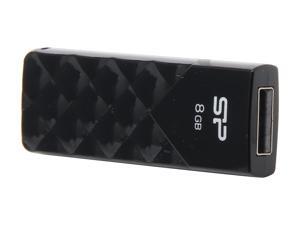
Silicon Power Ultima U03 8GB USB 2.0 Flash Drive SP008GBUF2U03V1K
- Brand: Silicon Power
- Series: Ultima U03
- Capacity: 8GB
- USB Specification: USB 2.0
- Color: Black
- Features: USB 2.0 interface Diamond cut pattern with a glossy surace Lidless push-out design Retractable USB port LED indicator light
- Dimensions: 55mm x 20mm x 8.6mm
- Weight: 13g
- Model #: SP008GBUF2U03V1K
- Item #: 9SIV04GJVB3432
- Return Policy: Hot Deals 4 Less Return Policy
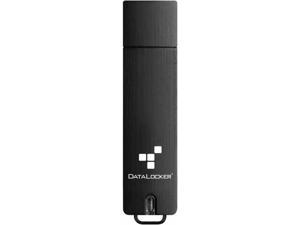
DataLocker Sentry 5 256GB USB 3.2 (Gen 1) Type A Flash Drive - 256 GB - USB 3.2 (Gen 1) Type A - ...
- Brand: DataLocker
- Capacity: 256MB
- Security: Waterproof
- Part Number: S5-256-FE-M
- USB Specification: USB 3.2 Gen 1
- Color: Black
- Features: Waterproof
- Model #: S5-256-FE-M
- Item #: 9SIV04GK738241
- Return Policy: Hot Deals 4 Less Return Policy
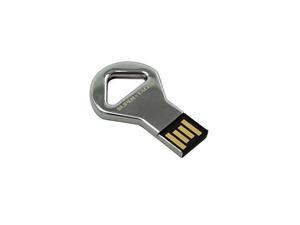
SUPER TALENT STU16GCKBS
- Brand: SUPER TALENT
- Capacity: 16GB
- USB Specification: USB 2.0
- Color: Silver
- Model #: 878294021052
- Item #: 9SIV04GJVB2566
- Return Policy: Hot Deals 4 Less Return Policy
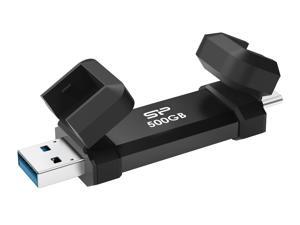
Silicon Power 500GB Marvel Xtreme DS72 USB3.2 Gen2 USB Drive Black (Type-A / Type-C) ...
- Model #: SP500GBUC3S72VPK
- Item #: 9SIV04GKT38397
- Return Policy: Hot Deals 4 Less Return Policy
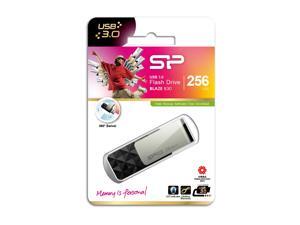
256GB Silicon Power B30 Blaze USB3.0 Flash Drive Swivel Style Black
- Capacity: 256GB
- Ready Boost: Yes
- USB Specification: USB 3.0
- Model #: SP256GBUF3B30V1K
- Item #: 9SIV04GJVB3324
- Return Policy: Hot Deals 4 Less Return Policy
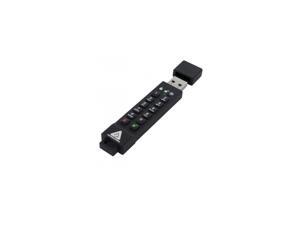
APRICORN MASS STORAGE ASK3Z-32GB 32GB 256-BIT AES XTS HW
- Brand: Apricorn
- Parts: 3 Year
- Model #: ASK3Z-32GB
- Item #: 9SIV04GK719563
- Return Policy: Hot Deals 4 Less Return Policy
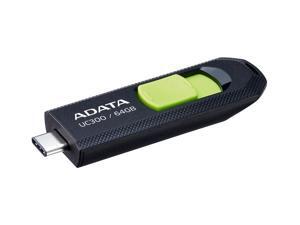

64GB AData USB3.2 UC300 Type-C USB Flash Drive Black/Green
- Capacity: 64GB
- Model #: ACHO-UC300-64G-RBK/GN
- Item #: 9SIV04GJVD2057
- Return Policy: Hot Deals 4 Less Return Policy
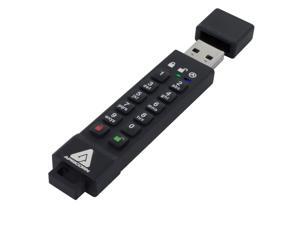
Apricorn ASK3Z-16GB 16gb 256-bit Aes Xts Hw Ext Encrypted Secure Usb (ask3z16gb)
- Model #: 7f2-273238000391818
- Item #: 9SIV04GJVC9838
- Return Policy: Hot Deals 4 Less Return Policy
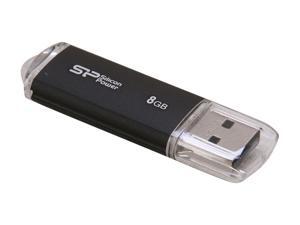
Silicon Power Ultima II-I Series 8GB USB 2.0 Flash Drive (Black) Model SP008GBUF2M01V1K
- Brand: Silicon Power
- Capacity: 8GB
- USB Specification: USB 2.0
- Color: Black
- Features: Silicon Power Ultima II-I series is an USB 2.0 flash drive designed with durable aluminum solid casing. The aluminum casing protects the surface from fingerprints and scratches. The build-in LED indicator light displays power on and data transfer status.
- Dimensions: 60.6mm x 18.0mm x 8.1mm
- Weight: 10g
- Model #: SP008GBUF2M01V1K
- Item #: 9SIV04GJVB3447
- Return Policy: Hot Deals 4 Less Return Policy
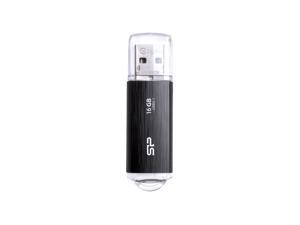
16GB Silicon Power Blaze B02 USB3.1 Flash Drive Black
- Capacity: 16GB
- Ready Boost: Yes
- USB Specification: USB 3.0
- Model #: SP016GBUF3B02V1K
- Item #: 9SIV04GJVB3436
- Return Policy: Hot Deals 4 Less Return Policy
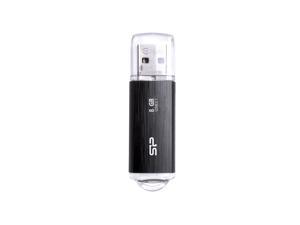
8GB Silicon Power Blaze B02 USB3.1 Flash Drive Black
- Capacity: 8GB
- Ready Boost: Yes
- USB Specification: USB 3.0
- Model #: SP008GBUF3B02V1K
- Item #: 9SIV04GJVB3428
- Return Policy: Hot Deals 4 Less Return Policy
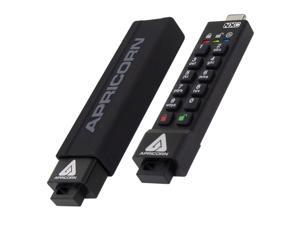
Apricorn 32GB USB3.2 Type-C Flash Drive Black Model ASK3-NXC-32GB
- Model #: ASK3-NXC-32GB
- Item #: 9SIV04GJVC9842
- Return Policy: Hot Deals 4 Less Return Policy
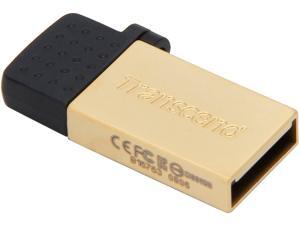
Transcend JetFlash 380 8GB USB 2.0 OTG Flash Drive TS8GJF380G
- Brand: Transcend
- Series: JetFlash 380
- Capacity: 8GB
- USB Specification: USB 2.0/Micro USB
- Color: Gold
- Features: Refined zinc alloy body COB (Chip on Board) manufacturing technique Excellent for USB OTG (On-The-Go) Easy Plug and Play installation USB powered. No external power or battery needed Offers a free download of Transcend Elite data management tools
- Dimensions: 28.1mm x 12.25mm x 4.5mm
- Weight: 3.2g
- Model #: TS8GJF380G
- Item #: 9SIV04GJVB1599
- Return Policy: Hot Deals 4 Less Return Policy
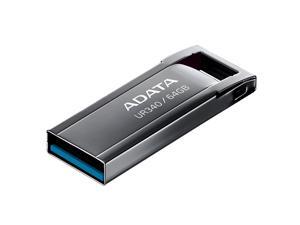
64GB AData Royal UR340 Ultra-Compact USB3.0 (USB3.2) Flash Drive
- Capacity: 64GB
- USB Specification: USB 3.0
- Model #: AROY-UR340-64GBK
- Item #: 9SIV04GJVD1825
- Return Policy: Hot Deals 4 Less Return Policy
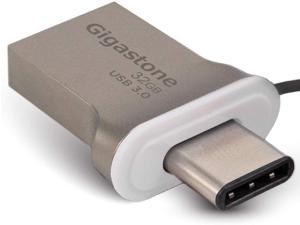

GIGASTONE 32GB USB Flash Drive USB 3.0 Type C OTG USB-C Dual Interface Memory Stick for ...
- Brand: Gigastone
- Series: U332OTGC
- Capacity: 32GB
- Part Number: GS-U332OTGC-R
- USB Specification: USB 3.0
- USB Connectors: Type C
- Color: Silver
- Read Speed: up to 100MB/s
- Model #: GS-U332OTGC-R
- Item #: 9SIV91DK9J5095
- Return Policy: Gigastone Return Policy
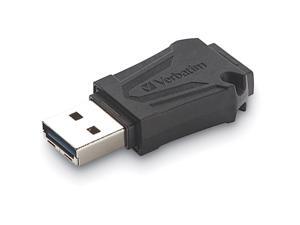
64GB TOUGHMAX USB FLASH DRIVE
- Model #: 70058
- Item #: 9SIV2G2JTD7128
- Return Policy: PremierSource Return Policy
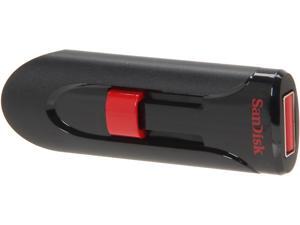
SanDisk 128GB Cruzer Glide USB Flash Drive 128bit AES Encryption SDCZ60-128G-A11
- Brand: SanDisk
- Capacity: 128GB
- Security: 128bit AES Encryption
- USB Specification: USB 2.0
- Color: Black
- Features: Reliable storage for photos, videos, music and other files Password protection and file encryption with included SanDisk SecureAccess software Added protection with 2GB of secure online storage
- Model #: SDCZ60-128G-A11 DUP
- Item #: 9SIV00CK7H3736
- Return Policy: Beach Audio Return Policy
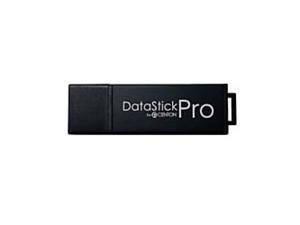
Centon Datastick Pro 512 GB USB 3.0 Flash Drive (S1-U3P6-512G) - 10X Faster Than USB ...
- Brand: CENTON
- Model #: S1-U3P6-512G
- Item #: 9SIV00CK4R8664
- Return Policy: Beach Audio Return Policy
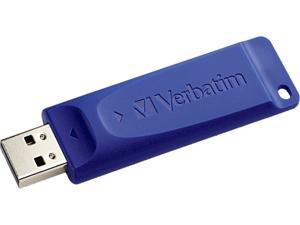
Verbatim 64GB USB Flash Drive 98658
- Brand: Verbatim
- Capacity: 64GB
- Color: Blue
- Features: Get back to basics-with Verbatim's classic USB drive! Transport and share files without the unnecessary bells and whistles. These classic USB drives give you just the basics-the ability to capture your data in one small, convenient location and move that information with you throughout the day. The retractable housing protects the USB connectors and easily slides in and out--great for preventing breakage and prolonging product life! Whether you have a lot or a little to save, Verbatim has a capacity to suit your needs! Convenient cap-less design means less to lose and no more searching for lost caps Compatible with ALL USB ports
- Parts: 5 Year
- Model #: 98658
- Item #: 9SIV2G293V0125
- Return Policy: PremierSource Return Policy
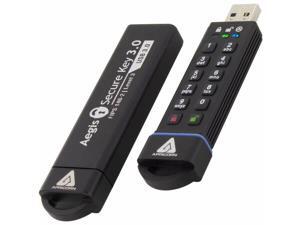
Apricorn Aegis Secure Key 3.0 2TB USB 3.1 Flash Drive - 2 TB - USB 3.1 Type A - 190 MB/s Read ...
- Brand: Apricorn
- Series: Aegis Secure Key 3.0
- Security: 256bit AES Encryption
- Part Number: ASK3-2TB
- USB Specification: USB 3.1
- USB Connectors: Type A
- Color: Black
- Model #: ASK3-2TB
- Item #: 9SIVFYJKN94368
- Return Policy: IT Devices Online Inc. Return Policy
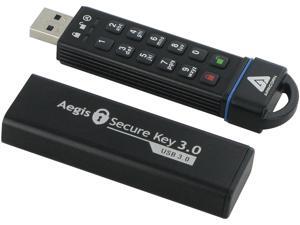
Apricorn Aegis Secure Key 30GB FIPS 140-2 Level 3 Validated USB 3.0 Flash Drive with PIN ...
- Brand: Apricorn
- Series: Aegis Secure Key
- Capacity: 30GB
- Security: 256bit AES Encryption
- USB Specification: USB 3.0
- Features: FIPS 140-2 Level 3 Validated PIN activated 7-16 digits - Alphanumeric keypad use a memorable number or word for your PIN Military grade AES 256-bit XTS hardware encryption No software or drivers involved OS and platform independent - compatible with Windows, Mac, Linux and any USB enabled host Crypto-parameters protected with SHA-256 hashing IP58 Certified: dust and water resistant durable aluminum housing Epoxy-filled internal compartment encases all electronic components; tamper-evident and tamper-resistant Supports Admin and User independent PINs Auto-lock on USB port removal or after predetermined period of inactivity Drive reset feature destroys data and allows ...
- Model #: ASK3-30GB
- Item #: 9SIV2G2JV72852
- Return Policy: PremierSource Return Policy
Other Uses for USB Flash Drives
Introduction
A USB flash drive is a versatile data storage solution that can be used for many purposes, some of which are not widely known. While flash drives are popular for backing up and transferring data, other uses include boosting computer performance or serving as an operating system boot disk. Below, NeweggBusiness presents several lesser-known benefits of flash drives that you may find useful.
Increase System Performance
Certain operating systems allow you to use a USB flash drive to increase system performance by complementing the main system memory. Known as ReadyBoost ®, it is supported by Windows® Vista®, Windows 7, and Windows 8. In order for a USB flash drive to be used, it must have at least 256 MB of unused space.
Portable Applications
What are portable applications? They are programs that can be installed onto a USB flash drive and run on a host computer without modifying the host computer’s settings or configurations. For instance, a portable .pdf reader on a USB flash drive will allow you to read .pdf files without requiring installation.
Boot Disk
A boot disk can be used for many purposes, including operating system installation, updating Basic Input / Output System (BIOS) settings, and troubleshooting operating system issues. Traditionally, boot disks were specially formatted 3.5 inch floppy disks and later optical discs, but USB flash drives can also be used. The process to make a USB flash drive a boot disk varies depending on the operating system.
Automated Backup
Some USB flash drives include automated backup software bundled or preinstalled onto the drive. With automatic backup, files, folders, and settings can be backed up to a flash drive whenever it is inserted into a USB slot.
Lock or Unlock a Computer
If you have concerns about computer security and do not feel that a password is sufficient protection, a USB flash drive can be used to add an extra layer of security. Some programs, when installed onto your computer and USB flash drive, require the flash drive to be inserted in order for the computer to be locked or unlocked.
Security Tools
By installing portable security tools onto a USB drive, you can scan for viruses and malware on any computer that the flash drive is connected to. A useful tool if you need to remove viruses, malware, or other malicious software from multiple computers or frequently use public computers.
Optical Drive Replacement
Installing an operating system typically requires you to have the installation disc, which can be an issue if the computer does not have an optical drive. One workaround is to use a USB flash drive as the installation medium, rather than an optical disc. This is accomplished by formatting the USB flash drive as a boot disk and copying the operating system installation files.

