




Featured Products See All
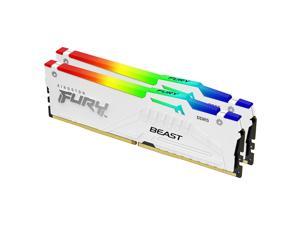
Kingston FURY Beast 64GB (2 x 32GB) 288-Pin PC RAM DDR5 6000 (PC5 48000) Memory ...
$999 .99
Free Shipping
Save even more w/ promo code BLUSF66, limited offer
- DDR5 6000 (PC5 48000)
- Timing 36-38-38-74
- CAS Latency CL36
- Voltage 1.35V
$999 .99
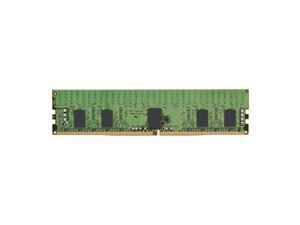
Kingston KTD-PE432S8/16G DDR4 3200MT/s ECC Registered RDIMM CL22 1RX8 1.2V ...
COMING SOON
- CAS Latency: CL22
- Error Checking: ECC
- Memory Speed: 3200 MHz
- Memory Size: 16 GB
- Memory Voltage: 1.20 V
- Number of Pins: 288-pin
- Form Factor: RDIMM
- Signal Processing Registered
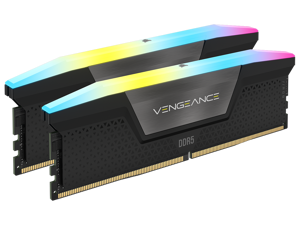

CORSAIR Vengeance RGB 32GB (2 x 16GB) 288-Pin PC RAM DDR5 6400 (PC5 51200) Desktop ...
$499 .99
Free Shipping
Save even more w/ promo code BLUSF72, limited offer
- DDR5 6400 (PC5 51200)
- Timing 36-48-48-104
- CAS Latency 36
- Voltage 1.40V
- High-Speed Gaming RGB Memory
$499 .99
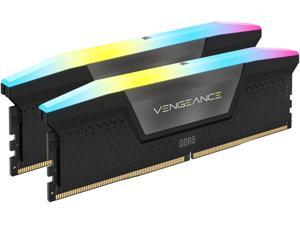
CORSAIR Vengeance RGB 64GB (2 x 32GB) 288-Pin PC RAM DDR5 6000 (PC5 48000) Desktop ...
Save: $27.60
$919 .99
Free Shipping
Save even more w/ promo code BLUSF94, limited offer
- DDR5 6000 (PC5 48000)
- Timing 40-50-50-96
- CAS Latency CL40
- Voltage 1.35V
Save: $27.60
$919 .99
CORSAIR Vengeance RGB 32GB (2 x 16GB) 288-Pin PC RAM DDR5 6000 (PC5 48000) Desktop ...
$479 .99
Free Shipping
Save even more w/ promo code BLUSF84, limited offer
- DDR5 6000 (PC5 48000)
- Timing 38-44-44-96
- CAS Latency CL38
- Voltage 1.35V
$479 .99
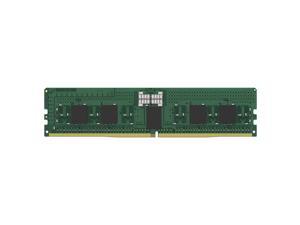
Kingston KSM56R46BS8PMI-16HAI 16GB DDR5 SDRAM Memory Module - For Motherboard - ...
$649 .99
Free Shipping
- Up to 5600 MHz speed with CL46 latency for playing the latest games and using heavy software
- DIMM 16 GB bar will run multiple applications together and enhance your computer's performance
- The DDR5 SDRAM efficiently move data across electric components and provide smooth PC performance
- RAM Module is the single answer to all your desired and heavy-duty application memory needs
- Motherboard device support for your ram module for maximum productivity and convenience
- Registered signal processing allows high speed and accuracy to allow maximum reliability
- 288-pin for enhanced, dependable system performance with maximum usability
- DIMM form factor with 288-pin and 16 GB memory size effectively reduces minimizes the load on the server memory BUS to ensure maximum productivity
- CL46 CAS latency for faster, dependable clock cycles which allows quick access and retrieval of data and information
$649 .99
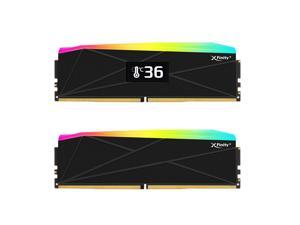

V-COLOR OLED XFinity+ DDR5 32GB (2x16GB) 6000MHz CL30 1.35V SK Hynix IC RGB Gaming ...
$439 .99
Free Shipping
- 32GB Kit (2×16GB) DDR5 6000MT/s (PC5-48000) CAS Latency 30 Timing 30-38-38-76 Voltage 1.35V Important Compatibility & Display Information: Compatible with AMD Chipset Motherboards only. The built-in OLED display operates in hardware mode and shows the AMD EXPO overclocking speed preset in the memory module. To reach the speed shown on the OLED screen, please enable the EXPO profile through your BIOS settings. The temperature indicator refreshes automatically every few minutes after the operating system has loaded. Each kit includes one module with an OLED display and one standard RGB module.
$439 .99
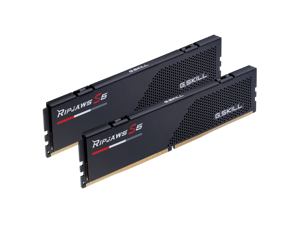

G.SKILL Ripjaws S5 Series 32GB (2 x 16GB) 288-Pin PC RAM DDR5 6000 (PC5 48000) Desktop ...
Save: $10.00
$479 .99
Free Shipping
+ $40 off w/ promo code BLUSF77, limited offer
- DDR5 6000 (PC5 48000)
- Timing 36-36-36-96
- CAS Latency CL36
- Voltage 1.35V
Save: $10.00
$479 .99
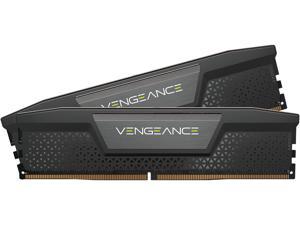
CORSAIR Vengeance 32GB (2 x 16GB) 288-Pin PC RAM DDR5 7200 (PC5 57600) Desktop ...
$624 .99
Free Shipping
- DDR5 7200 (PC5 57600)
- Timing 34-44-44-96
- CAS Latency 34
- Voltage 1.45V
- High-Speed Gaming Memory
$624 .99
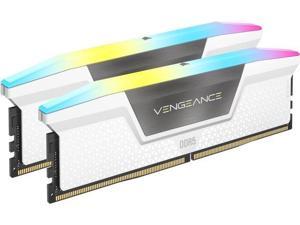
CORSAIR Vengeance RGB 64GB (2 x 32GB) 288-Pin PC RAM DDR5 6400 (PC5 51200) Desktop ...
$1,225 .99
Free Shipping
Save even more w/ promo code BLUSF87, limited offer
- DDR5 6400 (PC5 51200)
- Timing 32-40-40-40-84
- CAS Latency 32
- Voltage 1.40V
- High-Speed Gaming RGB Memory
- Newegg Exclusive
$1,225 .99
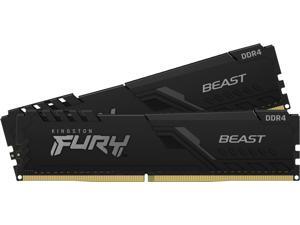
Kingston FURY Beast 16GB (2 x 8GB) 288-Pin PC RAM DDR4 3200 (PC4 25600) Memory ...
$149 .99
Free Shipping
- DDR4 3200 (PC4 25600)
- Timing 16-20-20
- CAS Latency CL16
- Voltage 1.35V
$149 .99
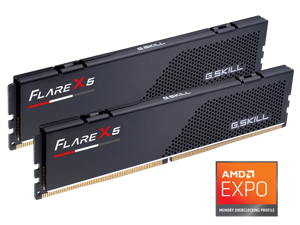
G.SKILL Flare X5 Series AMD EXPO 32GB (2 x 16GB) 288-Pin PC RAM DDR5 6000 Desktop ...
$479 .99
Free Shipping
+ $40 off w/ promo code BLUSF76, limited offer
- DDR5 6000 (PC5 48000)
- Timing 36-36-36-96
- CAS Latency CL36
- Voltage 1.35V
$479 .99
Loading Dynamic Data...
Tips for Buying Computer Memory
Introduction
Adding or upgrading computer memory is a quick and relatively low-cost method of improving computer performance. Compared to upgrading a processor, upgrading random access memory (RAM) can be more cost-effective and easier to install. If you wish to perform a computer memory upgrade, there are a few performance factors that you should take into account.
Performance Factors
Capacity
Capacity is one of the most important factors when upgrading computer memory, as it affects how well a computer can multitask. Increasing the amount of memory in a computer can increase the number of programs and tasks it can run without adversely affecting system performance.
So how much memory does a computer need? It depends greatly on theoperating system, software, and intended usage for the computer. For instance, Microsoft’s recommended amount of computer memory for Windows® XP is 128 MB. For Windows 8.1, they recommend 1 GB for 32-bit installations and 2 GB for 64-bit installations. It is a good precaution to have more than the recommended amount of memory in case your users need to run many system-intensive programs simultaneously.
Speed
Memory speed can have a small impact on overall system performance, but not by an easily noticeable margin. For instance, the performance difference between an 1866 MHz memory module and a 1333 MHz module can be difficult to detect without benchmarking software.
Utilizing the fastest memory is important mainly for server workstations that constantly save and retrieve data.
Timings
Computer memory timing is sometimes referred to as latency and is usually provided as four ratings separated by dashes, such as 9-9-9-28. Typically, the lower the numbers are, the better the performance of the memory will be.
But how much does latency matter? Latency is generally less important than memory speed and the difference between a 7 rating and a 10 rating will not be noticeable by the average user.
Multi-Channel Kits
The configuration of a computer memory upgrade kit has a small impact on system performance, but not as much as the amount of memory. If your motherboard supports multi-channel memory, a matching kit will net more performance gains than a non-matching kit.
For example, using a dual-channel memory kit with a dual-channel motherboard will be better than using two unpaired memory modules on that same motherboard. However, the performance gains are relatively minor and not as important as the amount of computer memory.
