




Featured Products
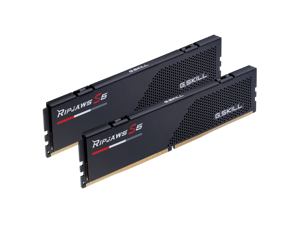

G.SKILL Ripjaws S5 Series 32GB (2 x 16GB) DDR5 5600 Desktop Memory Model ...
$514 .99
Free Shipping
- DDR5 5600
- Timing 36-36-36-89
- CAS Latency CL36
- Voltage 1.20V
$514 .99


CORSAIR Vengeance LPX 32GB (2 x 16GB) 288-Pin PC RAM DDR4 2666 (PC4 21300) Memory ...
$289 .99
Free Shipping
- Designed for high-performance overclocking
- Designed for great looks
- Performance and Compatibility
- Low-profile heatspreader design
$289 .99
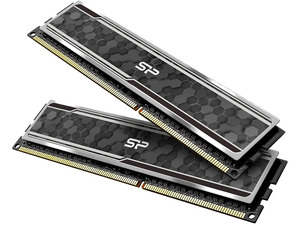

Silicon Power 32GB (2 x 16GB) DDR4 3200 (PC4 25600) Desktop Memory Model ...
$229 .79
Free Shipping
- Speeds up to 3200 MT/s Timing 16-18-18-38 CAS Latency CL16 Voltage 1.35V Advertised speeds are reached via XMP or the equivalent profile (such as DOCP or A-XMP) in your BIOS profiles. Actual performance varies by system configuration (Motherboard/CPU compatibility). Plug-and-play speeds follow JEDEC standards.
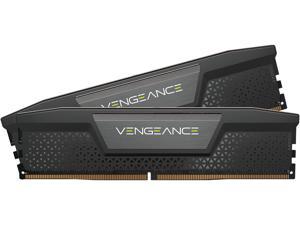
CORSAIR Vengeance 32GB (2 x 16GB) 288-Pin PC RAM DDR5 7200 (PC5 57600) Desktop ...
$659 .99
Free Shipping
- DDR5 7200 (PC5 57600)
- Timing 34-44-44-96
- CAS Latency 34
- Voltage 1.45V
- High-Speed Gaming Memory
$659 .99
Loading Dynamic Data...
Tips for Buying Computer Memory
Introduction
Adding or upgrading computer memory is a quick and relatively low-cost method of improving computer performance. Compared to upgrading a processor, upgrading random access memory (RAM) can be more cost-effective and easier to install. If you wish to perform a computer memory upgrade, there are a few performance factors that you should take into account.
Performance Factors
Capacity
Capacity is one of the most important factors when upgrading computer memory, as it affects how well a computer can multitask. Increasing the amount of memory in a computer can increase the number of programs and tasks it can run without adversely affecting system performance.
So how much memory does a computer need? It depends greatly on theoperating system, software, and intended usage for the computer. For instance, Microsoft’s recommended amount of computer memory for Windows® XP is 128 MB. For Windows 8.1, they recommend 1 GB for 32-bit installations and 2 GB for 64-bit installations. It is a good precaution to have more than the recommended amount of memory in case your users need to run many system-intensive programs simultaneously.
Speed
Memory speed can have a small impact on overall system performance, but not by an easily noticeable margin. For instance, the performance difference between an 1866 MHz memory module and a 1333 MHz module can be difficult to detect without benchmarking software.
Utilizing the fastest memory is important mainly for server workstations that constantly save and retrieve data.
Timings
Computer memory timing is sometimes referred to as latency and is usually provided as four ratings separated by dashes, such as 9-9-9-28. Typically, the lower the numbers are, the better the performance of the memory will be.
But how much does latency matter? Latency is generally less important than memory speed and the difference between a 7 rating and a 10 rating will not be noticeable by the average user.
Multi-Channel Kits
The configuration of a computer memory upgrade kit has a small impact on system performance, but not as much as the amount of memory. If your motherboard supports multi-channel memory, a matching kit will net more performance gains than a non-matching kit.
For example, using a dual-channel memory kit with a dual-channel motherboard will be better than using two unpaired memory modules on that same motherboard. However, the performance gains are relatively minor and not as important as the amount of computer memory.
