




Featured Products See All
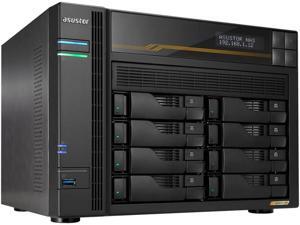
Asustor Lockerstor 8 Gen3 AS6808T 8 Bay NAS, Quad-Core 2.3GHz CPU, Dual USB 4 Ports, Dual ...
$1,759 .99
- Quad-Core AMD Ryzen Embedded V3C14 CPU @ 2.3 GHz - 3.8 GHz Turbo 16GB of server-grade DDR5-4800 ECC memory (Max 64GB) Quad M.2 slots for NVMe SSDs Doubled Performance with PCIe 4.0 2x USB4 ports at 40 Gbps 3x USB 3.2 Gen 2 Type-A at 10 Gbps 2x 10-Gigabit Ethernet 2x 5-Gigabit Ethernet Supports Wake on LAN and Wake on WAN (5 GbE)
$1,759 .99
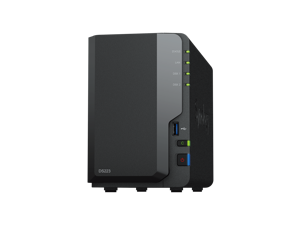
Synology 2-bay DiskStation DS223 (Diskless)
$284 .99
Free Shipping
- •Centralized Data Storage
- Consolidate up to 36 TB of data1 with 100% data
- ownership and multi-platform access
- • Easy Sharing & Syncing
- Share files and media in a breeze, and keep clients and
- collaborators on the same page
- • Simple Data Protection
- Back up your media library or business document
- repository to a variety of destinations
- • Intelligent Surveillance
- Protect what matters by keeping an eye on your home
- with flexible monitoring tools
$284 .99
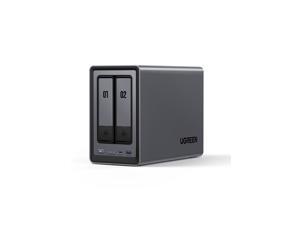
UGREEN NASync DXP2800, 2-Bay NAS with Intel N100 Quad-Core CPU (Up to 3.4GHz) 8GB ...
Save: $30.00 (8%)
$369 .99
Free Shipping
- 12th Gen 4-core Intel® Processor: With a 12th Gen, 4-core 4-thread Intel® Processor, processing performance is improved by leaps and bounds compared to previous processors.
- One, All-Inclusive App: Rather than downloading individual applications for specific functions, the NAS App incorporates these functions into one place. Access Storage Manager, Files, Photos and more, all from one convenient location.
- 2-Bay, Massive Data Storage: Equipped with two SATA and two M.2 NVMe drive bays, the NASync DXP2800 has a maximum storage capacity of up to 52TB.
- 2.5GbE Network Port: With a 2.5GbE network port that reaches peak speeds of 312.5MB/s, you can download movies and large files smoothly like a breeze.
- Professional Data Security: With Professional encryption, data transmission and accounts can be fully protected.
Save: $30.00 (8%)
$369 .99
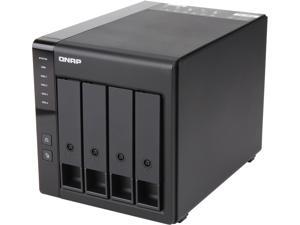
QNAP TR-004-US Diskless System Network Storage
$219 .00
Free Shipping
+ $25 off w/ promo code BMSFF37, limited offer
- 4-Bay
- Usage Backup & stream media through personal cloud
- Diskless System
- Micro processor with hardware RAID Processor
- 1 x Type-C USB 3.2 Gen 1
$219 .00

BUFFALO TeraStation TS5420DN8004 4-Bay NAS 80TB (4x20TB) with NAS-Grade Hard Drives ...
$2,911 .99
Free Shipping
- Pre-tested NAS-grade hard drives included and RAID pre-configured to save you time and money
- High Performance Business Network Storage Solution
- Cloud compatibility with Amazon S3, Dropbox/Dropbox Business, Microsoft Azure and OneDrive
- Enhanced security: Closed system, AES-256 encryption, 2-factor authentication, Snapshot backup and recovery
- 3-year warranty with 24/7 US-based support
- Native 10GbE port for high speed file transfers with no cable upgrades needed
- Vmware- and Windows Server 2022-certified for virtualization solutions
- Remote Management System: Manage multiple devices from a single console to save time/resources
- Optimized performance for SMB (30 - 100 concurrent users)
- Unit ships with 80TB (4 x 20TB hard drives) in RAID 5, giving you 60TB of usable hard drive space
- 2.04 GHz Quad-Core Processor with 8GB ECC memory
- Includes NovaBACKUP software licenses for professional-level server and PC backups
- TAA compliant - Made in Japan
$2,911 .99
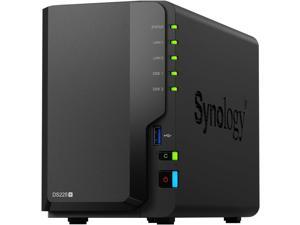
Synology DS225+ Diskless System Network - Storage
$339 .99
Free Shipping
- Capable Performance
- Up to 282/217 MB/s sequential read/write throughput supports stable data
- transfers
- Fast Networking
- Built-in 2.5GbE port for fast connectivity out of the box
- Versatile Network Storage
- Leverage built-in file and photo management, data protection, and surveillance solutions
- Centralized Data Storage
- Store up to 40TB of data in one place, maintain 100% data ownership, and enjoy multi-platform access
- Extendable Product Support
- Backed by Synology's 3-year limited hardware warranty, extendable to 5 years
- in select markets
$339 .99
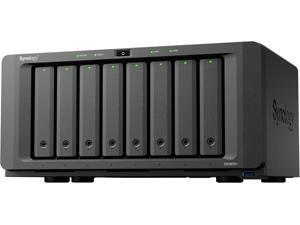
Synology DS1825+ Diskless System 8-bay DiskStation (Diskless)
$1,149 .99
Free Shipping
- Dependable Performance
- Up to 2,239/1,573 MB/s sequential read/write throughput1 supports officewide applications
- Fast and Flexible Networking
- Built-in 2.5GbE ports, supports 10GbE SFP+/RJ-45 and 25GbE SFP28 adapter
- cards
- Simple Expansion
- Scale up on demand to with two DX525 expansion units3 for up to 18 drive bays and 360 TB of raw storage
- Comprehensive Backups
- Protect your IT infrastructure with license-free solutions for backup,replication, and recovery
- Long-Term Support
- Backed by Synology's 3-year limited hardware warranty, extendable to 5 years
- in select markets
$1,149 .99
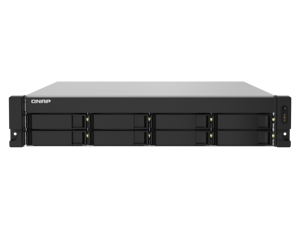
TS-832PXU-RP-4G-US QNAP 2U 8-Bay ARM-based 2.5G &10G NAS
$1,334 .99
Free Shipping
- QNAP 2U 8-Bay ARM-based 2.5G &10G NAS, Quad Core 1.7GHz, 4GB DDR3 RAM, 2 x 10GbE SFP+, 2 x 2.5GbE, Redundant Power Supply. AL324 quad-core 1.7 GHz rackmount NAS with 250W redundant PSU, 4GB DDR4 UDIMM RAM (max 16GB), SATA 6Gb/s, 2x 10GbE SFP+, 2x 2.5GbE, 1x PCIe Gen2 x2 slot
$1,334 .99
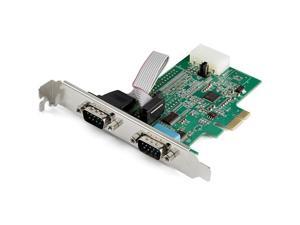
Save: $5.00 (9%)
$49 .99
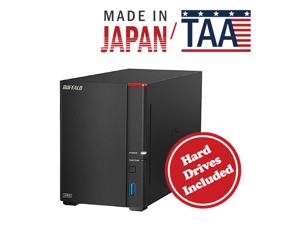
BUFFALO LinkStation SoHo 720 2-Bay Professional Office NAS 4TB (2x2TB) with Hard Drives ...
$395 .99
Free Shipping
- Secure value personal cloud with RAID – Offers 7x improved performance and 2.5GbE connectivity over the LS SoHo 220.
- Purpose-built for data security – NAS comes with a closed system to limit third-party vulnerabilities and SSL encryption to secure file transfers.
- Centralize your data – Manage and automatically back up data from all your computers and mobile devices with one device. Direct Copy lets you easily transfer files without a computer.
- Subscription-free personal cloud – Store, back up, and manage your files without monthly fees.
- Securely share files with family and friends – Configure individual folder permissions to keep your data private.
- Robust support and warranty – 24/7 US-based live phone support and 2-year product warranty, including coverage for hard drives.
- Made in Japan – Crafted with high-quality components and fully TAA-compliant.
- 2-bay NAS with 4TB capacity – Ships in RAID 1 for redundancy and 2TB useable capacity.
$395 .99
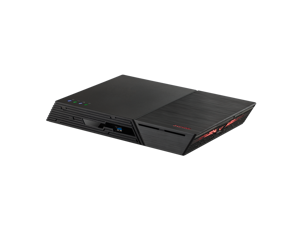
Asustor FS6806X Flashstor 6 Gen 2 6 Bay NAS, Quad-Core 2.3GHz CPU,10GbE Ports, 8GB RAM ...
$1,040 .99
Free Shipping
- AMD Quad-Core 6 nm Ryzen Embedded V3C14 Processor Six M.2 slots for NVMe SSDs - Supports up to PCIe 4.0 x4 10-Gigabit Ethernet Powered by 8 GB of DDR5-4800 RAM ECC RAM supported 2 x USB 4.0 (Type-C) 3 x USB 3.2 Gen 2 (Type-A) Suitable for 4K editing, enthusiasts, and content creation
$1,040 .99
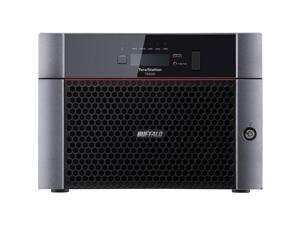
BUFFALO TeraStation TS5820DN3204 8-Bay NAS 32TB (4x8TB) with NAS-Grade Hard Drives ...
$2,127 .99
Free Shipping
- Pre-tested NAS-grade hard drives included and RAID pre-configured to save you time and money
- High Performance Business Network Storage Solution
- Cloud compatibility w/ Amazon S3, Dropbox/Dropbox Business, Microsoft Azure and OneDrive
- Enhanced security: Closed system, AES-256 encryption, 2-factor authentication, Snapshot backup and recovery
- 3-year warranty w/ 24/7 US-based support
- Native 10GbE port for high speed file transfers w/ no cable upgrades needed
- Vmware- and Windows Server 2022-certified for virtualization solutions
- Remote Management System: Manage multiple devices from a single console to save time/resources
- Optimized performance for SMB (30 - 100 concurrent users)
- Unit ships with 32TB (4 x 8TB hard drives) in RAID 5, giving you 24TB of usable hard drive space and 4 open bays for future expansion up to 160TB
- 2.04 GHz Quad-Core Processor w/ 8GB ECC memory
- Includes NovaBACKUP software licenses for professional-level server and PC backups
- TAA compliant - Made in Japan
$2,127 .99
Loading Dynamic Data...
What is a Network Attached Storage Device?
Introduction
A network attached storage (NAS) device is a centralized file storage solution that is similar to an external hard drive, except that it connects to a network instead of directly to any one computer. It is a way for your staff to share files, stream media content, and back up documents. If you wish to learn more about NAS storage boxes and how they can benefit your organization, NeweggBusiness explains below.
What is a network attached storage device?
A NAS device is more like a file server with web management functionality rather than just a storage drive. In a NAS box, you will find a processor, memory, and an operating system. So when shopping for NAS storage, your considerations should include processor speed, amount and speed of memory, operating system compatibility, the number of expandable hard drive bays (if any), and more.
For organizations, a NAS box is an excellent way to provide additional storage, while requiring less setup and administration than servers. In addition, some network attached storage devices have audio and video streaming functionality so that they can double as media hubs. If your organization can benefit from a NAS box, then there are a few key points that you should consider for when shopping one.
Considerations
Capacity
While some NAS boxes have built-in hard drives, others will require you to purchase the drives separately. One advantage of a NAS box that requires you to purchase the drives separately is that you can customize the capacity of the network attached storage device to your organization’s needs.
Connectivity (Wired or wireless)
Wired NAS storage drives utilize gigabit Ethernet ports for network connectivity, with some having several Ethernet ports. The reason for having more than one Ethernet port is two-fold. First, the redundancy can come in handy if a port ever fails, and secondly, using multiple ports can increase data bandwidth.
Wireless network attached storage drives are not as common as wired variants for a two reasons. One, most wireless NAS drives utilize the 802.11n standard, which is slower than gigabit Ethernet. Two, a wired NAS can still be accessed wirelessly if it is connected to a wireless router.
Performance
The performance of a NAS is determined by the speed of its processor and the amount of memory onboard. With a network attached storage drive, better hardware means that it can support more users reading and writing data at the same time. However, a faster processor and more memory usually mean a higher price tag.
Operating system compatibility
When purchasing NAS storage devices, you will want to make sure that they are compatible with your organization’s operating systems. Mac and Windows support is fairly common, with some network storage devices supporting both. Support for computers running Linux® however, is not as common.
Security
Security can come in the form of file encryption, user authentication, firewalls, and Kensington® security slots (K-slots). For maximum protection, you will want a NAS that is secure on the software level as well as physical.
What NAS should you get?
When shopping for a NAS, your top concerns should be those listed above. They determine how fast the NAS will be, how much storage capacity it will have, and how secure it will be. After taking into account those factors, then you should consider features such as media streaming, cloud storage, remote access, and YouTube™ integration. With those additional features, a network attached storage drive can be more than just a file server for a local network.
